How does liquid cooling work CPU?
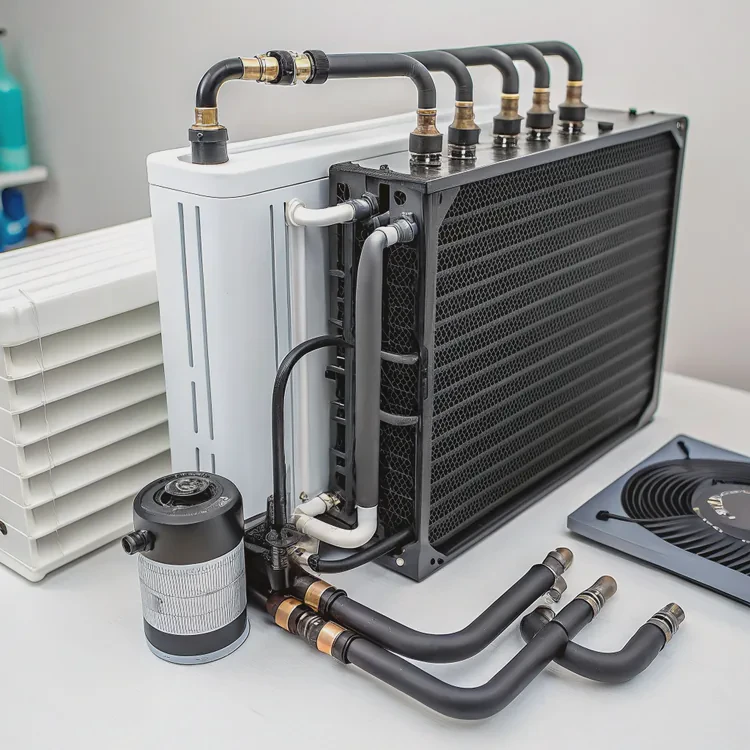
When a computer runs complex tasks, it generates heat. Overheating can slow performance or even damage parts. Many people now turn to liquid cooling for a smarter solution.
Liquid cooling removes heat from the CPU by circulating coolant through a block and radiator, keeping temperatures low and performance stable.
Unlike air cooling, which relies on fans and airflow, liquid cooling transfers heat through a fluid system. This makes it faster and more efficient. Let’s dive into how it works, why it matters, and what new trends are changing CPU cooling today.
What defines CPU liquid cooling?
Every computer has a central processing unit (CPU). It acts as the brain of the system, processing billions of calculations per second. As it works, it produces heat. When air cooling isn’t enough, liquid cooling becomes the better option.
CPU liquid cooling is a system that uses water or coolant to absorb and move heat away from the processor faster than air.
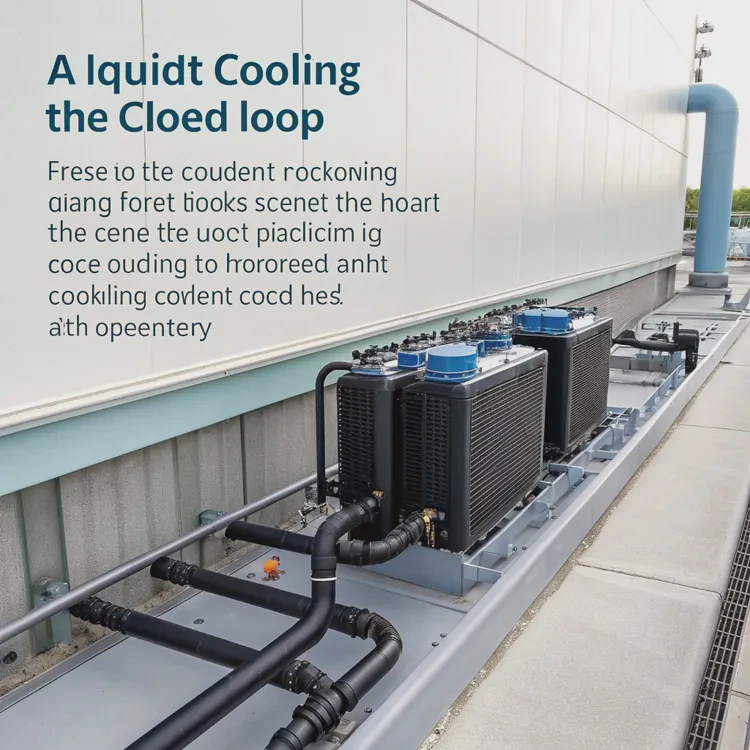
A basic liquid cooling system has several main parts:
| Component | Function |
|---|---|
| Water Block | Attached to the CPU, absorbs heat from the processor. |
| Pump | Moves the coolant through the system. |
| Radiator | Releases heat from the coolant into the air. |
| Tubes | Carry the coolant between parts. |
| Fans | Help cool the radiator more effectively. |
How it works step-by-step
- The water block sits directly on the CPU surface with a thin layer of thermal paste for better contact.
- The coolant flows through channels inside the block, absorbing heat from the CPU.
- The heated liquid moves to the radiator through flexible tubes.
- The radiator’s fins and fans release the heat into the air.
- The cooled liquid returns to the block, and the cycle continues.
This closed-loop process runs quietly and efficiently. Compared to air coolers, liquid cooling spreads heat more evenly and keeps temperatures stable under heavy workloads. The design also looks cleaner and allows more freedom in case design and layout.
What are the benefits for performance?
When I first switched from air to liquid cooling, the difference surprised me. My CPU ran faster, quieter, and stayed stable even when I pushed performance limits.
The main benefit of CPU liquid cooling is better temperature control, which leads to higher performance, longer lifespan, and lower noise.

Here are some clear benefits that explain why more users are upgrading to liquid cooling systems:
| Benefit | Description |
|---|---|
| Better Performance | Cooler CPUs can run at higher clock speeds without throttling. |
| Longer Lifespan | Stable temperatures reduce stress and extend component life. |
| Lower Noise | Fans run slower since liquid cooling removes heat more efficiently. |
| Aesthetic Design | Clean look, customizable lighting, and modular layout. |
| Overclocking Stability | Essential for users who push CPU limits for gaming or rendering. |
Real-world results
In my experience, a liquid-cooled CPU can maintain up to 20–30% lower temperatures compared to high-end air coolers. For example, when rendering 3D models or editing large videos, CPU usage often reaches 90–100%. Air cooling struggles under such constant load, while liquid cooling keeps the temperature steady around 60–70°C.
This temperature margin can prevent thermal throttling. Thermal throttling happens when the CPU slows itself down to avoid overheating. With liquid cooling, that performance drop rarely happens, meaning smoother tasks and more consistent output.
Why noise matters
Performance is not only about speed. In quiet offices or creative studios, fan noise can be distracting. Because liquid systems transfer heat more effectively, they rely less on high-speed fans. The result is a silent machine that performs better.
How to optimize CPU liquid cooling setup?
Even the best cooling system can perform poorly if not installed or configured correctly. I’ve learned that small details—like pump speed or radiator placement—make a big difference.
To optimize CPU liquid cooling, you must balance pump speed, fan curves, and radiator placement to maintain stable temperatures and low noise.
Key optimization areas
| Parameter | Recommended Practice |
|---|---|
| Pump Speed | Set between 60–80% for quiet and stable flow. |
| Fan Curve | Adjust fan speed based on coolant temperature, not CPU temperature. |
| Radiator Placement | Mount at the top or front of the case for best airflow. |
| Coolant Maintenance | Replace every 6–12 months for custom loops. |
| Cable and Tube Management | Keep tubing short and direct to avoid resistance. |
Step-by-step optimization tips
1. Position the radiator wisely
The radiator should face an area with strong airflow. If possible, place it near intake fans to draw in cooler air. Warm air rises, so a top-mounted radiator often helps remove heat efficiently.
2. Control pump and fan speeds
Using motherboard software, create a custom fan curve. For example, keep fans quiet at idle but increase speed gradually as coolant temperature rises. A stable pump speed prevents vibration and extends pump life.
3. Avoid air bubbles
When installing or refilling the system, tilt the case gently to move trapped air toward the reservoir or radiator. Air pockets reduce coolant flow and cooling performance.
4. Maintain your loop
If you use an open or custom cooling loop, check the coolant color and level regularly. Replace it if you see residue or cloudiness. Clean radiators and fans to prevent dust buildup.
5. Monitor performance
Use software like HWMonitor, AIDA64, or MSI Afterburner to track CPU and coolant temperatures. Ideal coolant temperature stays between 30–45°C under load.
Practical insight
A well-optimized system can keep even high-end CPUs under control. For example, with a 360mm radiator and balanced fan curve, a processor like the Intel i9-14900K can maintain 65°C during gaming at full load. This keeps noise low and ensures consistent high performance.
What trends improve CPU cooling systems?
The world of PC cooling is changing fast. Manufacturers are finding new ways to make systems smaller, smarter, and more sustainable.
Modern trends in CPU liquid cooling focus on smart control, improved materials, and eco-friendly designs that enhance both efficiency and reliability.
1. Smart control systems
Today’s liquid coolers come with intelligent controllers and sensors. They can adjust fan and pump speeds automatically based on real-time temperature. Some even sync with motherboard software or mobile apps. This automation makes the system more energy-efficient and easier to manage.
2. New coolant materials
Traditional systems used water mixed with additives. Now, advanced fluids with nanotechnology improve heat transfer and resist corrosion. Some coolants are even biodegradable, reducing environmental impact.
3. Compact and modular designs
Mini PCs and small cases are becoming popular. This drives the need for smaller, all-in-one (AIO) coolers that still perform well. Modular designs also make it easier to replace or upgrade parts without rebuilding the system.
4. Integration with AI and IoT
AI-based systems can predict workload changes and adjust cooling in advance. IoT integration allows users to monitor performance remotely, even from a smartphone. For example, some new AIO coolers send alerts if coolant levels drop or pump speed slows.
5. Sustainable manufacturing
As energy costs rise, many companies are focusing on green production methods and recyclable materials. Radiators made from lightweight aluminum or hybrid materials reduce both cost and environmental footprint.
Industry innovations at a glance
| Trend | Description |
|---|---|
| AI Cooling Management | Uses algorithms to predict and control temperature in real-time. |
| Nanofluid Coolants | Increase thermal conductivity and reduce corrosion. |
| Modular Components | Allow easy maintenance and upgrade. |
| Eco-friendly Fluids | Made from biodegradable or non-toxic materials. |
| Silent Pumps | Magnetic levitation and ceramic bearings reduce noise. |
Looking ahead
The next generation of CPU coolers may combine liquid and phase-change technologies. This means the coolant can change state between liquid and gas to absorb more heat, similar to how refrigeration works. Some prototypes already show over 30% better performance compared to current AIOs.
For professionals, gamers, or creators who rely on consistent performance, these innovations mean fewer limits. With better cooling, CPUs can stay efficient, even as power demands grow.
Conclusion
Liquid cooling transforms how we manage CPU heat. It keeps systems faster, quieter, and more stable under heavy load. With smart controls, better materials, and greener designs, the future of CPU cooling is efficient, silent, and sustainable.
TAGS
Latest Articles

Volume discount levels for heat sink orders?
Buyers often ask when heat sink prices start to drop with volume. Many worry they’re overpaying for small orders. This guide explains how B2B volume pricing works for thermal components. Heat sink
21 Dec,2025
Heat sink long-term supply contract options?
Many buyers want stable pricing and reliable delivery for heat sinks. But without a clear contract, risks grow over time. This article explores how to secure better long-term supply deals. Long-term
21 Dec,2025
Tooling cost for new heat sink profiles?
Many engineers struggle to understand why tooling for custom heat sinks costs so much. They worry about budgeting and production timelines. This article breaks down the cost drivers behind tooling.
21 Dec,2025
Heat sink custom sample process steps?
Sometimes, starting a custom heat sink project feels overwhelming—too many steps, too many unknowns, and too many risks. You want a sample, but not endless delays. The process for requesting and
20 Dec,2025
Standard B2B terms for heat sink payments?
When buyers and sellers in B2B heat sink markets talk about payment, many don’t fully understand what’s standard. This can lead to delayed orders, miscommunication, and even lost business
20 Dec,2025
Heat sink pricing factors for large orders?
Heat sinks are vital for many systems. When prices rise, projects stall and budgets break. This problem can hit teams hard without warning. Large order heat sink pricing depends on many factors. You
20 Dec,2025Related Articles
- Heat Sink Manufacturer in Guyana
- Heat Sink Manufacturer in Guinea-Bissau
- Heat Sink Manufacturer in Guinea
- Heat Sink Manufacturer in Georgia
- Heat Sink Manufacturer in Gambia
- Heat Sink Manufacturer in Gabon
- What is a liquid CPU cooler?
- How to install a liquid CPU cooler?
- How to liquid cool a GPU?
- How does liquid CPU cooler work?
- Is liquid cooling better than air?
- Does liquid cooler need thermal paste?
Author
Dr. Emily Chen
Chief AI Researcher
Leading expert in thermal dynamics and AI optimization with over 15 years of experience in data center efficiency research.
Categories
Latest Products






Recommend Categories
- Liquid cooling plate Manufacturer
- Industrial Heat Sink Manufacturer
- Standard Heat Sink Manufacturer
- Aluminum Heat Sink Manufacturer
- Copper Heat Sink Manufacturer
- Anodized Heatsink Manufacturer
- Stamping heat sink Manufacturer
- Die Casting Heatsink Manufacturer
- Soldering heat sink Manufacturer
- CNC Parts Manufacturer
Latest Products
- Wholesale Aluminum Radiator
- Water Cooling Plate Kit
- Water Cooling Heat Sink
- Water Cooling Heat Sink Kit
- Stainless Steel Water Distributor
- Server Water Cooling Plate Kit
- Server Liquid Cooling System
- Server Aluminum Cooling Kit
- S19 Full Cover Cooling Plate
- S19 Cooling Plate Kit
- S19 Aluminum Cooling Plate
Contact Expert
Have questions about this article? Reach out to our experts directly.