can you boot skylake without heatsink?
I remember the first time I tested a Skylake CPU without a cooler. I felt anxious because I knew the chip could heat up fast. I want to help others avoid that same stress with clear steps and simple ideas.
You can boot a Skylake CPU without a heatsink for only a second or two, but it overheats almost instantly and becomes unsafe, so the system shuts down fast or risks damage.
I will share the thoughts that guide me each time I work with a Skylake processor.
Why Skylake overheats immediately?
I once ran a Skylake CPU bare for a quick test, and I felt the heat rise so fast that I reached for the power button right away. That moment showed me how sensitive these chips are.
Skylake overheats immediately because it has a small die, high thermal density, and no metal surface to spread heat when the heatsink is missing.
When I look at a Skylake CPU, I see a thin metal lid covering a small silicon core. This silicon holds billions of transistors that keep switching even at idle. That switching makes heat. The heat has nowhere to go without a cooler. It stays locked in a tiny spot. This makes the temperature climb in seconds. I have seen the temperature reach unsafe levels before I even saw the BIOS screen.
What makes Skylake heat up so fast
I keep this simple in my mind:
| Skylake Feature | Heat Effect |
|---|---|
| Small die | Faster heat buildup |
| High switching rate | More heat at idle |
| No heatsink contact | No place for heat to spread |
Even when the CPU idles, small tasks run in the background. The memory controller wakes up. The cores check instructions. These small actions create enough heat to push the chip into danger almost at once.
How the chip’s structure affects heat rise
Very small silicon area
The heat stays in one tight space.
Thin heat spreader
The metal lid cannot move heat without a cooler.
Dense transistors
Heat grows fast even at light load.
When I saw this happen with my own hands, I learned not to let the system run bare. I know how fast Skylake can overheat.
How I prevent instant heat spikes
When I need to test a board fast, I place a heatsink on the CPU even if I do not screw it down. The metal helps move heat away for a moment. This small step slows the heat rise and keeps my mind calm.
Can protection shut off the CPU?
The first time a Skylake system shut down by itself, I thought something failed. Then I learned it was protection doing its job.
Protection can shut off a Skylake CPU because it has thermal sensors that throttle the chip and trigger an automatic shutdown if the temperature continues to rise.
Skylake includes advanced thermal control. These controls watch the temperature every moment. When the CPU gets too hot, it slows itself. If it keeps rising, the system turns off. I see this often when I test systems without proper cooling.
How Skylake protection works
Here is a simple view that helps me remember:
| Protection Stage | Result |
|---|---|
| Throttle | CPU slows down |
| Hard throttle | CPU cuts power to cores |
| Shutdown | System turns off |
These stages happen fast. I have seen shutdown happen in less than two seconds with no heatsink. This shows that protection is effective, but also that the heat rise is extreme.
Why protection does not guarantee safety
I never assume protection will save the CPU every time. Sensors have limits. Heat can spike faster than the sensor can respond. Some boards react slower than others. A sharp rise can hurt the CPU before the shutdown signal arrives.
I treat these protections as a last defense. They are not a replacement for real cooling.
What I have seen in real tests
I remember testing an older board that handled thermal limits poorly. The system locked before the shutdown happened. The chip did not fail right away, but it became unstable later. That taught me to never rely only on protection. A heatsink is still the safest method.
Does low-power boot help briefly?
For a long time, I thought low-power boot would prevent heat spikes. I later learned it helps only a little, and for only a second or two.
Low-power boot helps only briefly because Skylake still produces enough heat during early startup to reach unsafe temperatures without a heatsink.
When the system powers on, the BIOS loads simple instructions. It wakes the cores. It checks memory. These tasks seem small, but they still make the CPU warm fast. The thermal density in Skylake is high. I watch sensors climb even during these light tasks.
Why low-power operation cannot prevent overheating
I keep this picture in my head:
Firmware still runs
The CPU still loads microcode.
Memory controller wakes
The controller pulls power right away.
Heat stays trapped
No heatsink means no thermal path.
Low-power boot slows the heat rise just a little. It does not stop it.
When low-power helps for a moment
Low-power gives me maybe one extra second of safety. That is all. I cannot trust it for anything longer. When I run a board check, I still see heat spikes. Even at light load, Skylake gets hot fast.
My safe method when testing low-power tasks
When I must test a board layout or BIOS signal, I do this:
- I place a loose heatsink on top.
- I keep the power-on time under two seconds.
- I shut down as soon as I see the board wake.
This simple routine gives me peace of mind. I know the chip stays safe.
Should testing be extremely short?
The only safe way I have found to test a Skylake CPU without a heatsink is to make the test extremely short. I learned this early after seeing how fast the temperature jumps.
Testing must be extremely short because Skylake can reach unsafe temperatures within one to three seconds when no heatsink is installed.
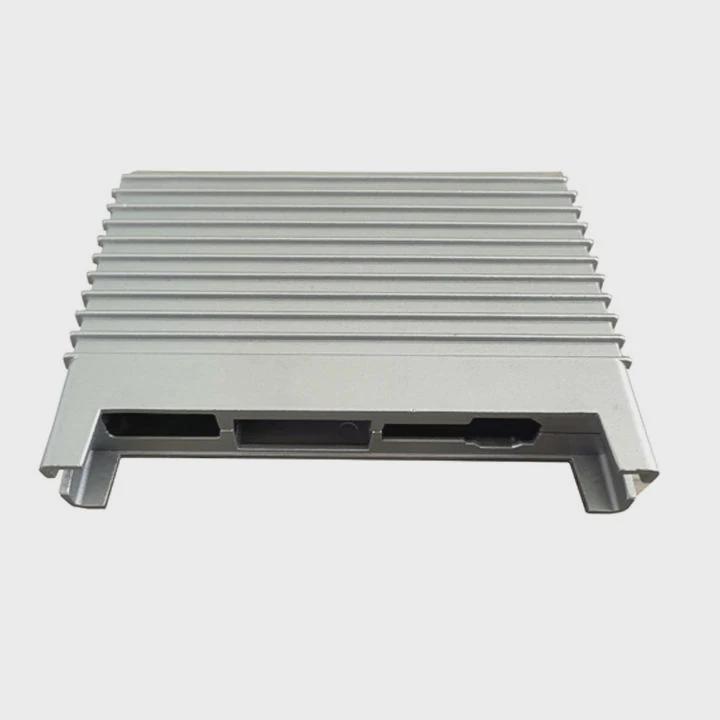
When I power up a board without a cooler, I plan every move. I check that cables are seated. I place my hand near the power button. I watch for any small sign of life. Then I shut the system down fast. This keeps the CPU from reaching its limit.
Why very short tests are the only safe option
The CPU expects a heatsink at all times. Its design relies on that metal contact. Without it, heat spikes sharply. Long tests push the chip into danger. Even a two-second delay can matter.
My simple plan for safe short tests
I break my method into steps:
Step 1
I prepare everything before powering on.
Step 2
I give the CPU a loose heatsink if possible.
Step 3
I power on for no more than one second.
Step 4
I turn off the system right after a POST beep or light.
This keeps the CPU far from critical temperature.
Extra steps I take to avoid damage
I also follow a second routine:
- I check that the motherboard pins look fine.
- I confirm the PSU switches on properly.
- I test only signals, not performance.
- I attach the heatsink before any long task.
These steps keep the CPU safe. I know Skylake reacts quickly to heat, so I keep the tests short and simple.
Why long tests damage the chip fast
Some sensors lag by a moment. The heat inside the silicon may peak before the system reports it. I saw this once during a longer test. The CPU became unstable afterward. It reminded me to avoid long no-heatsink runs. The risk is real even if it seems fine at first.
Conclusion
A Skylake CPU can boot without a heatsink, but the heat rises instantly. Protection helps but cannot guarantee safety. Low-power boot only slows the heat spike for a second. Only very brief tests are safe, and even those should be planned with care.
TAGS
Latest Articles

Volume discount levels for heat sink orders?
Buyers often ask when heat sink prices start to drop with volume. Many worry they’re overpaying for small orders. This guide explains how B2B volume pricing works for thermal components. Heat sink
21 Dec,2025
Heat sink long-term supply contract options?
Many buyers want stable pricing and reliable delivery for heat sinks. But without a clear contract, risks grow over time. This article explores how to secure better long-term supply deals. Long-term
21 Dec,2025
Tooling cost for new heat sink profiles?
Many engineers struggle to understand why tooling for custom heat sinks costs so much. They worry about budgeting and production timelines. This article breaks down the cost drivers behind tooling.
21 Dec,2025
Heat sink custom sample process steps?
Sometimes, starting a custom heat sink project feels overwhelming—too many steps, too many unknowns, and too many risks. You want a sample, but not endless delays. The process for requesting and
20 Dec,2025
Standard B2B terms for heat sink payments?
When buyers and sellers in B2B heat sink markets talk about payment, many don’t fully understand what’s standard. This can lead to delayed orders, miscommunication, and even lost business
20 Dec,2025
Heat sink pricing factors for large orders?
Heat sinks are vital for many systems. When prices rise, projects stall and budgets break. This problem can hit teams hard without warning. Large order heat sink pricing depends on many factors. You
20 Dec,2025Related Articles
- how to install heatsink and fan into a cpu?
- how do i reuse a heatsink on a cpu?
- do laptop ssd need heatsink?
- does the adata xpg sx8200 pro 1tb need a heatsink?
- Where is the heatsink on the motherboard?
- what size are intel cpu heatsink screws?
- how to put heatsink on cpu?
- how to mount a 212 evo heatsink?
- what is a heatsink chipset?
- can extruded aluminum be a heatsink?
- Do you need a heatsink for M.2 SSD?
- how much does intel stock heatsink cost?
Author
Dr. Emily Chen
Chief AI Researcher
Leading expert in thermal dynamics and AI optimization with over 15 years of experience in data center efficiency research.
Categories
Latest Products

M.2 Heatpipe Heatsink With Dual Fans For Pc Case
19 Mar,2026

Heavy-Duty Aluminum Heat Sink Custom
19 Mar,2026

Oem Skived Fin Heatsink Aluminum Radiator For Plants
19 Mar,2026

Water Cooled Cnc Aluminum Heat Sink For Medical
19 Mar,2026

High Density 6000 Series Aluminum Heat Sink Profile
19 Mar,2026

High-Density Extruded Aluminum & Bonded-Fin Heat Sink Profile
19 Mar,2026
Recommend Categories
- Liquid cooling plate Manufacturer
- Industrial Heat Sink Manufacturer
- Standard Heat Sink Manufacturer
- Aluminum Heat Sink Manufacturer
- Copper Heat Sink Manufacturer
- Anodized Heatsink Manufacturer
- Stamping heat sink Manufacturer
- Die Casting Heatsink Manufacturer
- Soldering heat sink Manufacturer
- CNC Parts Manufacturer
Latest Products
- M.2 Heatpipe Heatsink With Dual Fans For Pc Case
- Heavy-Duty Aluminum Heat Sink Custom
- Oem Skived Fin Heatsink Aluminum Radiator For Plants
- Water Cooled Cnc Aluminum Heat Sink For Medical
- High Density 6000 Series Aluminum Heat Sink Profile
- High-Density Extruded Aluminum & Bonded-Fin Heat Sink Profile
- Dongguan Cnc Aluminum Heat Sink For Led & Brass Parts
- Wholesale Cnc Aluminum Heat Sink - Custom Extruded
- Led Cnc Round Heat Sink With Screw Holes
- Copper Pin-Fin Heat-Sink Large-Area For Photoled Cooling
- Telecom Heatsink Zipper Fin Wcopper Tubes Oem
Contact Expert
Have questions about this article? Reach out to our experts directly.