what is a heatsink chipset?
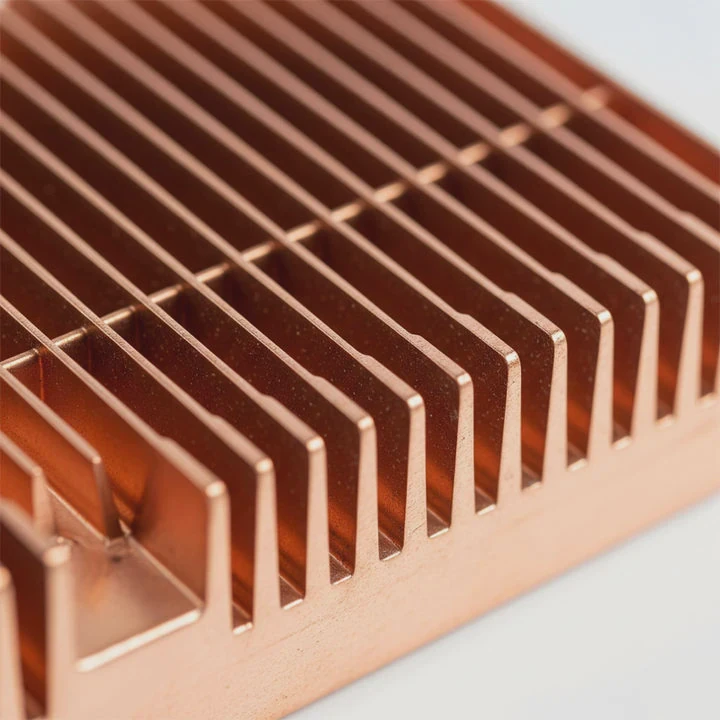
I know many builders look at the small metal block on the motherboard and wonder what it does. The name “chipset heatsink” sounds complex, so many people ignore it until it runs hot.
A heatsink chipset is a small metal block that sits on the motherboard chipset to spread its heat into the air so the system stays stable during long loads.
I want to show the simple ideas behind this part so readers can judge when cooling matters. I still remember the first time I touched a bare chipset on an old board and felt how fast it heated up. That moment taught me to check chipset cooling whenever I build or upgrade a system.
Why chipsets need passive cooling?
Many people think only CPUs and GPUs need cooling. But chipsets manage many tasks. They handle PCIe lanes, storage paths, power control, and USB links. These jobs generate heat that builds up fast if not released.
Chipsets need passive cooling because they run warm under daily loads, and a small heatsink lets the heat move into the air without using a fan.
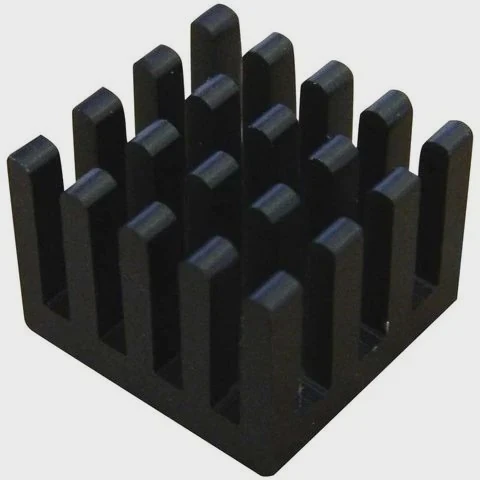
I learned this when I tested a board without its chipset heatsink. Even simple tasks pushed the chip to high temperature. The board stayed unstable. Once I added a passive block, the heat spread well and the system held steady.
What tasks make the chipset warm
The chipset routes lanes between storage, memory links, USB ports, and PCIe devices. Every route uses small circuits. These circuits pull power and turn it into heat. When many tasks happen at once, the heat builds fast.
How passive cooling works
A small heatsink uses aluminum fins or a solid block. The heat moves from the chipset to the metal. The metal spreads the heat across a wider area. Air carries the warmth away. No fan is needed because the heat level stays moderate.
Simple chipset cooling table
| Chipset Load | Heat Level | Notes |
|---|---|---|
| Idle tasks | Low | Simple routing only |
| File moves | Medium | Storage lanes heat |
| Heavy I/O | High | PCIe and USB active |
This shows why even light boards still include a passive block.
My quick safety test
When I set up a board, I touch the side of the chipset heatsink (carefully) after some minutes of use. If it feels very warm, I check airflow. If it is cool or slightly warm, the block works. This small test helps me avoid hidden heat issues.
Which boards use larger sinks?
Some builders see big, stylish heatsinks on high-end boards and think they are only for looks. But size matters. Some chipsets push more power. These need stronger cooling.
Boards with high-end chipsets, fast PCIe links, or extra storage paths use larger sinks because the chip produces more heat and needs more surface area to stay cool.
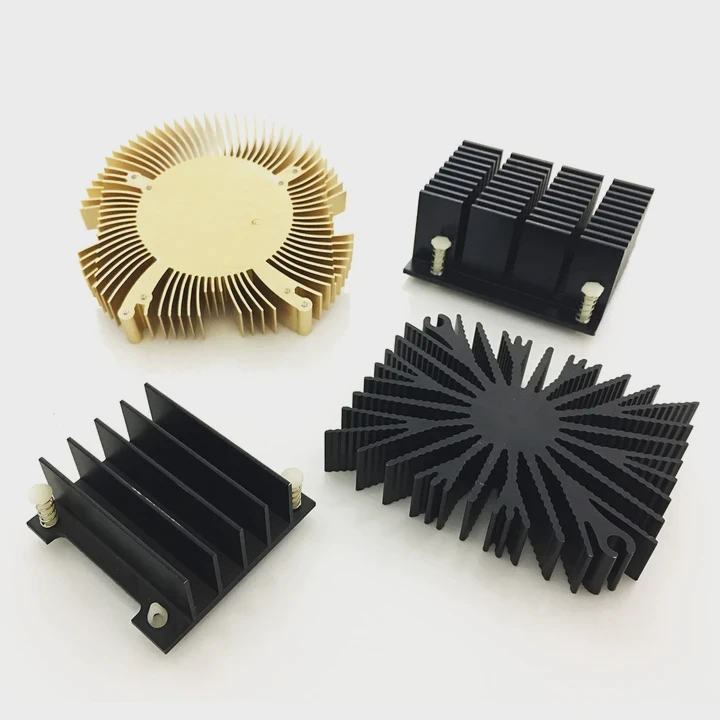
I learned this when I compared a basic board with an advanced one. The budget board used a small block. The high-end board used a large, finned heatsink. During tests, the small block ran warm but fine. The large block stayed much cooler under heavy load.
Board class and heatsink size
Here is a simple table I use when I judge heatsink size:
| Board Type | Heatsink Size | Reason |
|---|---|---|
| Budget | Small block | Low chipset power |
| Mid-range | Medium block | More storage lanes |
| High-end | Large finned | Fast PCIe lanes and many I/O |
The chipset power level drives the heatsink size. More features mean more heat.
Why fin shapes help
Large boards often use tall or angled fins. These fins increase surface area. More surface means better heat flow. When air moves through the fins, heat escapes faster.
Why some boards use heatpipes
Some top boards link the chipset sink to a VRM sink through a heatpipe. This spreads heat across a larger area. I see this on boards built for workstations or heavy gaming.
My simple rule for size checks
If the board supports many NVMe drives, high PCIe versions, and extra USB ports, I expect a bigger heatsink. If the block looks too small for the features, it may run hot in closed cases.
Can airflow improve chipset temps?
Many builders think chipset cooling is fixed. They think the block alone decides the temperature. But airflow makes a big difference. Even a slow front fan can drop chipset heat.
Yes, airflow can improve chipset temperatures because moving air pulls warm air away from the fins and brings cool air to the surface.
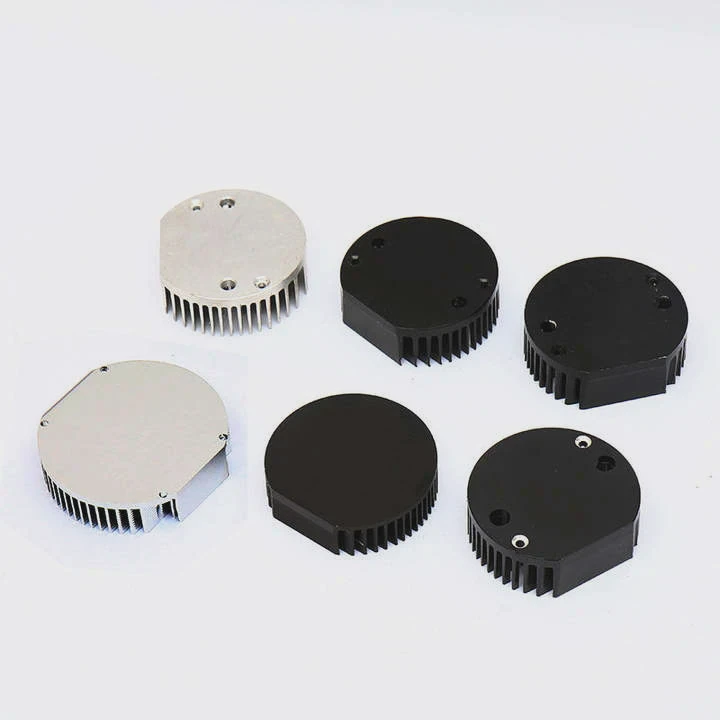
I learned this when I tested a motherboard on an open bench. With no case fans, the chipset warmed up. When I placed a gentle airflow from a small fan, the temperature dropped right away. This showed me how airflow helps passive blocks.
Why airflow works
Airflow removes the warm boundary layer that forms around the metal. If the air stays still, heat builds around the fins. If the air flows, heat escapes faster, and the chipset runs cooler.
How case layout changes airflow
Cases with mesh fronts push cool air across the board. This air reaches the chipset first. Tighter cases block air and leave warm pockets near the chipset. I check my case layout before I judge chipset cooling.
How GPU heat affects chipset air
The GPU sits close to the chipset on many boards. The GPU pushes warm air toward the chipset. This warms the block. Good airflow from the front helps push fresh air under the GPU, keeping the chipset stable.
When airflow alone is enough
If the chipset power is low and the case has good fans, airflow may be enough. The block will stay cool even without large fins. If the airflow is weak, even big blocks may run warm under heavy load.
Do materials affect heat spread?
Many people think all metal blocks work the same. But materials change how heat spreads and how fast the block reacts to load. The most common materials are aluminum and copper.
Yes, materials affect heat spread because aluminum spreads heat fast and stays light, while copper conducts heat better but adds weight and cost.
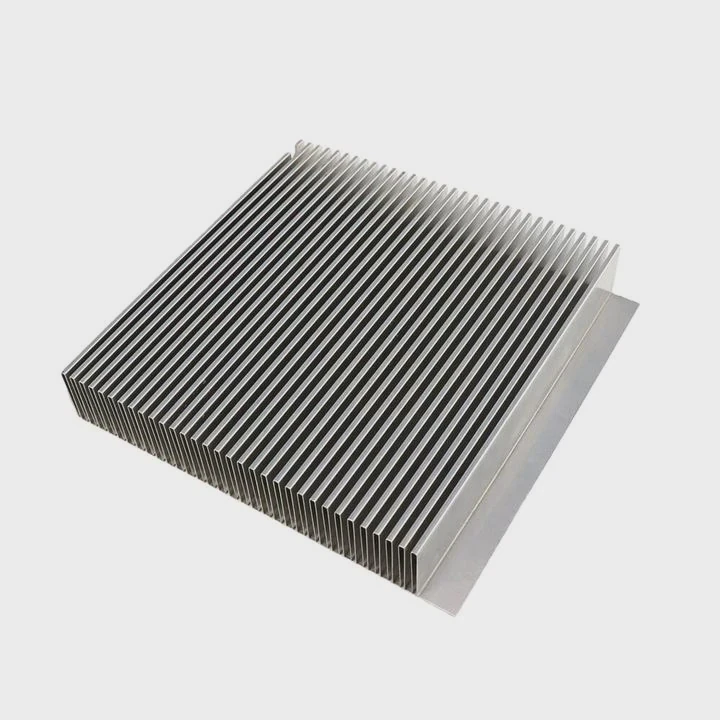
I learned this when I tested two chipset blocks from different boards. The copper block spread heat faster and stayed more stable under load. The aluminum block reacted slower but worked well in systems with good airflow.
Material basics
Here is a simple table that compares common materials:
| Material | Heat Spread | Weight | Cost |
|---|---|---|---|
| Aluminum | Good | Light | Low |
| Copper | Very good | Heavy | High |
These facts guide most board designs. Many boards use aluminum for size and cost balance.
Why spread rate matters
A fast spread rate moves heat from the chip to the full block. This reduces hot spots. Copper does this well. Aluminum works fine for moderate heat loads. Large aluminum blocks compensate with more fins.
How thin layers help
Some boards add a thin copper plate under an aluminum block. This mixes the strengths. The copper spreads heat fast. The aluminum fins release heat to the air. This design works well for mid to high loads.
My material rule
If the chipset handles many fast lanes, I prefer boards with copper or hybrid blocks. If the chipset load is low, aluminum alone is enough. This helps me match the cooling design to the system’s real needs.
Conclusion
A chipset heatsink is a simple passive block that helps the board stay stable under daily and heavy use. Its size, layout, airflow, and material all shape how well it handles heat, and these small details make a real difference in long-term system health.
TAGS
Latest Articles

Volume discount levels for heat sink orders?
Buyers often ask when heat sink prices start to drop with volume. Many worry they’re overpaying for small orders. This guide explains how B2B volume pricing works for thermal components. Heat sink
21 Dec,2025
Heat sink long-term supply contract options?
Many buyers want stable pricing and reliable delivery for heat sinks. But without a clear contract, risks grow over time. This article explores how to secure better long-term supply deals. Long-term
21 Dec,2025
Tooling cost for new heat sink profiles?
Many engineers struggle to understand why tooling for custom heat sinks costs so much. They worry about budgeting and production timelines. This article breaks down the cost drivers behind tooling.
21 Dec,2025
Heat sink custom sample process steps?
Sometimes, starting a custom heat sink project feels overwhelming—too many steps, too many unknowns, and too many risks. You want a sample, but not endless delays. The process for requesting and
20 Dec,2025
Standard B2B terms for heat sink payments?
When buyers and sellers in B2B heat sink markets talk about payment, many don’t fully understand what’s standard. This can lead to delayed orders, miscommunication, and even lost business
20 Dec,2025
Heat sink pricing factors for large orders?
Heat sinks are vital for many systems. When prices rise, projects stall and budgets break. This problem can hit teams hard without warning. Large order heat sink pricing depends on many factors. You
20 Dec,2025Related Articles
- how to mount a 212 evo heatsink?
- how to put heatsink on cpu?
- can you boot skylake without heatsink?
- how to install heatsink and fan into a cpu?
- how do i reuse a heatsink on a cpu?
- do laptop ssd need heatsink?
- can extruded aluminum be a heatsink?
- Do you need a heatsink for M.2 SSD?
- how much does intel stock heatsink cost?
- how to take heatsink of 3070 ti strix?
- how to install mosfet heatsinks?
- how to add heatsink to raspberry pi 3?
Author
Dr. Emily Chen
Chief AI Researcher
Leading expert in thermal dynamics and AI optimization with over 15 years of experience in data center efficiency research.
Categories
Latest Products

M.2 Heatpipe Heatsink With Dual Fans For Pc Case
19 Mar,2026

Heavy-Duty Aluminum Heat Sink Custom
19 Mar,2026

Oem Skived Fin Heatsink Aluminum Radiator For Plants
19 Mar,2026

Water Cooled Cnc Aluminum Heat Sink For Medical
19 Mar,2026

High Density 6000 Series Aluminum Heat Sink Profile
19 Mar,2026

High-Density Extruded Aluminum & Bonded-Fin Heat Sink Profile
19 Mar,2026
Recommend Categories
- Liquid cooling plate Manufacturer
- Industrial Heat Sink Manufacturer
- Standard Heat Sink Manufacturer
- Aluminum Heat Sink Manufacturer
- Copper Heat Sink Manufacturer
- Anodized Heatsink Manufacturer
- Stamping heat sink Manufacturer
- Die Casting Heatsink Manufacturer
- Soldering heat sink Manufacturer
- CNC Parts Manufacturer
Latest Products
- M.2 Heatpipe Heatsink With Dual Fans For Pc Case
- Heavy-Duty Aluminum Heat Sink Custom
- Oem Skived Fin Heatsink Aluminum Radiator For Plants
- Water Cooled Cnc Aluminum Heat Sink For Medical
- High Density 6000 Series Aluminum Heat Sink Profile
- High-Density Extruded Aluminum & Bonded-Fin Heat Sink Profile
- Dongguan Cnc Aluminum Heat Sink For Led & Brass Parts
- Wholesale Cnc Aluminum Heat Sink - Custom Extruded
- Led Cnc Round Heat Sink With Screw Holes
- Copper Pin-Fin Heat-Sink Large-Area For Photoled Cooling
- Telecom Heatsink Zipper Fin Wcopper Tubes Oem
Contact Expert
Have questions about this article? Reach out to our experts directly.