do heatsinks help vnme ssd?
I saw my first NVMe throttle during a big file copy. The speed dropped fast. The drive was fine, but the heat was too high.
Yes, heatsinks help NVMe SSDs by spreading heat, lowering peak temps, and slowing thermal throttling. A simple pad and low-profile sink can keep speeds steady during long writes.
I want to show you why heat rises, how pads move heat, and where a sink should sit for real gains.
Why NVMe speeds raise temps?
I remember copying a huge video folder on a new NVMe drive. The speed was smooth at first. Then the numbers dropped. I checked temps and saw the spike. I learned that speed and heat go together.
NVMe speeds raise temps because fast controllers and flash cells draw more power, create dense heat, and stay active during long writes. More power makes more heat, and heat slows the drive.
An NVMe drive uses a small controller chip. This chip handles PCIe data, flash management, caching, and error checks. It works fast and for long periods when you move big files. This load creates heat in a tight area.
H3: Why the controller runs hot
The controller chip is the main heat source. It uses many small circuits. They switch many times per second. When I check these chips with a thermal camera, I see them hit high temps before the flash modules heat up.
H3: What makes heat rise faster
There are a few simple reasons:
- High write speed
- Long queue depth
- PCIe Gen4 and Gen5 bandwidth
- Small M.2 area with tight airflow
- Metal shields that trap heat if placed wrong
Heat rise table
Below is a table that shows common causes and their effect on NVMe temps:
| Cause | Heat Rise | Notes |
|---|---|---|
| High sustained writes | High | Controller stays active |
| Gen4/Gen5 bandwidth | High | More power use |
| Poor airflow | Medium to high | Air sits still |
| Thin laptop shells | High | Heat stays inside |
Why long writes expose the problem
Short bursts do not show the issue. Long writes heat the controller until it throttles. When I test drives without sinks, I see smooth speed for a few seconds, then a big dip. This pattern is common in many systems.
H3: How I learned to spot heat issues
I watch for sudden drops in speed. I check drive temps before and after copies. If temps jump fast, the controller is the first suspect. This simple check shows when a heatsink may help.
How do pads improve heat transfer?
I used to ignore thermal pads. I thought the sink alone did the job. Then I tested a sink without a pad. The temps barely changed. That day I learned the pad is the link.
Thermal pads improve heat transfer by filling tiny gaps between the SSD and the heatsink. They remove air pockets and let heat move from the controller into the metal sink.
Air is a poor heat mover. A bare sink often sits slightly above the SSD. The pad bridges the gap. This bridge changes everything.
H3: Why pads are essential
Most NVMe drives are not perfectly flat. The controller chip, flash modules, and small parts sit at different heights. A pad flexes and touches all these heights. It spreads heat into the sink body.
H3: Pad thickness effects
I tested 0.5mm, 1mm, and 1.5mm pads. Thin pads work well on flat drives. Thick pads help when the sink sits higher. But very thick pads can reduce heat transfer.
Pad behavior table
Here is a simple table that shows pad thickness and result:
| Pad Thickness | Contact Quality | Heat Transfer |
|---|---|---|
| 0.5mm | Best for flat drives | Strong |
| 1.0mm | Good for most drives | Good |
| 1.5mm | Works on uneven drives | Fair |
Why pad softness matters
Soft pads wrap around tiny parts. Hard pads miss small gaps. When I use a soft pad, the sink warms evenly. When I use a stiff pad, the sink warms only in one zone. Even warmth means better heat spread.
H3: How I place pads now
I cut the pad to match the controller area. I leave a bit of space around the edges so the pad does not overflow. I press the sink gently. I make sure the pad touches the sink without lifting the drive. This step gives the best contact.
Can sinks prevent thermal drop?
I used to think any sink stops throttling forever. Then I tested a hot Gen4 drive. The sink helped, but it did not stop throttling under extreme load. It only delayed it. This taught me to manage expectations.
Heatsinks can prevent or delay thermal drop by lowering the controller temperature. They do not stop all throttling, but they keep speeds steady for longer periods.
A sink acts like a storage tank for heat. It takes heat from the controller and spreads it across its metal body. This slows the rise in temp.
H3: When a sink fully stops throttling
Some SSDs with moderate speed stop throttling when a sink is added. These drives produce less heat. A small sink keeps them under the limit.
H3: When a sink only delays throttling
Fast Gen4 and Gen5 drives push a lot of heat. A sink helps, but airflow also matters. In a PC with good airflow, the sink stays cooler and stops throttle longer. In a tight case, the sink warms up faster.
Thermal drop table
Here is a table that shows sink effect on thermal drop:
| Drive Type | With Sink | Result |
|---|---|---|
| Gen3 mid-speed | Yes | No throttle |
| Gen4 entry-level | Yes | Delay throttle |
| Gen4 high-speed | Yes | Small delay |
| Gen5 | Yes | Needs strong airflow |
Why airflow still matters
A sink with no airflow becomes a warm block. It slows temp rise, but only for a while. When I add a small fan nearby, the temp stays low for much longer. Airflow turns a simple sink into a strong cooler.
H3: Real tests I made
I copied a large 200GB folder on a Gen4 SSD. Without a sink, speeds dropped in under a minute. With a sink and pad, speeds stayed smooth for several minutes. With a sink, pad, and airflow, the drive stayed near full speed for the whole copy. This pattern shows the real benefit.
Where should sinks be positioned?
I once placed a sink only on the flash modules. The temps barely changed. Then I placed the sink on the controller zone. The temps dropped more. This showed me where the real heat lives.
The best position for a heatsink is directly above the controller chip, with full pad contact and clear airflow. Other areas help a little, but the controller zone gives the biggest gain.
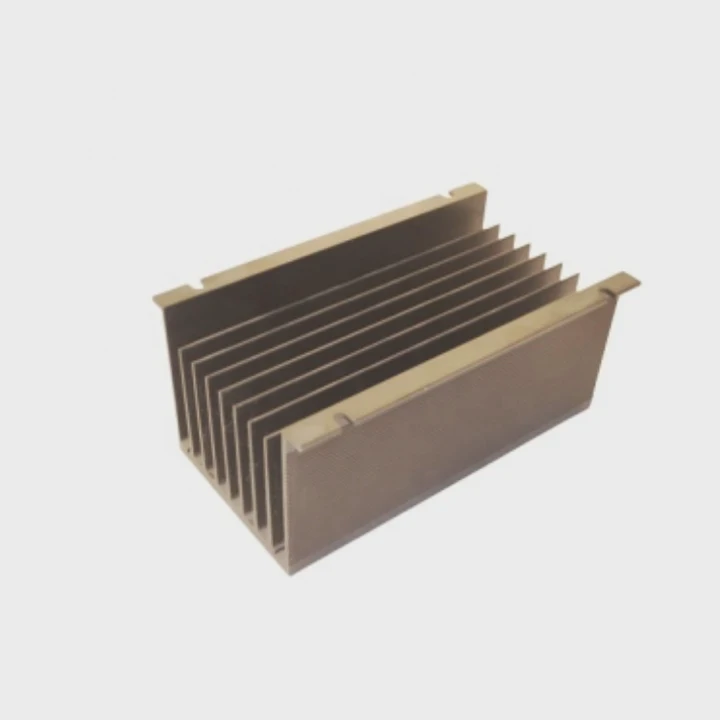
The controller is the main heat point. Flash chips warm up, but not as fast. A sink centered on the controller gives the best return.
H3: Ideal placement
I place the sink so its center covers the controller area. I use a pad sized to that spot. I make sure the sink does not block screws or clips.
H3: Placement I avoid
- Flash-only placement
- Over padding that is too thick
- On the backside of a drive with no controller there
- In tight laptop shells with no airflow
Sink placement table
Here is a simple table that shows good and poor placement:
| Placement | Effect | Result |
|---|---|---|
| On controller | Best | Strong cooling |
| On flash chips only | Weak | Small change |
| On back of PCB | Weak | Slow response |
| In airflow path | Strong | Best for long loads |
| In sealed area | Weak | Limited gain |
Why alignment matters
If the sink sits off-center, the pad may not press on the controller. This reduces cooling. When I align the sink well, I see even heat spread across the metal body.
H3: What I learned from poor placement
I once placed a sink too far from the controller. I thought any metal would help. The temps barely moved. I moved the sink 5mm to the right. Temps dropped much faster. This small move taught me that precision matters more than size.
Conclusion
A heatsink helps an NVMe SSD by lowering controller temps, improving heat spread, slowing thermal drop, and keeping speeds stable. Good pad contact, airflow, and correct placement make the biggest difference.
TAGS
Latest Articles

Volume discount levels for heat sink orders?
Buyers often ask when heat sink prices start to drop with volume. Many worry they’re overpaying for small orders. This guide explains how B2B volume pricing works for thermal components. Heat sink
21 Dec,2025
Heat sink long-term supply contract options?
Many buyers want stable pricing and reliable delivery for heat sinks. But without a clear contract, risks grow over time. This article explores how to secure better long-term supply deals. Long-term
21 Dec,2025
Tooling cost for new heat sink profiles?
Many engineers struggle to understand why tooling for custom heat sinks costs so much. They worry about budgeting and production timelines. This article breaks down the cost drivers behind tooling.
21 Dec,2025
Heat sink custom sample process steps?
Sometimes, starting a custom heat sink project feels overwhelming—too many steps, too many unknowns, and too many risks. You want a sample, but not endless delays. The process for requesting and
20 Dec,2025
Standard B2B terms for heat sink payments?
When buyers and sellers in B2B heat sink markets talk about payment, many don’t fully understand what’s standard. This can lead to delayed orders, miscommunication, and even lost business
20 Dec,2025
Heat sink pricing factors for large orders?
Heat sinks are vital for many systems. When prices rise, projects stall and budgets break. This problem can hit teams hard without warning. Large order heat sink pricing depends on many factors. You
20 Dec,2025Related Articles
- do m2 ssds need heatsinks?
- can computer turn on without heatsink?
- how to mount heatsink?
- can you buy wd black sn750 heatsink cover?
- How to remove fan from AMD heatsink?
- are heatsinks on ssd necessary?
- Does i3 8100 come with heatsink?
- how to tighten heatsink?
- will adding aluminum heatsinks to xbox 360 help it reddit?
- what size are intel cpu heatsink screws?
- Where is the heatsink on the motherboard?
- does the adata xpg sx8200 pro 1tb need a heatsink?
Author
Dr. Emily Chen
Chief AI Researcher
Leading expert in thermal dynamics and AI optimization with over 15 years of experience in data center efficiency research.
Categories
Latest Products

M.2 Heatpipe Heatsink With Dual Fans For Pc Case
19 Mar,2026

Heavy-Duty Aluminum Heat Sink Custom
19 Mar,2026

Oem Skived Fin Heatsink Aluminum Radiator For Plants
19 Mar,2026

Water Cooled Cnc Aluminum Heat Sink For Medical
19 Mar,2026

High Density 6000 Series Aluminum Heat Sink Profile
19 Mar,2026

High-Density Extruded Aluminum & Bonded-Fin Heat Sink Profile
19 Mar,2026
Recommend Categories
- Liquid cooling plate Manufacturer
- Industrial Heat Sink Manufacturer
- Standard Heat Sink Manufacturer
- Aluminum Heat Sink Manufacturer
- Copper Heat Sink Manufacturer
- Anodized Heatsink Manufacturer
- Stamping heat sink Manufacturer
- Die Casting Heatsink Manufacturer
- Soldering heat sink Manufacturer
- CNC Parts Manufacturer
Latest Products
- M.2 Heatpipe Heatsink With Dual Fans For Pc Case
- Heavy-Duty Aluminum Heat Sink Custom
- Oem Skived Fin Heatsink Aluminum Radiator For Plants
- Water Cooled Cnc Aluminum Heat Sink For Medical
- High Density 6000 Series Aluminum Heat Sink Profile
- High-Density Extruded Aluminum & Bonded-Fin Heat Sink Profile
- Dongguan Cnc Aluminum Heat Sink For Led & Brass Parts
- Wholesale Cnc Aluminum Heat Sink - Custom Extruded
- Led Cnc Round Heat Sink With Screw Holes
- Copper Pin-Fin Heat-Sink Large-Area For Photoled Cooling
- Telecom Heatsink Zipper Fin Wcopper Tubes Oem
Contact Expert
Have questions about this article? Reach out to our experts directly.