Does i3 8100 come with heatsink?
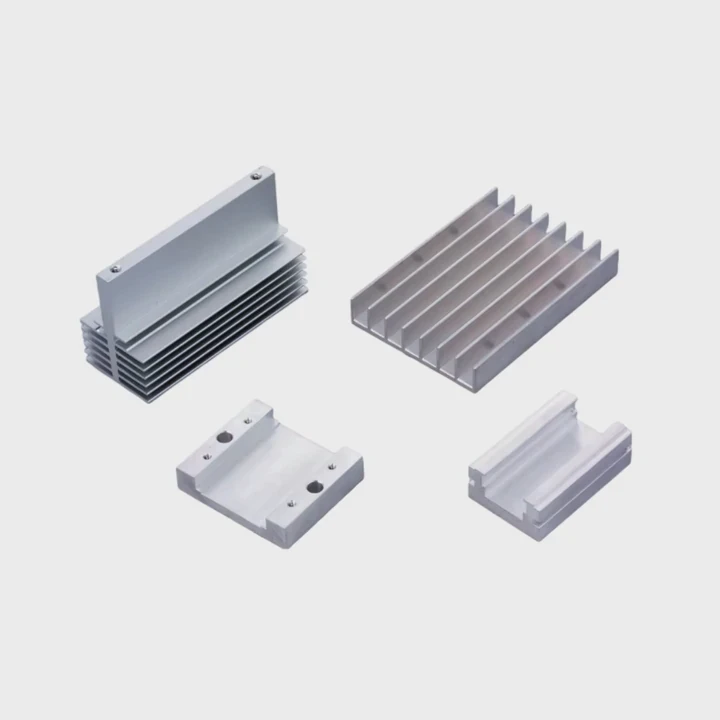
I hear this question often because many users buy older Intel CPUs for budget builds, and they worry about cooling or missing parts inside the box.
The Intel i3-8100 does come with a stock heatsink when you buy the boxed version. Only tray versions and some special SKUs ship without a cooler.
I want to explain why boxed CPUs include coolers, which models exclude them, how aftermarket coolers help, and how to check the package before you buy.
Why boxed CPUs include coolers?
Many new PC builders ask why Intel keeps shipping coolers with some CPUs. I tell them the reason is simple: it gives users a ready-to-run setup with no extra cost.
Intel includes coolers in boxed CPUs because the stock fan meets thermal limits, offers plug-and-play use, and helps users build a working system without buying extra parts.
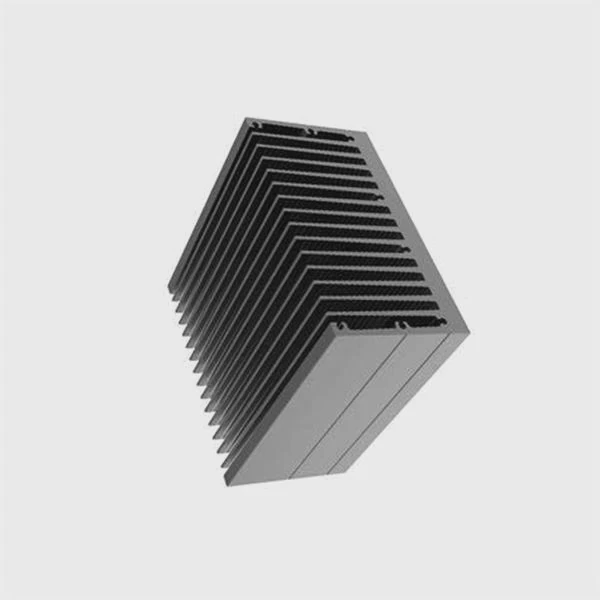
Older processors like the i3-8100 run at modest heat levels. So Intel can give a simple aluminum cooler that keeps temps stable. I have used this stock fan many times in office builds and light gaming rigs, and it always works fine for normal loads.
Stock coolers meet basic needs
The i3-8100 is a 65W chip. This power level does not create extreme heat. The stock cooler handles this power under normal use. It keeps the CPU below safe limits while staying simple to install.
Easy setup helps new users
I remember my first beginner build. Having the cooler in the box removed worries. I did not need to compare fan sizes or TDP ratings. The included unit just worked.
Lower cost matters in budget builds
Many users pick older Intel chips because they want to save money. A cooler in the box avoids extra spending. This is smart for office PCs or simple gaming towers.
Table: Why boxed CPUs include coolers
| Reason | Simple Note |
|---|---|
| Safe temps | Stock fan fits the CPU power level |
| Easy install | Push pins require no tools |
| Lower cost | No need to buy a cooler |
| Fewer mistakes | Cooler works without tuning |
These points show why Intel packs coolers with many boxed CPUs. Next I go into the models that do not include fans.
Which Intel SKUs exclude fans?
Some people feel surprised when they open a box and find no cooler. I explain that Intel has several SKUs, and some of them never include a heatsink.
Intel usually excludes coolers from unlocked K-series CPUs, high-end chips, and all tray (OEM) versions. These models expect users to buy aftermarket cooling.
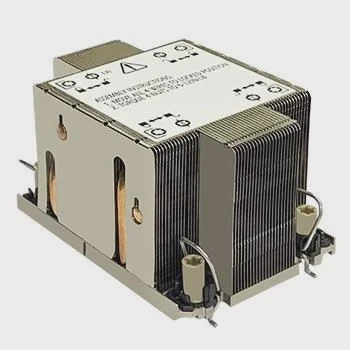
When I help friends choose CPUs, I always check the SKU name. A small letter or note can change what comes in the box.
K-series CPUs ship without coolers
The chips with unlocked multipliers, like i5-8600K, i7-8700K, and many later models, do not include stock coolers. Intel does this because most users pair these chips with larger coolers for overclocking.
High-end CPUs skip fans
Some new i9 models and many LGA2011/2066-era chips needed powerful coolers. Intel expects users to buy strong air coolers or liquid cooling for these models.
Tray (OEM) CPUs always exclude coolers
The tray version of the i3-8100 ships with no heatsink. Tray CPUs target system builders who buy parts in bulk. They already have their own cooling solutions.
H3: How to spot cooler-free SKUs
- Look for “K” in the name
- Look for “KF” (no integrated GPU and no cooler)
- Look for “F” (iGPU disabled; cooler may vary by region)
- Look for “Tray” or “OEM”
- Check the description for “no cooler included”
Table: Intel SKU cooler overview
| SKU Type | Cooler Included? | Notes |
|---|---|---|
| Boxed i3/i5/i7 (non-K) | Yes | Includes small stock fan |
| Boxed K-series | No | For aftermarket cooling |
| Boxed F-series | Often yes, but varies | Check retailer details |
| Tray/OEM | No | Sold without accessories |
This table helps people avoid surprises when buying older CPUs like the i3-8100. Now I talk about noise and aftermarket coolers.
Can aftermarket coolers reduce noise?
Many users ask me if they should replace the stock cooler even when it works. I often say yes, because aftermarket coolers offer better noise levels and smoother airflow.
Aftermarket coolers can reduce noise because they use larger fans, better bearings, and bigger heatsinks that need fewer RPM to cool the CPU.
When I upgrade even a simple office PC, I notice how much quieter it becomes with a mid-size tower cooler. The CPU stays cool, and the fan barely spins.
Larger fans spin slower
Most aftermarket coolers have 92mm or 120mm fans. These fans push more air at lower speeds, so they make less noise than the small Intel stock fan.
Better bearings create smoother sound
Some coolers use fluid-dynamic or hydraulic bearings. These bearings reduce wobble. The noise sounds soft instead of sharp.
More mass means better heat spread
A bigger heatsink stores and moves heat better. This keeps CPU temps stable during short bursts. A stable temp means the fan does not ramp up often.
H3: When aftermarket coolers help most
- You record audio near the PC
- You build a silent office machine
- You work in a small room
- You do light gaming with steady temps
Table: Stock vs aftermarket cooler behavior
| Feature | Stock Cooler | Aftermarket Cooler |
|---|---|---|
| Noise | Higher at load | Lower at same temps |
| Fan size | Small | Larger |
| Cooling headroom | Basic | Higher |
| Best use | Simple builds | Quiet or long-load builds |
These points show why many users upgrade. Now I move to the last question on checking package contents.
Where to verify package contents?
Many people feel unsure before ordering a CPU online. I always tell them to verify the package details with trustworthy sources.
You can check the cooler contents by reading Intel’s product page, retailer listings, user reviews, and the box label shown in product photos.
I always cross-check at least two sources to avoid mistakes. Some sellers list the wrong info, especially when selling used parts.
Intel’s product page is the most accurate
Intel lists features for each SKU. When I search the i3-8100 boxed version, the page shows the included cooler under “Thermal Solution Specification.”
Retailer descriptions show package details
Large stores show “cooler included” or “cooler not included.” I always read the fine print because older listings sometimes carry wrong notes.
User reviews reveal real buyer experience
I check what buyers say about package contents. If many users mention getting the cooler, I trust that pattern.
Product photos help confirm
Many sellers show the box. Boxed CPUs have a square cut-out where you can see the fan. If I see this window, I know the cooler is inside.
H3: Simple steps to confirm a cooler
- Check Intel’s official spec page
- Check at least two retailers
- Read user reviews
- Inspect product photos
- Contact support if still unsure
These steps help avoid confusion, especially with older chips like the i3-8100.
Conclusion
The boxed i3-8100 includes a stock heatsink, while tray and certain Intel SKUs do not. Aftermarket coolers help reduce noise, and users can confirm contents by checking official pages, retailers, and buyer reviews.
TAGS
Latest Articles

Volume discount levels for heat sink orders?
Buyers often ask when heat sink prices start to drop with volume. Many worry they’re overpaying for small orders. This guide explains how B2B volume pricing works for thermal components. Heat sink
21 Dec,2025
Heat sink long-term supply contract options?
Many buyers want stable pricing and reliable delivery for heat sinks. But without a clear contract, risks grow over time. This article explores how to secure better long-term supply deals. Long-term
21 Dec,2025
Tooling cost for new heat sink profiles?
Many engineers struggle to understand why tooling for custom heat sinks costs so much. They worry about budgeting and production timelines. This article breaks down the cost drivers behind tooling.
21 Dec,2025
Heat sink custom sample process steps?
Sometimes, starting a custom heat sink project feels overwhelming—too many steps, too many unknowns, and too many risks. You want a sample, but not endless delays. The process for requesting and
20 Dec,2025
Standard B2B terms for heat sink payments?
When buyers and sellers in B2B heat sink markets talk about payment, many don’t fully understand what’s standard. This can lead to delayed orders, miscommunication, and even lost business
20 Dec,2025
Heat sink pricing factors for large orders?
Heat sinks are vital for many systems. When prices rise, projects stall and budgets break. This problem can hit teams hard without warning. Large order heat sink pricing depends on many factors. You
20 Dec,2025Related Articles
- do heatsinks help vnme ssd?
- do m2 ssds need heatsinks?
- can computer turn on without heatsink?
- how to mount heatsink?
- can you buy wd black sn750 heatsink cover?
- How to remove fan from AMD heatsink?
- how to tighten heatsink?
- will adding aluminum heatsinks to xbox 360 help it reddit?
- what size are intel cpu heatsink screws?
- Where is the heatsink on the motherboard?
- does the adata xpg sx8200 pro 1tb need a heatsink?
- do laptop ssd need heatsink?
Author
Dr. Emily Chen
Chief AI Researcher
Leading expert in thermal dynamics and AI optimization with over 15 years of experience in data center efficiency research.
Categories
Latest Products

M.2 Heatpipe Heatsink With Dual Fans For Pc Case
19 Mar,2026

Heavy-Duty Aluminum Heat Sink Custom
19 Mar,2026

Oem Skived Fin Heatsink Aluminum Radiator For Plants
19 Mar,2026

Water Cooled Cnc Aluminum Heat Sink For Medical
19 Mar,2026

High Density 6000 Series Aluminum Heat Sink Profile
19 Mar,2026

High-Density Extruded Aluminum & Bonded-Fin Heat Sink Profile
19 Mar,2026
Recommend Categories
- Liquid cooling plate Manufacturer
- Industrial Heat Sink Manufacturer
- Standard Heat Sink Manufacturer
- Aluminum Heat Sink Manufacturer
- Copper Heat Sink Manufacturer
- Anodized Heatsink Manufacturer
- Stamping heat sink Manufacturer
- Die Casting Heatsink Manufacturer
- Soldering heat sink Manufacturer
- CNC Parts Manufacturer
Latest Products
- M.2 Heatpipe Heatsink With Dual Fans For Pc Case
- Heavy-Duty Aluminum Heat Sink Custom
- Oem Skived Fin Heatsink Aluminum Radiator For Plants
- Water Cooled Cnc Aluminum Heat Sink For Medical
- High Density 6000 Series Aluminum Heat Sink Profile
- High-Density Extruded Aluminum & Bonded-Fin Heat Sink Profile
- Dongguan Cnc Aluminum Heat Sink For Led & Brass Parts
- Wholesale Cnc Aluminum Heat Sink - Custom Extruded
- Led Cnc Round Heat Sink With Screw Holes
- Copper Pin-Fin Heat-Sink Large-Area For Photoled Cooling
- Telecom Heatsink Zipper Fin Wcopper Tubes Oem
Contact Expert
Have questions about this article? Reach out to our experts directly.