how to setup liquid cooling cpu?
I remember the first time I installed a liquid cooling system on my own CPU. I felt nervous because every small detail seemed important. I learned that a clean and careful process makes the whole setup smooth and safe.
You can set up a liquid cooling CPU by mounting the pump correctly, placing the radiator in the right position, checking airflow direction, and removing trapped air before turning the system on.
I want to walk through the logic behind each step, because these steps protect the pump, the CPU, and the liquid loop.
What steps ensure proper pump connection?
I still remember when I installed a pump for the first time. I plugged it into the wrong header and watched the temperature climb fast. That mistake taught me how important the pump connection really is.
Proper pump connection depends on using the correct motherboard header, securing the pump firmly on the CPU, and making sure the power source delivers steady and full-speed operation.
Connecting the pump is one of the most important parts of the setup. The pump must run at full speed, because it keeps coolant moving. If the pump is weak or unstable, heat stays around the CPU.
First, I always check the manual for the correct header. Most boards have a header labeled “AIO_PUMP” or “PUMP.” If I do not see this header, I use the CPU_FAN header and set it to run at 100% speed in the BIOS. The pump must never be slowed by fan curves.
Next, I apply thermal paste and mount the pump with even pressure. I tighten the screws in a cross pattern so it sits flat on the CPU. A flat mount helps heat move fast from the chip into the cooling block.
I also check that the pump cable clicks firmly into place. A loose cable can stop the pump and cause a fast rise in temperature. Then I route the wires so nothing hits the fan blades or gets pinched between panels.
Table: Pump connection checklist
| Step | Purpose | Result |
|---|---|---|
| Use correct header | Give steady power | Pump runs full speed |
| Mount pump flat | Improve heat flow | Stable CPU temps |
| Apply balanced pressure | Avoid gaps | Better thermal contact |
| Route cables safely | Prevent damage | Cleaner airflow |
These steps make me feel sure that the pump will run without issues. A good pump setup is the heart of a strong cooling system.
Why check radiator orientation first?
I learned the value of this when I once placed a radiator with tubes at the top. The pump pulled in air and made a loud rattling noise. I had to redo the whole build. Now I always check orientation before tightening screws.
Radiator orientation matters because the position of the tubes controls where air collects. The radiator should sit in a way that keeps the pump lower than any trapped air.
Radiators can sit at the top, front, or sometimes the bottom of a case. Each position affects how air moves inside the loop. Air always rises inside coolant channels. If the pump sits higher than these pockets, the pump will pull air and make noise or lose cooling power.
When the radiator sits at the top, the tubes should point downward so the pump stays lower than the highest point. When placed in the front, the radiator sits upright and the tubes should go at the bottom or middle, not at the top.
If the radiator sits in a bad place, air moves into the pump. This causes bubbles, reduced flow, and temperature spikes.
I now look at the case layout before doing anything else. I check the space for the radiator, the length of the tubes, and the path they will follow. Planning these early steps saves time and keeps the system stable.
Why orientation protects the pump
- Air collects in the top section
- Pump must sit lower than air pockets
- Radiator must be mounted so air stays away from the pump
- Correct orientation improves long-term reliability
Many heat problems come from bad radiator placement. Fixing the orientation usually improves the system right away.
Where should fans be placed for airflow?
I often test airflow patterns because I like to see how small changes affect temperatures. Sometimes moving two fans makes more difference than adding a bigger radiator.
Fans should be placed so they create a clear intake and exhaust path, with radiator fans pushing or pulling air in a direction that supports the overall airflow of the case.
Airflow can feel confusing at first, but the rule is simple: air must enter and exit the case smoothly. Fans on the radiator push or pull air through the fins. The direction depends on the case layout.
If I place the radiator in the front, I often make the fans intake outside air. Outside air is cooler, so this helps lower the coolant temperature. If the radiator sits at the top, the fans usually act as exhaust. This pulls warm air out of the case and supports natural heat rise.
I check fan arrows before mounting them. These arrows show airflow direction and blade rotation. Mounting fans backward can lower performance without being obvious.
I also balance the number of intake and exhaust fans. Too much intake creates pressure that traps warm air. Too much exhaust brings in dust through unfiltered gaps. A balanced or slightly positive pressure keeps dust lower.
Table: Airflow placement guide
| Radiator Position | Fan Direction | Goal |
|---|---|---|
| Front | Intake | Bring cool air to radiator |
| Top | Exhaust | Release warm rising air |
| Rear | Exhaust | Maintain smooth air path |
Clean airflow lowers temperatures without adding noise. Good fan placement supports coolant flow and pump work, making the whole system more effective.
Can mistakes cause trapped air pockets?
I still remember hearing a strange bubbling noise after a build. I thought the pump was broken. It turned out to be trapped air. That sound taught me why careful setup matters.
Yes, mistakes can create trapped air pockets, which reduce flow, cause pump noise, and raise CPU temperatures because air blocks coolant from reaching the cold plate.
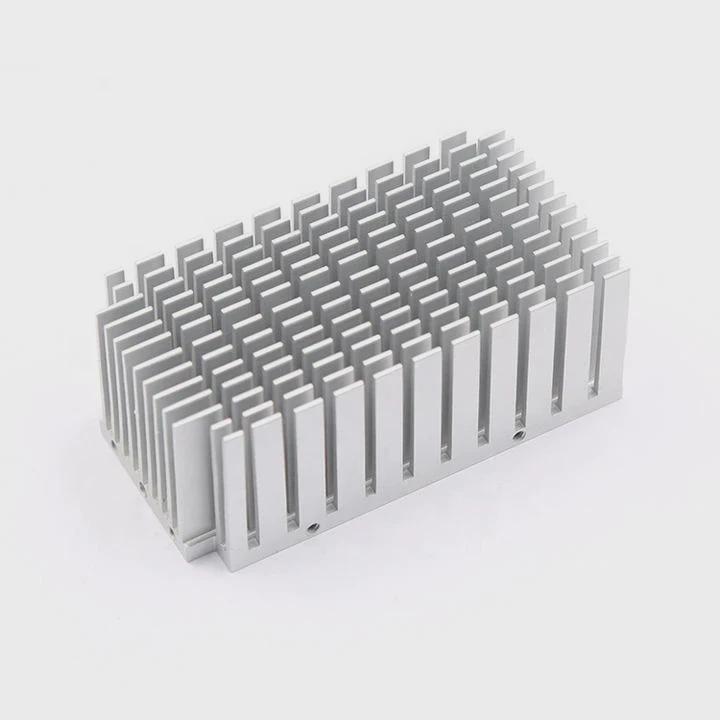
Air pockets form when the loop traps bubbles in the wrong places. These bubbles often end up inside the pump. The pump cannot move air well, so it makes noise and may stop coolant from moving.
Most trapped air problems come from:
- wrong radiator orientation
- tubes mounted too high
- pump placed above the radiator
- weak airflow that warms coolant faster
- bad cable routing that bends tubes sharply
When air collects inside the pump, the pump struggles. This raises temperatures even if the CPU has low usage. Many people think the pump is failing when the real issue is trapped air.
To prevent this, I tilt the case slightly during first startup. This helps air move toward the radiator, where it stays away from the pump. I also let the system run for a few minutes so bubbles can move out naturally.
If the radiator sits at the top with tubes down, or sits at the front with tubes low, air stays in the top of the radiator and not inside the pump.
Air pockets are easy to prevent but hard to fix once sealed inside the pump. This is why planning layout early is important.
Conclusion
Setting up liquid CPU cooling works best when the pump connects correctly, the radiator sits in the right orientation, airflow stays balanced, and trapped air is cleared before use. A clean and careful build protects the pump and delivers stable cooling.
TAGS
Latest Articles

Volume discount levels for heat sink orders?
Buyers often ask when heat sink prices start to drop with volume. Many worry they’re overpaying for small orders. This guide explains how B2B volume pricing works for thermal components. Heat sink
21 Dec,2025
Heat sink long-term supply contract options?
Many buyers want stable pricing and reliable delivery for heat sinks. But without a clear contract, risks grow over time. This article explores how to secure better long-term supply deals. Long-term
21 Dec,2025
Tooling cost for new heat sink profiles?
Many engineers struggle to understand why tooling for custom heat sinks costs so much. They worry about budgeting and production timelines. This article breaks down the cost drivers behind tooling.
21 Dec,2025
Heat sink custom sample process steps?
Sometimes, starting a custom heat sink project feels overwhelming—too many steps, too many unknowns, and too many risks. You want a sample, but not endless delays. The process for requesting and
20 Dec,2025
Standard B2B terms for heat sink payments?
When buyers and sellers in B2B heat sink markets talk about payment, many don’t fully understand what’s standard. This can lead to delayed orders, miscommunication, and even lost business
20 Dec,2025
Heat sink pricing factors for large orders?
Heat sinks are vital for many systems. When prices rise, projects stall and budgets break. This problem can hit teams hard without warning. Large order heat sink pricing depends on many factors. You
20 Dec,2025Related Articles
- which is better liquid cooling or air?
- a gas changes to a liquid on cooling why?
- Why evaporation leads to cooling of the liquid?
- Where to install liquid cooler?
- Why is a liquid cooling system pressurised?
- Which is better oil cooled or liquid cooled?
- why liquid cooling is bad?
- does 3080 need liquid cooling?
- are liquid cooled computers better?
- what's the difference between air cooled and liquid cooled?
- where to mount liquid cpu cooler?
- why a liquid cooled system is pressurised?
Author
Dr. Emily Chen
Chief AI Researcher
Leading expert in thermal dynamics and AI optimization with over 15 years of experience in data center efficiency research.
Categories
Latest Products






Recommend Categories
- Liquid cooling plate Manufacturer
- Industrial Heat Sink Manufacturer
- Standard Heat Sink Manufacturer
- Aluminum Heat Sink Manufacturer
- Copper Heat Sink Manufacturer
- Anodized Heatsink Manufacturer
- Stamping heat sink Manufacturer
- Die Casting Heatsink Manufacturer
- Soldering heat sink Manufacturer
- CNC Parts Manufacturer
Latest Products
- Wholesale Aluminum Radiator
- Water Cooling Plate Kit
- Water Cooling Heat Sink
- Water Cooling Heat Sink Kit
- Stainless Steel Water Distributor
- Server Water Cooling Plate Kit
- Server Liquid Cooling System
- Server Aluminum Cooling Kit
- S19 Full Cover Cooling Plate
- S19 Cooling Plate Kit
- S19 Aluminum Cooling Plate
Contact Expert
Have questions about this article? Reach out to our experts directly.