How to Install an AIO Liquid Cooler?
Many PC builders feel nervous about installing an all-in-one (AIO) liquid cooler for the first time. The idea of handling liquid inside a computer can sound complicated.
Installing an AIO liquid cooler is simple if you follow the right steps and understand each component’s purpose — it usually takes less than 30 minutes.
With careful planning and correct installation, an AIO cooler delivers better temperatures, lower noise, and longer hardware life.
What Components Are in an AIO Cooler?
Before starting the installation, it’s important to understand the main parts of an AIO cooler. Each component has a specific function, and knowing how they work together helps you avoid mistakes.
An AIO liquid cooler includes a pump block, radiator, fans, tubing, and mounting hardware — all pre-assembled in a closed-loop design.
Main Components Overview
| Component | Function | Material |
|---|---|---|
| Pump & Cold Plate | Absorbs CPU heat and circulates coolant | Copper base, plastic housing |
| Radiator | Dissipates heat into the air | Aluminum or copper fins |
| Fans | Push air through radiator | Plastic blades with PWM motors |
| Tubes | Carry liquid between pump and radiator | Rubber or braided sleeve |
| Coolant | Transfers heat efficiently | Glycol-based liquid |
| Mounting Kit | Secures cooler to CPU socket | Metal or composite brackets |
How These Parts Work Together
- Pump and Cold Plate: Draw heat from the CPU surface.
- Coolant Flow: Transfers that heat to the radiator via tubes.
- Radiator and Fans: Release the heat into surrounding air.
- Loop Return: Cooled liquid returns to the pump, repeating the cycle.
Understanding these parts ensures a smoother and safer installation process.
What Are the Benefits of Proper Installation?
Some users think any orientation or screw pattern will work, but installation quality affects performance significantly.
Proper installation ensures efficient heat transfer, prevents leaks or air bubbles, reduces noise, and extends the pump and CPU’s lifespan.
Key Benefits of Correct Installation
1. Better Cooling Performance
Correct radiator orientation and firm pump contact reduce CPU temperatures by up to 10°C.
2. Reduced Noise
Properly mounted fans run more quietly since there’s less vibration and obstruction.
3. Improved Reliability
Even pressure across the CPU ensures consistent heat spread and avoids pump strain.
4. Leak and Air Bubble Prevention
Mounting the radiator above the pump prevents air pockets that could reduce flow or cause noise.
5. Longer System Life
Stable operating temperatures protect your CPU, motherboard, and power components from thermal stress.
Performance Comparison Example
| Installation Quality | Avg. CPU Temp (Load) | Noise Level | System Stability |
|---|---|---|---|
| Properly Installed | 60°C | Low | Excellent |
| Improperly Installed | 78°C | High | Unstable |
A properly installed AIO doesn’t just look cleaner — it performs better and lasts longer.
How to Install It Step by Step?
Many first-time builders overthink the process. In reality, installing an AIO cooler is straightforward if you take your time and follow each step carefully.
To install an AIO cooler, plan your layout, mount the radiator and fans, secure the pump on the CPU, connect all cables, and test for correct operation.
Step-by-Step Installation Guide
Step 1: Prepare the Workspace
- Power off and unplug your PC.
- Remove the side panels for full access.
- Clean the CPU surface with isopropyl alcohol to remove old thermal paste.
Step 2: Plan the Radiator Placement
- Most cases support front, top, or side mounting.
- Mounting the radiator above the pump is ideal to prevent trapped air.
- Check clearance for RAM and GPU before securing.
Step 3: Attach the Fans
- Install fans on the radiator in push or pull configuration.
- Ensure airflow direction matches your case ventilation plan.
- Use short screws to avoid puncturing radiator fins.
Step 4: Mount the Radiator
- Secure it using the provided screws and washers.
- Make sure there’s enough space for tubing without sharp bends or strain.
Step 5: Install the Pump Block
- Apply a pea-sized dot of thermal paste on the CPU.
- Place the pump evenly and tighten screws in a cross pattern.
- Do not overtighten; stop once you feel firm resistance.
Step 6: Connect Power and Control Cables
- Connect the pump cable to the CPU_FAN or PUMP_FAN header.
- Connect fan cables to CPU_OPT or FAN headers (or to the included hub).
- Route cables neatly to avoid blocking airflow.
Step 7: Test the Cooler
- Power on the PC and enter BIOS.
- Check pump RPM and CPU temperatures.
- Listen for abnormal noises that could indicate air bubbles or loose fittings.
Installation Checklist
| Task | Status |
|---|---|
| CPU surface cleaned | ☐ |
| Radiator mounted | ☐ |
| Fans oriented correctly | ☐ |
| Pump installed firmly | ☐ |
| Cables connected | ☐ |
| System tested | ☐ |
Completing this checklist ensures your cooler performs optimally from day one.
What Are the New Trends in AIO Cooling?
AIO liquid cooling technology keeps evolving to deliver better performance, quieter operation, and easier installation.
Recent AIO trends include smart pump control, larger radiators, integrated LCD displays, non-conductive coolants, and AI-driven fan management systems.
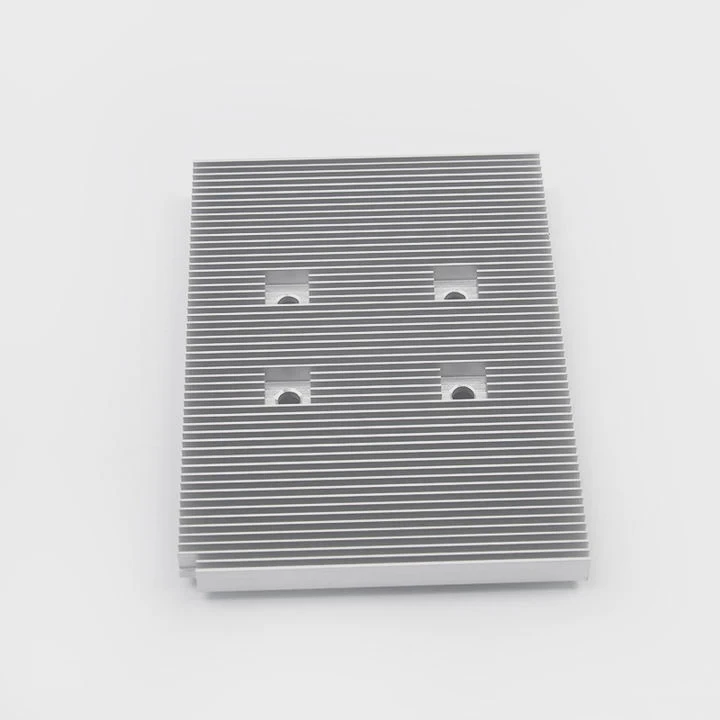
Key AIO Innovations
Dual-Chamber Pumps:
Separate coolant flow and motor chambers improve cooling and reduce vibration.Larger Radiators (360mm & 420mm):
Bigger surface area enhances thermal capacity for modern multi-core CPUs.Customizable Displays:
Some high-end models feature LCD screens for temperature monitoring or custom graphics.Smarter Fan Control:
Built-in controllers adjust fan curves automatically based on workload.Non-Conductive Coolant:
Safer formulations prevent short circuits in the event of a leak.Simplified Installation:
Magnetic brackets, pre-applied thermal paste, and modular mounts reduce setup time.
Comparison of Modern vs Older AIO Coolers
| Feature | Traditional AIO | Modern AIO |
|---|---|---|
| Pump Design | Single Chamber | Dual Chamber |
| Radiator Size | 120–240mm | Up to 420mm |
| Lighting | Basic RGB | Full ARGB Sync |
| Control | Manual Fan Curve | AI Fan Control |
| Safety | Standard Coolant | Non-Conductive Fluid |
| Installation | Screw Mount | Tool-Free / Magnetic Mount |
Future AIO Cooling Outlook
The next generation of AIO coolers will likely integrate wireless monitoring, self-cleaning radiators, and eco-friendly coolant formulations. Manufacturers are also exploring AI-assisted thermal management, allowing coolers to learn user workloads and adjust performance automatically.
These advancements make AIO systems easier to install, safer to use, and more efficient — a perfect combination for both beginners and professionals.
Conclusion
Installing an AIO liquid cooler is easier than it looks. With basic tools, patience, and proper planning, anyone can achieve professional-level cooling performance. As technology improves, AIO systems are becoming smarter, quieter, and more user-friendly — making them one of the best cooling choices for modern PCs.
TAGS
Latest Articles

Volume discount levels for heat sink orders?
Buyers often ask when heat sink prices start to drop with volume. Many worry they’re overpaying for small orders. This guide explains how B2B volume pricing works for thermal components. Heat sink
21 Dec,2025
Heat sink long-term supply contract options?
Many buyers want stable pricing and reliable delivery for heat sinks. But without a clear contract, risks grow over time. This article explores how to secure better long-term supply deals. Long-term
21 Dec,2025
Tooling cost for new heat sink profiles?
Many engineers struggle to understand why tooling for custom heat sinks costs so much. They worry about budgeting and production timelines. This article breaks down the cost drivers behind tooling.
21 Dec,2025
Heat sink custom sample process steps?
Sometimes, starting a custom heat sink project feels overwhelming—too many steps, too many unknowns, and too many risks. You want a sample, but not endless delays. The process for requesting and
20 Dec,2025
Standard B2B terms for heat sink payments?
When buyers and sellers in B2B heat sink markets talk about payment, many don’t fully understand what’s standard. This can lead to delayed orders, miscommunication, and even lost business
20 Dec,2025
Heat sink pricing factors for large orders?
Heat sinks are vital for many systems. When prices rise, projects stall and budgets break. This problem can hit teams hard without warning. Large order heat sink pricing depends on many factors. You
20 Dec,2025Related Articles
- What is water cooling liquid?
- What liquid is in an AIO cooler?
- How much is liquid cooling system?
- Is liquid cooling silent?
- Does Liquid Cooling Require Maintenance?
- Is 240mm liquid cooling enough?
- Does a liquid cooler need thermal paste?
- Does 5800X3D need liquid cooling?
- Why glass is called super cooled liquid?
- Is liquid cooling quieter than air cooling?
- What Is the Difference Between Liquid-Cooled and Air-Cooled?
- When is liquid cooling necessary?
Author
Dr. Emily Chen
Chief AI Researcher
Leading expert in thermal dynamics and AI optimization with over 15 years of experience in data center efficiency research.
Categories
Latest Products






Recommend Categories
- Liquid cooling plate Manufacturer
- Industrial Heat Sink Manufacturer
- Standard Heat Sink Manufacturer
- Aluminum Heat Sink Manufacturer
- Copper Heat Sink Manufacturer
- Anodized Heatsink Manufacturer
- Stamping heat sink Manufacturer
- Die Casting Heatsink Manufacturer
- Soldering heat sink Manufacturer
- CNC Parts Manufacturer
Latest Products
- Wholesale Aluminum Radiator
- Water Cooling Plate Kit
- Water Cooling Heat Sink
- Water Cooling Heat Sink Kit
- Stainless Steel Water Distributor
- Server Water Cooling Plate Kit
- Server Liquid Cooling System
- Server Aluminum Cooling Kit
- S19 Full Cover Cooling Plate
- S19 Cooling Plate Kit
- S19 Aluminum Cooling Plate
Contact Expert
Have questions about this article? Reach out to our experts directly.