how to separate processor from heatsink?
Many people try to remove a CPU from its heatsink and feel sudden tension because the chip seems stuck. This creates fear that the CPU may break during the process.
You can separate a processor from a heatsink by loosening the thermal paste bond with gentle heat, applying a safe twisting motion, and lifting the CPU straight up once the paste releases.
Most users think the parts are glued together forever. With simple steps, the removal becomes calm and controlled.
Why paste can bond components?
Many users expect thermal paste to stay soft. But over time, paste dries. It forms a sticky layer that grips the CPU and heatsink tightly. This makes the two parts feel fused.
Thermal paste can bond components because it dries into a dense layer that fills surface gaps, hardens with heat cycles, and acts like a weak adhesive between the CPU and the heatsink.
I saw this when I removed an old CPU from a cooler. The paste had turned into a dry mass. The CPU would not move. Only after softening the paste did the chip release without damage.
How paste changes over time
Paste starts soft. It spreads in a thin layer. But heat cycles from daily use make it stiff. The stiff layer holds the chip. This is not glue, but it behaves like glue after years of use.
Why bond strength varies
Some pastes dry faster than others. Cheap pastes harden quickly. High-quality pastes stay soft longer. A CPU that runs hot also dries paste faster. When the paste dries thick, the bond feels very strong.
Table: Paste behavior stages
| Stage | Condition | Bond Strength |
|---|---|---|
| Fresh | Soft | Low |
| Aging | Thicker | Medium |
| Old | Dry and stiff | High |
Why the heatsink holds the CPU tight
The flat surfaces of both the CPU and the heatsink create large contact area. When paste dries across this area, the grip becomes firm. This is why the CPU lifts with the heatsink if you pull too fast.
Why knowing this prevents damage
When users understand the dried paste bond, they avoid force. They warm the paste first. They twist gently. This stops the CPU from ripping out of the socket.
Which warming methods loosen paste?
Many users try to pull the CPU off cold. This makes the bond stronger. A bit of warmth softens the paste and helps the parts separate gently.
Warming methods that loosen paste include running the system for a short moment before teardown, using mild warm air from a hair dryer, or letting the heatsink sit in warm room air for a few minutes.
I once heated a stuck cooler with light warm air. The paste softened. The chip came off easily. This simple trick saved the CPU.
How light heat softens paste
Paste becomes soft at warm temperatures. It does not need high heat. Mild warmth spreads through the heatsink and reaches the paste layer. This softening weakens the bond.
Safe warming methods table
| Method | Heat Level | Safe for CPU |
|---|---|---|
| Warm air dryer (low) | Mild | Yes |
| Running system briefly | Mild | Yes |
| High heat gun | High | No |
Why high heat must be avoided
High heat from hot air guns can harm plastic sockets or small parts around the CPU. Safe warming must stay mild. If the heatsink feels warm like warm tap water, it is enough.
Why warm-up before shutdown works
Running the system lightly for a minute warms the paste. After shutdown, the heatsink stays warm. This warmth is safe and loosens the bond.
Why warming reduces risk
Warm paste breaks easier. The CPU stays safe. The socket pins remain untouched. A few seconds of warm air can prevent expensive mistakes.
Can twisting reduce risk?
Many users try to pull straight up while the paste is still stiff. This creates a strong upward force and may lift the CPU out of the socket with the latch still locked.
Yes, twisting reduces risk because gentle rotation weakens the paste bond, breaks the dried layer around the edges, and frees the CPU without sudden force.
I used to pull too early. The CPU lifted with the cooler. After learning the twist method, I never had this issue again.
Why twisting works
Twisting spreads force evenly. It does not pull on socket pins. It breaks the paste sideways. This sideways motion needs less force than direct pulling. Once the bond cracks at the edges, the CPU releases.
Proper twisting technique
Hold the heatsink firmly. Rotate it left and right by a few degrees. Do not twist fast. Do not twist far. Small motions break the bond safely.
Twisting safety table
| Action | Result |
|---|---|
| Light twist | Safe bond break |
| Hard twist | Risk of chip slip |
| Fast twist | Loss of control |
Why users must control the twist
A twist must feel smooth. If the heatsink jumps, stop. Warm the paste more. Then twist again. This prevents the chip from jerking out.
Why twisting avoids socket damage
Pulling upward may bend pins or pull the CPU out of the locked socket. Twisting keeps the pressure low. Pins stay safe. The CPU stays flat.
Should CPU be lifted straight up?
When the bond breaks, many users feel relieved and then lift the CPU at an angle. This is dangerous. A small angle may bend pins or chip edges.
Yes, the CPU should be lifted straight up because lifting at an angle risks scraping pins, bending contacts, or damaging the chip during removal.
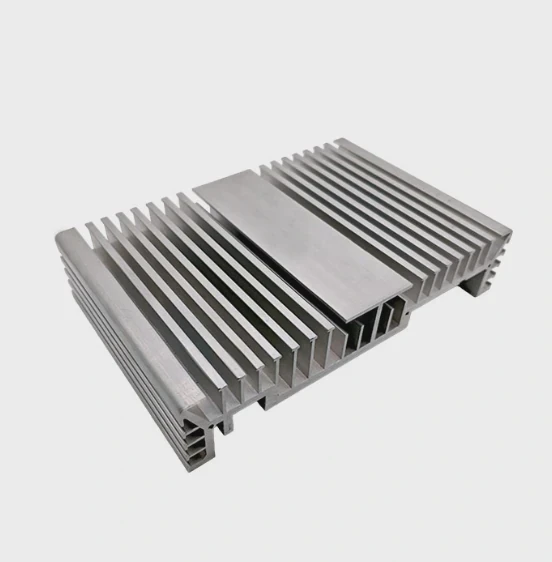
I once lifted a CPU crooked after a stuck removal. It scraped one corner. The chip still worked, but the lesson stayed with me.
Why straight lifting matters
The CPU must stay flat with the socket. Even after separation, paste residue may still hold weak spots. A straight lift keeps the chip safe.
How to lift safely
Place two fingers at opposite sides of the chip. Lift slowly. Do not tilt. If it sticks again, lower it and twist more to break the last bit of paste.
Safe lifting table
| Method | Safety |
|---|---|
| Straight lift | High |
| Side lift | Medium |
| Tilt lift | Low |
Why angles cause harm
The socket pins or pads line up with the CPU. If you lift at an angle, one side leaves first. The other side drags. This drag motion harms alignment.
Why straight lifting completes the process safely
After all the effort to warm and twist, a careful straight lift ensures no last-minute damage. It ends the process smoothly and keeps the CPU ready for cleaning and reuse.
Conclusion
Separating a processor from a heatsink is simple when paste is warmed, the bond is loosened with gentle twisting, and the CPU is lifted straight up. These steps keep the chip and socket safe during removal.
TAGS
Latest Articles

Volume discount levels for heat sink orders?
Buyers often ask when heat sink prices start to drop with volume. Many worry they’re overpaying for small orders. This guide explains how B2B volume pricing works for thermal components. Heat sink
21 Dec,2025
Heat sink long-term supply contract options?
Many buyers want stable pricing and reliable delivery for heat sinks. But without a clear contract, risks grow over time. This article explores how to secure better long-term supply deals. Long-term
21 Dec,2025
Tooling cost for new heat sink profiles?
Many engineers struggle to understand why tooling for custom heat sinks costs so much. They worry about budgeting and production timelines. This article breaks down the cost drivers behind tooling.
21 Dec,2025
Heat sink custom sample process steps?
Sometimes, starting a custom heat sink project feels overwhelming—too many steps, too many unknowns, and too many risks. You want a sample, but not endless delays. The process for requesting and
20 Dec,2025
Standard B2B terms for heat sink payments?
When buyers and sellers in B2B heat sink markets talk about payment, many don’t fully understand what’s standard. This can lead to delayed orders, miscommunication, and even lost business
20 Dec,2025
Heat sink pricing factors for large orders?
Heat sinks are vital for many systems. When prices rise, projects stall and budgets break. This problem can hit teams hard without warning. Large order heat sink pricing depends on many factors. You
20 Dec,2025Related Articles
- how to clean a heatsink of insperion n1770?
- what is a bga heatsink?
- is nvme heatsink necessary?
- do i need a heatsink fan with new cpu?
- what happens when you remove a cpu heatsink?
- how to clean heatsink on ps4?
- how to clean cpu cooler heatsink?
- does an m2 ssd need a heatsink?
- do you need heatsink for liquid cooled cpu?
- do nvmes need heatsinks?
- how do you clean a heatsink?
- what has a heatsink in them?
Author
Dr. Emily Chen
Chief AI Researcher
Leading expert in thermal dynamics and AI optimization with over 15 years of experience in data center efficiency research.
Categories
Latest Products

M.2 Heatpipe Heatsink With Dual Fans For Pc Case
19 Mar,2026

Heavy-Duty Aluminum Heat Sink Custom
19 Mar,2026

Oem Skived Fin Heatsink Aluminum Radiator For Plants
19 Mar,2026

Water Cooled Cnc Aluminum Heat Sink For Medical
19 Mar,2026

High Density 6000 Series Aluminum Heat Sink Profile
19 Mar,2026

High-Density Extruded Aluminum & Bonded-Fin Heat Sink Profile
19 Mar,2026
Recommend Categories
- Liquid cooling plate Manufacturer
- Industrial Heat Sink Manufacturer
- Standard Heat Sink Manufacturer
- Aluminum Heat Sink Manufacturer
- Copper Heat Sink Manufacturer
- Anodized Heatsink Manufacturer
- Stamping heat sink Manufacturer
- Die Casting Heatsink Manufacturer
- Soldering heat sink Manufacturer
- CNC Parts Manufacturer
Latest Products
- M.2 Heatpipe Heatsink With Dual Fans For Pc Case
- Heavy-Duty Aluminum Heat Sink Custom
- Oem Skived Fin Heatsink Aluminum Radiator For Plants
- Water Cooled Cnc Aluminum Heat Sink For Medical
- High Density 6000 Series Aluminum Heat Sink Profile
- High-Density Extruded Aluminum & Bonded-Fin Heat Sink Profile
- Dongguan Cnc Aluminum Heat Sink For Led & Brass Parts
- Wholesale Cnc Aluminum Heat Sink - Custom Extruded
- Led Cnc Round Heat Sink With Screw Holes
- Copper Pin-Fin Heat-Sink Large-Area For Photoled Cooling
- Telecom Heatsink Zipper Fin Wcopper Tubes Oem
Contact Expert
Have questions about this article? Reach out to our experts directly.