Does a liquid CPU cooler need thermal paste?
Many people assume that when they buy a liquid cooler, it’s ready to install without any extra steps. But when temperatures spike after installation, the missing detail is often thermal paste.
Yes, a liquid CPU cooler needs thermal paste to fill microscopic gaps between the CPU surface and the cooler’s cold plate. It ensures proper heat transfer and prevents overheating.
Even the best cooler cannot work effectively without this thin layer. Let’s explore what thermal paste is, why it’s so important, and how to use it correctly.
What is thermal paste?
At first glance, thermal paste looks like an ordinary gray paste, but it plays a critical role in cooling systems. Without it, even expensive hardware can underperform.
Thermal paste is a heat-conductive compound applied between a CPU and cooler to eliminate air gaps and allow efficient heat transfer from the processor to the cooling plate.
What it’s made of
Thermal paste typically contains:
| Type | Main Materials | Conductivity |
|---|---|---|
| Metal-based | Silver, aluminum, or zinc oxide | High |
| Ceramic-based | Silicone with ceramic powder | Medium |
| Carbon-based | Graphite or carbon particles | High |
| Liquid metal | Gallium and indium alloys | Very high |
How it works
Both the CPU heat spreader and the cooler base are not perfectly smooth. Tiny imperfections trap air, and air is a poor conductor of heat. The paste fills these micro gaps, creating a bridge for efficient thermal flow.
A very thin layer is enough to improve contact dramatically, helping the cooler remove heat evenly across the surface.
Why is it essential for heat transfer?
Even though the liquid cooler moves heat away through liquid and radiators, it still depends on one critical contact point: the CPU surface.
Thermal paste is essential because it minimizes thermal resistance between the CPU and the cold plate, allowing efficient heat transfer and preventing thermal throttling.
What happens without thermal paste
- Air pockets remain between the CPU and cooler.
- Heat builds up unevenly on the chip surface.
- The CPU temperature rises rapidly under load.
- The processor starts throttling or even shuts down to prevent damage.
Benefits of proper application
- Efficient heat flow – Reduces thermal resistance at the CPU-cooler interface.
- Stable performance – Keeps CPU at lower, consistent temperatures.
- Longer lifespan – Prevents constant high-temperature stress.
- Improved overclocking potential – Better cooling allows higher, more stable clock speeds.
The right thermal interface can mean a difference of 5–10°C in temperature, which directly impacts performance.
How to apply thermal paste correctly?
Applying thermal paste seems simple, but doing it wrong can lead to poor contact or messy installation. The key is using the right amount and method.
To apply thermal paste, clean both surfaces, add a small pea-sized drop to the CPU center, and mount the cooler evenly to spread it across the surface.
Step-by-step guide
| Step | Action | Tip |
|---|---|---|
| 1. Clean surfaces | Use isopropyl alcohol and a lint-free cloth. | Remove old paste completely. |
| 2. Apply new paste | Place a pea-sized dot or thin X shape at the center of the CPU. | Do not overapply. |
| 3. Mount the cooler | Press the cold plate down gently and secure screws diagonally. | Avoid lifting once placed. |
| 4. Check temperatures | Boot up and monitor CPU temps using software. | Normal idle should be 30–40°C. |
Common mistakes to avoid
- Using too much paste—it can spill over and insulate heat instead of transferring it.
- Reusing old paste—it dries and cracks over time.
- Not cleaning surfaces—dust or residue reduces conductivity.
- Removing the cooler after mounting—it breaks the seal and introduces air pockets.
Correct application ensures that your expensive liquid cooler performs at its full potential.
What are the improvements in thermal interface materials?
The thermal paste industry has evolved alongside cooling technology. Modern CPUs generate more heat, and materials must keep up with this demand.
The latest improvements in thermal interface materials include nano-particle additives, liquid metal compounds, and phase-change materials that enhance conductivity and longevity.
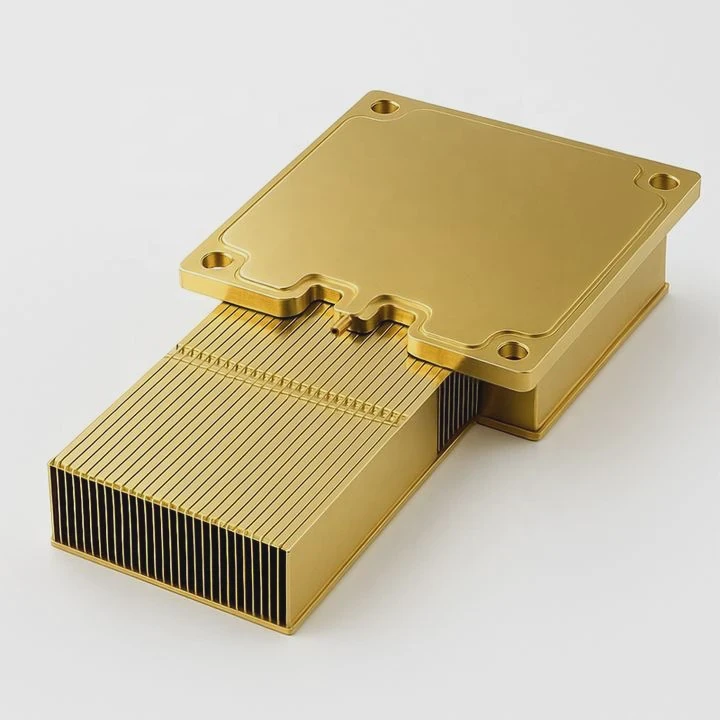
New material trends
1. Nano-enhanced compounds
Manufacturers now use silver, carbon, or ceramic nanoparticles to increase surface area and conductivity. These pastes are non-corrosive and easier to apply than traditional metal ones.
2. Liquid metal pastes
Gallium-based liquid metals offer superior performance (up to 70 W/m·K thermal conductivity), but they must be used carefully as they can corrode aluminum surfaces. Many enthusiasts use them for extreme overclocking.
3. Phase-change materials (PCMs)
PCMs soften at operating temperature and solidify when cooled, maintaining perfect contact without reapplication. They’re popular in industrial and OEM cooling solutions.
4. Long-life silicone blends
New silicone-based formulas resist drying out over time, providing consistent performance for several years.
5. Electrically non-conductive options
Some new carbon and ceramic pastes offer excellent thermal conductivity without electrical risks, making them safe for all users.
Performance comparison of modern TIMs
| Material Type | Typical Conductivity (W/m·K) | Lifespan | Electrical Conductivity |
|---|---|---|---|
| Standard silicone | 4–6 | 2–3 years | None |
| Nano-ceramic | 8–10 | 3–5 years | None |
| Carbon-based | 12–14 | 5 years | None |
| Liquid metal | 70–80 | 2–4 years | Yes |
| PCM pads | 6–10 | 5+ years | None |
The future of thermal interface materials lies in balancing safety, ease of use, and ultra-high performance. With advanced compounds, CPUs can run cooler, quieter, and more efficiently than ever.
Conclusion
A liquid CPU cooler still needs thermal paste because it forms the crucial link between the CPU and cooler. This small layer ensures efficient heat transfer, stable temperatures, and long-term reliability—proving that sometimes, the smallest details make the biggest difference.
TAGS
Latest Articles

Volume discount levels for heat sink orders?
Buyers often ask when heat sink prices start to drop with volume. Many worry they’re overpaying for small orders. This guide explains how B2B volume pricing works for thermal components. Heat sink
21 Dec,2025
Heat sink long-term supply contract options?
Many buyers want stable pricing and reliable delivery for heat sinks. But without a clear contract, risks grow over time. This article explores how to secure better long-term supply deals. Long-term
21 Dec,2025
Tooling cost for new heat sink profiles?
Many engineers struggle to understand why tooling for custom heat sinks costs so much. They worry about budgeting and production timelines. This article breaks down the cost drivers behind tooling.
21 Dec,2025
Heat sink custom sample process steps?
Sometimes, starting a custom heat sink project feels overwhelming—too many steps, too many unknowns, and too many risks. You want a sample, but not endless delays. The process for requesting and
20 Dec,2025
Standard B2B terms for heat sink payments?
When buyers and sellers in B2B heat sink markets talk about payment, many don’t fully understand what’s standard. This can lead to delayed orders, miscommunication, and even lost business
20 Dec,2025
Heat sink pricing factors for large orders?
Heat sinks are vital for many systems. When prices rise, projects stall and budgets break. This problem can hit teams hard without warning. Large order heat sink pricing depends on many factors. You
20 Dec,2025Related Articles
- How to make sure liquid cooling is working?
- How to liquid cool a CPU?
- How to fill a liquid CPU cooler?
- Does PS5 have liquid cooling?
- What is the best AIO liquid cooler?
- How to refill CPU liquid cooler?
- How to replace CPU liquid cooler?
- What liquid is in water cooling?
- How to install a liquid cooling system?
- How AIO liquid cooler works?
- Does a liquid cooler need water?
- Is a liquid cooler worth it?
Author
Dr. Emily Chen
Chief AI Researcher
Leading expert in thermal dynamics and AI optimization with over 15 years of experience in data center efficiency research.
Categories
Latest Products






Recommend Categories
- Liquid cooling plate Manufacturer
- Industrial Heat Sink Manufacturer
- Standard Heat Sink Manufacturer
- Aluminum Heat Sink Manufacturer
- Copper Heat Sink Manufacturer
- Anodized Heatsink Manufacturer
- Stamping heat sink Manufacturer
- Die Casting Heatsink Manufacturer
- Soldering heat sink Manufacturer
- CNC Parts Manufacturer
Latest Products
- Wholesale Aluminum Radiator
- Water Cooling Plate Kit
- Water Cooling Heat Sink
- Water Cooling Heat Sink Kit
- Stainless Steel Water Distributor
- Server Water Cooling Plate Kit
- Server Liquid Cooling System
- Server Aluminum Cooling Kit
- S19 Full Cover Cooling Plate
- S19 Cooling Plate Kit
- S19 Aluminum Cooling Plate
Contact Expert
Have questions about this article? Reach out to our experts directly.