how to install raspberry pi 4 heatsink?
Many people feel unsure when installing a heatsink on a Raspberry Pi 4. The board looks small, but heat collects fast when tasks grow heavy.
To install a Raspberry Pi 4 heatsink, clean the chip surfaces, apply the thermal pad, align each heatsink with its target chip, and press firmly to secure full contact. A clean surface and correct placement ensure the best cooling.
Some users assume the process is simple, but small mistakes reduce cooling performance. This guide explains every detail so the Pi stays cool and stable.
Why target Pi 4 hotspot regions?
The Raspberry Pi 4 runs with higher clocks and a more powerful GPU than older models. These parts make more heat in a small space. When installing a heatsink, targeting only one chip is not enough.
The Pi 4 has clear hotspot regions such as the CPU, the RAM chip, and the USB/ethernet controller. These zones heat up fast and need direct cooling contact for stable performance.
Understanding heat sources on the Pi 4
The Pi 4 packs several heat-producing parts on a small board. The CPU is the main source, but the memory chip also warms up during long tasks. The ethernet and USB controller runs warm when many devices connect. These chips sit close, so heat spreads across the board.
Each hotspot affects performance
The CPU slows down when temperatures rise above safe points. The RAM chip warms up during graphics work or large data moves. The I/O controller heats when many USB devices run or when network traffic is heavy. All these affect system speed if cooling is poor.
Heat moves quickly on small boards
Small boards have little distance between chips. When one chip gets hot, nearby parts warm up too. This makes cooling more important because a single heatsink helps one chip, but the board needs balanced cooling across hotspots.
### Why multiple heatsinks matter
- The CPU hits the highest temperatures
- The RAM chip warms during heavy use
- The I/O controller stays warm under load
- Heat spreads fast across the PCB
Table: Primary hotspot zones on Pi 4
| Component | Heat level | Reason |
|---|---|---|
| CPU | Very high | Fast clock and heavy load |
| RAM | Medium–high | Data transfers and GPU work |
| USB/Ethernet controller | Medium | Network and device traffic |
| PMIC | Medium | Power management load |
Cooling all hotspot areas keeps the Pi 4 stable and ready for long workloads.
Which adhesive pads stick firmly?
Mounting a heatsink on the Pi 4 involves thermal pads or adhesive compounds. Many users worry their heatsinks will fall off. The right pad must transfer heat and hold the metal in place.
The most reliable adhesive pads are soft silicone-based thermal pads with strong tack and good heat conductivity. They stay firm on the Pi 4 and keep the heatsink attached even when the board stands upright.
What good adhesive pads must do
A good thermal pad must be sticky enough to hold metal, soft enough to fill small gaps, and conductive enough to transfer heat. Pads that are too hard leave air pockets. Pads that are too thin do not match uneven surfaces.
Why silicone pads work best
Silicone pads mold easily to chip surfaces. They grip the metal without slipping. They also resist heat cycles, meaning the stickiness stays constant even when the Pi warms up.
Avoid double-sided foam tape
Some cheap kits use foam tape. This blocks heat because foam acts like insulation. The heatsink stays attached, but cooling becomes weak. Using real thermal pads is always better.
### Characteristics of reliable thermal pads
- Soft texture for full surface contact
- High tack to hold metal firmly
- Moderate thickness to cover uneven chip heights
- Heat resistance for long-term use
How to apply pads correctly
Cut the pad to fit the chip, remove the protective film, place it gently, then press with even force. Avoid sliding the pad because that creates air bubbles.
Table: Comparison of pad types
| Pad type | Adhesion strength | Heat transfer | Best use |
|---|---|---|---|
| Silicone thermal pads | Strong | Good | Most Pi heatsinks |
| Graphite pads | Weak | Very good | Needs clip, not adhesive |
| Foam tape | Strong | Poor | Not recommended |
| Thermal paste | No adhesion | Very good | Requires clips or screws |
Thermal pads give the best balance between sticking power and stable heat transfer for Pi 4 heatsink installs.
Can metal cases enhance cooling?
Some Raspberry Pi 4 users skip separate heatsinks and use a metal case instead. A full metal enclosure can act as a giant heatsink if designed well.
A metal case enhances cooling when the case makes direct contact with the CPU through a thermal pad, turning the entire shell into a large heat spreader. Well-designed metal cases lower temperatures better than basic stick-on heatsinks.
How metal cases cool the Pi
A metal case works like a giant heatsink. The CPU connects to the case wall with a thick pad. Heat spreads to the entire body. This large surface area releases heat into the air. The result is lower temperature under load.
Not all metal cases work equally
Some metal cases look strong but do not touch the CPU directly. Some rely on small plates that float loosely. These cases offer little improvement. Real cooling cases have solid contact and tight design.
Passive vs active metal cases
Passive cases rely only on metal. Active cases include tiny fans inside. While fans add noise, they move more air and reduce heat even further.
### Strengths of metal cases
- Full-body heat spread
- Strong passive cooling
- No tiny heatsinks to manage
- Good protection for the Pi
Remote sensor workloads benefit most
Tasks such as video streaming, local servers, dashboards, and data logging run long. Metal cases keep temperatures stable during these extended tasks.
Metal cases and heat buildup inside rooms
Metal cases work well in open spaces. But in hot rooms or cabinets, heat still builds up. Even the best metal case cannot cool below room temperature.
Do stacked HATs reduce airflow?
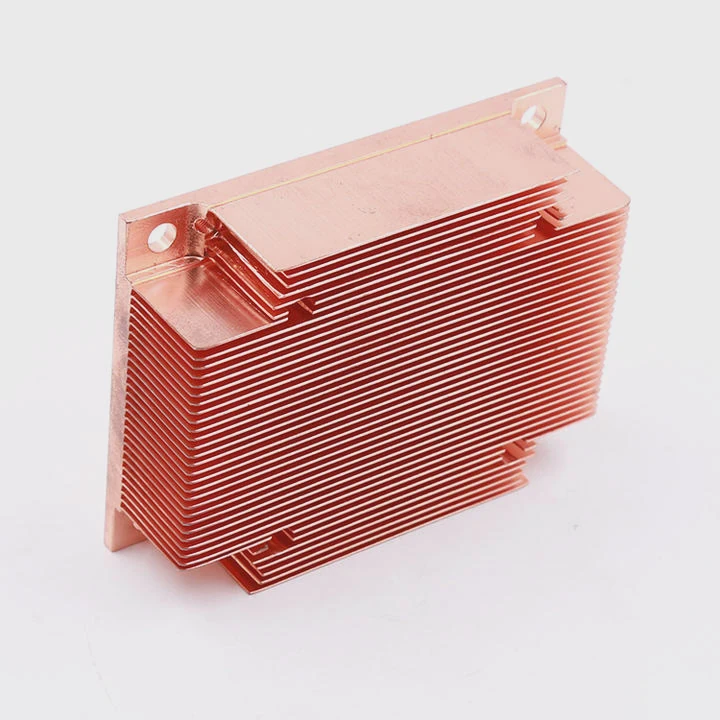
Many users add HATs (Hardware Attached on Top) to expand features. These boards stack above the Pi and sometimes above the heatsinks. Stacking can block airflow, which raises temperatures.
Stacked HATs can reduce airflow around the Raspberry Pi 4, trapping warm air and limiting heatsink performance. When multiple HATs are used, cooling becomes more difficult, and extra airflow may be needed.
Why stacked boards block air
A HAT sits close to the Pi. Air does not move freely between the boards. When two or more HATs are stacked, the space becomes tighter. Warm air stays near the chips instead of rising away.
Heatsinks under HATs lose effect
A heatsink needs open air to release heat. When a HAT sits just a few millimeters above a heatsink, the warm air stays trapped. This limits heat transfer and reduces cooling.
### When stacking is especially problematic
- HATs with solid bottom plates
- HATs that cover the entire board
- Multi-layer stacks with little space
- Enclosures with limited air openings
How to keep airflow open
Use standoffs that lift the HAT higher above the heatsink. This creates space for air. Use narrow heatsinks that fit under the HAT without touching it. If possible, choose open-frame HATs with holes to allow airflow.
Small fans help in stacked setups
In tight stacks, a tiny fan moves air out of the gap. Even a slow fan keeps temperatures stable and prevents heat buildup under the HAT.
Table: Stacking impact levels
| Stacking style | Airflow level | Impact on heat |
|---|---|---|
| No HAT | Open airflow | Best cooling |
| One HAT with large openings | Moderate airflow | Small heat rise |
| One full-coverage HAT | Low airflow | Noticeable heat rise |
| Multi-layer stack | Very low airflow | High heat buildup |
Stacked HATs change cooling behavior. Extra airflow or taller standoffs help keep the Pi safe during heavy tasks.
Conclusion
Installing a heatsink on the Raspberry Pi 4 keeps the board cool and stable. Target the hotspot regions, use good adhesive pads, consider metal cases for full-body cooling, and watch airflow when stacking HATs. With the right setup, the Pi stays reliable for long workloads.
TAGS
Latest Articles

Volume discount levels for heat sink orders?
Buyers often ask when heat sink prices start to drop with volume. Many worry they’re overpaying for small orders. This guide explains how B2B volume pricing works for thermal components. Heat sink
21 Dec,2025
Heat sink long-term supply contract options?
Many buyers want stable pricing and reliable delivery for heat sinks. But without a clear contract, risks grow over time. This article explores how to secure better long-term supply deals. Long-term
21 Dec,2025
Tooling cost for new heat sink profiles?
Many engineers struggle to understand why tooling for custom heat sinks costs so much. They worry about budgeting and production timelines. This article breaks down the cost drivers behind tooling.
21 Dec,2025
Heat sink custom sample process steps?
Sometimes, starting a custom heat sink project feels overwhelming—too many steps, too many unknowns, and too many risks. You want a sample, but not endless delays. The process for requesting and
20 Dec,2025
Standard B2B terms for heat sink payments?
When buyers and sellers in B2B heat sink markets talk about payment, many don’t fully understand what’s standard. This can lead to delayed orders, miscommunication, and even lost business
20 Dec,2025
Heat sink pricing factors for large orders?
Heat sinks are vital for many systems. When prices rise, projects stall and budgets break. This problem can hit teams hard without warning. Large order heat sink pricing depends on many factors. You
20 Dec,2025Related Articles
- can a cpu run without a heatsink?
- do you need a heatsink for m 2?
- does the ssd need a heatsink?
- what heatsinks fit evga z390 dark?
- how to install chipset heatsink?
- do you need to put thermal past when changing heatsinks?
- how to install an amd 3700x heatsink?
- where to get legendary sandevistan heatsink?
- how to fire heatsinks in elite dangerous?
- what should heatsinks be made of?
- do you need a heatsink for m.2 ssd for pc?
- how to make a water cooling heatsink?
Author
Dr. Emily Chen
Chief AI Researcher
Leading expert in thermal dynamics and AI optimization with over 15 years of experience in data center efficiency research.
Categories
Latest Products

M.2 Heatpipe Heatsink With Dual Fans For Pc Case
19 Mar,2026

Heavy-Duty Aluminum Heat Sink Custom
19 Mar,2026

Oem Skived Fin Heatsink Aluminum Radiator For Plants
19 Mar,2026

Water Cooled Cnc Aluminum Heat Sink For Medical
19 Mar,2026

High Density 6000 Series Aluminum Heat Sink Profile
19 Mar,2026

High-Density Extruded Aluminum & Bonded-Fin Heat Sink Profile
19 Mar,2026
Recommend Categories
- Liquid cooling plate Manufacturer
- Industrial Heat Sink Manufacturer
- Standard Heat Sink Manufacturer
- Aluminum Heat Sink Manufacturer
- Copper Heat Sink Manufacturer
- Anodized Heatsink Manufacturer
- Stamping heat sink Manufacturer
- Die Casting Heatsink Manufacturer
- Soldering heat sink Manufacturer
- CNC Parts Manufacturer
Latest Products
- M.2 Heatpipe Heatsink With Dual Fans For Pc Case
- Heavy-Duty Aluminum Heat Sink Custom
- Oem Skived Fin Heatsink Aluminum Radiator For Plants
- Water Cooled Cnc Aluminum Heat Sink For Medical
- High Density 6000 Series Aluminum Heat Sink Profile
- High-Density Extruded Aluminum & Bonded-Fin Heat Sink Profile
- Dongguan Cnc Aluminum Heat Sink For Led & Brass Parts
- Wholesale Cnc Aluminum Heat Sink - Custom Extruded
- Led Cnc Round Heat Sink With Screw Holes
- Copper Pin-Fin Heat-Sink Large-Area For Photoled Cooling
- Telecom Heatsink Zipper Fin Wcopper Tubes Oem
Contact Expert
Have questions about this article? Reach out to our experts directly.