How to know if your liquid cooler is working?
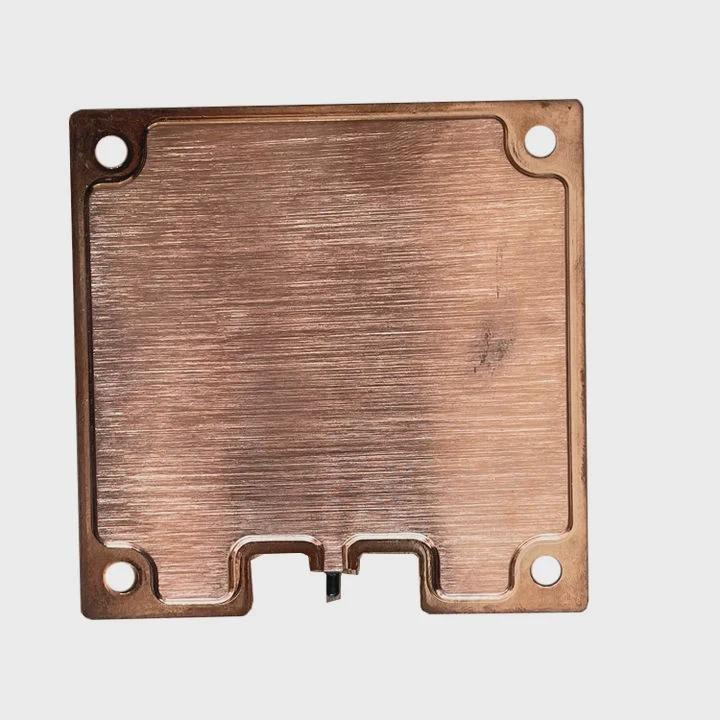
When your PC heats up or becomes louder, you may wonder if the liquid cooler is still doing its job. Many users assume it works fine until the CPU overheats — by then, it may be too late.
You can tell if your liquid cooler is working by checking CPU temperature, pump noise, fan movement, and system monitoring software readings.
A cooler should keep the CPU at stable temperatures, even under heavy load. If the system starts throttling or shutting down, something may be wrong with the pump, coolant, or radiator airflow.
What indicates proper cooling operation?
The first signs of a working liquid cooler are often subtle — smooth fan motion, quiet pump operation, and stable CPU temperatures. But knowing exactly what to check helps prevent surprises.
Proper cooling operation means the pump runs quietly, the radiator fans spin normally, and CPU temperatures remain stable during idle and load conditions.
Key signs your cooler is healthy
| Indicator | What to Look For | What It Means |
|---|---|---|
| CPU Temperature | 30–40°C idle, 60–80°C load | Normal performance |
| Pump Noise | Low, steady hum | Proper flow |
| Fan Speed | Responsive to load | Good control |
| Radiator Warmth | Warm exhaust air | Heat dissipation working |
If your CPU stays cool and your fans respond to workload changes, your cooler is healthy. You can confirm by using hardware monitoring tools like HWMonitor, AIDA64, or your motherboard’s BIOS. Most coolers show pump speed in the RPM section. A zero RPM reading or no change under load usually means failure.
Visual and tactile signs
You can gently touch the tubes when the PC is on. One tube should feel slightly warmer than the other, showing coolant is circulating. Radiator fins should also feel warm to the touch after a few minutes of load. But avoid pressing too hard or touching internal parts directly.
Why does monitoring matter?
Many users ignore cooling performance until problems appear. But by then, high temperatures may already have shortened the CPU’s life or damaged the motherboard.
Monitoring matters because it helps detect early signs of pump failure, coolant loss, or blockage before permanent damage occurs.
Early warning system
Modern CPUs have protection systems that throttle speed when overheating. This prevents shutdowns but hides the root problem. Regular monitoring shows performance drops, temperature spikes, or RPM inconsistencies early on.
Monitoring tools comparison
| Tool | Type | Key Feature |
|---|---|---|
| HWMonitor | Software | Real-time temperature graphs |
| BIOS / UEFI | Firmware | Pump and fan speed readout |
| MSI Afterburner | Software | GPU and CPU monitoring overlay |
| AIDA64 | Diagnostic suite | Detailed component health data |
Preventing long-term damage
Overheating can degrade thermal paste and stress solder joints. Monitoring ensures you maintain a stable thermal envelope. Even minor issues like air bubbles in the loop or clogged fins can be detected before they cause shutdowns.
By watching trends over time, you can predict when maintenance or replacement will be needed, much like checking engine oil levels in a car.
How to troubleshoot cooling issues?
Even good coolers can fail. Pumps may clog, fans stop, or coolant evaporates. The good news is that many problems are easy to diagnose.
To troubleshoot cooling issues, check temperatures, ensure pump power, inspect tubing, clean the radiator, and reapply thermal paste if needed.
Step-by-step troubleshooting guide
- Check CPU temperatures — Use monitoring software. If idle temps exceed 60°C, there’s a problem.
- Listen for pump noise — A silent or clicking pump often means it’s not working.
- Verify pump connection — Make sure the pump is connected to the correct motherboard header (usually “CPU_FAN” or “PUMP_FAN”).
- Observe tube temperatures — If both tubes stay cold, coolant may not circulate.
- Clean the radiator — Dust blocks heat transfer. Use compressed air to clean fins.
- Reapply thermal paste — Old or dry paste reduces contact efficiency.
- Check for leaks — Look for moisture near fittings or discoloration on cables.
Common causes of failure
| Problem | Likely Cause | Solution |
|---|---|---|
| High temps, loud fans | Air trapped or pump failing | Tilt case, bleed air, check power |
| CPU throttling | Dry thermal paste | Reapply high-quality paste |
| Coolant leak | Tube crack or loose fitting | Replace or RMA unit |
| No pump RPM | Bad cable or header | Reconnect or test with alternate power source |
When to replace
If your pump no longer spins or the unit is over five years old, replacement is safer. Even if performance seems acceptable, an old cooler may lose pressure and efficiency slowly. For mission-critical systems, always plan preventive replacement rather than waiting for failure.
What are the developments in cooling diagnostics?
Cooling technology now combines hardware and software to detect issues early. Diagnostics used to rely only on manual checks, but modern coolers come with integrated sensors and smart controls.
The latest cooling diagnostics include software dashboards, built-in sensors, RGB status indicators, and AI-based monitoring algorithms.
Smart cooling systems
Premium coolers like Corsair iCUE, NZXT Kraken, or ASUS ROG use digital controllers. These systems show pump speed, coolant temperature, and fan RPM directly through software. Some even send alerts when coolant viscosity changes or temperature exceeds thresholds.
AI-based predictive diagnostics
AI systems now analyze data trends over weeks to predict when the pump might fail. They look at vibration frequency, flow rate, and thermal changes to generate a “health score.” This predictive maintenance model is common in industrial systems but is now appearing in consumer cooling products too.
Transparency and customization
Modern dashboards let users set custom fan curves and monitor every detail. RGB lighting also serves diagnostic purposes — it changes color to indicate warning states (for example, blue for normal, red for overheating). Some brands use self-test routines that verify the pump and sensors on startup, giving instant feedback.
Future direction
Cooling diagnostics will move closer to smart automation, where systems automatically adjust coolant flow and fan speeds to maintain ideal temperatures while reducing wear. Integrated thermal analytics will allow users to see how their cooler performs over time and receive proactive maintenance notifications.
Conclusion
Knowing if your liquid cooler is working is simple when you understand what to watch. Regular monitoring, correct setup, and awareness of modern diagnostic tools ensure stable performance and prevent costly failures. Smart coolers are making it easier than ever to keep your CPU safe and efficient.
TAGS
Latest Articles

Volume discount levels for heat sink orders?
Buyers often ask when heat sink prices start to drop with volume. Many worry they’re overpaying for small orders. This guide explains how B2B volume pricing works for thermal components. Heat sink
21 Dec,2025
Heat sink long-term supply contract options?
Many buyers want stable pricing and reliable delivery for heat sinks. But without a clear contract, risks grow over time. This article explores how to secure better long-term supply deals. Long-term
21 Dec,2025
Tooling cost for new heat sink profiles?
Many engineers struggle to understand why tooling for custom heat sinks costs so much. They worry about budgeting and production timelines. This article breaks down the cost drivers behind tooling.
21 Dec,2025
Heat sink custom sample process steps?
Sometimes, starting a custom heat sink project feels overwhelming—too many steps, too many unknowns, and too many risks. You want a sample, but not endless delays. The process for requesting and
20 Dec,2025
Standard B2B terms for heat sink payments?
When buyers and sellers in B2B heat sink markets talk about payment, many don’t fully understand what’s standard. This can lead to delayed orders, miscommunication, and even lost business
20 Dec,2025
Heat sink pricing factors for large orders?
Heat sinks are vital for many systems. When prices rise, projects stall and budgets break. This problem can hit teams hard without warning. Large order heat sink pricing depends on many factors. You
20 Dec,2025Related Articles
- What is a liquid-cooled generator?
- How to install Corsair liquid CPU cooler?
- Is BMW i3 battery liquid cooled?
- How is coolant circulated in a liquid-cooled eTorque system?
- How to know if your liquid cooling is working?
- Does liquid cooling use water?
- How does AIO liquid cooling work?
- Does i7 need liquid cooling?
- How to install NZXT liquid cooler?
- Why is glass considered a super-cooled liquid?
- What liquid is used for CPU cooling?
- How to mount a liquid cooler?
Author
Dr. Emily Chen
Chief AI Researcher
Leading expert in thermal dynamics and AI optimization with over 15 years of experience in data center efficiency research.
Categories
Latest Products






Recommend Categories
- Liquid cooling plate Manufacturer
- Industrial Heat Sink Manufacturer
- Standard Heat Sink Manufacturer
- Aluminum Heat Sink Manufacturer
- Copper Heat Sink Manufacturer
- Anodized Heatsink Manufacturer
- Stamping heat sink Manufacturer
- Die Casting Heatsink Manufacturer
- Soldering heat sink Manufacturer
- CNC Parts Manufacturer
Latest Products
- Wholesale Aluminum Radiator
- Water Cooling Plate Kit
- Water Cooling Heat Sink
- Water Cooling Heat Sink Kit
- Stainless Steel Water Distributor
- Server Water Cooling Plate Kit
- Server Liquid Cooling System
- Server Aluminum Cooling Kit
- S19 Full Cover Cooling Plate
- S19 Cooling Plate Kit
- S19 Aluminum Cooling Plate
Contact Expert
Have questions about this article? Reach out to our experts directly.