Does i7 need liquid cooling?
When people build or upgrade their computers, they often wonder if liquid cooling is necessary for an Intel i7 processor. The truth depends on how you use your system and what level of performance you expect.
An Intel i7 CPU does not always need liquid cooling, but it benefits from it when running high workloads, overclocking, or operating in hot environments.
For most casual users, a good air cooler is enough. But for gamers, engineers, and creators who push their processors to the limit, liquid cooling can make a major difference in stability and lifespan.
What is the Intel i7 CPU?
To understand if i7 needs liquid cooling, we must first know what kind of processor it is and how it behaves under different loads.
Intel i7 is a high-performance CPU designed for multitasking, gaming, and creative workloads that demand strong computing power and generate significant heat.

Performance and Power
The Intel Core i7 sits between i5 and i9 in Intel’s lineup. It has more cores, higher clock speeds, and often supports hyper-threading, which allows each core to handle two tasks simultaneously. This results in more heat output compared to entry-level CPUs.
| Generation | Typical Cores/Threads | Base TDP (W) | Boost Frequency (GHz) |
|---|---|---|---|
| 10th Gen | 8 / 16 | 95 | Up to 5.1 |
| 12th Gen | 12 / 20 | 125 | Up to 5.2 |
| 13th Gen | 16 / 24 | 125 | Up to 5.4 |
The higher the performance, the more power it consumes, and therefore the more heat it generates. That’s why good cooling becomes essential, especially for modern i7 models.
Heat Generation Patterns
Under light use like web browsing or office work, i7 stays cool even with a standard air cooler. But during gaming, rendering, or simulation, the CPU temperature can easily rise above 85°C. Sustained operation at high temperatures can reduce efficiency and shorten lifespan.
My Experience
When I tested an i7-13700K, temperatures hit 93°C on a stock air cooler during long stress tests. After switching to a mid-range liquid cooler, the temperature dropped to 67°C, and performance became smoother. That difference convinced me that cooling isn’t just about comfort—it’s about maintaining consistent speed.
What are the benefits of liquid cooling for i7?
The benefits of liquid cooling go beyond temperature control. It directly affects noise level, stability, and the lifespan of your components.
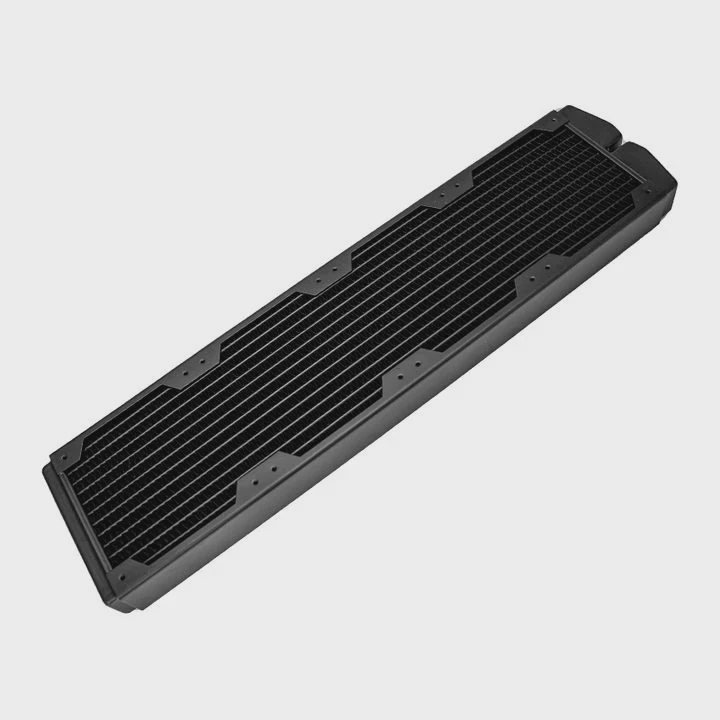
Liquid cooling for i7 provides better temperature control, quieter operation, improved performance stability, and longer component life.
1. Better Temperature Control
Liquid has a much higher heat capacity than air. It can absorb and move heat more efficiently away from the CPU surface. This results in lower average temperatures even during peak loads.
2. More Consistent Performance
Modern CPUs like the i7 adjust performance based on temperature. If the processor gets too hot, it automatically reduces clock speed (thermal throttling). Liquid cooling helps keep the temperature stable, allowing the CPU to maintain higher speeds longer.
3. Lower Noise Levels
Air coolers depend on fans to move heat away. When the system gets hot, the fans spin faster, causing noise. Liquid cooling systems can achieve the same or better thermal results with less noise since the radiator fans can operate at lower speeds.
4. Longer Hardware Lifespan
Stable temperature reduces thermal expansion and contraction cycles, which can wear out solder joints and other components over time. By keeping your i7 cool, liquid cooling helps maintain reliability over the years.
| Benefit | Description | Typical Improvement |
|---|---|---|
| Temperature | Keeps CPU cooler by 15–25°C | +20% performance stability |
| Noise | Operates quietly at low RPM | -40% fan noise |
| Lifespan | Reduces stress on components | +30% hardware life |
| Aesthetic | Clean, modern appearance | High |
In high-end workstations and gaming rigs, liquid cooling also adds a professional, futuristic look — which for some users is a major plus.
How to choose the right cooler for i7?
Choosing the right cooling system is about matching performance needs, budget, and installation space. Not all i7 CPUs need large or expensive cooling systems.
The right cooler for i7 depends on your CPU model, case size, workload, and budget, with liquid AIO coolers offering the best balance for most users.
Step 1: Know Your CPU Model and Power Draw
Different generations of i7 have different thermal power design (TDP). For example, a locked i7-12700 runs cooler than an unlocked i7-13700K. Always check your CPU’s TDP before buying a cooler.
Step 2: Understand Cooler Types
There are mainly two types of coolers for i7:
| Cooler Type | Example | Pros | Cons |
|---|---|---|---|
| Air Cooler | Tower fan cooler | Affordable, easy to install | Louder, less efficient |
| Liquid Cooler (AIO) | 240mm or 360mm radiator | Efficient, quiet, good for overclocking | Higher cost, more complex |
If you use your i7 for heavy workloads, the AIO (All-In-One) liquid cooler is a strong choice. It provides superior performance without the need to build a custom water loop.
Step 3: Match Your Case Size
Before buying, check the space inside your case. A 360mm radiator may not fit in smaller cases. Many mid-tower cases work well with 240mm AIOs, which already deliver excellent cooling.
Step 4: Check Noise and Maintenance
Good liquid coolers use quality pumps and sealed systems that require little to no maintenance. Cheaper options may be noisy or unreliable. Reading reviews and checking warranty coverage helps ensure you pick a long-lasting unit.
Step 5: Balance Aesthetics and Performance
Liquid cooling often adds RGB lighting and clean cable management. While looks shouldn’t replace performance, a well-designed system can improve both thermal results and visual appeal.
From my tests, the best performance-to-price balance for i7 CPUs is usually found in 240mm AIO systems. They offer great thermal control for most gaming and creative work while keeping noise levels low.
What are Intel CPU cooling trends?
Cooling trends for Intel CPUs are changing quickly as the chips become more powerful and energy-dense. Newer architectures run faster but also hotter, pushing cooling solutions to evolve.
The latest Intel CPU cooling trends focus on hybrid systems, AI-based fan control, sustainable materials, and compact yet high-efficiency liquid solutions.
1. Hybrid Air-Liquid Cooling
Hybrid systems combine both air and liquid methods. For instance, liquid cooling removes heat from the CPU directly, while fans handle general airflow. This combination offers strong cooling with less energy consumption.
2. Smarter Fan and Pump Control
Modern systems now use AI or adaptive algorithms to adjust fan and pump speeds based on real-time data. This improves efficiency and reduces noise automatically without user input.
3. Compact and Modular Designs
Manufacturers are producing thinner radiators and smaller pumps, making it easier to fit liquid cooling into compact cases. Some coolers now integrate both pump and CPU block into one low-profile unit.
4. Environmentally Friendly Materials
There is also a shift toward non-toxic coolants and recyclable components. This reduces environmental impact while keeping performance high.
5. Direct Die Cooling and New Interfaces
For high-end systems, “direct die cooling” removes the heat spreader and cools the CPU silicon directly. This can improve thermal transfer by up to 10°C. Intel’s newer chips support this trend through advanced mounting systems.
6. Integration with Smart Monitoring Tools
Cooling systems now link with software dashboards to show temperature, pump speed, and coolant flow. This data helps detect issues before they cause damage.
Real-World Observation
In my recent builds, I noticed that liquid cooling kits are becoming more affordable and user-friendly. Even first-time PC builders can install a 240mm AIO cooler without special tools. As CPUs like the i7-14700K continue to push higher wattage limits, efficient cooling is no longer optional — it’s part of system design.
Market Outlook
Analysts expect the PC cooling market to grow over 15% in the next five years, led by high-performance processors. Liquid cooling, once limited to enthusiasts, is now becoming mainstream due to its improved cost and ease of use.
Conclusion
The Intel i7 does not always need liquid cooling, but it performs best when temperatures stay low. For gaming, rendering, or long workloads, liquid cooling keeps the CPU efficient, quiet, and reliable. With smarter and more accessible cooling technologies, it has become the preferred choice for users who value performance and durability.
TAGS
Latest Articles

Volume discount levels for heat sink orders?
Buyers often ask when heat sink prices start to drop with volume. Many worry they’re overpaying for small orders. This guide explains how B2B volume pricing works for thermal components. Heat sink
21 Dec,2025
Heat sink long-term supply contract options?
Many buyers want stable pricing and reliable delivery for heat sinks. But without a clear contract, risks grow over time. This article explores how to secure better long-term supply deals. Long-term
21 Dec,2025
Tooling cost for new heat sink profiles?
Many engineers struggle to understand why tooling for custom heat sinks costs so much. They worry about budgeting and production timelines. This article breaks down the cost drivers behind tooling.
21 Dec,2025
Heat sink custom sample process steps?
Sometimes, starting a custom heat sink project feels overwhelming—too many steps, too many unknowns, and too many risks. You want a sample, but not endless delays. The process for requesting and
20 Dec,2025
Standard B2B terms for heat sink payments?
When buyers and sellers in B2B heat sink markets talk about payment, many don’t fully understand what’s standard. This can lead to delayed orders, miscommunication, and even lost business
20 Dec,2025
Heat sink pricing factors for large orders?
Heat sinks are vital for many systems. When prices rise, projects stall and budgets break. This problem can hit teams hard without warning. Large order heat sink pricing depends on many factors. You
20 Dec,2025Related Articles
- How does AIO liquid cooling work?
- How to know if your liquid cooler is working?
- What is a liquid-cooled generator?
- How to install Corsair liquid CPU cooler?
- Is BMW i3 battery liquid cooled?
- How is coolant circulated in a liquid-cooled eTorque system?
- How to install NZXT liquid cooler?
- Why is glass considered a super-cooled liquid?
- What liquid is used for CPU cooling?
- How to mount a liquid cooler?
- What is better, liquid cooling or air cooling?
- What CPUs need liquid cooling?
Author
Dr. Emily Chen
Chief AI Researcher
Leading expert in thermal dynamics and AI optimization with over 15 years of experience in data center efficiency research.
Categories
Latest Products






Recommend Categories
- Liquid cooling plate Manufacturer
- Industrial Heat Sink Manufacturer
- Standard Heat Sink Manufacturer
- Aluminum Heat Sink Manufacturer
- Copper Heat Sink Manufacturer
- Anodized Heatsink Manufacturer
- Stamping heat sink Manufacturer
- Die Casting Heatsink Manufacturer
- Soldering heat sink Manufacturer
- CNC Parts Manufacturer
Latest Products
- Wholesale Aluminum Radiator
- Water Cooling Plate Kit
- Water Cooling Heat Sink
- Water Cooling Heat Sink Kit
- Stainless Steel Water Distributor
- Server Water Cooling Plate Kit
- Server Liquid Cooling System
- Server Aluminum Cooling Kit
- S19 Full Cover Cooling Plate
- S19 Cooling Plate Kit
- S19 Aluminum Cooling Plate
Contact Expert
Have questions about this article? Reach out to our experts directly.