Is liquid cooling better than fan cooling?
When your computer runs hot, everything slows down. Heat kills performance and even shortens hardware life.
Liquid cooling is better for heat control, noise reduction, and consistent performance under heavy loads compared to traditional fan cooling.
But this is not a simple yes or no answer. Each method has its strengths and weaknesses. Let’s explore both and see which is right for you.
What defines fan and liquid cooling?
A loud fan whirring inside a computer case is something we all know. It is simple, effective, and cheap — but also limited.
Fan cooling uses air to move heat away from components, while liquid cooling uses a liquid coolant to absorb and transfer heat more efficiently.

How fan cooling works
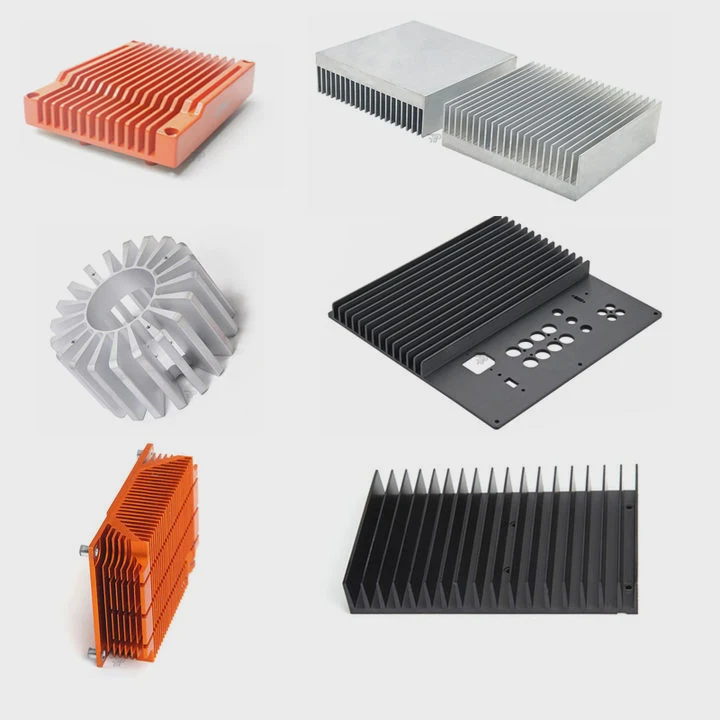
Fan cooling relies on airflow. A heat sink sits on the CPU or GPU. The fan blows air over it, moving hot air out of the case. The system is easy to install and maintain. But air is a poor conductor of heat, so it struggles when the hardware gets powerful or compact.
How liquid cooling works
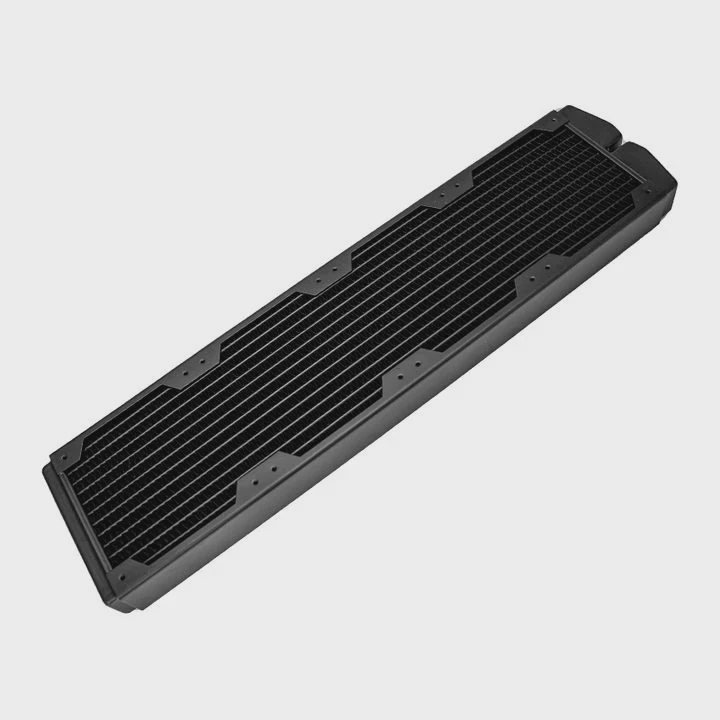
Liquid cooling replaces air with a liquid coolant. The coolant flows through tubes, absorbing heat from components and moving it to a radiator. Fans on the radiator then release the heat into the air. This method removes heat faster and keeps temperature stable even under stress.
Comparison table
| Feature | Fan Cooling | Liquid Cooling |
|---|---|---|
| Heat Transfer Medium | Air | Liquid (Coolant) |
| Efficiency | Moderate | High |
| Noise Level | Moderate to Loud | Quiet |
| Maintenance | Low | Moderate |
| Cost | Low | High |
| Ideal For | Budget or office PCs | Gaming, Workstations, Servers |
In short, air cooling uses simple physics, while liquid systems use thermodynamics to manage heat flow more efficiently.
What are the advantages of liquid over fan cooling?
When you push performance, fan cooling quickly reaches its limits. That’s where liquid systems shine.
Liquid cooling offers superior heat dissipation, quieter operation, and better long-term component stability compared to fan-based cooling.
1. Better temperature control
Liquid coolants absorb heat faster than air. This means even under full load, CPU and GPU temperatures stay stable. When I built my first liquid-cooled PC, I noticed a drop of almost 20°C compared to my old fan setup.
2. Less noise
Fans must spin faster to handle heat. That means more noise. In liquid cooling, the pump and radiator fans run at lower speeds, reducing the sound level drastically. For quiet work environments, this makes a big difference.
3. Overclocking and performance
Gamers and engineers who overclock know heat is the enemy. Liquid systems maintain optimal temperature, allowing CPUs and GPUs to run at higher speeds safely.
4. Aesthetic and customization
Liquid systems often look cleaner. You can use transparent tubes, colored coolant, or RGB lights. It’s not only about performance — it’s also about personal style.
5. Longevity and maintenance balance
Though liquid systems need maintenance, they can extend the life of your components. Consistent temperature means less stress on electronic parts.
Here’s a quick technical comparison:
| Parameter | Fan Cooling | Liquid Cooling |
|---|---|---|
| Average CPU Temp under Load | 75–85°C | 55–65°C |
| Noise Level | 35–50 dB | 20–35 dB |
| Overclocking Capability | Limited | Excellent |
| Lifespan of Components | Average | Longer |
| Maintenance Need | Minimal | Occasional |
Liquid cooling wins for heavy-duty users who want stable temperature and quiet performance.
How to choose between the two for your PC?
Choosing between air and liquid cooling is about your goals and your usage pattern.
If you need budget-friendly simplicity, go with fan cooling. If you want top performance, quiet operation, and overclocking potential, liquid cooling is better.
Step 1: Identify your system type
Ask yourself what your PC does most of the time.
- Office or school work: Fan cooling is enough.
- Gaming or rendering: Liquid cooling keeps temperature lower for long sessions.
- Workstation or server: Liquid cooling ensures reliability under 24⁄7 load.
Step 2: Check your case space
Liquid systems need room for radiators and pumps. Smaller cases may not fit. Air coolers are compact and simple to install.
Step 3: Set your noise preference
If you hate noise, choose liquid. If you don’t mind the hum, fans are fine.
Step 4: Think about maintenance
Liquid systems may need coolant replacement or air bubble removal every few months. Fans mostly need dust cleaning.
Step 5: Budget and durability
Liquid coolers are expensive but last long. Fans are cheap but may need replacement more often.
Example decision scenario
| User Type | Recommended Cooling | Reason |
|---|---|---|
| Student | Fan Cooling | Cost-effective, low maintenance |
| Gamer | Liquid Cooling | Better thermal performance |
| Designer | Liquid Cooling | Quiet and efficient |
| Office User | Fan Cooling | Simpler and reliable |
| Server Admin | Liquid Cooling | Long-term stability |
Choosing depends on performance need and system design. There is no one-size-fits-all.
What are the cooling performance trends?
Technology never stops. Cooling systems are becoming smarter and more efficient.
The latest trend shows hybrid cooling systems combining liquid and fan methods for maximum efficiency and reliability.
Smart thermal control
Modern coolers use sensors to monitor temperature and adjust fan or pump speed automatically. AI-assisted controllers predict workload changes and pre-cool components before they overheat.
Hybrid solutions
Some brands now mix both air and liquid methods. For example, a small liquid loop for the CPU and fans for the rest of the system. This hybrid design reduces cost and complexity while keeping performance high.
Material innovation
Manufacturers now use graphene, vapor chambers, and phase-change materials in their designs. These new materials increase heat transfer efficiency without adding size or noise.
Environmental focus
Eco-friendly coolants and recyclable materials are trending. Energy-efficient fans and pumps help reduce overall system power consumption.
Future direction
I expect cooling systems to become modular. You will plug in a new radiator or pump as easily as adding memory. This will reduce waste and make performance upgrades easier.
Conclusion
Liquid cooling delivers better heat control, lower noise, and longer hardware life. Fan cooling remains simple and affordable. The right choice depends on what matters more to you: performance or simplicity. Both systems will continue to evolve toward smarter, quieter, and more efficient designs.
TAGS
Latest Articles

Volume discount levels for heat sink orders?
Buyers often ask when heat sink prices start to drop with volume. Many worry they’re overpaying for small orders. This guide explains how B2B volume pricing works for thermal components. Heat sink
21 Dec,2025
Heat sink long-term supply contract options?
Many buyers want stable pricing and reliable delivery for heat sinks. But without a clear contract, risks grow over time. This article explores how to secure better long-term supply deals. Long-term
21 Dec,2025
Tooling cost for new heat sink profiles?
Many engineers struggle to understand why tooling for custom heat sinks costs so much. They worry about budgeting and production timelines. This article breaks down the cost drivers behind tooling.
21 Dec,2025
Heat sink custom sample process steps?
Sometimes, starting a custom heat sink project feels overwhelming—too many steps, too many unknowns, and too many risks. You want a sample, but not endless delays. The process for requesting and
20 Dec,2025
Standard B2B terms for heat sink payments?
When buyers and sellers in B2B heat sink markets talk about payment, many don’t fully understand what’s standard. This can lead to delayed orders, miscommunication, and even lost business
20 Dec,2025
Heat sink pricing factors for large orders?
Heat sinks are vital for many systems. When prices rise, projects stall and budgets break. This problem can hit teams hard without warning. Large order heat sink pricing depends on many factors. You
20 Dec,2025Related Articles
- How much is liquid cooling?
- What liquid does liquid cooling use?
- How Much Does a Liquid Cooling System Cost?
- Where to connect a liquid cooler pump?
- Is liquid cooling worth it Reddit?
- What does liquid cooling look like?
- Which is better, air-cooled or liquid?
- How does liquid metal cooling work?
- How does a CPU liquid cooler work?
- How to install liquid CPU cooling system?
- Is liquid cooling GPU worth it?
- Is liquid cooling better than air cooling Reddit?
Author
Dr. Emily Chen
Chief AI Researcher
Leading expert in thermal dynamics and AI optimization with over 15 years of experience in data center efficiency research.
Categories
Latest Products






Recommend Categories
- Liquid cooling plate Manufacturer
- Industrial Heat Sink Manufacturer
- Standard Heat Sink Manufacturer
- Aluminum Heat Sink Manufacturer
- Copper Heat Sink Manufacturer
- Anodized Heatsink Manufacturer
- Stamping heat sink Manufacturer
- Die Casting Heatsink Manufacturer
- Soldering heat sink Manufacturer
- CNC Parts Manufacturer
Latest Products
- Wholesale Aluminum Radiator
- Water Cooling Plate Kit
- Water Cooling Heat Sink
- Water Cooling Heat Sink Kit
- Stainless Steel Water Distributor
- Server Water Cooling Plate Kit
- Server Liquid Cooling System
- Server Aluminum Cooling Kit
- S19 Full Cover Cooling Plate
- S19 Cooling Plate Kit
- S19 Aluminum Cooling Plate
Contact Expert
Have questions about this article? Reach out to our experts directly.