What does liquid cooling do?
Your computer’s processor generates heat every time it works. When the heat becomes too high, the system slows down or even shuts off. Many users wonder what makes liquid cooling different from air cooling and why it has become the standard for high-performance systems.
Liquid cooling removes heat from components by circulating coolant through a closed loop, transferring heat more efficiently than traditional air cooling.
Instead of blowing air directly on the CPU, liquid cooling absorbs heat through a water block, moves it through tubes, and releases it through a radiator. This system keeps temperature lower and performance more stable, especially under heavy workloads.
What is the function of liquid cooling?
Liquid cooling is not just a fancy accessory — it’s a thermal control system designed for precision. It helps your CPU or GPU maintain optimal temperatures, even during intensive computing or gaming.
The main function of liquid cooling is to transfer heat away from electronic components faster and more evenly than air-based systems.
Key components and how they work
| Component | Function | Description |
|---|---|---|
| Water Block | Heat Absorption | Transfers heat from CPU/GPU into the coolant |
| Pump | Circulation | Moves the liquid through the loop |
| Radiator | Heat Release | Dissipates heat into the air through fans |
| Tubing | Flow Path | Connects all parts and ensures smooth coolant movement |
| Coolant | Heat Carrier | Transfers thermal energy efficiently |
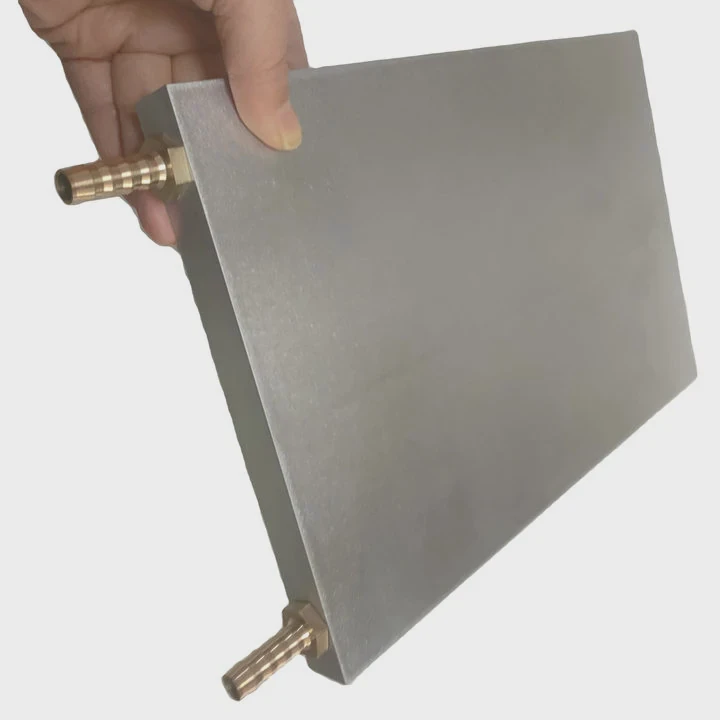
The water block sits directly on top of the CPU. Thermal paste fills microscopic gaps to ensure perfect contact. The pump pushes coolant through tubes toward the radiator, where fans blow air to release heat. Once cooled, the liquid returns to the water block, creating a continuous cycle.
Why it’s more efficient
Water has a much higher thermal capacity than air. It can absorb and move more heat with less temperature rise. This property allows liquid cooling systems to maintain stable operating conditions, reducing thermal spikes that cause throttling.
What are its performance benefits?
Many PC builders choose liquid cooling for looks. But the real reason is performance. It allows the system to run faster, quieter, and longer without overheating.
Liquid cooling improves performance by maintaining low CPU and GPU temperatures, reducing noise, and allowing higher overclocking potential.
Key benefits explained
| Benefit | Description |
|---|---|
| Lower Temperatures | Keeps CPU/GPU up to 30°C cooler under load |
| Quieter Operation | Uses slower fans for the same cooling level |
| Higher Performance | Enables safe overclocking for advanced users |
| Longer Lifespan | Prevents thermal degradation of components |
Thermal efficiency in action
When the CPU temperature stays under 70°C, it can maintain full clock speed without throttling. In contrast, air coolers may struggle to stay below 85°C during stress tests. The temperature difference might seem small, but it translates to smoother performance and more stability during rendering or gaming.
Liquid cooling also spreads heat evenly across the radiator surface. This even distribution reduces hot spots inside the case, keeping nearby components like VRMs and memory modules cooler too. With less fan noise and better heat control, the system becomes more comfortable to use for long hours.
How to use it for optimal results?
Even the best liquid cooling system won’t perform well if not installed or configured properly. Efficiency depends on setup, maintenance, and smart system management.
To use liquid cooling effectively, install it with proper orientation, maintain good airflow, monitor pump performance, and control fan curves intelligently.
Installation best practices
- Mount the radiator correctly — Place it higher than the pump if possible. This prevents air bubbles from entering the pump.
- Check tube routing — Avoid sharp bends or twists that can restrict flow.
- Ensure contact pressure — The water block must be tightly and evenly seated on the CPU.
- Use high-quality thermal paste — Thin, even application ensures better heat transfer.
- Connect pump to correct header — Use the dedicated PUMP_FAN connector for full power control.
Optimizing system performance
Most motherboards support software for fan and pump control. Use these tools to create a custom fan curve that balances noise and temperature. Keep your system’s intake and exhaust airflow balanced — at least as much air should leave the case as enters it.
Simple optimization table
| Task | Frequency | Purpose |
|---|---|---|
| Clean radiator fins | Every 2 months | Maintain airflow |
| Check pump RPM | Monthly | Ensure proper circulation |
| Replace coolant (custom loop) | Every 1–2 years | Prevent corrosion |
| Inspect tubing | Every 6 months | Check for leaks or discoloration |
Avoiding common mistakes
Never mount the radiator with tubes on top if the pump is lower — it may cause air to enter the pump chamber. Also, avoid using low-quality coolant or mixing metals (like aluminum with copper) to prevent corrosion. Using distilled water with corrosion inhibitors is always safer for custom loops.
What are the innovations in cooling systems?
Cooling technology continues to evolve quickly. What used to be an enthusiast’s toy is now becoming standard for both gaming and professional systems. New designs are smarter, quieter, and easier to maintain.
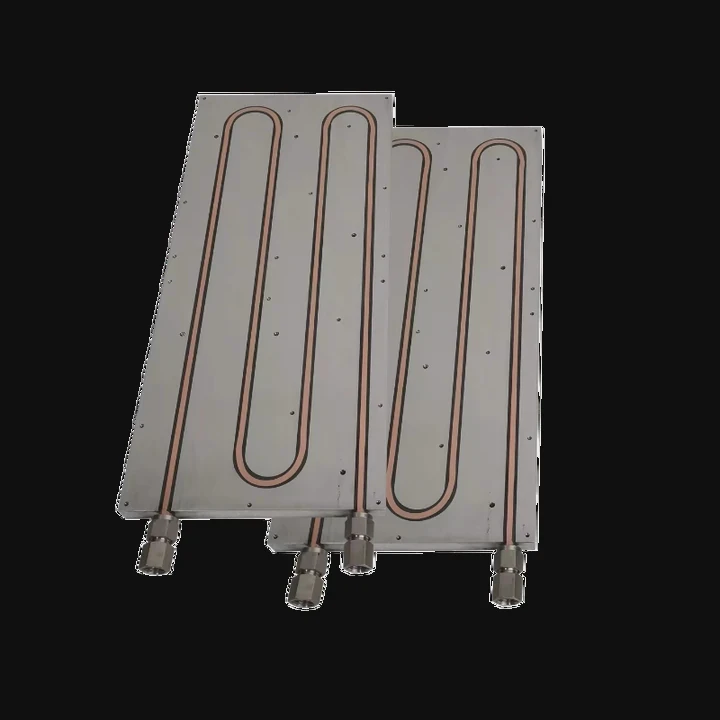
Recent innovations include AI-controlled pumps, phase-change materials, dual-chamber radiators, and eco-friendly coolants for higher efficiency and reliability.
Smart and adaptive systems
Modern coolers come with digital controllers that adjust pump speed automatically based on temperature. Some models use machine learning algorithms to learn workload patterns and optimize cooling dynamically. RGB indicators now serve diagnostic purposes, changing color to indicate temperature or pump health.
Material and design evolution
Manufacturers now use ceramic bearings, low-permeability FEP tubing, and composite radiators to reduce wear and leakage. New dual-chamber pump designs separate hot and cold zones inside the pump to improve flow and reduce noise.
Advanced cooling methods
Some high-end systems use liquid metal thermal compounds, offering conductivity several times higher than traditional paste. Others experiment with micro-channel cold plates, which increase heat contact surface area. These designs enhance performance without increasing pump workload.
Sustainable cooling innovation
The industry is also moving toward eco-friendly coolants that last longer and contain fewer toxic additives. Recyclable aluminum or copper materials replace plastic wherever possible. Modular design trends let users replace individual parts instead of discarding the entire cooler.
Looking ahead
In the near future, we may see hybrid phase-change cooling systems that use liquid for normal conditions and evaporative mechanisms for extreme loads. Integration with motherboard AI will make temperature control fully autonomous, keeping performance high and maintenance simple.
Conclusion
Liquid cooling efficiently removes heat, keeping your system quiet and powerful. It works by circulating coolant to absorb and release heat, offering clear performance advantages. With proper setup and new smart technologies, liquid cooling is becoming the most reliable choice for high-performance computing.
TAGS
Latest Articles

Volume discount levels for heat sink orders?
Buyers often ask when heat sink prices start to drop with volume. Many worry they’re overpaying for small orders. This guide explains how B2B volume pricing works for thermal components. Heat sink
21 Dec,2025
Heat sink long-term supply contract options?
Many buyers want stable pricing and reliable delivery for heat sinks. But without a clear contract, risks grow over time. This article explores how to secure better long-term supply deals. Long-term
21 Dec,2025
Tooling cost for new heat sink profiles?
Many engineers struggle to understand why tooling for custom heat sinks costs so much. They worry about budgeting and production timelines. This article breaks down the cost drivers behind tooling.
21 Dec,2025
Heat sink custom sample process steps?
Sometimes, starting a custom heat sink project feels overwhelming—too many steps, too many unknowns, and too many risks. You want a sample, but not endless delays. The process for requesting and
20 Dec,2025
Standard B2B terms for heat sink payments?
When buyers and sellers in B2B heat sink markets talk about payment, many don’t fully understand what’s standard. This can lead to delayed orders, miscommunication, and even lost business
20 Dec,2025
Heat sink pricing factors for large orders?
Heat sinks are vital for many systems. When prices rise, projects stall and budgets break. This problem can hit teams hard without warning. Large order heat sink pricing depends on many factors. You
20 Dec,2025Related Articles
- What CPUs need liquid cooling?
- What is better, liquid cooling or air cooling?
- How to mount a liquid cooler?
- What liquid is used for CPU cooling?
- Why is glass considered a super-cooled liquid?
- How to install NZXT liquid cooler?
- Is the Milwaukee 8 liquid cooled?
- What should my CPU temp be with liquid cooling?
- What happens when you cool a liquid?
- What is liquid immersion cooling?
- How does the liquid cooling system work?
- What does liquid cooled mean?
Author
Dr. Emily Chen
Chief AI Researcher
Leading expert in thermal dynamics and AI optimization with over 15 years of experience in data center efficiency research.
Categories
Latest Products






Recommend Categories
- Liquid cooling plate Manufacturer
- Industrial Heat Sink Manufacturer
- Standard Heat Sink Manufacturer
- Aluminum Heat Sink Manufacturer
- Copper Heat Sink Manufacturer
- Anodized Heatsink Manufacturer
- Stamping heat sink Manufacturer
- Die Casting Heatsink Manufacturer
- Soldering heat sink Manufacturer
- CNC Parts Manufacturer
Latest Products
- Wholesale Aluminum Radiator
- Water Cooling Plate Kit
- Water Cooling Heat Sink
- Water Cooling Heat Sink Kit
- Stainless Steel Water Distributor
- Server Water Cooling Plate Kit
- Server Liquid Cooling System
- Server Aluminum Cooling Kit
- S19 Full Cover Cooling Plate
- S19 Cooling Plate Kit
- S19 Aluminum Cooling Plate
Contact Expert
Have questions about this article? Reach out to our experts directly.