can the fan of a cpu heatsink be replaced?
I know many builders worry when the fan on a CPU cooler starts to click or slow down. They fear they must buy a whole new cooler, but that is not always true.
You can replace the fan on most CPU heatsinks as long as the new fan matches the size, airflow, power plug, and mounting method of the original unit.
I want to show a simple path so readers can make safe choices. I also want to share that I broke my first cooler because I forced a wrong fan into a tight clip. That moment taught me to slow down and match key sizes before I touch the hardware.
Why standard sizes ease swapping?
Many people feel confused when they look at their cooler. They see the shroud, the fins, and the screws. They think every cooler uses a special part. But the truth is simple. Most fans follow a few size rules.
Standard fan sizes ease swapping because coolers in ATX and ITX systems usually support 80 mm, 92 mm, 120 mm, or 140 mm fans, which lets you replace the old fan with a widely available one.
I still remember the first time I worked on a compact PC. I thought the fan was a custom shape. I feared I would never find a match. But I measured the fan and found it was a normal 92 mm unit. This simple step made the replacement easy and saved the cooler.
Common fan formats
I like to keep a small note that lists the size standards I meet most often:
| Fan Size | Hole Spacing | Typical Use |
|---|---|---|
| 80 mm | 71.5 mm | Small office PCs |
| 92 mm | 82.5 mm | Slim coolers |
| 120 mm | 105 mm | Mid-tower coolers |
| 140 mm | 124.5 mm | High-airflow coolers |
These sizes follow simple rules. The hole spacing stays fixed. The frame thickness stays close to 25 mm on standard models. This makes fit checks simple.
How size affects cooling
A larger fan moves more air at a lower speed. This makes it quieter. But it must fit inside the cooler’s clips or frame. When I try a larger fan on a small cooler, it drags on the shroud or blocks memory slots. This is why size rules matter.
How I measure size
I place a ruler across the frame. I measure edge to edge. I also check hole spacing for the screws or clips. A clear size match removes stress and makes the rest of the work smooth.
Why I avoid odd sizes
Some coolers use thin 15 mm fans or custom frames. These are rare. I avoid them because the market is small and the choices are few. When I meet these designs, I replace the whole cooler instead of chasing a hard-to-find fan.
Which clips fit most coolers?
Many builders feel confused when they see the thin metal wires around the fan. They fear these clips are unique. But most top-down and tower coolers follow simple clip rules.
Most coolers use wire clips that match the outer groove of a standard fan frame, so you can reuse the same clips if the new fan has the same size and groove depth.
I learned this when I serviced a cooler that came from a noisy workstation. The fan died. I bought a new unit. But the clip did not fit because I chose a fan with a thick shroud. Since then, I always check the groove depth before I buy a fan.
Clip types I see often
Here is a small table that shows the common clip styles I meet:
| Clip Type | Features | Notes |
|---|---|---|
| Wire clip | Hooks into side grooves | Used on tower coolers |
| Plastic arm | Locks onto corners | Used on OEM units |
| Screw mount | Uses four screws | Used on most AIO radiators |
Wire clips follow simple rules. They push into the groove on the side of the fan. If the fan frame is too thick or has no groove, the clip will slide and fail.
How groove depth affects fit
I always check the side groove. Some fans have a shallow cut. Some have a deep one. The clip must sit inside the groove so it can hold tension. If the groove is small, the clip pops out. If the groove is deep, the clip sits loose.
Why clip tension matters
If the tension is too strong, it bends the frame and makes the fan vibrate. If the tension is too weak, the fan slides and hits the fins. When I mount a fan, I check that the frame stays firm and centered.
How I test clip fit
I test one clip before I mount both. I place one side of the fan in the clip. I push lightly. If it grabs the groove, I proceed. If it slips, I pick another fan. This simple test avoids stress and saves time.
Can PWM mismatch cause noise?
Many people swap fans without checking the plug type. They mix 3-pin and 4-pin units. They mix DC control with PWM control. This leads to noise, speed jumps, or strange hum.
A PWM mismatch can cause noise because a 4-pin PWM fan expects a duty signal, while a 3-pin fan only accepts voltage control, so the fan may run at odd speeds and make unstable sound.
I remember a build where I replaced a dead 4-pin fan with a 3-pin one. The moment I powered the system, the fan buzzed at mid speed. It refused to slow down. This noise came from the mismatch. That moment taught me to match the plug before the size.
Plug types I meet
There are two simple plugs I deal with:
| Plug Type | Pins | Control |
|---|---|---|
| 3-pin | Power, ground, tach | Voltage control |
| 4-pin | Power, ground, tach, PWM | Duty control |
I match the plug to the motherboard header. This makes the fan run smooth and quiet.
How PWM works
PWM sends a square signal to the fan. The fan reads the duty cycle and sets its speed. If a PWM fan gets no proper signal, it may chatter. If a DC fan sits on a PWM header, it may run at high speed.
How to reduce mismatch noise
If I must mix types, I set the BIOS fan mode. I choose DC mode for 3-pin. I choose PWM mode for 4-pin. This fixes most noise issues. If the header has no switch, I use a fan controller.
Why voltage matters
Some fans click when the voltage drops too low. Some fans stall at low speed. If the control curve dips too low, the fan pulses. I check the curve and keep the low point above the stall voltage.
Should airflow match original spec?
Many people think any fan of the same size will work. But the original fan was chosen for a reason. It matched the cooler’s heat load. It matched the fin density. It matched the CPU’s limits.
Yes, airflow should match the original spec because a weaker fan can make the CPU run hot, and a stronger fan can make more noise or vibrate the fins.
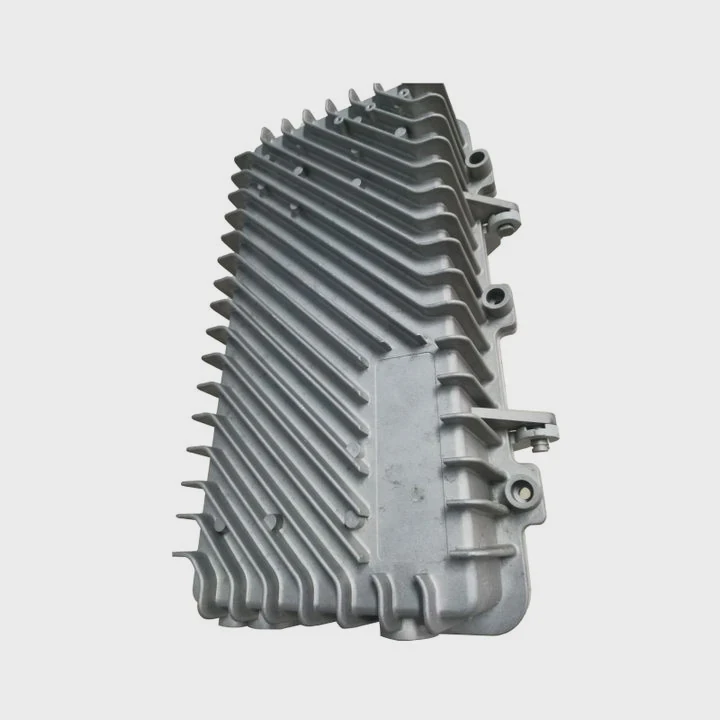
I learned this lesson when I used a silent fan with low airflow on a dense fin cooler. The CPU stayed cool at idle. But under load, it hit its thermal limit. After that, I always check the airflow spec.
What airflow means
Airflow shows how much air the fan moves at full speed. It is measured in CFM. More CFM means more cooling. But more CFM also makes more noise unless the fan is large and slow.
How static pressure matters
Some coolers have tight fins. These fins create resistance. A fan with low pressure fails to push air through them. I pick a fan with a higher static pressure when I work with dense fins. This keeps the CPU cool under load.
How to match specs
I check the specs printed on the old fan. If the old fan has 50 CFM, I pick one close to that. If I cannot find the spec, I look at the cooler review. Most popular coolers have public data. Then I pick a fan in the same class.
Why noise curves matter
Some fans are loud at mid speed. Some fans hum at low speed. When I pick a fan, I check the noise rating at typical speeds. I choose a fan that stays stable in the mid curve. This helps the system stay quiet in daily work.
Conclusion
A good fan swap depends on size, clip fit, plug match, and airflow class. When each part matches the original cooler, the CPU stays cool, the fan stays quiet, and the system stays stable.
TAGS
Latest Articles

Volume discount levels for heat sink orders?
Buyers often ask when heat sink prices start to drop with volume. Many worry they’re overpaying for small orders. This guide explains how B2B volume pricing works for thermal components. Heat sink
21 Dec,2025
Heat sink long-term supply contract options?
Many buyers want stable pricing and reliable delivery for heat sinks. But without a clear contract, risks grow over time. This article explores how to secure better long-term supply deals. Long-term
21 Dec,2025
Tooling cost for new heat sink profiles?
Many engineers struggle to understand why tooling for custom heat sinks costs so much. They worry about budgeting and production timelines. This article breaks down the cost drivers behind tooling.
21 Dec,2025
Heat sink custom sample process steps?
Sometimes, starting a custom heat sink project feels overwhelming—too many steps, too many unknowns, and too many risks. You want a sample, but not endless delays. The process for requesting and
20 Dec,2025
Standard B2B terms for heat sink payments?
When buyers and sellers in B2B heat sink markets talk about payment, many don’t fully understand what’s standard. This can lead to delayed orders, miscommunication, and even lost business
20 Dec,2025
Heat sink pricing factors for large orders?
Heat sinks are vital for many systems. When prices rise, projects stall and budgets break. This problem can hit teams hard without warning. Large order heat sink pricing depends on many factors. You
20 Dec,2025Related Articles
- do heatsink fans push air or pull air?
- how to install new heatsink?
- Will Samsung 980 Pro with heatsink fit in a laptop?
- will a cob led fit on a socket a heatsink?
- how long let heatsink set before turning on computer?
- can you overclock ram without a heatsink on them?
- can heatsinks be used on dell xps 13?
- How to use old heatsink?
- how to screw heatsink?
- do you apply thermal paste to cpu and heatsink?
- are heatsinks on ssd necessary?
- How to remove fan from AMD heatsink?
Author
Dr. Emily Chen
Chief AI Researcher
Leading expert in thermal dynamics and AI optimization with over 15 years of experience in data center efficiency research.
Categories
Latest Products

M.2 Heatpipe Heatsink With Dual Fans For Pc Case
19 Mar,2026

Heavy-Duty Aluminum Heat Sink Custom
19 Mar,2026

Oem Skived Fin Heatsink Aluminum Radiator For Plants
19 Mar,2026

Water Cooled Cnc Aluminum Heat Sink For Medical
19 Mar,2026

High Density 6000 Series Aluminum Heat Sink Profile
19 Mar,2026

High-Density Extruded Aluminum & Bonded-Fin Heat Sink Profile
19 Mar,2026
Recommend Categories
- Liquid cooling plate Manufacturer
- Industrial Heat Sink Manufacturer
- Standard Heat Sink Manufacturer
- Aluminum Heat Sink Manufacturer
- Copper Heat Sink Manufacturer
- Anodized Heatsink Manufacturer
- Stamping heat sink Manufacturer
- Die Casting Heatsink Manufacturer
- Soldering heat sink Manufacturer
- CNC Parts Manufacturer
Latest Products
- M.2 Heatpipe Heatsink With Dual Fans For Pc Case
- Heavy-Duty Aluminum Heat Sink Custom
- Oem Skived Fin Heatsink Aluminum Radiator For Plants
- Water Cooled Cnc Aluminum Heat Sink For Medical
- High Density 6000 Series Aluminum Heat Sink Profile
- High-Density Extruded Aluminum & Bonded-Fin Heat Sink Profile
- Dongguan Cnc Aluminum Heat Sink For Led & Brass Parts
- Wholesale Cnc Aluminum Heat Sink - Custom Extruded
- Led Cnc Round Heat Sink With Screw Holes
- Copper Pin-Fin Heat-Sink Large-Area For Photoled Cooling
- Telecom Heatsink Zipper Fin Wcopper Tubes Oem
Contact Expert
Have questions about this article? Reach out to our experts directly.