Can you run a computer without a heatsink CPU fan?
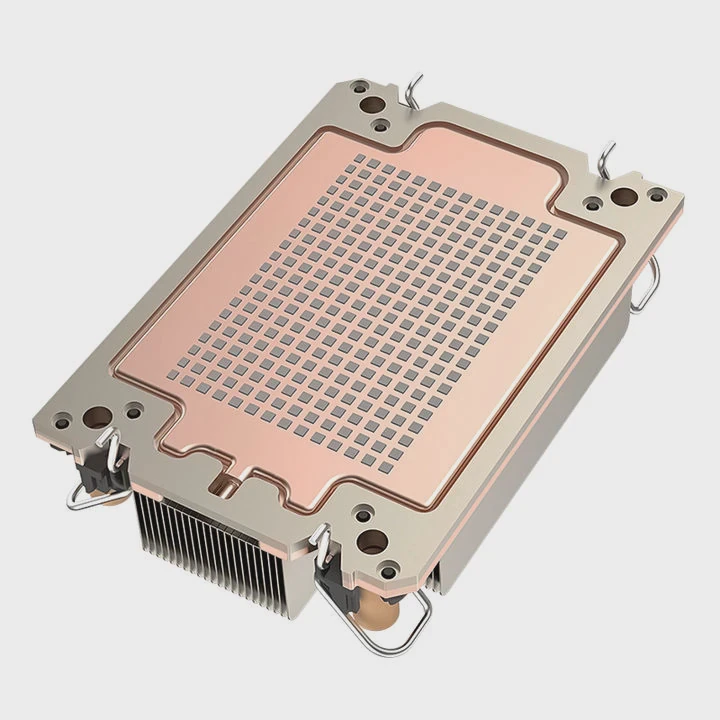
When building or testing a PC, skipping the CPU heatsink might seem harmless for a few seconds. But even a short run without it can cause serious damage.
You should never run a computer without a heatsink and CPU fan, even for a few seconds. Modern CPUs can overheat almost instantly, causing permanent damage or triggering emergency shutdowns.
While curiosity or quick hardware tests might tempt people to skip cooling, it’s important to understand the risks. Here’s what really happens when there’s no heatsink.
Why CPUs overheat instantly?
Many assume that CPUs can tolerate a few seconds of operation without cooling. That belief is dangerous and false.
CPUs overheat instantly because they generate a lot of heat per square millimeter, and without a heatsink, there’s no way to move that heat away.
Modern processors, especially high-performance ones, are designed to operate within a narrow temperature range. Without a cooling solution, thermal energy accumulates rapidly. This heat has nowhere to go, so the CPU temperature spikes in seconds.
Why so fast?
CPUs have billions of transistors packed in a small chip. These transistors switch on and off millions of times per second, generating heat. Even low usage tasks produce heat. When there’s no heatsink to absorb and spread that heat, the surface of the CPU can reach unsafe temperatures in less than 5 seconds.
Real-world example
Let’s take a basic Intel or AMD processor. Idle power consumption may be 10-20W, but even that is too much without a heatsink. Under stress, power draw can hit 90W or more. All that energy turns into heat, which stays trapped on the silicon surface. Without a cooling path, the die can exceed 100°C almost immediately.
| CPU Model | Idle Power (W) | Max Power (W) | Overheat Time Without Heatsink |
|---|---|---|---|
| Intel i5-12400 | 15W | 117W | < 5 seconds |
| AMD Ryzen 5 5600 | 20W | 88W | < 5 seconds |
| Intel i9-12900K | 25W | 241W | < 3 seconds |
Even small CPUs are not immune. Raspberry Pi-class chips run cooler, but even they come with passive heatsinks for prolonged use.
Can safety shut system down?
It’s a common belief that the motherboard will protect the CPU. That’s only partly true.
Most motherboards have built-in thermal protection, but it may not react fast enough to prevent damage.
Most modern CPUs have a feature called thermal throttling. When the temperature gets too high, they slow down automatically. If that’s not enough, they can force a shutdown. But this protection doesn’t always kick in before short-term damage occurs.
How shutdown protection works
- Sensor reads temperature – a built-in diode measures the CPU die temperature.
- Threshold is crossed – once temperature exceeds ~100°C, CPU starts throttling.
- Forced shutdown – if throttling doesn’t help, the system cuts power.
However, this sequence takes time. In some CPUs, the temperature sensor may lag behind the actual die heat by milliseconds. That’s enough time for the silicon to exceed safe limits.
System response times
| Action | Time Taken |
|---|---|
| Temperature detection | 1-3 milliseconds |
| Throttle initiation | 5-10 milliseconds |
| System shutdown signal | 10-50 milliseconds |
| Total protection delay | ~15-60 milliseconds |
In electronics, 50 milliseconds is a long time. Enough for localized hot spots to develop and damage transistor gates.
Do low-power boots help?
Some builders try to cheat the system: power on the system just for 1-2 seconds without a fan, thinking it’s safe. Is it?
Even low-power boots can overheat a CPU if there’s no heatsink. The risk is lower, but still present.
There are situations where people power on a new motherboard just to test POST signals, display output, or BIOS. They assume that because the system is “idle,” there’s minimal heat. That’s not entirely correct.
Why heat still builds up
- Voltage rails are live – even when idle, power is applied to many CPU sections.
- Initial spike load – boot routines temporarily push CPU power usage up.
- No surface contact – without a heatsink, there’s zero thermal transfer.
Some lower-tier CPUs or embedded systems can survive this. But with desktop processors, especially performance-grade models, even this short burst can be too much.
Safer alternatives
If testing without the full cooler, at least use a passive metal block as a temporary heatsink. Even a small aluminum plate gives the heat somewhere to go. Just don’t ever boot without any contact at all.
Should tests last seconds only?
What if you just want to flash a BIOS or verify a new build works? Is it safe if the system runs for just 3 seconds?
Running a CPU without a heatsink, even for a few seconds, can risk permanent damage. It’s never a good idea.
Testing logic
A lot of people online claim they’ve done short 3-5 second boots without issues. That might be true — once. The problem is that silicon damage is not always immediate. You might not see failure until weeks later. That’s when a transistor gate, already weakened, finally breaks.
Cumulative damage
CPUs have microscopic structures. Heat stress can warp these over time. Even if your test doesn’t fail, you’ve reduced the lifespan of the chip. Maybe not by much — or maybe by 20%. There’s no way to tell.
Risk matrix
| Boot Duration | With Heatsink | Without Heatsink |
|---|---|---|
| 2 seconds | Safe | High Risk |
| 5 seconds | Safe | Very High Risk |
| 10+ seconds | Safe | Likely Damage |
Better alternatives
Instead of testing bare, always mount at least a temporary heatsink. It doesn’t have to be final. Even resting a cooler without thermal paste is better than running naked. Just remember to never apply power to a CPU without any cooling contact.
Conclusion
Running a computer without a CPU heatsink is never worth the risk. Even a few seconds can lead to overheating, damage, or system shutdown. Always ensure proper cooling before powering on your build.
TAGS
Latest Articles

Volume discount levels for heat sink orders?
Buyers often ask when heat sink prices start to drop with volume. Many worry they’re overpaying for small orders. This guide explains how B2B volume pricing works for thermal components. Heat sink
21 Dec,2025
Heat sink long-term supply contract options?
Many buyers want stable pricing and reliable delivery for heat sinks. But without a clear contract, risks grow over time. This article explores how to secure better long-term supply deals. Long-term
21 Dec,2025
Tooling cost for new heat sink profiles?
Many engineers struggle to understand why tooling for custom heat sinks costs so much. They worry about budgeting and production timelines. This article breaks down the cost drivers behind tooling.
21 Dec,2025
Heat sink custom sample process steps?
Sometimes, starting a custom heat sink project feels overwhelming—too many steps, too many unknowns, and too many risks. You want a sample, but not endless delays. The process for requesting and
20 Dec,2025
Standard B2B terms for heat sink payments?
When buyers and sellers in B2B heat sink markets talk about payment, many don’t fully understand what’s standard. This can lead to delayed orders, miscommunication, and even lost business
20 Dec,2025
Heat sink pricing factors for large orders?
Heat sinks are vital for many systems. When prices rise, projects stall and budgets break. This problem can hit teams hard without warning. Large order heat sink pricing depends on many factors. You
20 Dec,2025Related Articles
- do you have to reapply thermal paste after removing heatsink?
- Are gigabyte m.2 heatsinks good?
- How to get legendary heatsinks?
- Is it hard to install a heatsink to a CPU?
- is paste on new heatsink enough?
- does a heatsink need to be plugged in?
- Does air blow through heatsink?
- Are stock GPU heatsinks suitable?
- how to install heatsink on xbox 360 hana ana chips?
- Is the stock i7 heatsink good?
- What is the best heatsink compound available?
- What is a CPU fan and heatsink?
Author
Dr. Emily Chen
Chief AI Researcher
Leading expert in thermal dynamics and AI optimization with over 15 years of experience in data center efficiency research.
Categories
Latest Products

M.2 Heatpipe Heatsink With Dual Fans For Pc Case
19 Mar,2026

Heavy-Duty Aluminum Heat Sink Custom
19 Mar,2026

Oem Skived Fin Heatsink Aluminum Radiator For Plants
19 Mar,2026

Water Cooled Cnc Aluminum Heat Sink For Medical
19 Mar,2026

High Density 6000 Series Aluminum Heat Sink Profile
19 Mar,2026

High-Density Extruded Aluminum & Bonded-Fin Heat Sink Profile
19 Mar,2026
Recommend Categories
- Liquid cooling plate Manufacturer
- Industrial Heat Sink Manufacturer
- Standard Heat Sink Manufacturer
- Aluminum Heat Sink Manufacturer
- Copper Heat Sink Manufacturer
- Anodized Heatsink Manufacturer
- Stamping heat sink Manufacturer
- Die Casting Heatsink Manufacturer
- Soldering heat sink Manufacturer
- CNC Parts Manufacturer
Latest Products
- M.2 Heatpipe Heatsink With Dual Fans For Pc Case
- Heavy-Duty Aluminum Heat Sink Custom
- Oem Skived Fin Heatsink Aluminum Radiator For Plants
- Water Cooled Cnc Aluminum Heat Sink For Medical
- High Density 6000 Series Aluminum Heat Sink Profile
- High-Density Extruded Aluminum & Bonded-Fin Heat Sink Profile
- Dongguan Cnc Aluminum Heat Sink For Led & Brass Parts
- Wholesale Cnc Aluminum Heat Sink - Custom Extruded
- Led Cnc Round Heat Sink With Screw Holes
- Copper Pin-Fin Heat-Sink Large-Area For Photoled Cooling
- Telecom Heatsink Zipper Fin Wcopper Tubes Oem
Contact Expert
Have questions about this article? Reach out to our experts directly.