How to check if a liquid cooler is working?
When I built my first liquid cooling system, I didn’t know if it was actually working until the temperature suddenly shot up. That experience taught me the importance of checking every detail early.
To check if a liquid cooler is working, you should monitor pump activity, coolant flow, and temperature stability during operation. A stable system stays cool and runs quietly.
Liquid coolers are highly efficient, but only if every part does its job. Let’s explore the signs, methods, and tools that help ensure your cooler works as expected.
What are the signs of proper operation?
When my setup runs correctly, I can tell it’s working before even looking at the sensors. Everything feels balanced — the sound, the flow, and the temperature.
The main signs of a properly working liquid cooler include a steady pump sound, constant coolant flow, normal temperatures, and no air bubbles or leaks.
Key Signs of Proper Function
| Indicator | Normal Condition | Possible Issue |
|---|---|---|
| Pump Noise | Low, steady hum | Loud rattling or silence |
| Coolant Flow | Smooth, visible motion | Stagnant or pulsing flow |
| Temperature | Stable under load | Sudden spikes or overheating |
| Tubes | Clear, bubble-free | Trapped air or cloudiness |
| Radiator | Warm but not hot | Dust blockage or fan failure |
Observing Your System
When the pump runs properly, you will feel a soft vibration on the housing. The tubes should look clear, and the coolant should move steadily.
If the system has a reservoir window, I often use a small flashlight to check for tiny bubbles or sediment. A few bubbles right after setup are normal, but they should disappear after a few hours.
Temperature monitoring is also key. Under normal workloads, CPU or device temperatures should stay far below the maximum limit. If you notice frequent spikes, it may mean the pump or radiator isn’t functioning correctly.
Why is performance monitoring important?
I learned that a cooling system can fail silently. The pump can stop while everything else seems fine — until it’s too late.
Performance monitoring prevents overheating, hardware failure, and efficiency loss by giving early warning signs of cooling system problems.
Reasons Monitoring Matters
1. Protects hardware from damage
Overheating can destroy processors, batteries, and power modules. Real-time monitoring alerts you before heat becomes dangerous.
2. Maintains system efficiency
Even small changes in coolant temperature or flow affect performance. Monitoring helps fine-tune fan speeds and pump control.
3. Extends equipment life
Stable temperatures reduce thermal stress on components. I’ve seen servers last years longer because of consistent cooling performance.
4. Saves maintenance time
Finding problems early means fewer breakdowns and less downtime. Preventive care always costs less than repair.
Simple Tools for Monitoring
| Tool | Function | Example |
|---|---|---|
| Temperature Sensor | Measures coolant and surface temps | Digital probes |
| Flow Meter | Tracks liquid circulation speed | Inline flow sensor |
| Software Dashboard | Monitors system data in real time | HWMonitor, AIDA64 |
| Visual Inspection | Detects leaks and discoloration | Manual check |
| Acoustic Test | Listens for pump irregularities | Sound level meter |
For professional systems, I use a small data logger that records temperature and flow over several days. It shows trends that reveal small performance drops before they become critical.
How to test a liquid cooler efficiently?
Testing is not just for builders; it’s something every user should do from time to time.
To test a liquid cooler efficiently, run temperature and flow tests under different loads, inspect for leaks, and compare results with baseline data.
Step-by-Step Testing Process
Step 1: Baseline measurement
Before testing, record idle and load temperatures for at least 10 minutes each. This gives you a reference for later comparison.
Step 2: Load testing
Use a stress test or workload simulator to push the system to full capacity. Watch how quickly the temperature rises and how it stabilizes. A healthy cooler will reach equilibrium without crossing the safe temperature limit.
Step 3: Flow and pump check
Observe coolant movement in the tubes or check the flow meter reading. Compare the actual rate with the pump’s rated value. If flow drops, the pump may be clogged or underpowered.
Step 4: Leak detection
Inspect fittings, joints, and cold plates closely. Paper towels under joints can reveal even the smallest leaks over time.
Step 5: Thermal cycling test
Run the system through several on-off cycles. This checks for thermal expansion issues and ensures the coolant loop stays sealed under repeated temperature changes.
Step 6: Long-term monitoring
Let the system run for 24 hours. Note temperature drift and any noise change from the pump or fans. Consistency means stability.
Tips for Reliable Testing
- Always test with side panels closed to simulate real airflow.
- Use the same ambient conditions when comparing results.
- Replace old coolant before testing to avoid skewed data.
- Log data digitally for easier trend analysis.
Efficient testing is all about repeatability. If your system performs consistently across multiple sessions, it’s likely in excellent shape.
What are the new trends in system diagnostics?
Technology keeps pushing liquid cooling forward, especially in diagnostics and automation. I find this part most exciting because it connects engineering with intelligence.
New trends in liquid cooling diagnostics include smart sensors, IoT monitoring, AI-based fault detection, and predictive maintenance algorithms.
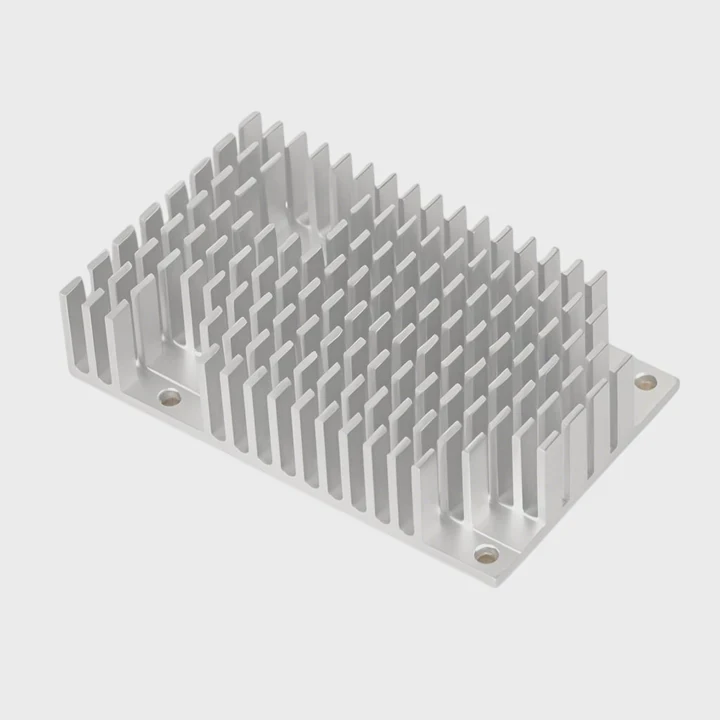
Modern Diagnostic Innovations
1. Smart sensors and controllers
New pumps and cold plates now include built-in sensors that measure flow, pressure, and temperature in real time. They send data directly to monitoring software or cloud dashboards.
2. IoT-based monitoring
Internet-connected systems allow remote supervision from anywhere. I once tested a setup that sent alerts to my phone if the coolant temperature exceeded a threshold.
3. Predictive maintenance
AI algorithms analyze long-term data to predict when a pump or radiator might fail. This allows replacement before problems occur, reducing downtime dramatically.
4. Self-regulating cooling loops
Some advanced systems automatically adjust pump speed and fan curves based on real-time thermal readings. It keeps performance balanced and power usage low.
5. Integration with industrial control
In factories or data centers, liquid cooling diagnostics now link with PLCs and SCADA systems. This means one control center can oversee both electrical and thermal systems.
Future Outlook
As technology evolves, I expect diagnostic intelligence to become standard in both consumer and industrial systems. The combination of sensors, analytics, and smart control will make liquid cooling more reliable and energy-efficient.
These systems might even learn from user behavior, optimizing performance automatically for every unique setup.
Below is a short table summarizing the direction of innovation:
| Trend | Description | Benefit |
|---|---|---|
| Smart Sensors | Real-time data feedback | Faster detection |
| AI Diagnostics | Predict failures early | Lower risk |
| Cloud Monitoring | Remote data access | Convenience |
| Self-Tuning Loops | Automatic flow adjustment | Energy saving |
| Integrated Systems | Linked with control software | Centralized management |
Conclusion
Checking a liquid cooler is simple but vital. Regular monitoring, proper testing, and the use of new diagnostic tools can keep any cooling system healthy and efficient for years. A reliable cooler means stable performance — and peace of mind.
TAGS
Latest Articles

Volume discount levels for heat sink orders?
Buyers often ask when heat sink prices start to drop with volume. Many worry they’re overpaying for small orders. This guide explains how B2B volume pricing works for thermal components. Heat sink
21 Dec,2025
Heat sink long-term supply contract options?
Many buyers want stable pricing and reliable delivery for heat sinks. But without a clear contract, risks grow over time. This article explores how to secure better long-term supply deals. Long-term
21 Dec,2025
Tooling cost for new heat sink profiles?
Many engineers struggle to understand why tooling for custom heat sinks costs so much. They worry about budgeting and production timelines. This article breaks down the cost drivers behind tooling.
21 Dec,2025
Heat sink custom sample process steps?
Sometimes, starting a custom heat sink project feels overwhelming—too many steps, too many unknowns, and too many risks. You want a sample, but not endless delays. The process for requesting and
20 Dec,2025
Standard B2B terms for heat sink payments?
When buyers and sellers in B2B heat sink markets talk about payment, many don’t fully understand what’s standard. This can lead to delayed orders, miscommunication, and even lost business
20 Dec,2025
Heat sink pricing factors for large orders?
Heat sinks are vital for many systems. When prices rise, projects stall and budgets break. This problem can hit teams hard without warning. Large order heat sink pricing depends on many factors. You
20 Dec,2025Related Articles
- What is the difference between water cooling and liquid cooling?
- Is a Liquid CPU Cooler Worth It?
- Is liquid cooling quieter than fans?
- Which is better, oil-cooled or liquid-cooled engine?
- How to replace liquid cooling?
- How to check if my liquid cooling is working?
- How to change cooling liquid in a car?
- Is air-cooled better than liquid?
- When do you need liquid cooling?
- How much better is liquid cooling?
- Where to mount liquid cooling radiator?
- Is it worth liquid cooling your GPU?
Author
Dr. Emily Chen
Chief AI Researcher
Leading expert in thermal dynamics and AI optimization with over 15 years of experience in data center efficiency research.
Categories
Latest Products






Recommend Categories
- Liquid cooling plate Manufacturer
- Industrial Heat Sink Manufacturer
- Standard Heat Sink Manufacturer
- Aluminum Heat Sink Manufacturer
- Copper Heat Sink Manufacturer
- Anodized Heatsink Manufacturer
- Stamping heat sink Manufacturer
- Die Casting Heatsink Manufacturer
- Soldering heat sink Manufacturer
- CNC Parts Manufacturer
Latest Products
- Wholesale Aluminum Radiator
- Water Cooling Plate Kit
- Water Cooling Heat Sink
- Water Cooling Heat Sink Kit
- Stainless Steel Water Distributor
- Server Water Cooling Plate Kit
- Server Liquid Cooling System
- Server Aluminum Cooling Kit
- S19 Full Cover Cooling Plate
- S19 Cooling Plate Kit
- S19 Aluminum Cooling Plate
Contact Expert
Have questions about this article? Reach out to our experts directly.