How to install a CPU liquid cooler?
When I built my first PC, I used a standard air cooler because it felt safe and simple. But as I began overclocking and running demanding software, my system temperatures skyrocketed. That’s when I decided to switch to a liquid cooler. It looked complicated at first, but once I understood the process, it became one of the most rewarding upgrades I’ve ever made.
Installing a CPU liquid cooler involves mounting a water block on the processor, connecting tubes to a radiator, securing fans, and filling or connecting the coolant loop to ensure efficient heat transfer.
It’s not as hard as it seems—you just need patience, planning, and the right tools. Let’s start with what a CPU liquid cooler actually does.
What is a CPU liquid cooler?
Many people assume liquid cooling is only for experts or gamers, but it’s now a common solution even for mid-range computers. It’s all about keeping your processor cool under heavy workloads.
A CPU liquid cooler is a thermal management system that uses liquid coolant to absorb heat from the processor and release it through a radiator, keeping temperatures stable and performance consistent.
How it works
The cooler has a water block, pump, radiator, fans, and tubing. The pump circulates coolant through the water block attached to your CPU. As the liquid absorbs heat, it moves to the radiator, where fans push air through fins to release the heat. The cooled liquid then returns to the water block, repeating the cycle continuously.
| Component | Function | Common Material |
|---|---|---|
| Water Block | Transfers CPU heat into coolant | Copper or Nickel |
| Pump | Circulates coolant through the loop | Ceramic Bearings |
| Radiator | Dissipates heat into the air | Aluminum or Copper |
| Tubing | Moves coolant between parts | Rubber or PETG |
| Fans | Provide airflow through radiator | Plastic Blades |
Types of CPU liquid coolers
- AIO (All-in-One) Coolers – Pre-filled, sealed systems that are easy to install. Ideal for most users.
- Custom Loops – Built manually with separate components. Offers more control and performance but requires more effort.
Both work under the same principle, but AIO coolers are the best starting point for beginners or first-time builders.
What are the benefits of installing one?
I switched to liquid cooling mainly for silence and performance. The difference was night and day—lower temperatures, quiet operation, and a sleek look inside the case.
Installing a CPU liquid cooler provides better thermal efficiency, quieter performance, improved overclocking potential, longer component lifespan, and a cleaner PC design.
1. Superior cooling performance
Liquid coolers can handle far more heat than air coolers. Coolant conducts heat away faster, keeping the CPU at safe temperatures even under maximum load.
| Benefit | Description | Example Impact |
|---|---|---|
| Better Heat Transfer | Removes more heat from CPU surface | Lower CPU temp by 15–25°C |
| Quieter Operation | Fans spin slower than air coolers | Noise reduced by up to 50% |
| Overclocking Headroom | Supports higher clock speeds | Stable at extreme loads |
| Extended Lifespan | Reduces thermal stress | Longer CPU durability |
2. Quieter operation
Unlike bulky air coolers that rely on high-speed fans, liquid coolers spread the heat across larger radiators, allowing fans to run slower and quieter.
3. Better overclocking
For gamers and creators who push CPU limits, liquid cooling provides headroom to overclock without hitting thermal throttling.
4. Clean aesthetics
Liquid cooling makes your build look modern and professional. With RGB lighting and clear tubing, it also adds visual flair to your setup.
5. Space and airflow efficiency
Most of the heat leaves the CPU area through the radiator, improving case airflow and keeping nearby components cooler.
How to install it step-by-step?
Installing a CPU liquid cooler may look intimidating, but it’s actually straightforward when broken into steps. I’ve helped many builders go through it safely. The key is to work slowly and check everything twice.
To install a CPU liquid cooler, prepare the components, mount the radiator and fans, install the water block on the CPU, connect the tubes, and power the pump correctly before testing for leaks.
Step 1: Prepare your workspace
Turn off your PC and unplug everything. Place the case on a flat surface with good lighting. Have a screwdriver, thermal paste, and a small towel ready.
Step 2: Remove the old cooler
If you have a stock or air cooler, unplug its fan connector and unscrew the mounting bracket. Clean the CPU surface gently with isopropyl alcohol to remove old thermal paste.
Step 3: Install the backplate
Most liquid coolers come with a mounting backplate for your motherboard. Align it with the holes behind the CPU socket and secure it using the included screws or standoffs.
Step 4: Mount the radiator
Decide where to place the radiator—usually at the top or front of the case. Align the fans so they push air through the radiator fins. Secure both radiator and fans with screws.
| Installation Area | Airflow Direction | Typical Size |
|---|---|---|
| Top Mount | Exhaust (push air out) | 240mm / 360mm |
| Front Mount | Intake (pull cool air in) | 120mm / 240mm |
| Rear Mount | Exhaust | 120mm |
Step 5: Apply thermal paste
Place a small pea-sized amount of thermal paste on the center of the CPU. It spreads evenly when the block is installed, ensuring full contact.
Step 6: Attach the water block
Align the block over the CPU, ensuring the tubes are oriented comfortably. Tighten the mounting screws diagonally in small turns to apply even pressure.
Step 7: Connect the pump and fans
- Plug the pump power cable into the CPU_FAN or PUMP header on the motherboard.
- Connect radiator fans to the CPU_FAN or fan controller hub.
- Make sure cables are managed neatly to avoid tangles or block airflow.
Step 8: Fill or check coolant (for custom loops)
If using a custom loop, fill the reservoir with coolant slowly while running the pump on low power. For AIO coolers, the system is pre-filled and sealed—no need to add fluid.
Step 9: Power on and test
Power the system on and check if the pump is running (you should feel a faint vibration). Monitor temperatures in BIOS or with monitoring software like HWMonitor. Idle temps should be around 25–35°C.
Step 10: Leak test
Inspect all fittings, especially near the block and radiator. For custom loops, let the pump run for 24 hours before powering other components.
Troubleshooting checklist
| Problem | Cause | Solution |
|---|---|---|
| Pump not working | Wrong header or cable | Plug into PUMP header |
| High temperatures | Air trapped or low contact | Re-seat block, check paste |
| Gurgling noise | Air bubbles in loop | Tilt case to release air |
| Fan noise | Wrong orientation | Adjust airflow direction |
Once the system runs stable and cool, your installation is complete. You’ll instantly notice quieter operation and lower CPU temperatures.
What are the trends in cooler design?
Over the years, I’ve watched CPU coolers evolve from bulky air towers to elegant, intelligent liquid systems. Today, design isn’t only about cooling power—it’s about automation, sustainability, and aesthetics.
The latest trends in CPU cooler design include smart adaptive control, RGB synchronization, eco-friendly coolants, modular components, and integration with AI-based temperature management.
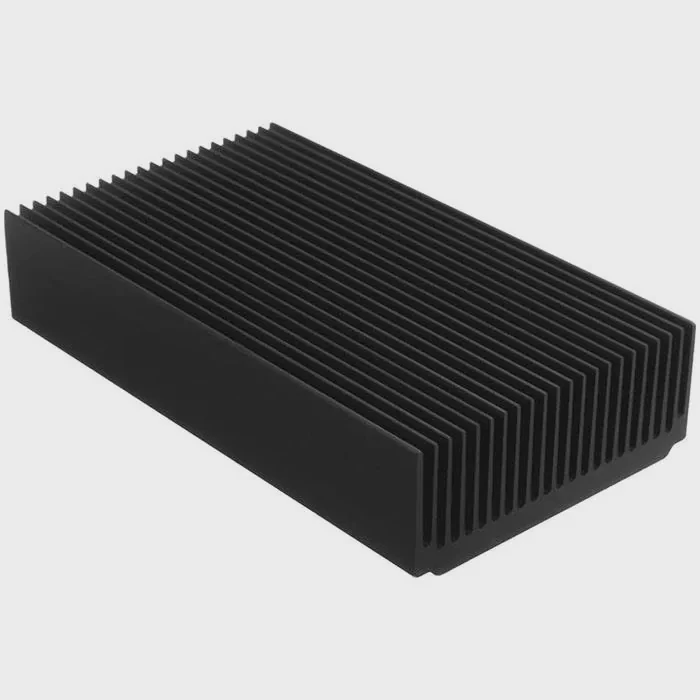
1. Smart temperature management
Modern coolers use built-in sensors and AI to control pump speed and fan curves automatically. They adapt cooling performance based on real-time workload, balancing noise and efficiency.
2. Integrated pump-block units
Manufacturers now design compact pump-block combos that save space and simplify installation. These designs also improve flow consistency and reduce vibration.
3. RGB and aesthetic integration
Lighting systems have become an important part of cooler design. Addressable RGB syncs with motherboard software, allowing custom lighting themes that match the system’s color palette.
4. Eco-friendly and non-toxic coolants
Future coolers are moving toward biodegradable, non-toxic coolants that perform well while reducing environmental impact. These new formulations resist corrosion without harmful chemicals.
5. Modular designs
Some coolers now feature quick-connect fittings that allow users to expand loops—adding GPU blocks or extra radiators without draining the system. This flexibility appeals to both gamers and professionals.
6. AI and software control
Advanced software now allows full customization of cooling behavior. Users can set profiles for gaming, editing, or silent operation. AI learns usage patterns to predict thermal loads and adjust cooling preemptively.
7. Compact and portable solutions
Mini-ITX builders now enjoy access to small form factor liquid coolers that fit tight cases without sacrificing performance. Slim radiators and flexible tubes make these systems easier to install.
8. Sustainable materials and quiet operation
Manufacturers are using recyclable aluminum housings, magnetic levitation fans, and optimized pump designs to minimize noise and energy consumption.
9. The future direction
Looking ahead, cooler technology will merge with smart hardware ecosystems—coolers that communicate with GPUs, motherboards, and power supplies for total thermal coordination. Expect AI-driven, self-regulating cooling systems that need almost no maintenance and run silently for years.
Conclusion
Installing a CPU liquid cooler is simpler than it looks. It works by moving coolant through a closed loop that absorbs and releases heat efficiently. With better performance, lower noise, and modern designs, liquid coolers are becoming essential for both gamers and professionals. As technology advances toward smarter, modular, and sustainable cooling systems, building and maintaining a powerful, quiet PC has never been easier.
TAGS
Latest Articles

Volume discount levels for heat sink orders?
Buyers often ask when heat sink prices start to drop with volume. Many worry they’re overpaying for small orders. This guide explains how B2B volume pricing works for thermal components. Heat sink
21 Dec,2025
Heat sink long-term supply contract options?
Many buyers want stable pricing and reliable delivery for heat sinks. But without a clear contract, risks grow over time. This article explores how to secure better long-term supply deals. Long-term
21 Dec,2025
Tooling cost for new heat sink profiles?
Many engineers struggle to understand why tooling for custom heat sinks costs so much. They worry about budgeting and production timelines. This article breaks down the cost drivers behind tooling.
21 Dec,2025
Heat sink custom sample process steps?
Sometimes, starting a custom heat sink project feels overwhelming—too many steps, too many unknowns, and too many risks. You want a sample, but not endless delays. The process for requesting and
20 Dec,2025
Standard B2B terms for heat sink payments?
When buyers and sellers in B2B heat sink markets talk about payment, many don’t fully understand what’s standard. This can lead to delayed orders, miscommunication, and even lost business
20 Dec,2025
Heat sink pricing factors for large orders?
Heat sinks are vital for many systems. When prices rise, projects stall and budgets break. This problem can hit teams hard without warning. Large order heat sink pricing depends on many factors. You
20 Dec,2025Related Articles
- How to liquid cool your computer?
- How does liquid nitrogen cooling work?
- What is the best CPU liquid cooler?
- How to maintain liquid cooling?
- Does the i9 9900K need liquid cooling?
- What is an AIO liquid cooler?
- Where to plug in a liquid cooling pump?
- How to refill a liquid cooler?
- Who makes liquid-cooled servers?
- Is liquid cooling CPU worth it?
- What is the best liquid for water cooling?
- Does Xbox Series X have liquid cooling?
Author
Dr. Emily Chen
Chief AI Researcher
Leading expert in thermal dynamics and AI optimization with over 15 years of experience in data center efficiency research.
Categories
Latest Products






Recommend Categories
- Liquid cooling plate Manufacturer
- Industrial Heat Sink Manufacturer
- Standard Heat Sink Manufacturer
- Aluminum Heat Sink Manufacturer
- Copper Heat Sink Manufacturer
- Anodized Heatsink Manufacturer
- Stamping heat sink Manufacturer
- Die Casting Heatsink Manufacturer
- Soldering heat sink Manufacturer
- CNC Parts Manufacturer
Latest Products
- Wholesale Aluminum Radiator
- Water Cooling Plate Kit
- Water Cooling Heat Sink
- Water Cooling Heat Sink Kit
- Stainless Steel Water Distributor
- Server Water Cooling Plate Kit
- Server Liquid Cooling System
- Server Aluminum Cooling Kit
- S19 Full Cover Cooling Plate
- S19 Cooling Plate Kit
- S19 Aluminum Cooling Plate
Contact Expert
Have questions about this article? Reach out to our experts directly.