how to remove cpu fused to heatsink?
Many people get shocked when the CPU lifts out of the socket because it sticks to the heatsink, and they fear they will break something.
You can remove a CPU fused to a heatsink by warming the assembly, softening the old paste, and lifting the heatsink in a slow, straight motion while avoiding force that bends pins.
I often tell friends that this is a simple problem, but it needs calm steps because one wrong move can damage the chip or board.
Why do CPUs bond to heatsinks?
I see this problem often because users leave old thermal paste on their systems for many years.
CPUs bond to heatsinks when old thermal paste dries out and acts like glue. Heat, pressure, and long use make the paste harder, which locks the chip to the heatsink.
I remember helping a friend who built his first PC ten years ago. He used too much paste. The system ran fine, but when we tried to upgrade his cooler, the CPU stuck so hard that it came out with the heatsink. This taught me that old paste turns into a hard layer that bonds metal surfaces.
What happens when paste dries
Old paste starts as a soft layer. Over time, the paste loses oils. The layer becomes dry and sticky. It fills tiny gaps between the CPU and the heatsink. The contact becomes tight, almost like adhesive.
Common causes
Here is a simple table that lists the main reasons CPUs stick to heatsinks:
| Cause | Description | Effect on CPU |
|---|---|---|
| Old paste | Loses oils and hardens | Creates strong bond |
| Constant heat cycles | Expands and contracts metal | Makes paste settle deeper |
| Too much pressure | Mounting tension squeezes paste tightly | Harder to separate |
| Wrong paste type | Some pastes dry faster | Faster bonding |
Why old systems show this problem more
Many old systems run long hours. Fans get dusty, and CPUs run hotter. This extra heat makes paste dry faster. I often see this when I fix family computers that run all day. The paste is so dry that it crumbles like chalk. This makes the bond even stronger because the dry layer traps the CPU like a clamp.
Why lifting straight up matters
When the paste bonds, any sideways movement bends pins or damages pads. A slow, straight lift helps break the bond with less risk. I always tell beginners that this step is the key to a safe removal.
What warming methods loosen fused paste?
I always explain that heat is your friend when removing a stuck CPU.
Warm the heatsink and CPU gently to soften the old paste. Use controlled heat from the system itself, a hair dryer, or low fan heat from a household tool to loosen the bond.
I learned this trick when I worked on an old workstation that had not been serviced for many years. The CPU refused to move. I warmed the heatsink with gentle airflow, waited a minute, and the paste softened enough for a smooth lift.
Simple warming methods
1. Run the system for a few minutes
This is the safest step. You let the CPU warm itself. When it reaches normal operating temperature, the paste softens. Then you shut down and remove the heatsink quickly while it is still warm.
2. Use a hair dryer
I always set the dryer to low heat. I keep it a few inches away. The goal is gentle warmth. I move the dryer in small circles for even heating.
3. Use a heat gun on the gentlest setting
Only do this if you know how to control it. I aim for soft warmth, not high heat. High heat can damage plastic parts.
4. Warm room trick
In cold rooms, the paste becomes brittle. Moving the system to a warm room helps soften the paste naturally.
Why gentle heat is better
Old paste softens slowly. If you heat too fast, the metal expands unevenly. This can put stress on the CPU. I always remind people that slow warming gives a safer release.
Ideal heating plan
This table shows a simple plan:
| Method | Safety level | Notes |
|---|---|---|
| Run system briefly | Very safe | Even heat, no extra tools |
| Hair dryer | Safe | Keep airflow constant |
| Heat gun (low) | Medium | Only for skilled users |
| Warm room | Very safe | Slow but effective |
Why heat works on old paste
Old paste becomes rigid. Heat softens the structure. The layer loosens its grip. This simple idea makes removal easy. I have done this many times on office PCs and gaming rigs. Every time, a warm heatsink releases the CPU with far less force.
Can twisting motions prevent CPU damage?
Many people think twisting is the best way. But I always explain that the right motion depends on the socket type.
A small, gentle twist can help loosen a fused CPU, but strong twisting can bend pins or damage pads, so the safest method is slow, straight lifting with only slight rotation.
I remember a case where someone twisted too hard. The CPU pins bent like a fan. It took me hours to straighten them. This is why I now explain the right way in simple steps.
How twisting works
A small twist helps break the dry paste layer. You should only twist while pulling upward gently. The motion must be soft and controlled.
Safe twisting steps
Step 1: Warm the heatsink
A cold bond will resist more. Warm it first.
Step 2: Hold the heatsink firmly
Use both hands. Keep your grip stable.
Step 3: Twist gently left and right
Only tiny movements. I mean very tiny. Do not rotate like opening a jar.
Step 4: Lift slowly while twisting
The lift must stay straight. Never pull sideways.
Why large twisting motions are unsafe
Large motions stress the CPU socket. They bend pins on older sockets. They scratch pads on newer LGA sockets. Once pins bend, it takes patience to fix them. I sometimes spend half a day on pin repair. That is why I warn users constantly.
Socket types and risk levels
Here is a table with simple notes:
| Socket type | Risk when twisting | Safe approach |
|---|---|---|
| LGA (Intel) | High | Straight lift, tiny twist only |
| PGA (AMD old) | Medium | Small twist, careful lift |
| AM4/AM5 | Medium–High | Warm first, twist very lightly |
| Mobile CPUs | High | Avoid twist |
Why straight lifting works best
The paste bond breaks when you pull upward. A straight path keeps force even. When you twist too much, the CPU rocks against the socket. This rocking motion causes damage. I always tell beginners that safe removal is slow removal.
Should you clean residue before reinstallation?
I always say yes because clean surfaces make better contact and keep temperatures low.
You should clean all old paste from both the CPU and heatsink before reinstalling. A clean surface lets new paste spread evenly and improves cooling performance.
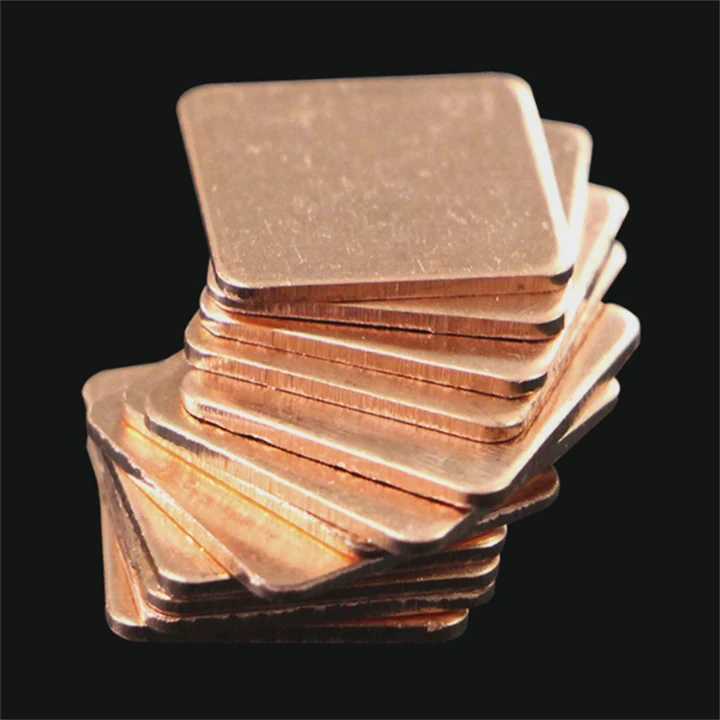
I once tried to reuse a heatsink without cleaning the old paste. The CPU ran hotter by 15°C. The old paste had bumps and cracks that blocked smooth contact. Since then, I clean everything every time.
How to clean the surface
1. Use isopropyl alcohol
A high concentration (90% or more) works best. It removes dry paste fast. I use a lint-free cloth or coffee filter.
2. Wipe gently
I wipe in small circles. I remove every trace of old paste. If the paste is stubborn, I add more alcohol and wait a few seconds.
3. Clean the edges
Paste often hides in the edges of the CPU heat spreader. I clean these spots carefully.
4. Let surfaces dry
Alcohol evaporates fast, but I still wait a moment before applying new paste.
Why cleaning helps the new paste
New paste works only when the surfaces are smooth. If old paste stays on, the new layer becomes uneven. Heat moves worse through uneven layers. I tell people that clean metal gives stable cooling.
Common cleaning mistakes
Here is a table that lists mistakes I see often:
| Mistake | Why it is a problem |
|---|---|
| Using paper towels | Leaves fibers on the surface |
| Using water | Does not dissolve old paste |
| Scraping with metal | Scratches the heat spreader |
| Leaving old chunks | Causes hot spots |
Why cleaning protects the system long-term
Clean surfaces lower CPU temps. Lower temps help the CPU last longer. I have seen many systems run cooler after a simple cleaning. It is a small step that brings big gains.
Conclusion
Removing a CPU fused to a heatsink is simple when you warm the parts, move slowly, lift straight, and clean all residue. Careful steps protect the CPU and help the system run cooler after reinstallation.
TAGS
Latest Articles

Volume discount levels for heat sink orders?
Buyers often ask when heat sink prices start to drop with volume. Many worry they’re overpaying for small orders. This guide explains how B2B volume pricing works for thermal components. Heat sink
21 Dec,2025
Heat sink long-term supply contract options?
Many buyers want stable pricing and reliable delivery for heat sinks. But without a clear contract, risks grow over time. This article explores how to secure better long-term supply deals. Long-term
21 Dec,2025
Tooling cost for new heat sink profiles?
Many engineers struggle to understand why tooling for custom heat sinks costs so much. They worry about budgeting and production timelines. This article breaks down the cost drivers behind tooling.
21 Dec,2025
Heat sink custom sample process steps?
Sometimes, starting a custom heat sink project feels overwhelming—too many steps, too many unknowns, and too many risks. You want a sample, but not endless delays. The process for requesting and
20 Dec,2025
Standard B2B terms for heat sink payments?
When buyers and sellers in B2B heat sink markets talk about payment, many don’t fully understand what’s standard. This can lead to delayed orders, miscommunication, and even lost business
20 Dec,2025
Heat sink pricing factors for large orders?
Heat sinks are vital for many systems. When prices rise, projects stall and budgets break. This problem can hit teams hard without warning. Large order heat sink pricing depends on many factors. You
20 Dec,2025Related Articles
- how well do heatsink style coolers work?
- does the wd sn850x need a heatsink?
- How do heatsinks work Elite Dangerous?
- do you need raspberry pi heatsinks?
- Are M.2 heatsinks necessary?
- how to remove pentium 3 heatsink?
- how to remove top mount cpu heatsink?
- How to TO-220 heatsink bolt?
- how to remove 2010 mac pro heatsink?
- What direction does the blow Intel heatsink E97381?
- does your ssd need a heatsink?
- where to find double heatsinks battletech?
Author
Dr. Emily Chen
Chief AI Researcher
Leading expert in thermal dynamics and AI optimization with over 15 years of experience in data center efficiency research.
Categories
Latest Products

M.2 Heatpipe Heatsink With Dual Fans For Pc Case
19 Mar,2026

Heavy-Duty Aluminum Heat Sink Custom
19 Mar,2026

Oem Skived Fin Heatsink Aluminum Radiator For Plants
19 Mar,2026

Water Cooled Cnc Aluminum Heat Sink For Medical
19 Mar,2026

High Density 6000 Series Aluminum Heat Sink Profile
19 Mar,2026

High-Density Extruded Aluminum & Bonded-Fin Heat Sink Profile
19 Mar,2026
Recommend Categories
- Liquid cooling plate Manufacturer
- Industrial Heat Sink Manufacturer
- Standard Heat Sink Manufacturer
- Aluminum Heat Sink Manufacturer
- Copper Heat Sink Manufacturer
- Anodized Heatsink Manufacturer
- Stamping heat sink Manufacturer
- Die Casting Heatsink Manufacturer
- Soldering heat sink Manufacturer
- CNC Parts Manufacturer
Latest Products
- M.2 Heatpipe Heatsink With Dual Fans For Pc Case
- Heavy-Duty Aluminum Heat Sink Custom
- Oem Skived Fin Heatsink Aluminum Radiator For Plants
- Water Cooled Cnc Aluminum Heat Sink For Medical
- High Density 6000 Series Aluminum Heat Sink Profile
- High-Density Extruded Aluminum & Bonded-Fin Heat Sink Profile
- Dongguan Cnc Aluminum Heat Sink For Led & Brass Parts
- Wholesale Cnc Aluminum Heat Sink - Custom Extruded
- Led Cnc Round Heat Sink With Screw Holes
- Copper Pin-Fin Heat-Sink Large-Area For Photoled Cooling
- Telecom Heatsink Zipper Fin Wcopper Tubes Oem
Contact Expert
Have questions about this article? Reach out to our experts directly.