how to remove g skill trident z ddr heatsink?
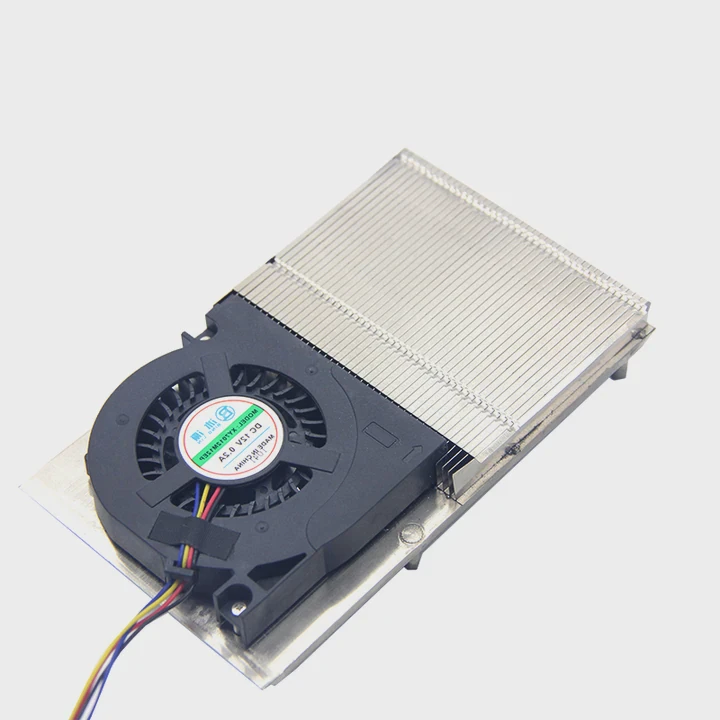
Many people try to take off a memory heatsink and face stress because they worry about damage or lost warranty. This fear grows when the RAM is expensive.
You can remove a G Skill Trident Z heatsink by softening the adhesive, lifting the metal shell with the right tools, and keeping slow control on both ends of the stick. This lowers risk and keeps the PCB safe.
Most people stop because they feel the heat spreader is too tight. With the right steps, the task becomes simple and calm.
Why avoid bending the PCB?
People often try to pull too fast, and the PCB starts to bend. This sends a signal of danger and makes many users panic.
You must avoid bending the PCB because bending can break solder joints, damage memory chips, or cause tiny cracks that lead to unstable performance. Keeping the board straight removes this hidden risk.
When I first removed a DDR heatsink, I saw the PCB flex by a small angle. It looked safe, but I later learned even a small bend can weaken joints. So I changed my method. I held both ends with a flat grip and did small lifts. This simple change saved the stick.
How bending harms the memory
Bending moves the weight to one side. It causes pressure on the chip pads and the solder balls. These points are small and sensitive. Any tiny crack can lead to blue screens or random shutdowns later. Many people think the RAM fails on its own, but often it is damage from handling.
A short table of PCB risks
| Action | Possible Result |
|---|---|
| Quick pull | Surface cracks and chip stress |
| One-side lift | Edge twist and solder weakness |
| Hard twist | Broken joint and boot failure |
How the PCB holds its structure
The PCB has many layers. These layers have copper paths that form routes for data. If the board bends, these routes can stretch. Stretching may break them. When the user puts the stick back into the slot, the RAM may fail under load. So the safest step is simple: keep the board straight, use both hands, and control each lift.
When people know why bending harms the RAM, they treat the board with more care. This helps the user protect stability and value.
Which tools separate metal covers?
Many people use sharp blades because they think thin tools work better. But sharp blades slip fast and can cut traces on the PCB.
The best tools for separating the metal covers are plastic pry tools, nylon spudgers, and thin opening cards. These tools keep a smooth edge and lower the risk of scratches.
When I remove a heatsink, I start with a thin plastic card. The card slides under the corner with safe friction. A metal blade can dent the board. This damages the surface and weakens the mask. A plastic card does the job without these risks.
What tools work well
I keep a small set of pry tools on my desk. It includes a nylon spudger, a plastic card, and a padded clamp. These tools give me more control and reduce stress. Many phone repair kits include these tools, and they work well on memory modules too.
A quick table of tools
| Tool | Safe for PCB | Risk Level |
|---|---|---|
| Plastic pry card | Yes | Low |
| Nylon spudger | Yes | Low |
| Metal blade | No | High |
| Screwdriver tip | No | High |
Why plastic tools protect the module
Plastic does not dig into the soft parts of the PCB. It spreads the force along a wider surface, so the pressure becomes mild. Plastic also avoids sparks and static issues. When the user works near memory chips, these details become important.
Thin cards create a slow wedge effect. The wedge opens the cover step by step. It helps the adhesive fail in a clean way. This makes the whole process controlled and steady.
Can heat weaken adhesive strips?
Some people try to pull the heatsink without heat and get stuck. They panic, pull harder, and damage the module.
Yes, heat can weaken the adhesive strips. Warm air softens the glue and makes the metal covers lift with less force. This reduces damage risk.
I often warm the heatsink with a low-heat hair dryer. About ten to fifteen seconds of warm air is enough. The goal is not to make the RAM hot. The goal is to soften the glue. When the adhesive softens, it stops gripping the chips tightly. This simple step makes the lift smooth.
Safe heat levels
Warm air should feel like warm tap water. If the air feels hot on the skin, it is too much. Memory chips can handle some heat, but extra heat may damage small parts. So short bursts of warm air work best.
How heat affects glue tension
Heat changes the glue density. When the adhesive warms up, the glue becomes soft and flexible. It spreads instead of resisting. This allows the pry tool to slide under the cover. Without heat, the adhesive stays stiff. Stiff glue holds the metal tight. This increases the risk of lifting a chip with the cover.
Steps to apply warm air
- Hold the RAM on the edges.
- Warm one side for ten seconds.
- Test with a thin card.
- Warm again if the card meets resistance.
- Lift slowly and keep the PCB flat.
The process looks simple, but small steps matter. Heat control helps the user protect the RAM and remove the cover with calm and confidence.
Should pressure be slow and even?
Some people rush the lift and cause sudden jumps. These jumps feel fast but often harm the board.
Yes, pressure must be slow and even. Small lifts on both sides allow the adhesive to fail in a stable way and protect the chips under the shield.
When I learned this method, I practiced with old memory sticks. I made slow lifts in small steps. Each step had a smooth pull. I never let one side rise too fast. This gave me full control. It also kept the RAM clean and safe.
Why slow pressure helps
Slow pressure gives the glue time to respond. It also reduces sudden tension. If one side jumps, the opposite side stays stuck. This twist harms the board. So even pressure is the safest method.
How to apply even force
You can place one thumb on each end of the heatsink. You lift one millimeter, then switch sides, then lift again. This creates balance. The board stays straight. The glue loses grip little by little. It is simple but effective.
Key points to keep in mind
- Keep your grip wide.
- Hold near the ends, not the center.
- Check for heat before lifting.
- Follow the same lift pattern on each side.
Extra notes for safe removal
If the glue fights back, do not increase force. Increase heat instead. More heat makes the glue soft again. The board will lift with less effort. This gives you a safe and repeatable process for each stick.
Conclusion
Slow steps, soft heat, safe tools, and a stable PCB make the removal process simple and calm. With these habits, the heatsink lifts cleanly and the memory stays safe.
TAGS
Latest Articles

Volume discount levels for heat sink orders?
Buyers often ask when heat sink prices start to drop with volume. Many worry they’re overpaying for small orders. This guide explains how B2B volume pricing works for thermal components. Heat sink
21 Dec,2025
Heat sink long-term supply contract options?
Many buyers want stable pricing and reliable delivery for heat sinks. But without a clear contract, risks grow over time. This article explores how to secure better long-term supply deals. Long-term
21 Dec,2025
Tooling cost for new heat sink profiles?
Many engineers struggle to understand why tooling for custom heat sinks costs so much. They worry about budgeting and production timelines. This article breaks down the cost drivers behind tooling.
21 Dec,2025
Heat sink custom sample process steps?
Sometimes, starting a custom heat sink project feels overwhelming—too many steps, too many unknowns, and too many risks. You want a sample, but not endless delays. The process for requesting and
20 Dec,2025
Standard B2B terms for heat sink payments?
When buyers and sellers in B2B heat sink markets talk about payment, many don’t fully understand what’s standard. This can lead to delayed orders, miscommunication, and even lost business
20 Dec,2025
Heat sink pricing factors for large orders?
Heat sinks are vital for many systems. When prices rise, projects stall and budgets break. This problem can hit teams hard without warning. Large order heat sink pricing depends on many factors. You
20 Dec,2025Related Articles
- how to apply heatsink to ssd?
- does lg g2 have heatsink?
- how to remove heatsink from ssd?
- can you tightnen a heatsink to much?
- what heatsink fit amd epyc 7601?
- can you upgrade a laptop cpu heatsink?
- how to clean heatsink on ps4?
- what happens when you remove a cpu heatsink?
- do i need a heatsink fan with new cpu?
- is nvme heatsink necessary?
- what is a bga heatsink?
- how to clean a heatsink of insperion n1770?
Author
Dr. Emily Chen
Chief AI Researcher
Leading expert in thermal dynamics and AI optimization with over 15 years of experience in data center efficiency research.
Categories
Latest Products

M.2 Heatpipe Heatsink With Dual Fans For Pc Case
19 Mar,2026

Heavy-Duty Aluminum Heat Sink Custom
19 Mar,2026

Oem Skived Fin Heatsink Aluminum Radiator For Plants
19 Mar,2026

Water Cooled Cnc Aluminum Heat Sink For Medical
19 Mar,2026

High Density 6000 Series Aluminum Heat Sink Profile
19 Mar,2026

High-Density Extruded Aluminum & Bonded-Fin Heat Sink Profile
19 Mar,2026
Recommend Categories
- Liquid cooling plate Manufacturer
- Industrial Heat Sink Manufacturer
- Standard Heat Sink Manufacturer
- Aluminum Heat Sink Manufacturer
- Copper Heat Sink Manufacturer
- Anodized Heatsink Manufacturer
- Stamping heat sink Manufacturer
- Die Casting Heatsink Manufacturer
- Soldering heat sink Manufacturer
- CNC Parts Manufacturer
Latest Products
- M.2 Heatpipe Heatsink With Dual Fans For Pc Case
- Heavy-Duty Aluminum Heat Sink Custom
- Oem Skived Fin Heatsink Aluminum Radiator For Plants
- Water Cooled Cnc Aluminum Heat Sink For Medical
- High Density 6000 Series Aluminum Heat Sink Profile
- High-Density Extruded Aluminum & Bonded-Fin Heat Sink Profile
- Dongguan Cnc Aluminum Heat Sink For Led & Brass Parts
- Wholesale Cnc Aluminum Heat Sink - Custom Extruded
- Led Cnc Round Heat Sink With Screw Holes
- Copper Pin-Fin Heat-Sink Large-Area For Photoled Cooling
- Telecom Heatsink Zipper Fin Wcopper Tubes Oem
Contact Expert
Have questions about this article? Reach out to our experts directly.