how to remove hyperx ram heatsink?
I look at a RAM stick on my desk, and I feel worried because one wrong move can break it. I want to help people avoid that fear with a simple guide.
You can remove a HyperX RAM heatsink by loosening the clips, softening the adhesive, and lifting the cover slowly with the right tools. It works when you keep the PCB flat and use steady hands.
I will walk you through the steps I use so you can stay calm and safe during the process.
Why avoid bending RAM sticks?
I look at a RAM module, and I know how easy it is to bend it when I feel nervous. This fear can stop many people from taking the next step.
You should avoid bending RAM sticks because the PCB is thin, the traces are fragile, and bending can break chips or solder joints that cannot be repaired.
I want to explain this with clarity because many people underestimate how sensitive a RAM stick is. When I first removed a heatsink many years ago, I used too much force. The RAM survived, but I learned that the danger is real. A RAM stick has a slim PCB with many fine copper lines. These lines carry signals at high speed. I try to keep the PCB flat every time I work with it because I know even a small flex can create a micro-crack. That micro-crack can cause random system crashes that are very hard to trace.
How bending harms the RAM
When I look at the structure of the module, I see simple layers:
| Layer | Material | Purpose |
|---|---|---|
| Top side | DRAM chips | Store data |
| Middle | Fiberglass PCB | Hold traces |
| Bottom | Solder pads | Connect to motherboard |
A bend makes the fiberglass layer stretch. The copper lines do not stretch well. They break. When a trace breaks, the RAM fails.
Practical signs of bending risk
I learned to watch for very simple signs:
- The heatsink does not lift evenly.
- The PCB twists when I pull one side.
- I hear a small snap sound from the adhesive.
I always stop when I see these signs. I switch to a slow peel. I try to warm the adhesive. I try to support the PCB with two fingers. This simple habit reduces risk a lot.
I want readers to feel safe. When I keep the RAM flat, I gain control. When the PCB stays straight, the whole process feels easier. I hope you will follow the same rule.
Which tools ease cover removal?
Sometimes I hold a RAM stick in my hand and struggle with the tiny clips. I want to make the job easier with simple tools that almost everyone has.
You can ease HyperX heatsink removal by using a small plastic spudger, a thin guitar pick, isopropyl alcohol, and a soft cloth to protect the PCB while you lift the cover slowly.
I want to share the tools I trust. These tools let me work gently. They keep the RAM safe. They help me control each small movement. I never try to pry the cover with a metal tool because it scratches the chips. A plastic spudger is safe. A guitar pick slides under the thin gap. It feels simple and calm.
My tool set and why it helps
Here is a small list of what I use:
| Tool | Use case |
|---|---|
| Plastic spudger | Lift clips and edges |
| Guitar pick | Slide between adhesive and cover |
| Isopropyl alcohol | Reduce stickiness |
| Soft microfiber cloth | Protect PCB and chips |
Each tool does its job calmly. I try to work with slow pressure. I do not want sudden moves. The guitar pick helps a lot because it spreads force across a wider area. This reduces the chance of denting the PCB. When I clean the edge with alcohol, the cover feels easier to lift.
Small habits that make removal easier
I learned some habits:
Support the PCB
I place two fingers under the RAM to keep it flat. This helps prevent flex when I lift one side.
Work with both hands
I use one hand to wedge the pick, and the other hand to steady the PCB.
Clean first
Dust around the clips increases friction. A quick wipe makes sliding easier.
Move slowly
I lift a few millimeters at a time. This keeps me in control.
When I follow these habits, the whole process feels peaceful. There is no stress. The heatsink comes off in a smooth motion. These tools and habits give me confidence, and I hope they give you the same.
Can adhesive pads resist strongly?
When I hold a HyperX RAM stick, I can feel that the adhesive pads hold tightly. Sometimes it feels too tight, and I worry about pulling too hard.
HyperX adhesive pads can resist strongly because they use dense thermal tape that bonds firmly to the heatsink and the DRAM chips, and they often need heat or alcohol to release safely.
I want to explain why the pads hold so firmly. Many people think the adhesive is simple double-sided tape. It is not. It is thermal tape. It is made to stay strong during heat cycles. It goes through thousands of hours of stress inside a PC. I know this because I have pulled many of these pads apart over the years. When I peel the pad slowly, I feel the resistance rise. When the pad is cold, it feels stiff. When the pad is warm, it feels softer. This is why warm air from a hairdryer helps.
Why the pads grip the chips so hard
I want to break this down with simple ideas:
The tape bonds to texture
DRAM chips have a tiny surface texture. The tape fills this texture and grips more strongly.
Heat cycles compress the pad
When the RAM heats up and cools down in a PC, the tape compresses and becomes firmer.
The pad spreads heat
A firm bond improves heat transfer, so the pad is designed to stay tight.
I can feel these factors when I remove the cover. The pad refuses to let go. When I try to pull too fast, the RAM bends a little. I stop. I warm the pad. When I warm the pad, it loosens gently. This is why people should not panic when the pad feels strong.
How to deal with stubborn adhesive
Here is the simple approach I follow:
- I warm the heatsink for 10–15 seconds with warm air.
- I slide a guitar pick under the first corner.
- I lift very slowly until I feel the pad stretch.
- I add alcohol to weaken the bond.
- I pull again with small movements.
When the pad softens, the whole process feels safe and smooth. I always use patience because strong adhesive is normal. It is not a sign of danger. It simply means the pad was doing its job well.
Should heat be applied carefully?
When I hold warm air over a RAM stick, I feel nervous. I know heat can help, but I also know heat can damage chips. So I always apply heat with careful control.
You should apply heat carefully because too much heat can harm the DRAM chips, warp the PCB, or soften solder joints, but gentle warm air helps loosen the adhesive safely.
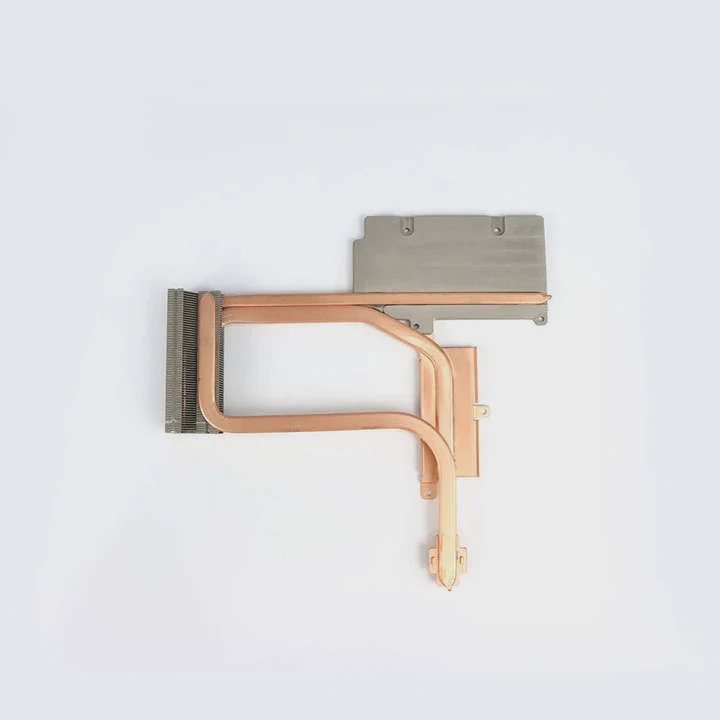
I want to show how I use heat safely. Many beginners think they need high heat to soften the tape. This is not true. I use low heat. I hold the air at a distance. I warm the heatsink, not the chips. This simple method protects the RAM.
How heat helps and how it harms
Heat works well because it softens the adhesive. When the pad becomes soft, the cover lifts easily. But heat harms when the temperature rises too fast. The chips can suffer when the heat is direct.
Here are clear ideas:
Good effects
- Softens thermal tape
- Makes peeling smooth
- Reduces bending force
Bad effects
- Can stress solder joints
- Can warp PCB layers
- Can create micro cracks
This is why I stay calm and slow. I use warm air, not hot air. I never heat one spot for too long.
My safe heating method
I follow a simple method each time:
- I set a hairdryer to low heat.
- I hold it about 15–20 cm away.
- I move it in a slow circle to spread heat.
- I warm the heatsink for 10–20 seconds.
- I stop and check the adhesive.
This method keeps the RAM safe. I focus on steady warmth. My goal is to soften the tape, not heat the chips. When I work this way, the cover comes off smoothly.
I want readers to feel confident. Heat is a helpful tool. But it must be applied with care. When you treat the RAM gently, you stay in control. When you stay in control, the whole job becomes simple.
Conclusion
Removing a HyperX RAM heatsink is safe when I keep the PCB flat, use simple tools, control heat, and soften the adhesive slowly. Patience makes the whole process smooth and calm.
TAGS
Latest Articles

Volume discount levels for heat sink orders?
Buyers often ask when heat sink prices start to drop with volume. Many worry they’re overpaying for small orders. This guide explains how B2B volume pricing works for thermal components. Heat sink
21 Dec,2025
Heat sink long-term supply contract options?
Many buyers want stable pricing and reliable delivery for heat sinks. But without a clear contract, risks grow over time. This article explores how to secure better long-term supply deals. Long-term
21 Dec,2025
Tooling cost for new heat sink profiles?
Many engineers struggle to understand why tooling for custom heat sinks costs so much. They worry about budgeting and production timelines. This article breaks down the cost drivers behind tooling.
21 Dec,2025
Heat sink custom sample process steps?
Sometimes, starting a custom heat sink project feels overwhelming—too many steps, too many unknowns, and too many risks. You want a sample, but not endless delays. The process for requesting and
20 Dec,2025
Standard B2B terms for heat sink payments?
When buyers and sellers in B2B heat sink markets talk about payment, many don’t fully understand what’s standard. This can lead to delayed orders, miscommunication, and even lost business
20 Dec,2025
Heat sink pricing factors for large orders?
Heat sinks are vital for many systems. When prices rise, projects stall and budgets break. This problem can hit teams hard without warning. Large order heat sink pricing depends on many factors. You
20 Dec,2025Related Articles
- a cpu heatsink?
- Does Coffee Lake come with heatsink and fans?
- what is a processor heatsink?
- Do you need heatsinks in liquid cooling?
- what is a heatsink and fan?
- which to 220 heatsink?
- how to connect a heatsink to 7805?
- how to install ryzen heatsink?
- Is heatsink necessary for SSD?
- can you overclock ram without a heatsink on them?
- how long let heatsink set before turning on computer?
- will a cob led fit on a socket a heatsink?
Author
Dr. Emily Chen
Chief AI Researcher
Leading expert in thermal dynamics and AI optimization with over 15 years of experience in data center efficiency research.
Categories
Latest Products

M.2 Heatpipe Heatsink With Dual Fans For Pc Case
19 Mar,2026

Heavy-Duty Aluminum Heat Sink Custom
19 Mar,2026

Oem Skived Fin Heatsink Aluminum Radiator For Plants
19 Mar,2026

Water Cooled Cnc Aluminum Heat Sink For Medical
19 Mar,2026

High Density 6000 Series Aluminum Heat Sink Profile
19 Mar,2026

High-Density Extruded Aluminum & Bonded-Fin Heat Sink Profile
19 Mar,2026
Recommend Categories
- Liquid cooling plate Manufacturer
- Industrial Heat Sink Manufacturer
- Standard Heat Sink Manufacturer
- Aluminum Heat Sink Manufacturer
- Copper Heat Sink Manufacturer
- Anodized Heatsink Manufacturer
- Stamping heat sink Manufacturer
- Die Casting Heatsink Manufacturer
- Soldering heat sink Manufacturer
- CNC Parts Manufacturer
Latest Products
- M.2 Heatpipe Heatsink With Dual Fans For Pc Case
- Heavy-Duty Aluminum Heat Sink Custom
- Oem Skived Fin Heatsink Aluminum Radiator For Plants
- Water Cooled Cnc Aluminum Heat Sink For Medical
- High Density 6000 Series Aluminum Heat Sink Profile
- High-Density Extruded Aluminum & Bonded-Fin Heat Sink Profile
- Dongguan Cnc Aluminum Heat Sink For Led & Brass Parts
- Wholesale Cnc Aluminum Heat Sink - Custom Extruded
- Led Cnc Round Heat Sink With Screw Holes
- Copper Pin-Fin Heat-Sink Large-Area For Photoled Cooling
- Telecom Heatsink Zipper Fin Wcopper Tubes Oem
Contact Expert
Have questions about this article? Reach out to our experts directly.