How to set up liquid cooling for your CPU?
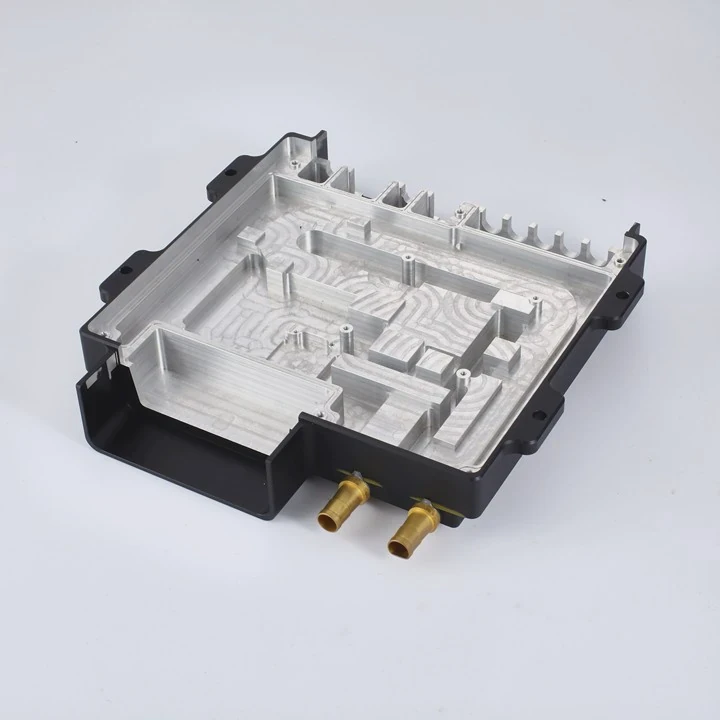
When your CPU starts running too hot, performance drops. That’s where liquid cooling becomes the ultimate solution for efficiency, silence, and power.
To set up a liquid cooling system for your CPU, you need to prepare your tools, mount the cooler correctly, ensure the pump and fans are working, and manage cables for proper airflow.
Installing liquid cooling can sound intimidating, but it’s a straightforward process once you understand the basics. Let’s go through it step by step.
What are the steps to set up a liquid cooling system for a CPU?
Every CPU cooler, whether air or liquid, has one main goal — to remove heat fast and effectively. But liquid cooling uses a smarter process that involves water, a pump, and a radiator.
The steps to set up a liquid cooling system for your CPU include preparing your workspace, mounting the radiator, attaching the cooling block to the CPU, connecting the pump and fans, and testing the system for leaks.
When I first built a PC with a liquid cooler, I was nervous about the water inside my computer. But after following a careful method, the process was easier than expected.
Step 1: Prepare your workspace and tools
Start by turning off your PC and unplugging everything. Remove the side panel and place your system on a clean, static-free surface. You’ll need a screwdriver set, thermal paste, isopropyl alcohol, paper towels, and zip ties.
Step 2: Remove the old cooling system
If your PC already has an air cooler, carefully unscrew it and clean the CPU surface with alcohol. Make sure no old thermal paste remains. A clean CPU surface ensures better thermal contact later.
Step 3: Mount the radiator
Radiators can go on the top, front, or rear of your case. The best position depends on your case layout. For example, top-mounted radiators push hot air out, while front-mounted ones bring cool air in. Use the included screws to fix the radiator and fans firmly in place.
Step 4: Attach the CPU block
Apply a small pea-sized dot of thermal paste in the center of your CPU. Then gently place the cooling block over it and screw it evenly on all sides. Do not overtighten.
Step 5: Connect the pump and fans
Plug the pump’s power connector into the CPU fan header or a dedicated “AIO pump” header on your motherboard. Connect the radiator fans to either the CPU fan header or a fan controller. Make sure cables are neat and out of the way.
Step 6: Power up and test
Before you close the case, power up the system and check if the pump and fans spin. Listen for any unusual noise. Let it run for 15–20 minutes and monitor CPU temperature in BIOS or software.
Step 7: Final cable management
Once you confirm the system works well, tie down cables with zip ties to improve airflow. Replace your side panel and enjoy quieter, cooler performance.
What tools are required for setting up a liquid CPU cooler?
If you’re new to building PCs, knowing the tools you’ll need before starting makes everything smoother.
You will need a screwdriver set, thermal paste, isopropyl alcohol, paper towels, and zip ties to set up a liquid CPU cooler safely and efficiently.
The good news is that you don’t need many tools — just a few basic items that most PC builders already have.
Essential Tools and Materials
| Tool / Material | Purpose |
|---|---|
| Phillips screwdriver | Mounting radiator, fans, and CPU block |
| Thermal paste | Helps transfer heat between CPU and cooler |
| Isopropyl alcohol (90% or higher) | Cleans old paste off CPU |
| Microfiber cloth or paper towel | Cleans surface safely |
| Zip ties | Manages cables neatly |
| Flashlight | Helps you see inside the case |
| Small bowl or tray | Holds screws to avoid losing them |
Safety and Preparation Tips
- Static protection: Ground yourself or use an anti-static wristband.
- Lighting: Good lighting helps avoid dropped screws and misaligned parts.
- Check compatibility: Make sure your liquid cooler fits your CPU socket and case.
- Manual reference: Always read the manufacturer’s guide — different brands have slightly different mounting methods.
Using these tools correctly can save hours of frustration and make your installation look professional.
How do you ensure proper installation of a liquid CPU cooler?
Even the best liquid cooler can underperform if installed incorrectly. Many people make small mistakes that lead to high temperatures or noise.
To ensure proper installation of a liquid CPU cooler, check the radiator orientation, apply the right amount of thermal paste, tighten screws evenly, and verify pump operation and airflow direction.
I’ve seen setups where the pump was connected to the wrong header, or air bubbles were trapped inside. These mistakes are easy to avoid with a few careful checks.
Key Installation Checks
| Checkpoint | What to do | Why it matters |
|---|---|---|
| Thermal paste | Use only a small dot in the center | Too much paste traps heat |
| Screw tension | Tighten evenly across all sides | Uneven pressure reduces contact |
| Radiator position | Keep tubes below pump if possible | Prevents air bubbles in the pump |
| Pump header | Use “AIO_PUMP” or “CPU_FAN” header | Ensures full power and speed |
| Airflow direction | Fans should move air through radiator fins | Keeps temperatures consistent |
| Leak check | Run system before full closure | Detect leaks early |
Pro Tips for a Reliable Setup
- Fan orientation: Label direction arrows on the fan housing show airflow. Double-check them before mounting.
- Radiator placement: If you mount the radiator on top, make sure tubes point downward. This helps air bubbles collect away from the pump.
- Cable routing: Avoid tight bends in the tubes or cables that block fans.
- Noise test: Listen for gurgling sounds. That usually means trapped air — gently tilt your case while running to release bubbles.
- Temperature monitoring: After installation, use software like HWMonitor or MSI Afterburner to track CPU temperature under load.
With these small habits, you can extend your cooler’s life and keep your CPU running at top performance.
What are the future trends in liquid cooling for CPUs?
Technology in liquid cooling is evolving rapidly. Ten years ago, only enthusiasts used it. Today, even mainstream gaming PCs and workstations rely on it for stable performance and quiet operation.
Future trends in liquid cooling for CPUs focus on smarter pumps, eco-friendly coolants, AI-based fan control, and integration with modular thermal systems for compact PCs.
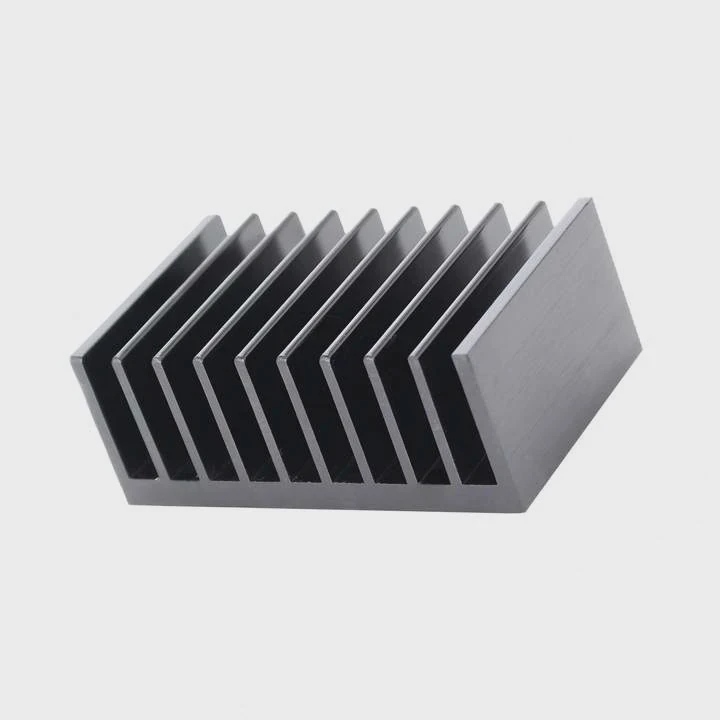
As I work with more advanced cooling modules, I notice a clear shift toward intelligent systems that adjust themselves in real time.
Trend 1: Smart control and monitoring
Manufacturers are adding microcontrollers and sensors inside pumps and radiators. These allow automatic adjustment of fan speeds, flow rates, and temperatures. Users can now monitor every detail through software dashboards, making it easier to diagnose issues before they cause damage.
Trend 2: Eco-friendly materials
Older liquid coolants used chemicals that could harm the environment. The next generation of coolants uses biodegradable compounds and corrosion-resistant materials like aluminum and copper hybrids. These are both efficient and environmentally safe.
Trend 3: Modular and compact systems
As PCs become smaller, cooling systems must fit tighter spaces. Companies are now designing modular AIO systems that allow users to add or replace components like fans or blocks without replacing the entire cooler. This reduces waste and cost.
Trend 4: Integration with other thermal modules
In high-performance setups, liquid cooling is expanding beyond the CPU. It’s being integrated with GPU cooling, VRM blocks, and even SSDs. This trend leads to fully liquid-cooled loops inside compact cases.
Trend 5: AI-driven performance optimization
Some modern cooling systems use machine learning to adapt fan curves based on your workload. They analyze temperature patterns, predict spikes, and adjust cooling before overheating happens.
Trend 6: Aesthetic customization
RGB lighting and sleek tubing are becoming standard. But the future may bring dynamic color-changing coolants and temperature-reactive materials that visually show system load — blending technology and design.
Conclusion
Setting up a liquid cooling system for your CPU may seem complex, but it becomes simple with the right tools, careful planning, and patience. A properly installed cooler not only improves performance but also extends your system’s lifespan. As liquid cooling evolves, smarter and more sustainable designs will make it even easier for everyone to enjoy silent and efficient computing.
TAGS
Latest Articles

Volume discount levels for heat sink orders?
Buyers often ask when heat sink prices start to drop with volume. Many worry they’re overpaying for small orders. This guide explains how B2B volume pricing works for thermal components. Heat sink
21 Dec,2025
Heat sink long-term supply contract options?
Many buyers want stable pricing and reliable delivery for heat sinks. But without a clear contract, risks grow over time. This article explores how to secure better long-term supply deals. Long-term
21 Dec,2025
Tooling cost for new heat sink profiles?
Many engineers struggle to understand why tooling for custom heat sinks costs so much. They worry about budgeting and production timelines. This article breaks down the cost drivers behind tooling.
21 Dec,2025
Heat sink custom sample process steps?
Sometimes, starting a custom heat sink project feels overwhelming—too many steps, too many unknowns, and too many risks. You want a sample, but not endless delays. The process for requesting and
20 Dec,2025
Standard B2B terms for heat sink payments?
When buyers and sellers in B2B heat sink markets talk about payment, many don’t fully understand what’s standard. This can lead to delayed orders, miscommunication, and even lost business
20 Dec,2025
Heat sink pricing factors for large orders?
Heat sinks are vital for many systems. When prices rise, projects stall and budgets break. This problem can hit teams hard without warning. Large order heat sink pricing depends on many factors. You
20 Dec,2025Related Articles
- How to take care of liquid cooling?
- Is air cooled better than liquid?
- Is air cooled or liquid cooled better?
- Is Super Meteor 650 liquid cooled?
- Heat Sink Manufacturer in Dominican Republic
- Heat Sink Manufacturer in Dominica
- How to screw in processor liquid cooler?
- How to replace liquid cooling system?
- How to make an air cooled engine liquid cooled?
- How to liquid cool GPU?
- How does a liquid cooled computer work?
- How does liquid cooled engine work?
Author
Dr. Emily Chen
Chief AI Researcher
Leading expert in thermal dynamics and AI optimization with over 15 years of experience in data center efficiency research.
Categories
Latest Products






Recommend Categories
- Liquid cooling plate Manufacturer
- Industrial Heat Sink Manufacturer
- Standard Heat Sink Manufacturer
- Aluminum Heat Sink Manufacturer
- Copper Heat Sink Manufacturer
- Anodized Heatsink Manufacturer
- Stamping heat sink Manufacturer
- Die Casting Heatsink Manufacturer
- Soldering heat sink Manufacturer
- CNC Parts Manufacturer
Latest Products
- Wholesale Aluminum Radiator
- Water Cooling Plate Kit
- Water Cooling Heat Sink
- Water Cooling Heat Sink Kit
- Stainless Steel Water Distributor
- Server Water Cooling Plate Kit
- Server Liquid Cooling System
- Server Aluminum Cooling Kit
- S19 Full Cover Cooling Plate
- S19 Cooling Plate Kit
- S19 Aluminum Cooling Plate
Contact Expert
Have questions about this article? Reach out to our experts directly.