How to upgrade to liquid cooling?
Air coolers work well for basic systems, but once you start pushing your hardware, temperatures rise fast. That’s when many people start thinking about an upgrade.
Upgrading to liquid cooling involves replacing air-based heat sinks with a water-based cooling system to achieve lower temperatures, quieter operation, and better long-term stability.
It’s not just for enthusiasts anymore. With modern all-in-one (AIO) kits and modular custom loops, liquid cooling is easier to install than ever before. Let’s walk through what you need, the benefits, and how to do it safely.
What is required for an upgrade?
Liquid cooling is a system, not a single part. It requires several components working together to move heat efficiently.
To upgrade, you need a pump, water blocks, radiator, tubes, coolant, and compatible fittings for your CPU and GPU.
There are two main paths: AIO (All-in-One) systems and custom liquid cooling loops.
- AIOs are preassembled and easy to install.
- Custom loops are modular, allowing cooling of both CPU and GPU, and offer better aesthetics.
Main components list
| Component | Function |
|---|---|
| Water block | Transfers heat from CPU/GPU to the coolant |
| Radiator | Releases heat from coolant into air |
| Pump | Moves coolant through the loop |
| Reservoir | Stores extra coolant and helps bleeding air |
| Tubes & fittings | Connect all components and prevent leaks |
| Coolant | Absorbs and carries heat through the system |
Compatibility checks before upgrading
- Case size and radiator support – Ensure your PC case has mounting points for 240mm, 280mm, or 360mm radiators.
- CPU socket compatibility – Check that your chosen water block supports your motherboard’s socket type.
- Power supply capacity – Pumps and fans draw extra power.
- Space for tubing – Plan where tubes will run without blocking other components.
- Maintenance accessibility – You’ll need room to refill coolant or clean the radiator.
A successful upgrade starts with matching all parts correctly. Buying a kit from the same brand can simplify this process since fittings and threads will be guaranteed to fit.
What are the benefits of switching to liquid cooling?
Many users switch to liquid cooling not just for temperature control but for overall system improvement.
Liquid cooling provides higher thermal efficiency, lower noise, better aesthetics, and longer hardware life.
Compared to air cooling, liquid cooling can handle more heat and keep performance consistent under heavy load. It’s especially useful for gamers, content creators, and engineers who use demanding software.
Benefits comparison
| Feature | Air Cooling | Liquid Cooling |
|---|---|---|
| Cooling Efficiency | Moderate | High |
| Noise Level | Loud under load | Quiet and stable |
| Overclocking Support | Limited | Excellent |
| Visual Appearance | Basic | Premium look with clear tubes |
| Thermal Stability | Fluctuates easily | Very consistent |
| Maintenance Frequency | Low | Moderate (every 6–12 months) |
Real performance difference
For example, upgrading from an air cooler to a 360mm AIO can reduce CPU temperatures by up to 25–30°C under load. This drop means higher sustained boost speeds and longer component life. GPUs also benefit greatly when added to the same cooling loop, improving stability during long gaming or rendering sessions.
Liquid cooling also transforms the PC’s appearance. Clear tubing, colored coolant, and RGB lighting create a clean, professional look that makes even older builds feel new again.
How to perform the upgrade safely?
Upgrading to liquid cooling is not difficult, but it does require careful setup and attention to detail.
To perform the upgrade safely, prepare your system, install the cooling parts step by step, check for leaks, and test before powering the PC.
Before you begin, gather all necessary tools: screwdrivers, soft cloth, thermal paste, paper towels, and a leak-testing kit (optional but highly recommended).
Step-by-step upgrade process
Power down and unplug everything.
Safety first—unplug the power supply and discharge static electricity.Remove old air cooler.
Unscrew the air cooler and clean the old thermal paste off the CPU with isopropyl alcohol.Install the new water block.
Apply a small amount of fresh thermal paste. Secure the water block evenly on the CPU using the included mounting hardware.Mount the radiator and fans.
Position them to maximize airflow—usually top or front of the case. Fans should push air out through the radiator.Connect tubes and fittings.
Route tubes carefully. Avoid sharp bends that restrict flow. Tighten fittings but don’t over-torque.Install the pump and reservoir.
Place them at a low point in the case for gravity-assisted flow.Fill the loop with coolant.
Use a funnel or syringe. Slowly fill while running the pump on low power to move air out of the loop.Bleed air and leak test.
Run the pump for several hours with the system off. Use paper towels under fittings to detect any small leaks.Reconnect components and power up.
Once leak-free, plug in all fans and RGB cables. Boot into BIOS to monitor temperatures.
Safety tips
- Never run the pump dry—it can burn out instantly.
- Always let the system run for at least 12 hours during leak testing.
- Keep coolant away from electrical parts during filling.
- Use non-conductive coolant if possible for extra protection.
- Double-check fan airflow direction before closing the case.
Proper installation ensures performance improvement without risk of damage. Once everything is stable, you’ll enjoy much cooler and quieter computing.
What are the upgrade trends in PC cooling?
The PC cooling market is evolving quickly, combining technology, design, and automation.
Modern upgrade trends in PC cooling include modular kits, AI-controlled thermal systems, and eco-friendly coolants.
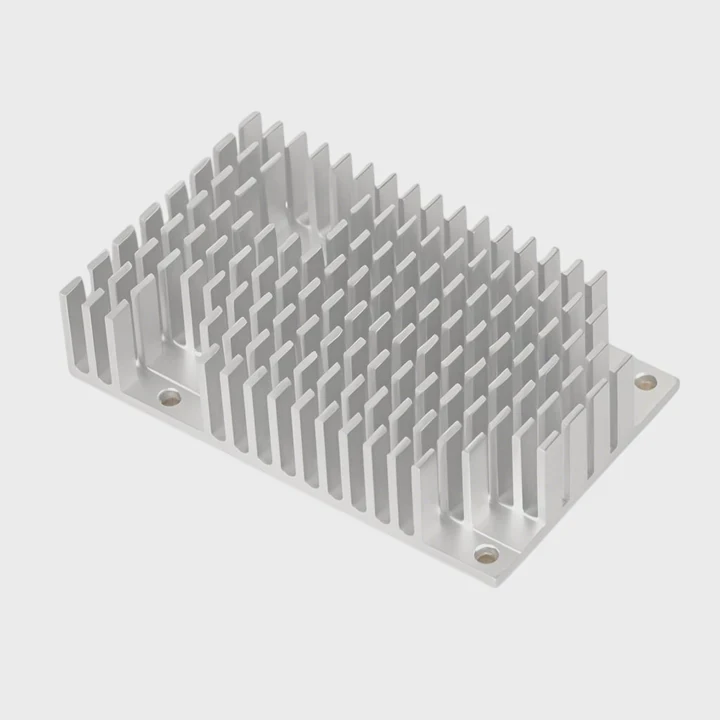
Trend 1: Modular quick-connect systems
More enthusiasts now use modular liquid cooling kits with quick-disconnect fittings. These fittings allow easy component swaps—like adding a GPU block—without draining the entire system. It saves time and reduces maintenance effort.
Trend 2: Smart pump and fan control
AI-driven software now manages pump speeds, fan curves, and temperature zones dynamically. This creates an optimized balance between noise and cooling performance, all without manual tweaking.
Trend 3: Aesthetic and functional integration
Custom cooling is no longer just about performance—it’s design art. Builders combine transparent panels, RGB lighting, and clean tubing layouts for stunning visuals. Manufacturers now sell pre-routed cases for easy, cable-free appearance.
Trend 4: Sustainable and safer materials
Eco-conscious builders use biodegradable coolants and aluminum-based radiators that reduce environmental impact while maintaining strong heat transfer. Non-conductive liquids are also more common for safety.
Trend 5: Compact and hybrid cooling solutions
Smaller form-factor PCs are getting more powerful, demanding compact solutions like AIOs with dual-chamber pumps and hybrid air-liquid systems. These deliver desktop-grade cooling even in tight cases.
Trend 6: Integration with AI and IoT systems
Next-generation PCs will feature smart temperature prediction algorithms. These systems learn user habits—like gaming sessions or rendering schedules—and pre-cool components before they heat up.
The future of PC cooling upgrades
We’re entering a time when cooling won’t just react to temperature—it will anticipate it. This means every upgrade will focus on intelligence, automation, and environmental responsibility, turning cooling from a maintenance task into a seamless performance enhancer.
Conclusion
Upgrading to liquid cooling transforms your PC’s performance, stability, and look. With proper planning, installation, and maintenance, you can achieve lower temperatures, quieter operation, and future-ready cooling that adapts to your needs.
TAGS
Latest Articles

Volume discount levels for heat sink orders?
Buyers often ask when heat sink prices start to drop with volume. Many worry they’re overpaying for small orders. This guide explains how B2B volume pricing works for thermal components. Heat sink
21 Dec,2025
Heat sink long-term supply contract options?
Many buyers want stable pricing and reliable delivery for heat sinks. But without a clear contract, risks grow over time. This article explores how to secure better long-term supply deals. Long-term
21 Dec,2025
Tooling cost for new heat sink profiles?
Many engineers struggle to understand why tooling for custom heat sinks costs so much. They worry about budgeting and production timelines. This article breaks down the cost drivers behind tooling.
21 Dec,2025
Heat sink custom sample process steps?
Sometimes, starting a custom heat sink project feels overwhelming—too many steps, too many unknowns, and too many risks. You want a sample, but not endless delays. The process for requesting and
20 Dec,2025
Standard B2B terms for heat sink payments?
When buyers and sellers in B2B heat sink markets talk about payment, many don’t fully understand what’s standard. This can lead to delayed orders, miscommunication, and even lost business
20 Dec,2025
Heat sink pricing factors for large orders?
Heat sinks are vital for many systems. When prices rise, projects stall and budgets break. This problem can hit teams hard without warning. Large order heat sink pricing depends on many factors. You
20 Dec,2025Related Articles
- How does a liquid cooler work?
- Does 5800X need liquid cooling?
- Can Liquid Cooling Leak?
- How CPU liquid cooler works?
- What does liquid cooled engine mean?
- What is liquid cooling system?
- Is 240mm liquid cooling enough?
- Does Liquid Cooling Require Maintenance?
- Is liquid cooling silent?
- How much is liquid cooling system?
- What liquid is in an AIO cooler?
- What is water cooling liquid?
Author
Dr. Emily Chen
Chief AI Researcher
Leading expert in thermal dynamics and AI optimization with over 15 years of experience in data center efficiency research.
Categories
Latest Products






Recommend Categories
- Liquid cooling plate Manufacturer
- Industrial Heat Sink Manufacturer
- Standard Heat Sink Manufacturer
- Aluminum Heat Sink Manufacturer
- Copper Heat Sink Manufacturer
- Anodized Heatsink Manufacturer
- Stamping heat sink Manufacturer
- Die Casting Heatsink Manufacturer
- Soldering heat sink Manufacturer
- CNC Parts Manufacturer
Latest Products
- Wholesale Aluminum Radiator
- Water Cooling Plate Kit
- Water Cooling Heat Sink
- Water Cooling Heat Sink Kit
- Stainless Steel Water Distributor
- Server Water Cooling Plate Kit
- Server Liquid Cooling System
- Server Aluminum Cooling Kit
- S19 Full Cover Cooling Plate
- S19 Cooling Plate Kit
- S19 Aluminum Cooling Plate
Contact Expert
Have questions about this article? Reach out to our experts directly.