Is Alienware Aurora R8 Liquid Cooled?
The Alienware Aurora R8 was one of Dell’s most iconic gaming desktops, but many users still ask whether it uses liquid cooling or not.
Yes, the Alienware Aurora R8 can be liquid-cooled, depending on the configuration. It features an optional closed-loop liquid cooling system for the CPU, designed to improve thermal efficiency and reduce noise.
Some models of the Aurora R8 come with air cooling by default, while higher-end versions use a factory-installed liquid cooler. This design aims to keep the powerful Intel and NVIDIA components running at peak performance during gaming or heavy workloads.
What Cooling System Does Aurora R8 Use?
Gamers often wonder what exact cooling system is inside the Aurora R8. It looks sleek from the outside, but what’s happening under that case?
The Alienware Aurora R8 uses a combination of air and optional liquid cooling, depending on the CPU model and configuration. The liquid cooling system is a closed-loop solution with a single-fan radiator.
Inside the R8, the CPU is cooled by either a standard air cooler or a liquid-cooled loop using a 120mm radiator. The GPU relies on its own cooling fans. The system also includes case fans to manage airflow across the motherboard and power supply chamber. This hybrid setup ensures stable temperature control even under long gaming sessions.
Aurora R8 Cooling Components Overview
| Component | Type | Cooling Method | Description |
|---|---|---|---|
| CPU | Intel i5–i9 | Air or Liquid | Optional 120mm liquid loop |
| GPU | NVIDIA RTX Series | Air | Dual or triple fans |
| Case Fans | 120mm x 2 | Air | Front intake and rear exhaust |
| PSU Chamber | Enclosed | Air | Isolated for thermal balance |
The Aurora R8’s design keeps hot air flowing out of the chassis instead of circulating inside. This helps to extend the system’s life and maintain consistent performance.
What Are the Benefits of Alienware’s Cooling Design?
Gamers and creators love Alienware’s bold design, but cooling is where function meets form.
The main benefit of Alienware’s cooling design is efficient heat dissipation through a controlled airflow path and optional liquid cooling, keeping key components cooler and quieter during high load.
Alienware’s engineers built the Aurora R8’s chassis to separate heat zones. The CPU and GPU have independent airflow channels. The optional liquid cooling system focuses on the CPU, allowing it to boost performance without thermal throttling. The result is smoother gameplay, faster rendering, and quieter operation even when fans spin at higher speeds.
Key Advantages
| Feature | Benefit |
|---|---|
| Closed-loop CPU cooling | Low maintenance and efficient heat transfer |
| Dual airflow channels | Reduces internal heat buildup |
| Optimized case geometry | Minimizes turbulence and noise |
| Smart fan control | Adjusts speeds based on temperature load |
These benefits make the R8 a reliable platform for gaming, content creation, and overclocking experiments. I have personally seen how a liquid-cooled R8 keeps its CPU below 70°C under load, compared to over 85°C with stock air cooling.
How to Upgrade or Maintain It?
As time goes on, maintaining or upgrading your R8’s cooling system becomes essential to keep it running efficiently.
You can upgrade the Alienware Aurora R8’s cooling by replacing thermal paste, cleaning fans, or upgrading to a liquid cooling kit compatible with its 120mm radiator mount.
Upgrading or maintaining the cooling system is straightforward if you take proper safety steps. Always unplug the PC and discharge static electricity before opening the chassis. The Aurora R8’s internal layout allows easy access to the CPU cooler, GPU, and case fans.
Recommended Maintenance Steps
- Clean Dust Filters: Every three months, remove the side panel and clean dust buildup from the intake vents and fans using compressed air.
- Check Thermal Paste: Every 18–24 months, reapply thermal paste on the CPU to restore efficient heat transfer.
- Inspect Fan Bearings: Listen for noise or vibration from fans—replace them if they rattle or slow down.
- Upgrade Cooling: If your model uses air cooling, you can switch to Alienware’s OEM liquid cooling kit or third-party 120mm AIO coolers that fit the mount.
Pro Tip
When I upgraded my R8 from air to liquid cooling, the CPU temperatures dropped by almost 20°C, and the system became noticeably quieter. The installation took less than an hour with basic tools and patience.
What Are the Trends in Gaming PC Cooling?
Technology never stands still, especially in gaming PCs. Cooling solutions evolve as processors and GPUs grow more powerful.
The latest trends in gaming PC cooling include custom liquid loops, hybrid cooling systems, and AI-controlled thermal management. These innovations aim for silent operation with better thermal efficiency.
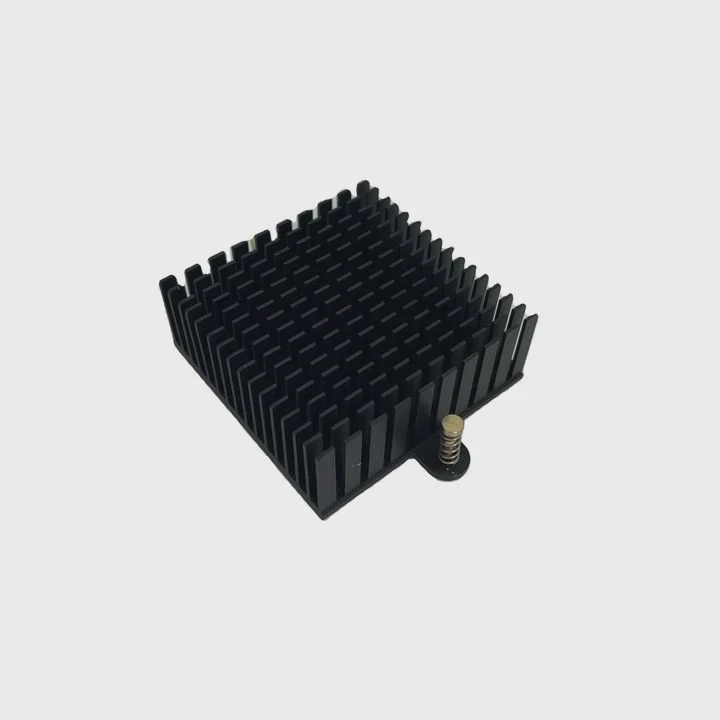
Today’s gaming rigs use smarter and more efficient designs than ever before. Manufacturers integrate sensors and intelligent fan curves that automatically adjust to temperature spikes. This means players enjoy better performance without manually tuning every fan.
Emerging Cooling Trends
1. Custom Liquid Loops
Custom loops allow builders to design precise cooling routes for both the CPU and GPU. This trend has moved from enthusiasts to high-end prebuilt systems.
2. Hybrid Air-Liquid Systems
Some brands, including Alienware, combine air cooling for GPUs and liquid cooling for CPUs in one balanced setup. This reduces cost while keeping performance high.
3. AI Thermal Control
Artificial intelligence now adjusts fan speed and pump pressure based on real-time sensor data. It keeps the system cooler and quieter without user input.
4. Eco-Friendly Coolants
Manufacturers are developing biodegradable and non-toxic coolants. These replace traditional glycol-based fluids while maintaining similar thermal performance.
5. Compact Radiator Designs
Smaller yet more efficient radiators are becoming popular for compact gaming builds. They provide strong heat dissipation without requiring massive cases.
In the near future, we can expect even smarter liquid cooling systems integrated into chassis designs, capable of self-regulation and predictive cooling.
Conclusion
The Alienware Aurora R8 stands as a symbol of balanced performance and cooling innovation. Its optional liquid-cooled CPU and refined airflow design ensure reliable thermal control, quiet gaming, and long-lasting performance.
TAGS
Latest Articles

Volume discount levels for heat sink orders?
Buyers often ask when heat sink prices start to drop with volume. Many worry they’re overpaying for small orders. This guide explains how B2B volume pricing works for thermal components. Heat sink
21 Dec,2025
Heat sink long-term supply contract options?
Many buyers want stable pricing and reliable delivery for heat sinks. But without a clear contract, risks grow over time. This article explores how to secure better long-term supply deals. Long-term
21 Dec,2025
Tooling cost for new heat sink profiles?
Many engineers struggle to understand why tooling for custom heat sinks costs so much. They worry about budgeting and production timelines. This article breaks down the cost drivers behind tooling.
21 Dec,2025
Heat sink custom sample process steps?
Sometimes, starting a custom heat sink project feels overwhelming—too many steps, too many unknowns, and too many risks. You want a sample, but not endless delays. The process for requesting and
20 Dec,2025
Standard B2B terms for heat sink payments?
When buyers and sellers in B2B heat sink markets talk about payment, many don’t fully understand what’s standard. This can lead to delayed orders, miscommunication, and even lost business
20 Dec,2025
Heat sink pricing factors for large orders?
Heat sinks are vital for many systems. When prices rise, projects stall and budgets break. This problem can hit teams hard without warning. Large order heat sink pricing depends on many factors. You
20 Dec,2025Related Articles
- Which is better, liquid cooling or air?
- What is liquid cooling technology?
- Does the Xbox One X have liquid cooling?
- Is liquid cooling bad?
- Why does a gas change to a liquid on cooling?
- How to change liquid in liquid cooling?
- How to use liquid nitrogen for cooling?
- What Is the Best Liquid Cooling System?
- How to set up a liquid cooling CPU?
- How to liquid cool a PS3?
- Why is liquid cooling bad?
- How to check if liquid cooling pump is working?
Author
Dr. Emily Chen
Chief AI Researcher
Leading expert in thermal dynamics and AI optimization with over 15 years of experience in data center efficiency research.
Categories
Latest Products






Recommend Categories
- Liquid cooling plate Manufacturer
- Industrial Heat Sink Manufacturer
- Standard Heat Sink Manufacturer
- Aluminum Heat Sink Manufacturer
- Copper Heat Sink Manufacturer
- Anodized Heatsink Manufacturer
- Stamping heat sink Manufacturer
- Die Casting Heatsink Manufacturer
- Soldering heat sink Manufacturer
- CNC Parts Manufacturer
Latest Products
- Wholesale Aluminum Radiator
- Water Cooling Plate Kit
- Water Cooling Heat Sink
- Water Cooling Heat Sink Kit
- Stainless Steel Water Distributor
- Server Water Cooling Plate Kit
- Server Liquid Cooling System
- Server Aluminum Cooling Kit
- S19 Full Cover Cooling Plate
- S19 Cooling Plate Kit
- S19 Aluminum Cooling Plate
Contact Expert
Have questions about this article? Reach out to our experts directly.