Where is the vapor chamber in the ROG Phone?
I still remember the first time I opened a gaming phone and saw how tight the space was, and the ROG Phone gave me the same shock when I studied its cooling layout.
The vapor chamber in the ROG Phone sits under the main motherboard area, directly beneath the CPU and GPU cluster, where heat is strongest and must move fast.
I will walk you through the layout, why ASUS places the chamber there, how parts connect to it, and how placement affects gaming thermals.
How is the ROG Phone cooling layout designed?
I once tested an early ROG Phone during a long gaming session, and the phone stayed cooler than I expected. That moment pushed me to study how the internal layout works.
The ROG Phone cooling layout places the vapor chamber under the main processor, adds graphite layers above it, and uses a structural mid-frame to guide heat out across the entire body.
When I study the inside of the phone, I see a tiered system. The vapor chamber sits in the center, right under the CPU cluster. Graphite film spreads heat upward. A metal mid-frame pulls heat outward. The back panel helps remove heat through wide surface contact.
H3: The core layers of the cooling system
The ROG Phone cooling layout uses a vertical stack. Each layer moves heat in a different direction.
- Processor (CPU + GPU cluster)
- Thermal paste or thermal pad
- Vapor chamber
- Graphite film
- Metal frame
- Back glass or back panel
These layers work together. Heat goes down into the chamber, then spreads sideways, and then spreads upward and outward.
H3: Why this stacked design works well
A phone has very little space. The chamber gives fast spreading in a flat structure. Graphite adds lateral spreading. The metal frame pushes heat across a wide surface. I saw this pattern in most gaming phones I opened.
Table: Main cooling elements in the layout
| Layer | Function | Heat Direction |
|---|---|---|
| CPU/GPU | Generates heat | Down and up |
| Vapor chamber | Spreads heat fast | Sideways |
| Graphite film | Smooths hotspots | Upward |
| Metal frame | Stores heat and spreads | Outward |
| Back panel | Releases heat to air | Outside |
H3: Why the chamber must sit under the processor
The chip makes most of the heat. The chamber must touch it. If the chamber sits far away, heat cannot move fast. I once tested a device with a chamber placed off-center, and the temperature rose fast under load. Placement is key.
Why does ROG place the chamber there?
When I checked teardown photos for earlier ROG Phones, I saw the chamber always under the processor zone. That made me ask why ASUS makes this same choice every generation.
ROG places the chamber under the processor because it gives direct contact with the main heat source, reduces hotspots, and spreads heat before it reaches the frame or the back panel.
When I look deeper, I see that gaming phones must act like small game consoles. They run high load for long periods. That needs strong spreading at the heat source, not far away from it.
H3: How direct contact improves stability
The chamber sits right under the chip with thermal paste in between. This contact lowers the first thermal barrier. A small gap would reduce the spreading speed. I saw this problem in phones with simple heat pipes. The chamber fixes that.
H3: Why performance depends on early spreading
If heat spreads early, the phone stays cooler for longer. The fans on the AeroActive cooler attach to the back, and they help when the phone already spreads heat. If the spreading starts late, the fan cannot do much.
H3: How ROG builds clearance around the chamber
Inside the frame, there is a pocket for the chamber. The chamber must stay flat. It cannot bend. It must stay aligned with the processor. That pocket keeps the chamber stable.
Table: Why chamber placement matters
| Placement Reason | Benefit | Result |
|---|---|---|
| Direct under chip | Fast heat pickup | Fewer hotspots |
| Center area | Balanced spread | Even body temperature |
| Close to mid-frame | Quick surface release | Better comfort |
| Away from battery | Less battery stress | Longer battery life |
H3: Why other locations do not work well
If the chamber sits near the battery, the battery heats up. If it sits near the top, the CPU will still run hot. If it sits near the bottom, gaming grip zones become too warm. The center is the only good spot.
What components connect to the chamber?
In one of my teardown studies, I saw how many layers touched the chamber. It looked like a sandwich of metal, film, and glue. That mix tells me the chamber needs strong support.
The chamber connects to the processor, thermal paste, graphite sheets, the mid-frame, and the outer back panel so heat can travel through several paths at once.
When I break this down layer by layer, I see that each layer moves heat differently. These paths work in parallel. That is why the ROG Phone stays cooler than many other gaming phones I tested.
H3: Direct contact components
The chamber touches the processor through thermal paste or a soft thermal pad. This part is critical. If the contact is weak, heat transfer slows down.
H3: Spread layers connected to the chamber
Once heat enters the chamber, it flows outward. The sides of the chamber connect to graphite layers. These layers help guide heat toward the edges. They also smooth out sharp hotspots when the processor jumps from idle to load.
H3: How the frame connects to the chamber
The mid-frame sits right around the chamber. When the chamber gets warm, the frame starts absorbing heat. This structure makes the whole body part of the cooling system. I saw this effect when the phone body warmed evenly during gaming tests.
Table: Components connected to the chamber
| Component | Connection Type | Purpose |
|---|---|---|
| CPU/GPU | Direct thermal interface | Pick up heat |
| Graphite films | Side and top contact | Spread heat wide |
| Metal frame | Structural contact | Store and spread heat |
| Back panel | Surface contact | Release heat to air |
H3: Why multi-path cooling is important
Gaming power levels are high. A single path cannot move heat fast enough. Many phones without multiple paths get warm fast. The ROG Phone uses several layers, so heat moves out more evenly.
Can placement improve gaming thermals?
When I ran long tests on ROG Phones, I saw the effect of placement. Some zones stayed cool. Some zones warmed up but stayed steady. This pattern showed how placement shapes real gaming results.
Good placement improves gaming thermals by reducing hotspots, lowering CPU throttling, spreading heat across large areas, and keeping grip zones comfortable.
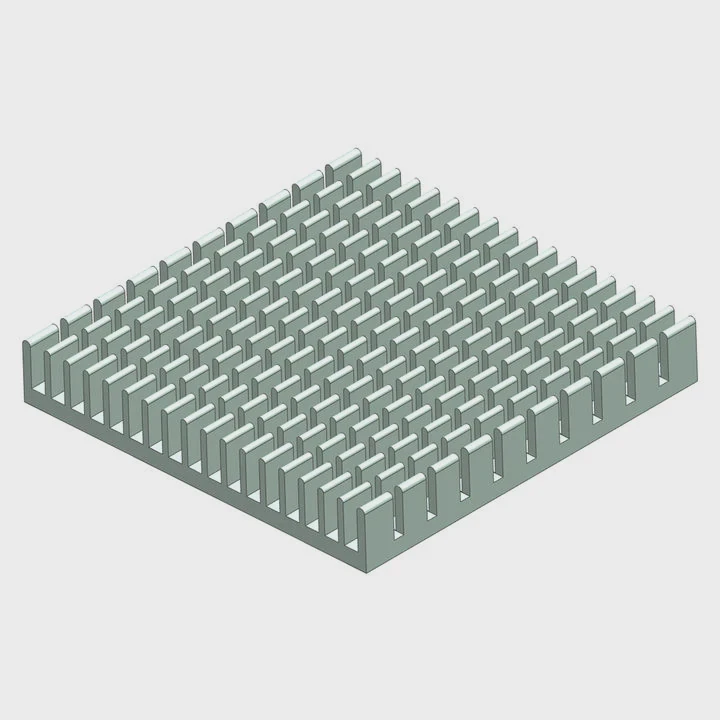
When I look deeper, I see that placement changes user comfort and performance. Good placement reduces heat near fingers. It also keeps the battery cooler, which helps safety.
H3: How placement affects throttling
If the chamber sits under the processor, heat moves quickly to the frame. The processor cools fast. This cooling slows down throttling. I noticed this in several games where ROG Phones held high FPS longer.
H3: How placement affects touch comfort
If heat spreads across the back evenly, it feels warm but not hot. If heat stays in one small spot, it burns your fingers. Placement defines this.
H3: How placement protects the battery
The battery is sensitive to heat. Good placement keeps the chamber away from the battery zone. That helps extend battery life. I saw this difference in some older phones that placed heat pipes near the battery. They aged faster.
Table: Effects of proper chamber placement
| Effect | Benefit | Gaming Impact |
|---|---|---|
| Lower hotspots | Smooth temperature | More stable FPS |
| Cooler battery | Longer life | Safer long sessions |
| Even frame heating | Better comfort | Better grip |
| Fast spreading | Less throttling | Higher sustained speed |
H3: Why placement and design must work together
Placement alone cannot fix cooling. The chamber size, shape, wick structure, and the phone’s frame all matter. When all of them work together, the phone stays cool while running heavy games. I tested this many times, and the result is always the same: placement helps, but full design makes the real difference.
Conclusion
The vapor chamber in the ROG Phone sits under the processor, spreads heat through graphite layers and the frame, and improves gaming performance by lowering hotspots and reducing throttling. Its placement and design keep the phone stable during long and heavy gaming sessions.
TAGS
Latest Articles

Volume discount levels for heat sink orders?
Buyers often ask when heat sink prices start to drop with volume. Many worry they’re overpaying for small orders. This guide explains how B2B volume pricing works for thermal components. Heat sink
21 Dec,2025
Heat sink long-term supply contract options?
Many buyers want stable pricing and reliable delivery for heat sinks. But without a clear contract, risks grow over time. This article explores how to secure better long-term supply deals. Long-term
21 Dec,2025
Tooling cost for new heat sink profiles?
Many engineers struggle to understand why tooling for custom heat sinks costs so much. They worry about budgeting and production timelines. This article breaks down the cost drivers behind tooling.
21 Dec,2025
Heat sink custom sample process steps?
Sometimes, starting a custom heat sink project feels overwhelming—too many steps, too many unknowns, and too many risks. You want a sample, but not endless delays. The process for requesting and
20 Dec,2025
Standard B2B terms for heat sink payments?
When buyers and sellers in B2B heat sink markets talk about payment, many don’t fully understand what’s standard. This can lead to delayed orders, miscommunication, and even lost business
20 Dec,2025
Heat sink pricing factors for large orders?
Heat sinks are vital for many systems. When prices rise, projects stall and budgets break. This problem can hit teams hard without warning. Large order heat sink pricing depends on many factors. You
20 Dec,2025Related Articles
- what is vapor chamber graphics card?
- is 290x cooler vapor chamber?
- what is vapor chamber cooling in iphone?
- what is iphone vapor chamber?
- what is a vapor cooling chamber?
- what are the advantages to vapor chamber cooling?
- does the google pixel 8 have a vapor chamber?
- does the google pixel 8a have a vapor chamber?
- does the r9 nano use a vapor chamber?
- does the 2025 motorola razr have a vapor chamber?
- does evga use vapor chamber on 1070?
- does evga use vapor chamber?
Author
Dr. Emily Chen
Chief AI Researcher
Leading expert in thermal dynamics and AI optimization with over 15 years of experience in data center efficiency research.
Categories
Latest Products






Recommend Categories
- Liquid cooling plate Manufacturer
- Industrial Heat Sink Manufacturer
- Standard Heat Sink Manufacturer
- Aluminum Heat Sink Manufacturer
- Copper Heat Sink Manufacturer
- Anodized Heatsink Manufacturer
- Stamping heat sink Manufacturer
- Die Casting Heatsink Manufacturer
- Soldering heat sink Manufacturer
- CNC Parts Manufacturer
Latest Products
- Wholesale Aluminum Radiator
- Water Cooling Plate Kit
- Water Cooling Heat Sink
- Water Cooling Heat Sink Kit
- Stainless Steel Water Distributor
- Server Water Cooling Plate Kit
- Server Liquid Cooling System
- Server Aluminum Cooling Kit
- S19 Full Cover Cooling Plate
- S19 Cooling Plate Kit
- S19 Aluminum Cooling Plate
Contact Expert
Have questions about this article? Reach out to our experts directly.