Do you need thermal paste for liquid cooling CPU?
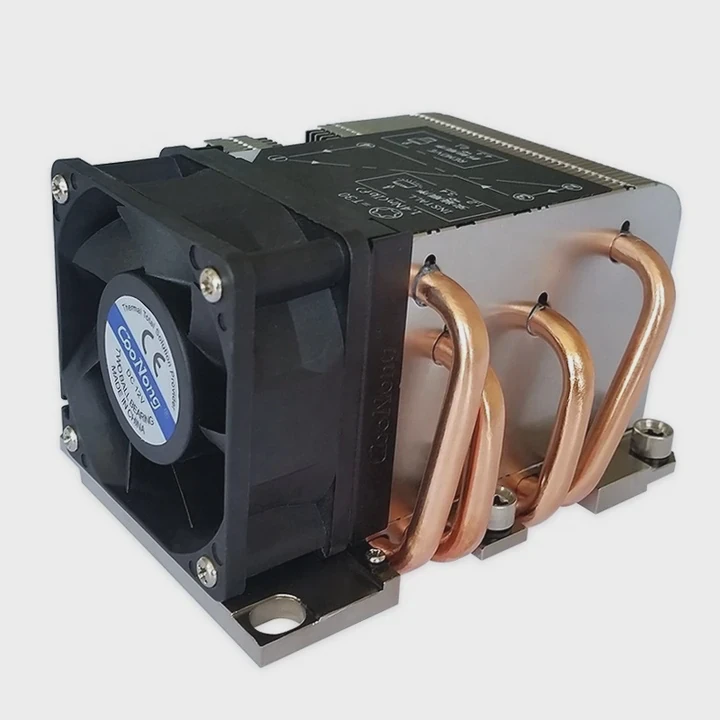
When people install liquid cooling systems, many think thermal paste is no longer needed. This is a common misunderstanding.
Yes, you still need thermal paste for liquid cooling CPUs because it fills microscopic air gaps between the CPU and the cold plate, ensuring efficient heat transfer.
Even though the liquid carries heat away, it still relies on a perfect thermal interface between the processor and the cooler’s metal surface. Without paste, heat can’t transfer efficiently.
What is thermal paste?
Many new PC builders think thermal paste is just another optional material. But it’s not. It’s the hidden link between performance and stability.
Thermal paste is a conductive compound that bridges microscopic gaps between the CPU surface and the cooler base, allowing efficient heat transfer from the chip to the cooling system.
Thermal paste, often called thermal compound or grease, is made of silicone or metal oxide suspensions. These materials have high thermal conductivity. When the CPU and cold plate meet, their surfaces are not perfectly flat. Tiny air gaps appear, and air is a poor conductor of heat. The paste fills those gaps, creating a continuous path for heat flow.
Key components of thermal paste
| Type | Main Composition | Typical Use |
|---|---|---|
| Silicone-based | Zinc oxide + silicone oil | General consumer CPUs |
| Metal-based | Silver or aluminum particles | High-performance systems |
| Carbon-based | Graphite or carbon nano powder | Long-lasting industrial use |
Different pastes perform differently. Metal-based ones often provide better conductivity but can be harder to clean or handle. Carbon pastes offer stable, non-conductive, and long-life performance, suitable for industrial systems.
Why is it necessary for heat transfer?
It’s easy to assume that since liquid cooling uses water or coolant, the contact surface isn’t that important. But in reality, it’s the starting point of the entire cooling chain.
Thermal paste is necessary because it ensures efficient conduction between the CPU and cooler, preventing air pockets that block heat flow and raise CPU temperatures.
When heat leaves the CPU, it travels through multiple layers before reaching the coolant. The very first layer — the interface between CPU and cold plate — decides how effective the whole process will be. If there’s no paste, the contact area becomes incomplete. Even a 1% loss in contact can mean several degrees of extra temperature. This reduces performance and long-term reliability.
Layers of thermal transfer in a CPU cooling setup
| Stage | Component | Function |
|---|---|---|
| 1 | CPU Die | Generates heat |
| 2 | Integrated Heat Spreader (IHS) | Spreads heat evenly |
| 3 | Thermal Paste | Connects IHS to cooler |
| 4 | Cold Plate | Transfers heat to coolant |
| 5 | Coolant Loop | Removes heat from system |
In short, the paste acts like a bridge. Without it, the system loses efficiency. With it, even a small drop of temperature can mean better stability, quieter fans, and longer hardware life.
How to apply it properly for CPUs?
Applying thermal paste may look simple, but many people do it wrong. Too much or too little can both cause issues.
Apply a small, pea-sized dot of thermal paste at the center of the CPU, then install the cooler evenly to spread it across the surface.
The goal is a thin, even layer that covers the entire CPU surface when pressure is applied. You don’t need to spread it manually; most coolers do it automatically as they’re tightened down. Avoid using too much paste because it can overflow and trap heat instead of transferring it.
Common mistakes when applying thermal paste
- Using too much paste: Leads to messy application and heat retention.
- Using too little paste: Creates air gaps and uneven cooling.
- Not cleaning old paste: Always clean old paste with isopropyl alcohol before reapplying.
- Touching with fingers: Oils from skin reduce thermal conductivity.
- Reusing old paste: Always apply fresh paste when reinstalling the cooler.
Correct application is the foundation for efficient cooling. A perfect layer ensures consistent temperature and system reliability under high workloads.
What are the new trends in thermal materials?
As CPUs and GPUs grow more powerful, thermal management becomes a key challenge. New materials are reshaping how heat moves across surfaces.
New thermal interface materials (TIMs) like liquid metal, phase-change pads, and graphene-based compounds are emerging to improve heat transfer efficiency and reliability.
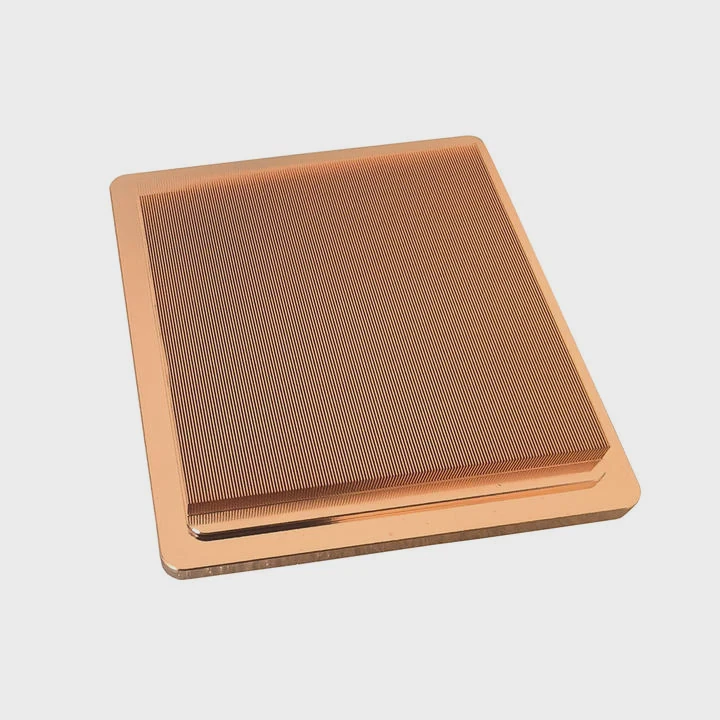
Traditional silicone and metal oxide pastes are still common, but newer alternatives offer far better conductivity. Liquid metal, for instance, uses gallium alloys that conduct heat up to 10 times more effectively than standard pastes. However, it’s conductive and must be handled carefully to avoid short circuits.
Major new materials in the market
| Material Type | Conductivity (W/m·K) | Advantages | Limitations |
|---|---|---|---|
| Liquid Metal | 30–80 | Best performance | Conductive, risk of corrosion |
| Graphene Paste | 10–20 | Stable, non-toxic | Expensive |
| Phase-change Pad | 5–12 | Easy to apply, no mess | Lower peak performance |
| Carbon-based Grease | 8–15 | Long-lasting, safe | Medium performance |
The next frontier involves phase-change materials that can adapt to temperature shifts. They remain solid under low heat and melt slightly when hot, automatically filling micro gaps. These are already used in advanced liquid cooling systems for industrial electronics.
Graphene, with its exceptional conductivity and flexibility, is another promising innovation. Researchers are now experimenting with hybrid compounds that combine graphene with silicone or metal nanoparticles to achieve both high conductivity and easy application.
As systems continue to get smaller and denser, efficient thermal interfaces are more critical than ever. The industry trend is clear — higher conductivity, longer lifespan, and easier application are shaping the next generation of cooling materials.
Conclusion
Thermal paste remains essential, even for liquid cooling systems. It ensures efficient heat transfer, stable temperatures, and longer CPU life. With new materials like liquid metal and graphene, thermal management continues to evolve toward higher performance and reliability.
TAGS
Latest Articles

Volume discount levels for heat sink orders?
Buyers often ask when heat sink prices start to drop with volume. Many worry they’re overpaying for small orders. This guide explains how B2B volume pricing works for thermal components. Heat sink
21 Dec,2025
Heat sink long-term supply contract options?
Many buyers want stable pricing and reliable delivery for heat sinks. But without a clear contract, risks grow over time. This article explores how to secure better long-term supply deals. Long-term
21 Dec,2025
Tooling cost for new heat sink profiles?
Many engineers struggle to understand why tooling for custom heat sinks costs so much. They worry about budgeting and production timelines. This article breaks down the cost drivers behind tooling.
21 Dec,2025
Heat sink custom sample process steps?
Sometimes, starting a custom heat sink project feels overwhelming—too many steps, too many unknowns, and too many risks. You want a sample, but not endless delays. The process for requesting and
20 Dec,2025
Standard B2B terms for heat sink payments?
When buyers and sellers in B2B heat sink markets talk about payment, many don’t fully understand what’s standard. This can lead to delayed orders, miscommunication, and even lost business
20 Dec,2025
Heat sink pricing factors for large orders?
Heat sinks are vital for many systems. When prices rise, projects stall and budgets break. This problem can hit teams hard without warning. Large order heat sink pricing depends on many factors. You
20 Dec,2025Related Articles
- How to liquid cool your GPU?
- Where to install liquid cooler for best performance?
- How to build a liquid cooling system for PC?
- When a gas is cooled to form a liquid?
- Why is a Liquid Cooling System Pressurized?
- Which is better, oil-cooled or liquid-cooled?
- How to check liquid cooling?
- How to install Cooler Master liquid cooler?
- Do You Need Liquid Cooling to Overclock?
- How much better is liquid cooling vs air cooling?
- Is Liquid Cooling Worth It for PC?
- How to set up a liquid cooling system?
Author
Dr. Emily Chen
Chief AI Researcher
Leading expert in thermal dynamics and AI optimization with over 15 years of experience in data center efficiency research.
Categories
Latest Products






Recommend Categories
- Liquid cooling plate Manufacturer
- Industrial Heat Sink Manufacturer
- Standard Heat Sink Manufacturer
- Aluminum Heat Sink Manufacturer
- Copper Heat Sink Manufacturer
- Anodized Heatsink Manufacturer
- Stamping heat sink Manufacturer
- Die Casting Heatsink Manufacturer
- Soldering heat sink Manufacturer
- CNC Parts Manufacturer
Latest Products
- Wholesale Aluminum Radiator
- Water Cooling Plate Kit
- Water Cooling Heat Sink
- Water Cooling Heat Sink Kit
- Stainless Steel Water Distributor
- Server Water Cooling Plate Kit
- Server Liquid Cooling System
- Server Aluminum Cooling Kit
- S19 Full Cover Cooling Plate
- S19 Cooling Plate Kit
- S19 Aluminum Cooling Plate
Contact Expert
Have questions about this article? Reach out to our experts directly.