How to install Cooler Master liquid cooler?
When I first tried installing a Cooler Master liquid cooler, I was nervous about leaks, fittings, and cables. It looked complicated, but once I understood each step, it became surprisingly easy.
Installing a Cooler Master liquid cooler involves mounting the radiator and fans, attaching the pump to the CPU, connecting power cables, and setting up fan control through BIOS or software.
A good installation ensures quiet operation, optimal cooling, and long-term stability. Let’s explore what makes these coolers special and how to install them the right way.
What is a Cooler Master cooler?
Cooler Master is a well-known brand among PC builders. Their cooling systems are popular for both beginners and enthusiasts.
A Cooler Master cooler is a thermal management device designed to regulate CPU or GPU temperature using air or liquid-based heat dissipation systems.
The company offers a wide range of cooling products, including:
- Air coolers (like the Hyper 212 series)
- All-in-One (AIO) liquid coolers (such as MasterLiquid series)
- Custom loop kits and accessories
Each model is built to balance performance, design, and ease of use.
Key Product Series
| Series | Type | Notable Features |
|---|---|---|
| Hyper 212 | Air Cooler | Budget-friendly, easy to install |
| MasterLiquid 240L / 360L | AIO Liquid | RGB lighting, quiet operation |
| MasterLiquid PL Flux | Premium AIO | Dual-chamber pump, better thermal transfer |
| MasterAir MA824 | High-end Air | Dual-fan design for extra cooling |
Cooler Master’s liquid coolers, especially the MasterLiquid series, use a dual-chamber pump design that separates hot and cold coolant, improving heat transfer and reducing wear over time.
What benefits does it provide?
When I switched from a stock air cooler to a Cooler Master AIO, I instantly noticed better performance. My CPU stayed cooler even under heavy rendering or gaming sessions.
Cooler Master liquid coolers provide better temperature control, quieter operation, and enhanced system stability compared to standard air coolers.
1. Superior Heat Dissipation
Liquid coolers use a radiator and pump to move heat away from the CPU more effectively. This results in lower average temperatures, especially under sustained workloads.
2. Quieter Operation
Thanks to larger radiators and efficient fans, Cooler Master’s liquid coolers maintain a low noise profile, even at full load. This makes them ideal for offices or studios.
3. Enhanced Aesthetic Appeal
RGB lighting, clean tubing, and sleek designs make them popular among gamers who value both function and style. Many Cooler Master coolers support full ARGB synchronization.
4. Longer Lifespan
The sealed loop design prevents coolant evaporation and reduces the risk of leaks. Most models come with durable tubing and a 5-year warranty, making them a reliable investment.
Comparison: Air vs Liquid Cooling (Cooler Master)
| Feature | Air Cooling | Liquid Cooling |
|---|---|---|
| Cooling Efficiency | Good | Excellent |
| Noise Level | Moderate | Low |
| Installation Complexity | Easy | Moderate |
| Aesthetic | Basic | Premium |
| Maintenance | Minimal | Low (sealed system) |
If you care about performance, silence, or aesthetics, Cooler Master’s liquid coolers are an excellent choice.
How to install it correctly?
I’ve installed several Cooler Master AIO coolers over the years, and the process is simpler than most people think. You just need patience and a few tools.
To install a Cooler Master liquid cooler correctly, mount the radiator and fans, attach the pump on the CPU with thermal paste, and connect all power and control cables properly.
Step-by-Step Installation Guide
Step 1: Prepare the Components
Unbox your cooler carefully. Check that you have:
- Radiator
- Pump with pre-applied thermal paste
- Mounting brackets (Intel/AMD)
- Fans
- Screws and cables
It’s always good to lay everything on a clean, flat surface.
Step 2: Mount the Radiator and Fans
Choose a mounting location:
- Top of case (best for exhaust)
- Front of case (best for intake)
- Rear of case (for compact builds)
Use the provided screws to secure both fans and radiator. Make sure airflow direction matches your case layout.
Step 3: Install the Backplate and Pump
Attach the appropriate mounting bracket to your motherboard (AM5, LGA1700, etc.).
Align the pump over the CPU and secure it evenly. Do not overtighten—it can damage the CPU socket.
Step 4: Connect Power Cables
Connect:
- Pump cable to CPU_FAN or PUMP_HEADER
- Fan cables to CPU_FAN or SYS_FAN
- RGB connectors (if available) to your ARGB header or controller
Double-check cable routing for clean management.
Step 5: Power On and Test
Before closing your case, power on the PC. Make sure:
- Pump is running (you’ll feel slight vibration)
- Fans spin normally
- No leaks or strange noises
Check temperatures in BIOS or monitoring software. Idle temps should stay around 30–40°C, and under load around 60–70°C.
My Installation Tip
Always ensure your radiator tubes are positioned below the pump if possible. This prevents air bubbles from entering the pump, which can reduce noise and extend its life.
What are the latest trends in Cooler Master cooling tech?
Cooler Master has evolved rapidly in recent years, combining aesthetics, performance, and smart control technology.
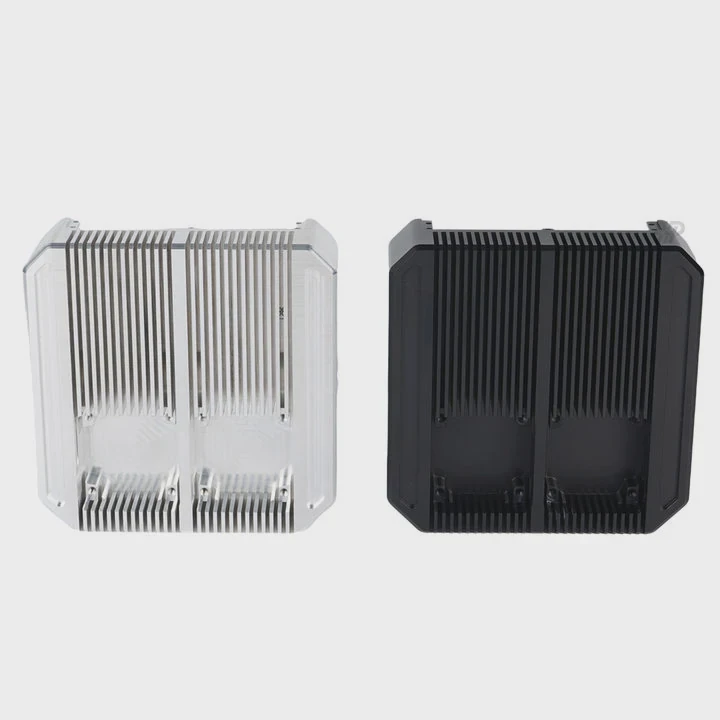
In 2025, Cooler Master’s cooling trends include AI-driven fan control, dual-chamber pumps, eco-friendly materials, and advanced ARGB lighting systems.
1. AI Smart Cooling
New Cooler Master models come with software that automatically adjusts fan curves and pump speeds based on workload. It learns your usage pattern and balances temperature with noise dynamically.
2. Improved Dual-Chamber Pumps
The latest dual-chamber pumps, featured in the PL Flux and ML V3 series, isolate coolant intake and output for smoother flow and better thermal transfer. This also improves durability.
3. Next-Gen ARGB and Lighting Sync
Cooler Master now integrates ARGB with motherboard software (like ASUS Aura and MSI Mystic Light). Users can customize every LED individually, even through voice or app control.
4. Compact Radiator Designs
The company has shifted toward slimmer radiators that deliver high efficiency with less noise. These new 240mm designs fit smaller cases without sacrificing performance.
5. Sustainable Cooling Systems
Cooler Master’s 2025 product line uses recyclable materials, energy-efficient pumps, and long-life fans to reduce carbon impact. Some even come with reusable coolant refill ports.
Future Outlook
The company continues to push cooling innovation by blending performance, aesthetics, and sustainability. Builders can expect smarter, quieter, and more efficient systems every year.
Conclusion
Installing a Cooler Master liquid cooler is straightforward once you understand the steps. It offers excellent thermal performance, lower noise, and stylish looks. As Cooler Master continues to innovate in 2025, their coolers combine intelligent control, eco-conscious design, and long-lasting reliability—making them a smart choice for any modern PC build.
TAGS
Latest Articles

Volume discount levels for heat sink orders?
Buyers often ask when heat sink prices start to drop with volume. Many worry they’re overpaying for small orders. This guide explains how B2B volume pricing works for thermal components. Heat sink
21 Dec,2025
Heat sink long-term supply contract options?
Many buyers want stable pricing and reliable delivery for heat sinks. But without a clear contract, risks grow over time. This article explores how to secure better long-term supply deals. Long-term
21 Dec,2025
Tooling cost for new heat sink profiles?
Many engineers struggle to understand why tooling for custom heat sinks costs so much. They worry about budgeting and production timelines. This article breaks down the cost drivers behind tooling.
21 Dec,2025
Heat sink custom sample process steps?
Sometimes, starting a custom heat sink project feels overwhelming—too many steps, too many unknowns, and too many risks. You want a sample, but not endless delays. The process for requesting and
20 Dec,2025
Standard B2B terms for heat sink payments?
When buyers and sellers in B2B heat sink markets talk about payment, many don’t fully understand what’s standard. This can lead to delayed orders, miscommunication, and even lost business
20 Dec,2025
Heat sink pricing factors for large orders?
Heat sinks are vital for many systems. When prices rise, projects stall and budgets break. This problem can hit teams hard without warning. Large order heat sink pricing depends on many factors. You
20 Dec,2025Related Articles
- How to check liquid cooling?
- Do you need thermal paste for liquid cooling CPU?
- How to liquid cool your GPU?
- Where to install liquid cooler for best performance?
- How to build a liquid cooling system for PC?
- When a gas is cooled to form a liquid?
- Do You Need Liquid Cooling to Overclock?
- How much better is liquid cooling vs air cooling?
- Is Liquid Cooling Worth It for PC?
- How to set up a liquid cooling system?
- Where to buy liquid cooling parts?
- How to make an air-cooled engine liquid-cooled?
Author
Dr. Emily Chen
Chief AI Researcher
Leading expert in thermal dynamics and AI optimization with over 15 years of experience in data center efficiency research.
Categories
Latest Products






Recommend Categories
- Liquid cooling plate Manufacturer
- Industrial Heat Sink Manufacturer
- Standard Heat Sink Manufacturer
- Aluminum Heat Sink Manufacturer
- Copper Heat Sink Manufacturer
- Anodized Heatsink Manufacturer
- Stamping heat sink Manufacturer
- Die Casting Heatsink Manufacturer
- Soldering heat sink Manufacturer
- CNC Parts Manufacturer
Latest Products
- Wholesale Aluminum Radiator
- Water Cooling Plate Kit
- Water Cooling Heat Sink
- Water Cooling Heat Sink Kit
- Stainless Steel Water Distributor
- Server Water Cooling Plate Kit
- Server Liquid Cooling System
- Server Aluminum Cooling Kit
- S19 Full Cover Cooling Plate
- S19 Cooling Plate Kit
- S19 Aluminum Cooling Plate
Contact Expert
Have questions about this article? Reach out to our experts directly.