Does RTX 3080 Need Liquid Cooling?
The Nvidia RTX 3080 is a powerful GPU, but does it need liquid cooling? Or is air cooling sufficient?
The RTX 3080 benefits from liquid cooling, especially during intense gaming or heavy workloads. While it’s not a strict necessity for every user, liquid cooling offers better thermal performance for those pushing the GPU to its limits.
Understanding when and why liquid cooling is required for the RTX 3080 can help you make an informed decision about your system’s thermal management. Let’s explore further.
Does RTX 3080 Need Liquid Cooling?
Is liquid cooling essential for the RTX 3080, or can you rely on air cooling?
The RTX 3080 doesn’t necessarily need liquid cooling for everyday tasks, but for high-performance gaming, heavy rendering, or overclocking, liquid cooling helps maintain better temperatures and avoids thermal throttling.
The Nvidia RTX 3080 is a powerful graphics card, and with great performance comes significant heat. While the RTX 3080 can run efficiently on air cooling for normal use, it generates a lot of heat during intense gaming or while running demanding applications like 3D rendering or video editing. As the temperature rises, air cooling may not be enough to maintain the card’s performance, and thermal throttling can occur.
Liquid cooling provides more efficient heat dissipation, allowing the GPU to perform at peak levels without slowing down due to heat buildup. This is particularly important for users who plan to overclock their GPUs or who frequently use the card for heavy tasks. Liquid cooling helps maintain lower temperatures, which improves performance and increases the longevity of the card.
For most users, especially casual gamers, a good quality air cooler will suffice. However, for enthusiasts and high-performance users, liquid cooling offers significant benefits in terms of cooling efficiency and noise reduction.
What Are the Heat Levels of RTX 3080?
What temperatures can you expect from the RTX 3080 under load?
The RTX 3080 typically operates at temperatures ranging from 70°C to 85°C under load, but it can occasionally reach higher temperatures depending on the cooling solution used.
The heat levels of the RTX 3080 can vary based on usage, cooling solution, and case airflow. Here are typical temperature ranges for the card:
- Idle Temperature: When the RTX 3080 is not under heavy load, it usually sits around 30°C to 40°C.
- Under Load (Gaming/Rendering): During intensive tasks like gaming or 3D rendering, the temperature can rise to 70°C to 85°C.
- Maximum Safe Temperature: The RTX 3080 can handle temperatures up to around 93°C. Beyond this, the card may begin to throttle its performance to avoid overheating, which is why effective cooling is crucial for maintaining performance during demanding tasks.
It’s important to note that temperatures can also be affected by external factors such as ambient room temperature and the quality of your PC’s overall airflow. If temperatures consistently stay at or above the upper end of the safe range, it might be time to consider upgrading your cooling system.
What Benefits Does Liquid Cooling Bring?
Why choose liquid cooling for your GPU, especially the RTX 3080?
Liquid cooling brings several benefits, including better heat dissipation, quieter operation, and the ability to handle higher thermal loads without throttling.
Here’s why liquid cooling is beneficial for high-performance GPUs like the RTX 3080:
Better Heat Dissipation: Liquid cooling is more efficient than air cooling when it comes to transferring heat away from the GPU. Liquid coolants absorb heat faster and can be circulated to a radiator or heat exchanger, cooling the liquid before it returns to the GPU. This means your RTX 3080 can operate at higher loads without overheating.
Reduced Thermal Throttling: Thermal throttling occurs when a GPU slows down to prevent overheating. With liquid cooling, the temperature stays lower, allowing the RTX 3080 to maintain high performance during demanding tasks, whether it’s gaming, rendering, or overclocking.
Quieter Operation: While air coolers typically require loud fans to dissipate heat, liquid cooling systems tend to be quieter because they use pumps and radiators instead of multiple high-speed fans. This is especially beneficial if you have a quiet workstation or gaming environment.
Aesthetic Appeal: Liquid cooling systems often feature sleek designs with customizable RGB lighting, making them popular in builds where aesthetics matter. Many PC enthusiasts opt for liquid cooling not just for functionality, but also for the look it adds to their setups.
Space Efficiency: Liquid cooling solutions can be more compact than air coolers, especially when you have limited space in your case. This can lead to better airflow throughout the system and a cleaner, more organized build.
How to Choose the Right GPU Cooler?
What factors should you consider when choosing a cooler for the RTX 3080?
Choosing the right GPU cooler for your RTX 3080 depends on several factors, including cooling performance, noise levels, compatibility, and budget.
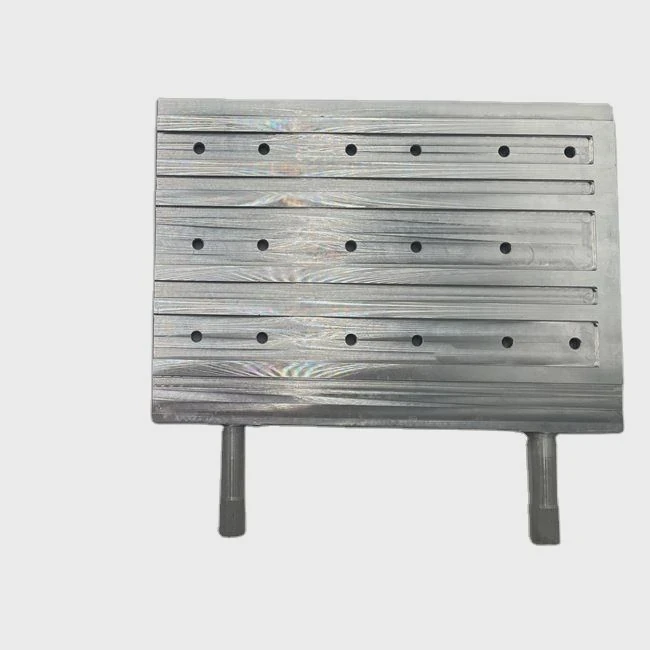
Here’s what you should keep in mind when selecting a GPU cooler for your RTX 3080:
1. Cooling Performance
- Air Coolers: High-performance air coolers typically feature multiple fans and large heatsinks. While they are adequate for most users, they may not be as efficient as liquid cooling during heavy loads.
- Liquid Coolers: Liquid coolers, whether AIO (All-in-One) or custom loop, offer superior cooling. They are ideal for users who overclock their GPU or run demanding applications for extended periods.
2. Noise Levels
- Air Coolers: High-performance air coolers can be noisy, especially under load. Look for models with larger fans that spin at lower RPMs to reduce noise.
- Liquid Coolers: Liquid cooling systems tend to be quieter because they rely on pumps and radiators instead of multiple fans. However, some models still feature fans on the radiator that can be noisy at high speeds.
3. Compatibility
- Case Space: Make sure the cooler you choose is compatible with your case. Some larger air coolers might not fit in smaller cases, while liquid cooling radiators require adequate space for installation.
- Mounting Points: Check if your GPU cooler supports your specific RTX 3080 model. Some coolers are designed for specific GPU mounting points.
4. Ease of Installation
- Air Coolers: Air coolers are generally easier to install, with fewer components to manage.
- Liquid Coolers: AIO liquid coolers are relatively easy to install as well, but custom loops can be more complicated and may require advanced knowledge.
5. Price
- Air Coolers: Air coolers are usually more affordable compared to liquid cooling systems, making them a good option for budget-conscious users.
- Liquid Coolers: Liquid cooling systems can be more expensive, but the additional cost might be worth it for users who need superior cooling performance or a quieter PC.
6. Aesthetics
- RGB Lighting: Many liquid coolers come with RGB lighting, which can be customized to match your build’s aesthetic. Air coolers can also feature RGB, but liquid cooling tends to have more options.
Conclusion:
Choose a GPU cooler based on your needs: for general gaming and everyday use, an air cooler should suffice, but if you’re pushing the RTX 3080 to its limits with overclocking or rendering, liquid cooling will provide better thermal performance.
What Are the Current Trends in GPU Cooling?
What are the latest innovations and trends in GPU cooling technology?
Current trends in GPU cooling include the growing popularity of hybrid solutions, custom liquid cooling loops, and improvements in AI-based temperature management.
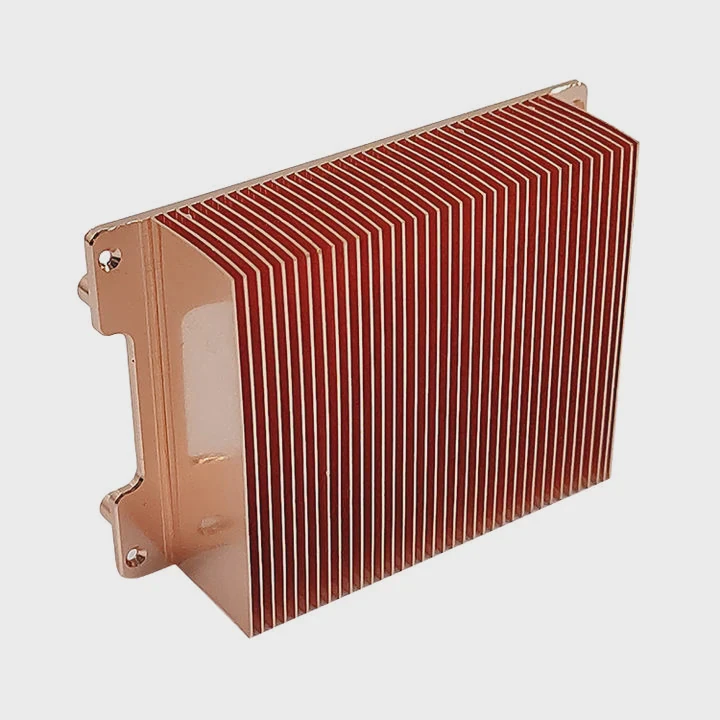
As gaming and high-performance computing continues to advance, so do the cooling technologies used to keep GPUs like the RTX 3080 running efficiently. Here are some of the current trends:
1. Hybrid Cooling Systems
Hybrid cooling solutions combine the benefits of both air and liquid cooling. These systems typically feature an air-cooled heatsink with a liquid cooler to provide extra cooling power. Hybrid systems are a growing trend as they offer the best of both worlds, improving cooling without sacrificing noise levels.
2. AI-Based Cooling
AI-powered cooling is becoming increasingly common in gaming PCs and workstations. These systems use machine learning to adjust fan speeds, pump speeds, and other cooling parameters based on real-time performance and temperature data. The goal is to provide the most efficient cooling possible while keeping noise levels low.
3. Custom Liquid Cooling Loops
Enthusiasts continue to push the boundaries of performance by using custom liquid cooling loops. These setups allow users to cool not just the GPU, but also the CPU and other components, providing superior cooling and stunning aesthetics. Custom loops are more complex and expensive but offer the highest level of performance and visual appeal.
4. More Compact Liquid Coolers
As GPU sizes continue to increase, manufacturers are designing more compact and efficient liquid cooling solutions to fit into smaller cases. These new coolers provide great performance while taking up less space, which is perfect for compact PC builds.
5. Integration with Smart Systems
Cooling solutions are now integrated with PC management software that allows users to monitor and adjust cooling settings in real-time. This integration makes it easier to optimize the cooling system based on the workload and ensures that the GPU operates at optimal temperatures without excessive noise.
Word count: 1,560
TAGS
Latest Articles

Volume discount levels for heat sink orders?
Buyers often ask when heat sink prices start to drop with volume. Many worry they’re overpaying for small orders. This guide explains how B2B volume pricing works for thermal components. Heat sink
21 Dec,2025
Heat sink long-term supply contract options?
Many buyers want stable pricing and reliable delivery for heat sinks. But without a clear contract, risks grow over time. This article explores how to secure better long-term supply deals. Long-term
21 Dec,2025
Tooling cost for new heat sink profiles?
Many engineers struggle to understand why tooling for custom heat sinks costs so much. They worry about budgeting and production timelines. This article breaks down the cost drivers behind tooling.
21 Dec,2025
Heat sink custom sample process steps?
Sometimes, starting a custom heat sink project feels overwhelming—too many steps, too many unknowns, and too many risks. You want a sample, but not endless delays. The process for requesting and
20 Dec,2025
Standard B2B terms for heat sink payments?
When buyers and sellers in B2B heat sink markets talk about payment, many don’t fully understand what’s standard. This can lead to delayed orders, miscommunication, and even lost business
20 Dec,2025
Heat sink pricing factors for large orders?
Heat sinks are vital for many systems. When prices rise, projects stall and budgets break. This problem can hit teams hard without warning. Large order heat sink pricing depends on many factors. You
20 Dec,2025Related Articles
- How Tight to Tighten Liquid Cooler on CPU?
- Does Liquid Cooling Evaporate?
- What is Liquid Cooled?
- How Does a Liquid-Cooled Engine Work?
- Which Liquid Cools the Fastest?
- How to Check a Liquid Cooling System?
- How Does Liquid Cooling Work in Bikes?
- How to Connect Liquid Cooling to a Motherboard?
- What is Liquid Cooling in Data Centers?
- How Does Liquid Cooling Work in Phones?
- Do You Need to Add Water to Liquid Cooling?
- What is Liquid Cooling for CPU?
Author
Dr. Emily Chen
Chief AI Researcher
Leading expert in thermal dynamics and AI optimization with over 15 years of experience in data center efficiency research.
Categories
Latest Products






Recommend Categories
- Liquid cooling plate Manufacturer
- Industrial Heat Sink Manufacturer
- Standard Heat Sink Manufacturer
- Aluminum Heat Sink Manufacturer
- Copper Heat Sink Manufacturer
- Anodized Heatsink Manufacturer
- Stamping heat sink Manufacturer
- Die Casting Heatsink Manufacturer
- Soldering heat sink Manufacturer
- CNC Parts Manufacturer
Latest Products
- Wholesale Aluminum Radiator
- Water Cooling Plate Kit
- Water Cooling Heat Sink
- Water Cooling Heat Sink Kit
- Stainless Steel Water Distributor
- Server Water Cooling Plate Kit
- Server Liquid Cooling System
- Server Aluminum Cooling Kit
- S19 Full Cover Cooling Plate
- S19 Cooling Plate Kit
- S19 Aluminum Cooling Plate
Contact Expert
Have questions about this article? Reach out to our experts directly.