is it better to get ssd with heatsink?
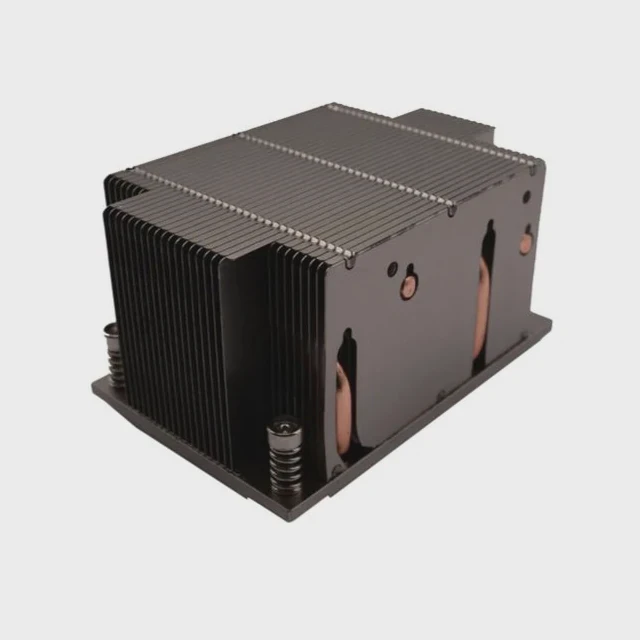
Many buyers wonder if an SSD with a built-in heatsink gives better performance or longer life. A simple choice can change speed stability and heat levels.
An SSD with a heatsink works better when the drive runs hot or sits in a cramped space. A heatsink improves reliability, prevents throttling, and keeps performance stable, but it must match the device and enclosure.
I have seen many SSDs throttle because the system had no proper cooling. Picking the right cooling method avoids slowdowns and protects the drive.
Why factory sinks improve reliability?
Many SSD controllers generate high heat during large transfers. Heat changes stability and long-term durability.
Factory heatsinks improve reliability because they fit the drive perfectly, spread heat well, and maintain stable temperatures under heavy load. They avoid uneven pressure and reduce thermal cycling stress.
Why a matched heatsink works best
Factory heatsinks fit tightly across the controller and NAND. They use pads that match component height. This gives even contact. Third-party sinks sometimes miss spots or press too hard.
Why factory designs help reliability
| Feature | Benefit |
|---|---|
| Pre-installed pads | Even pressure |
| Tight fit | Better heat spreading |
| Tested design | Stable long use |
A deeper look at reliability impact
Factory heatsinks solve alignment problems. SSD components do not sit at equal height. The controller is taller than the NAND chips. A factory sink uses pads with different thicknesses. This lets the sink touch every part evenly. Even pressure helps avoid cracks in the solder joints.
Heat cycling is a major stress factor. When the controller heats quickly, it expands. When cooling, it shrinks. This cycle repeats thousands of times. A heatsink slows temperature swings. This protects internal solder and the small power chips that regulate current.
Factory sinks also reduce hot spots. Many SSDs run fine at idle but overheat during long file transfers. A good sink spreads heat across its fins or plate. This prevents sudden drops in speed. Reliability increases when temperatures stay low and stable.
Which SSDs throttle most?
Some models reach high temperatures quickly. Others stay cool because of lower controller power.
High-speed NVMe SSDs with powerful controllers throttle most. Drives above Gen3 speeds, especially Gen4 and Gen5 models, generate heat that exceeds bare-board cooling.
Why some SSDs run hotter
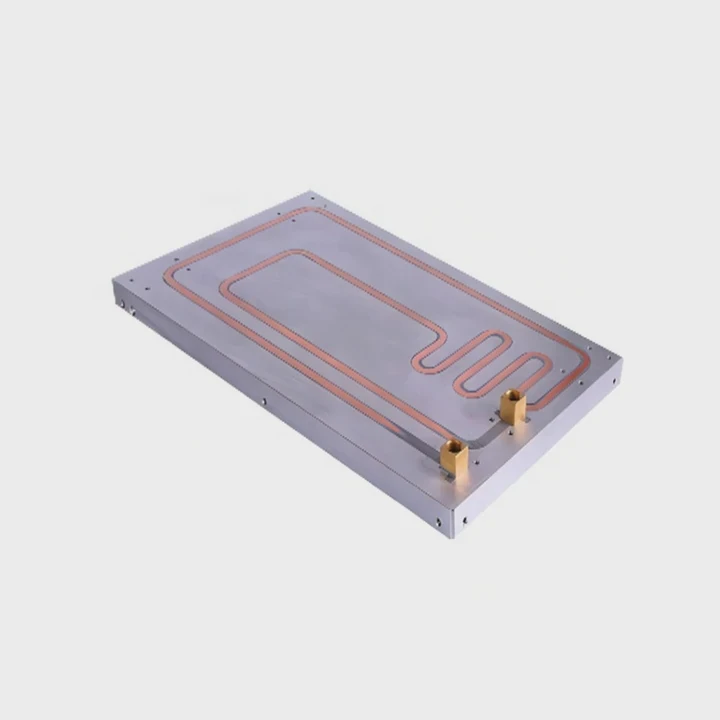
Faster controllers consume more power. More power becomes more heat. Gen4 and Gen5 SSDs push very high speeds. Without proper cooling, they enter thermal throttling to protect themselves.
SSD types and heat behavior
| SSD Type | Heat Level |
|---|---|
| SATA SSD | Low |
| Gen3 NVMe | Medium |
| Gen4 NVMe | High |
| Gen5 NVMe | Very high |
A deeper look at throttling patterns
A Gen4 SSD can push several gigabytes per second. The controller must handle these speeds while managing flash mapping tables. This heavy work creates consistent heat. The controller then hits its thermal limit. When this happens, performance drops. Some drives drop by more than half until they cool.
Gen5 SSDs push even harder. They often need thick heatsinks, sometimes with small fans. Without strong cooling, they throttle in seconds during sustained writes. Many laptops cannot handle Gen4 or Gen5 heat unless designed for it.
SATA SSDs hardly ever throttle because their speeds are much lower. Their controllers draw less power. But even they can warm slightly inside tight bays. NVMe drives are the real challenge because they operate at much higher bandwidth.
When choosing a drive, check power consumption numbers. High-power controllers generate more heat and need better cooling. A good heatsink prevents sudden slowdowns and protects drive endurance.
Can motherboard sinks replace built-ins?
Many motherboards include M.2 heatsinks today. Some users wonder if these replace the factory ones.
Motherboard heatsinks can replace built-in heatsinks if they have good contact, proper pressure, and enough mass. But some board sinks are too thin or uneven to cool high-end SSDs well.
Why people consider using motherboard sinks
Motherboard sinks look neat and avoid clearance issues. They also support the board’s airflow. But quality varies. Some are strong metal blocks. Others are thin plates with weak pads.
Strength of motherboard sinks
| Motherboard Sink | Cooling Level |
|---|---|
| Thick aluminum block | High |
| Thin decorative shield | Low |
| Medium plate with pad | Medium |
A deeper look at replacing built-in sinks
When you remove a factory heatsink, you remove a carefully matched thermal design. Motherboard sinks sometimes offer a smoother airflow path, but their pads may not reach all SSD components evenly.
Some motherboard heatsinks use soft pads that compress too much. This reduces pressure on tall parts like the controller. When pressure is low, contact weakens. Weak contact means poor cooling. A factory sink usually gives stronger, balanced contact.
Motherboard sinks also vary in thickness. Thick ones cool well. Thin ones mostly look nice. The thermal mass of the plate decides how well it handles long workloads. Large sinks resist heat buildup. Small sinks heat quickly and then lose effectiveness.
A motherboard sink can replace a factory sink only if it fits tightly, covers hot zones, and uses good pads. Otherwise, using the original heatsink is the safer choice.
Do enclosed bays trap heat?
Many laptops and small PCs place SSDs in tight, covered spaces. These designs look clean but may trap heat.
Yes, enclosed bays trap heat because airflow becomes limited, and heat cannot leave the area. A heatsink inside a closed bay may run hotter than a bare SSD with better ventilation.
Why enclosed bays cause trouble
Air cannot move inside small spaces. Heat rises and stays there. When the SSD heats up, the temperature inside the bay climbs too. This slows cooling and increases throttling.
Heat behavior inside tight spaces
| Space Type | Heat Effect |
|---|---|
| Open case airflow | Cool |
| Semi-enclosed laptop slot | Warm |
| Fully enclosed bay | Hot |
A deeper look at enclosed bay challenges
A heatsink works by spreading heat. But spreading alone is not enough. The heat must leave the area through airflow or conduction. In a sealed bay, airflow barely exists. The heatsink warms, then warms the air around it, and the trapped air warms the SSD again. The cycle continues without relief.
Some laptop bays include thin shields that press against thermal pads. These shields act as heat spreaders. Without them, heat stays in the SSD. A big heatsink inside a laptop bay may block airflow or press against the cover. This makes cooling worse.
Mini PCs also struggle with enclosed bays. Many place the SSD under the motherboard or beside the Wi-Fi card. These tiny spaces accumulate heat rapidly. Even a small rise in SSD temperature can cause throttling. In these cases, a simple thin pad that connects the SSD to a metal cover often performs better than a bulky heatsink.
Understanding airflow and the case layout is key. A heatsink works only when heat can escape from it. In closed spaces, heat builds until the drive throttles.
Conclusion
An SSD with a heatsink performs better when the drive generates high heat or sits in tight cases. Factory sinks improve reliability, high-speed SSDs throttle easily, motherboard sinks help only when designed well, and enclosed bays trap heat. Matching the cooling to the environment gives the best long-term performance.
TAGS
Latest Articles

Volume discount levels for heat sink orders?
Buyers often ask when heat sink prices start to drop with volume. Many worry they’re overpaying for small orders. This guide explains how B2B volume pricing works for thermal components. Heat sink
21 Dec,2025
Heat sink long-term supply contract options?
Many buyers want stable pricing and reliable delivery for heat sinks. But without a clear contract, risks grow over time. This article explores how to secure better long-term supply deals. Long-term
21 Dec,2025
Tooling cost for new heat sink profiles?
Many engineers struggle to understand why tooling for custom heat sinks costs so much. They worry about budgeting and production timelines. This article breaks down the cost drivers behind tooling.
21 Dec,2025
Heat sink custom sample process steps?
Sometimes, starting a custom heat sink project feels overwhelming—too many steps, too many unknowns, and too many risks. You want a sample, but not endless delays. The process for requesting and
20 Dec,2025
Standard B2B terms for heat sink payments?
When buyers and sellers in B2B heat sink markets talk about payment, many don’t fully understand what’s standard. This can lead to delayed orders, miscommunication, and even lost business
20 Dec,2025
Heat sink pricing factors for large orders?
Heat sinks are vital for many systems. When prices rise, projects stall and budgets break. This problem can hit teams hard without warning. Large order heat sink pricing depends on many factors. You
20 Dec,2025Related Articles
- how to choose a heatsink for cpu?
- do you put thermal paste on the cpu and heatsink?
- can you put ssd with heatsink in laptop?
- how to put a heatsink on motherboard 1366?
- what is the difference between dialectric grease and heatsink compound?
- how to remove a heatsink from a cpu?
- how to clip fan to heatsink?
- how to pain heatsinks?
- are m2 ssd heatsinks recommended?
- what heatsink should i get for i7 6700?
- do i need heatsink for nvme ssd?
- does r16 nvme slot comes with heatsink?
Author
Dr. Emily Chen
Chief AI Researcher
Leading expert in thermal dynamics and AI optimization with over 15 years of experience in data center efficiency research.
Categories
Latest Products

M.2 Heatpipe Heatsink With Dual Fans For Pc Case
19 Mar,2026

Heavy-Duty Aluminum Heat Sink Custom
19 Mar,2026

Oem Skived Fin Heatsink Aluminum Radiator For Plants
19 Mar,2026

Water Cooled Cnc Aluminum Heat Sink For Medical
19 Mar,2026

High Density 6000 Series Aluminum Heat Sink Profile
19 Mar,2026

High-Density Extruded Aluminum & Bonded-Fin Heat Sink Profile
19 Mar,2026
Recommend Categories
- Liquid cooling plate Manufacturer
- Industrial Heat Sink Manufacturer
- Standard Heat Sink Manufacturer
- Aluminum Heat Sink Manufacturer
- Copper Heat Sink Manufacturer
- Anodized Heatsink Manufacturer
- Stamping heat sink Manufacturer
- Die Casting Heatsink Manufacturer
- Soldering heat sink Manufacturer
- CNC Parts Manufacturer
Latest Products
- M.2 Heatpipe Heatsink With Dual Fans For Pc Case
- Heavy-Duty Aluminum Heat Sink Custom
- Oem Skived Fin Heatsink Aluminum Radiator For Plants
- Water Cooled Cnc Aluminum Heat Sink For Medical
- High Density 6000 Series Aluminum Heat Sink Profile
- High-Density Extruded Aluminum & Bonded-Fin Heat Sink Profile
- Dongguan Cnc Aluminum Heat Sink For Led & Brass Parts
- Wholesale Cnc Aluminum Heat Sink - Custom Extruded
- Led Cnc Round Heat Sink With Screw Holes
- Copper Pin-Fin Heat-Sink Large-Area For Photoled Cooling
- Telecom Heatsink Zipper Fin Wcopper Tubes Oem
Contact Expert
Have questions about this article? Reach out to our experts directly.