What is heatsink in computer?
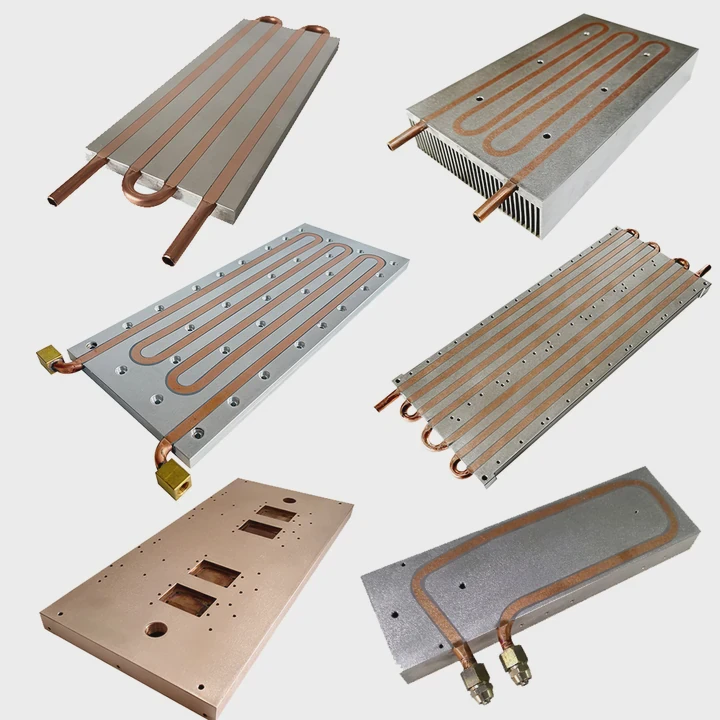
I still remember the first time I held a small block of metal from an old PC and wondered why it felt warm even after the system was off.
A heatsink in a computer is a block of metal that absorbs heat from parts like the CPU or GPU and spreads it into the air so the parts stay cool and stable.
I want to show you what I learned over years of working with systems, so you can understand why heatsinks matter and how they keep your computer alive.
Why computers generate heat?
I used to think computers got hot only when running heavy games. Later, I learned that heat appears even when a system only opens a web page.
Computers generate heat because electrical power flows through chips, and the flow meets resistance. This resistance turns part of the power into heat. Fast chips produce more heat because they switch many times per second.
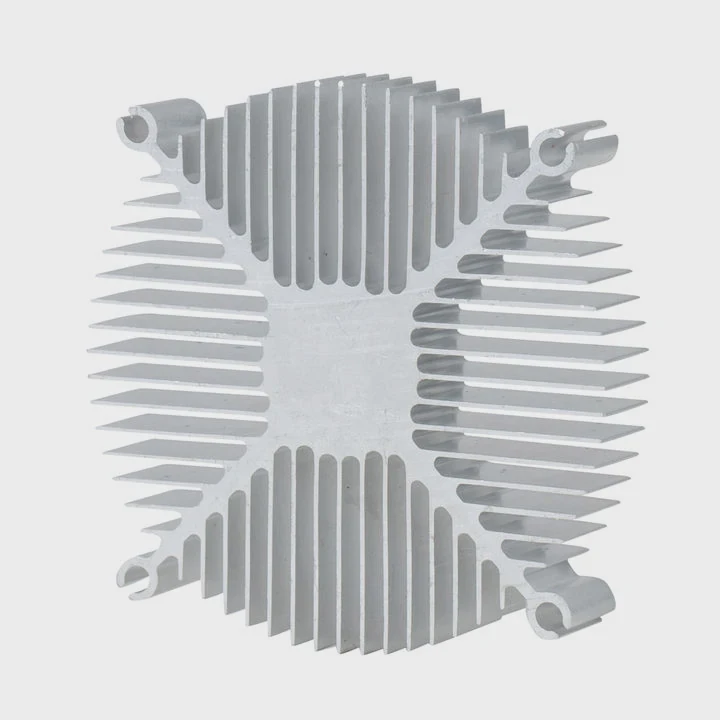
When I look at a processor, I see millions of small parts inside it. These parts turn electrical signals on and off all day. Each switch creates a tiny bit of heat. When all the switches work together, the heat grows fast. I once touched the base of a heatsink right after a stress test, and it felt almost too warm to hold. That showed me how strong the heat becomes when the chip works hard.
Where heat starts inside the system
Heat comes from many places, not just the CPU. Here are the spots I see most often:
| Component | Why It Gets Hot | Heat Level |
|---|---|---|
| CPU | High switching load | Very high |
| GPU | Heavy graphics work | Very high |
| VRMs | Power control | Medium |
| Chipset | Data routing | Low to medium |
| Memory | Fast data changes | Low |
The CPU and GPU make the most heat. When I first cleaned a gaming system, I found the GPU heatsink much hotter than the CPU one. It taught me that every part must stay cool or risk slowing down or shutting off.
How heat affects performance
Heat changes how chips behave. When the temperature rises, the chip slows its speed to protect itself. I saw this with an old laptop. As soon as the dust blocked the cooler, the laptop ran slow. After cleaning the sink, the speed returned to normal. Heat controls the whole system in ways many people do not see.
Why heat must leave fast
If heat stays inside the chip, the tiny transistors change shape over time. This can shorten the life of the CPU. That is why the heatsink touches the chip directly. It gives heat a path to leave. Once I forgot to mount the sink correctly on a small desktop build. The system shut down after two minutes. That moment taught me how fast things get hot and how much the sink matters.
Computers create heat because electronics never run cold. The heat is normal, but it must be managed. The heatsink is the tool that makes it possible.
How do fins increase surface area?
The first time I saw a heatsink, I wondered why it had so many thin plates instead of one thick block.
Fins increase surface area by spreading heat across many thin metal plates. More surface area lets more air touch the metal, so heat leaves the sink faster and the part stays cooler.
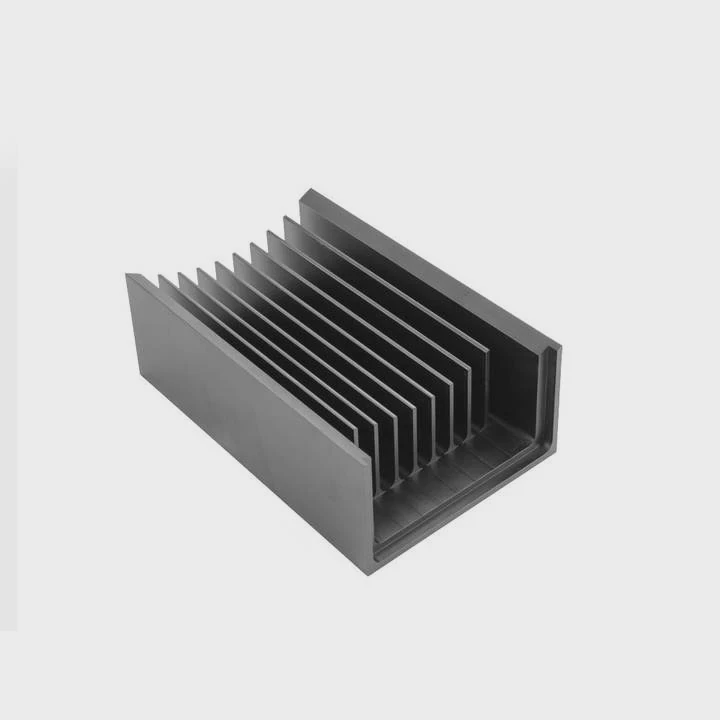
I learned this by comparing a solid block of metal to a finned heatsink. The block stays hot for a long time, because only the outside cools. A finned sink cools fast, because the air touches every plate. It gives the heat many paths to escape. When I held two heatsinks after a test, the finned one cooled down much faster.
How fins work inside real systems
Fins sit close together, but not too close. They need small spaces for air to pass through. When the fan blows air, the air moves through each fin. This movement pulls the heat out. I can see dust collecting between the fins because the air always flows through the same path.
What fins do
- They create more area for heat to leave
- They guide air through a smooth path
- They keep the temperature even across the sink
When I cleaned a large tower cooler, I counted more than thirty fins. Each one played a part in cooling. Losing just a few fins would weaken the sink a lot.
Why thickness and spacing matter
Here is a table that shows how fin spacing changes cooling:
| Fin Spacing | Airflow | Cooling Result |
|---|---|---|
| Too tight | Weak | Dust buildup, hot |
| Balanced | Strong | Best cooling |
| Too wide | Strong | Less surface area |
I saw a cooler with very tight fins once. It looked nice, but it clogged with dust fast. Air stopped moving. The CPU ran hot. When I cleaned it and widened the fins slightly with a thin stick, the cooling improved.
Why large coolers use more fins
Bigger coolers need more surface area because they handle more heat. A gaming CPU makes a lot of heat under full load. The cooler needs enough fins to hold and release that heat. This is why large tower coolers work so well. They give heat many paths to move out. I installed one on a friend’s PC, and the temperature dropped by ten degrees after the upgrade.
Fins matter because heat moves into air only through contact. More fins mean more contact. That simple detail controls the whole cooling system.
Which materials cool best?
I once tested two heatsinks that looked the same. One felt cold much faster than the other. That is when I learned that material matters more than shape.
Copper and aluminum cool best in most computer heatsinks. Copper spreads heat fast, and aluminum releases heat into the air well at a lower cost and lighter weight.
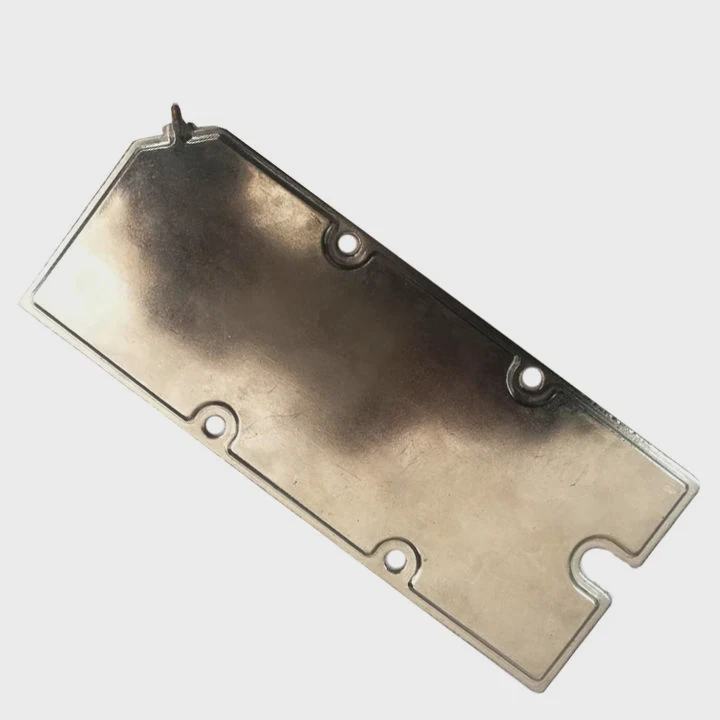
Copper moves heat quickly. When the CPU gets hot, copper pulls the heat away from the small contact area. Aluminum spreads the heat into the air with its wide fins. Many coolers use both metals together. The base and heat pipes are copper. The fins are aluminum. I noticed this pattern in almost every high-quality cooler I worked with.
Why copper feels better for the base
Copper has high thermal conductivity. It moves heat fast. I once tapped a copper base right after a test. It felt hot right away. This means the metal took heat from the CPU quickly. That fast movement helps control the temperature before it rises too high.
Why aluminum wins for fins
Aluminum is lighter. This makes it safe for large coolers, especially tall ones. If the fins were copper, the cooler might become too heavy for the board. Aluminum also resists corrosion better in open air. When fins sit in a dusty case for years, aluminum stays clean longer.
Comparison chart of heatsink materials
| Material | Thermal Spread | Weight | Cost | Notes |
|---|---|---|---|---|
| Copper | Very high | Heavy | High | Best for bases |
| Aluminum | Medium | Light | Low | Best for fins |
| Nickel plating | Low | Medium | High | Protects surface |
| Steel | Very low | Heavy | Low | Rare in heatsinks |
Why mixed designs work best
I like mixed-metal sinks because they use the strengths of both metals. The copper base spreads the heat fast. The aluminum fins cool the heat in the air. When I replaced a full aluminum sink with a copper+aluminum one, the CPU became ten degrees cooler under load.
Why pure copper coolers are rare
Pure copper sinks exist, but they are heavy. They also cost more. I held one once, and it felt dense. It cooled well, but I worried about the weight on the board. That is why most people use mixed designs. They cool well without risk.
Material choice shapes how well the cooler works. Good coolers use copper where heat enters and aluminum where heat leaves.
Can active cooling enhance sinks?
I spent years thinking a heatsink worked alone. Later, I learned that fans change everything.
Active cooling enhances heatsinks by using fans to move air across the fins. Moving air takes heat away faster than still air, so the heatsink works much better under load.
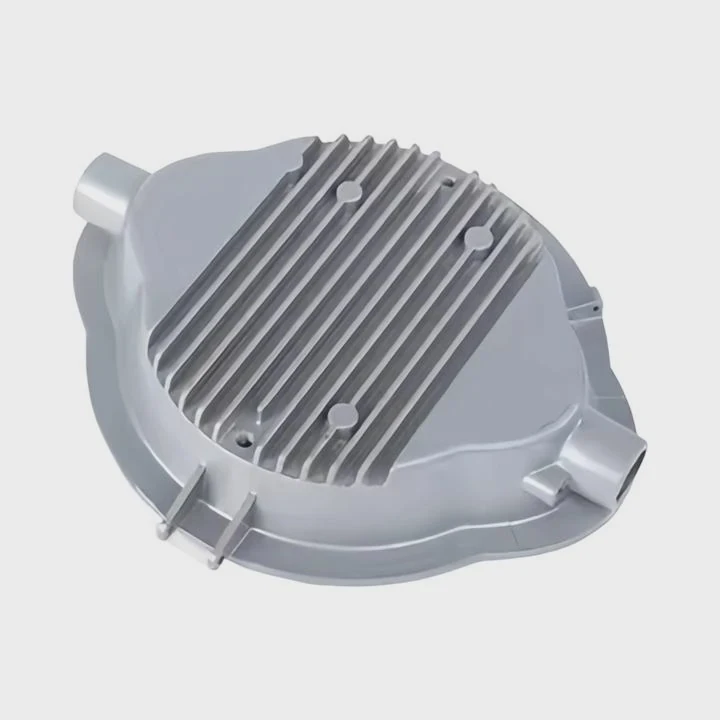
Active cooling turns a simple metal block into a strong cooling system. When the fan spins, it pushes cold air in and pulls warm air out. This constant motion keeps the metal cool. I once tested a heatsink without its fan. The temperature jumped quickly. When I turned the fan back on, the CPU cooled at once.
Why airflow matters
Airflow controls how fast heat leaves the fins. Without airflow, the fins become warm and stay warm. With airflow, the fins cool down fast. I can prove this easily by touching the side of the sink during a fan test. When the fan spins fast, the metal feels cooler.
Table: How fan speed affects cooling
| Fan Speed | Air Movement | Cooling Effect |
|---|---|---|
| Low | Gentle | Good for idle |
| Medium | Steady | Good for daily use |
| High | Strong | Best for heavy load |
| No fan | None | Very poor cooling |
The fan gives strength to the heatsink. I saw a system stay cool even under heavy use because its fan ramped up at the right time.
Why some heatsinks use heat pipes
Heat pipes help active cooling by moving heat from the base to the fins. The air then cools the fins. Heat pipes act like super-fast roads for heat. I took apart a broken heatsink once and saw the pipes inside. They looked simple but made a huge difference in performance.
Why active cooling helps large processors
Large CPUs and GPUs make so much heat that passive cooling is not enough. Active cooling gives them room to breathe. When I added a second fan to a tower cooler, the CPU stayed even cooler. The push-pull setup moved air faster.
Active cooling lifts a simple heatsink into a new level of strength. It protects the chip and keeps the system stable even under heavy work.
Conclusion
A heatsink in a computer is a metal tool that pulls heat from the CPU or other parts and releases it into the air. Fins increase surface area, good materials move heat fast, and active cooling boosts the whole process. A healthy heatsink keeps every system safe and steady.
TAGS
Latest Articles

Volume discount levels for heat sink orders?
Buyers often ask when heat sink prices start to drop with volume. Many worry they’re overpaying for small orders. This guide explains how B2B volume pricing works for thermal components. Heat sink
21 Dec,2025
Heat sink long-term supply contract options?
Many buyers want stable pricing and reliable delivery for heat sinks. But without a clear contract, risks grow over time. This article explores how to secure better long-term supply deals. Long-term
21 Dec,2025
Tooling cost for new heat sink profiles?
Many engineers struggle to understand why tooling for custom heat sinks costs so much. They worry about budgeting and production timelines. This article breaks down the cost drivers behind tooling.
21 Dec,2025
Heat sink custom sample process steps?
Sometimes, starting a custom heat sink project feels overwhelming—too many steps, too many unknowns, and too many risks. You want a sample, but not endless delays. The process for requesting and
20 Dec,2025
Standard B2B terms for heat sink payments?
When buyers and sellers in B2B heat sink markets talk about payment, many don’t fully understand what’s standard. This can lead to delayed orders, miscommunication, and even lost business
20 Dec,2025
Heat sink pricing factors for large orders?
Heat sinks are vital for many systems. When prices rise, projects stall and budgets break. This problem can hit teams hard without warning. Large order heat sink pricing depends on many factors. You
20 Dec,2025Related Articles
- what to do if secondary heatsink is too high?
- how do heatsink launchers work?
- does gpu heatsink have liquid?
- Does Ryzen come with heatsink and compound?
- how to remove thermal compound from heatsink?
- how to remove ram heatsink without heat gun?
- can i use heatsink from i5 on i7?
- how to clean zalman cpu heatsink?
- is a heatsink required for ps5?
- can cpu run without heatsink?
- how to remove an amd heatsink?
- Will Samsung 990 Pro with heatsink fit in a laptop?
Author
Dr. Emily Chen
Chief AI Researcher
Leading expert in thermal dynamics and AI optimization with over 15 years of experience in data center efficiency research.
Categories
Latest Products

M.2 Heatpipe Heatsink With Dual Fans For Pc Case
19 Mar,2026

Heavy-Duty Aluminum Heat Sink Custom
19 Mar,2026

Oem Skived Fin Heatsink Aluminum Radiator For Plants
19 Mar,2026

Water Cooled Cnc Aluminum Heat Sink For Medical
19 Mar,2026

High Density 6000 Series Aluminum Heat Sink Profile
19 Mar,2026

High-Density Extruded Aluminum & Bonded-Fin Heat Sink Profile
19 Mar,2026
Recommend Categories
- Liquid cooling plate Manufacturer
- Industrial Heat Sink Manufacturer
- Standard Heat Sink Manufacturer
- Aluminum Heat Sink Manufacturer
- Copper Heat Sink Manufacturer
- Anodized Heatsink Manufacturer
- Stamping heat sink Manufacturer
- Die Casting Heatsink Manufacturer
- Soldering heat sink Manufacturer
- CNC Parts Manufacturer
Latest Products
- M.2 Heatpipe Heatsink With Dual Fans For Pc Case
- Heavy-Duty Aluminum Heat Sink Custom
- Oem Skived Fin Heatsink Aluminum Radiator For Plants
- Water Cooled Cnc Aluminum Heat Sink For Medical
- High Density 6000 Series Aluminum Heat Sink Profile
- High-Density Extruded Aluminum & Bonded-Fin Heat Sink Profile
- Dongguan Cnc Aluminum Heat Sink For Led & Brass Parts
- Wholesale Cnc Aluminum Heat Sink - Custom Extruded
- Led Cnc Round Heat Sink With Screw Holes
- Copper Pin-Fin Heat-Sink Large-Area For Photoled Cooling
- Telecom Heatsink Zipper Fin Wcopper Tubes Oem
Contact Expert
Have questions about this article? Reach out to our experts directly.