What is the difference between air cooling and liquid cooling?
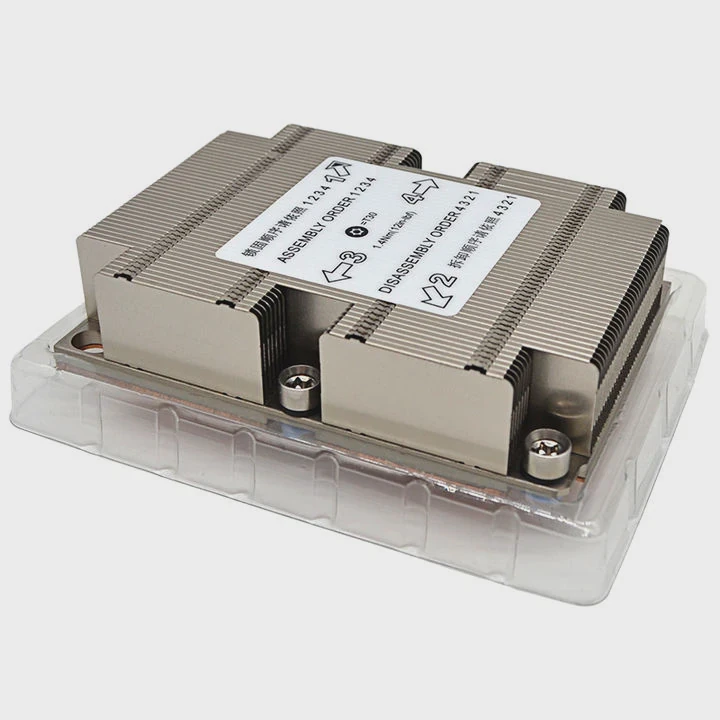
When designing or building a computer or electronic system, one big question always comes up: how to handle heat efficiently? The answer often comes down to choosing between air cooling and liquid cooling.
Air cooling removes heat using fans and heat sinks, while liquid cooling transfers heat through a circulating coolant to a radiator. Each method has unique performance, maintenance, and cost profiles.
Both systems serve the same purpose—keeping your hardware stable and reliable—but they do it in different ways. Understanding their differences helps you make the right choice for performance, noise, and long-term reliability.
What are their core principles?
Every cooling system works by moving heat from a hot component to a cooler area where it can dissipate safely. But the way heat travels through air or liquid determines how efficient each system can be.
Air cooling relies on convection using fans and metal fins, while liquid cooling relies on conduction and fluid circulation through a closed-loop system.
The science behind air cooling
Air cooling works by attaching a heat sink to the hot component, such as a CPU or GPU. The metal—usually aluminum or copper—absorbs heat and spreads it across its surface area. A fan then pushes cool air over the fins, carrying heat away through convection.
This process depends heavily on airflow and ambient temperature. The cooler the air around the system, the faster it can absorb and remove heat.
The science behind liquid cooling
Liquid cooling works differently. A block filled with liquid coolant is placed on top of the component. The heat transfers from the metal surface into the liquid, which then moves through tubes to a radiator. The radiator uses fans to release the heat into the air before the liquid returns to the block.
Because liquids conduct heat better than air, liquid cooling can handle higher power loads with less temperature rise. That’s why it’s used in gaming PCs, high-performance workstations, and industrial control systems.
| Cooling Type | Heat Transfer Method | Key Component | Efficiency Level | Typical Applications |
|---|---|---|---|---|
| Air Cooling | Convection | Fan + Heat Sink | Medium | Consumer PCs, servers |
| Liquid Cooling | Conduction + Circulation | Pump + Coolant + Radiator | High | Gaming, data centers, industrial systems |
Air is simple and direct, while liquid cooling is more complex but efficient. The principles show why one method may outperform the other depending on your goals.
What are the pros and cons of each method?
Every system has trade-offs. The decision often depends on what you care most about—cost, performance, noise, or appearance.
Air cooling is simple, affordable, and low maintenance, while liquid cooling provides better performance, quieter operation, and scalability but at higher cost and complexity.
Air cooling: pros and cons
Air cooling has been around for decades. It’s reliable and easy to install. But its performance is limited when dealing with high heat density.
Pros:
- Affordable: Air coolers are cheaper to buy and replace.
- Low maintenance: No need to refill or check coolant.
- Simple setup: Fits most systems with minimal parts.
- Durable: Fewer mechanical parts mean longer lifespan.
Cons:
- Limited cooling power: Not ideal for high-end CPUs or GPUs under heavy load.
- Noisy: Fans can get loud, especially under stress.
- Affected by ambient temperature: Hot environments reduce efficiency.
- Bulky: Large heat sinks can block RAM or other components.
Liquid cooling: pros and cons
Liquid cooling provides excellent temperature control, even in compact systems. But it requires care and knowledge to maintain properly.
Pros:
- High efficiency: Excellent for overclocking and demanding workloads.
- Quiet: Fans run slower since the liquid does most of the heat transfer.
- Flexible layout: Radiators can be mounted away from the CPU or GPU.
- Aesthetic appeal: Clear tubes and lighting create a clean, modern look.
Cons:
- Expensive: Pumps, tubes, and radiators add cost.
- Maintenance: Coolant needs checking and replacement over time.
- Potential leaks: Risk of liquid damage if not assembled correctly.
- Complex setup: Takes time and experience to install.
| Category | Air Cooling | Liquid Cooling |
|---|---|---|
| Cost | ✅ Low | ❌ High |
| Noise | ⚠️ Moderate | ✅ Quiet |
| Maintenance | ✅ Minimal | ⚠️ Medium |
| Performance | ⚠️ Moderate | ✅ Excellent |
| Reliability | ✅ High | ⚠️ Moderate |
| Aesthetic | ⚠️ Average | ✅ Stylish |
| Installation | ✅ Easy | ❌ Complex |
Each method serves different users. Air cooling suits users who prefer simple, affordable systems. Liquid cooling targets those who need power and silence for demanding applications.
How to choose between air and liquid cooling?
The right cooling solution depends on your system’s workload, environment, and goals. Choosing without understanding your hardware can lead to overkill or inefficiency.
Choose air cooling if you need simplicity and low maintenance; choose liquid cooling if you aim for high performance, low noise, and long-term thermal stability.
Step 1: Evaluate your system’s power
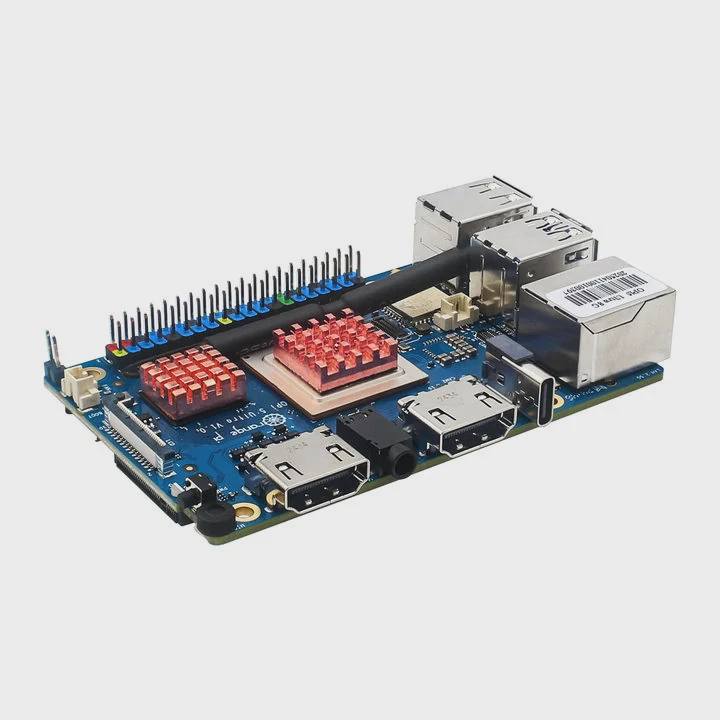
Look at your CPU and GPU’s TDP (Thermal Design Power). Low-TDP chips under 90W work fine with air cooling. For chips over 120W, especially in overclocked systems, liquid cooling performs better.
Step 2: Consider your space
Air coolers need large clearances for heat sinks. In smaller cases or industrial enclosures, a liquid system can move the heat to a radiator placed elsewhere, saving space.
Step 3: Noise sensitivity
If you want a quiet environment—like for recording studios or control rooms—liquid cooling keeps fan noise lower since it spreads the heat more efficiently.
Step 4: Maintenance tolerance
Air cooling requires only dust cleaning. Liquid cooling needs occasional coolant checks and leak prevention. If you prefer minimal care, stick to air.
Step 5: Cost and reliability
Budget always matters. Air systems are cheaper and proven reliable for long-term use. Liquid systems cost more upfront but offer better thermal consistency and look more professional in high-end setups.
| System Type | Cooling Option | Reason |
|---|---|---|
| Office or General PC | Air Cooling | Simple and budget-friendly |
| Gaming or Overclocked System | Liquid Cooling | Better temperature and silence |
| Server or Data Center | Liquid Cooling | Efficient and scalable |
| Industrial Controller | Air Cooling | Reliable and easy to maintain |
| Compact Device | Hybrid Cooling | Combines efficiency with simplicity |
Making the right choice is about balance. Don’t just chase the most advanced technology—match your cooling to your workload, environment, and budget.
What are the advances in hybrid cooling?
The line between air and liquid cooling is fading fast. Engineers now combine the best of both worlds to create hybrid systems that adapt to different loads and environments.
Hybrid cooling merges air and liquid systems, using both fans and liquid circulation to balance performance, cost, and reliability.
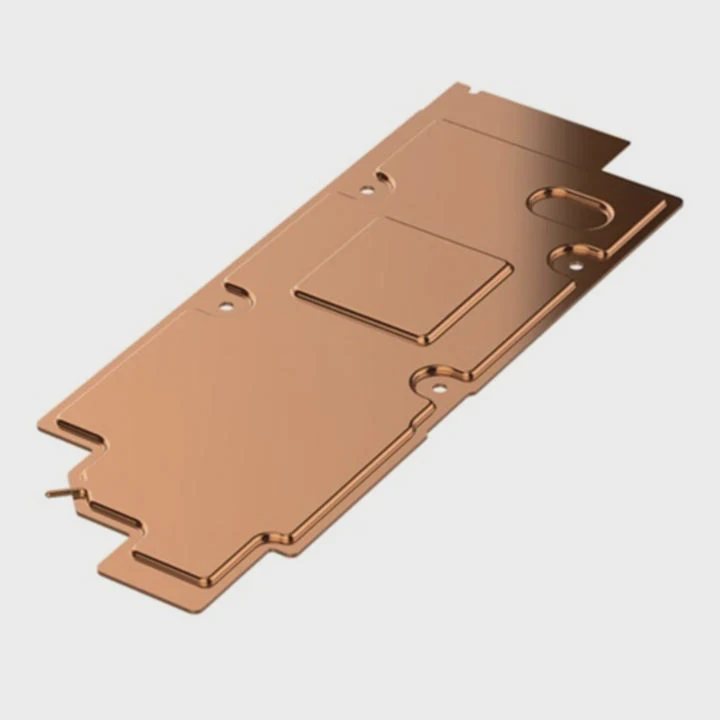
The idea behind hybrid cooling
Hybrid systems integrate a liquid loop for the hottest components and air cooling for the rest. They use smart sensors and control modules to adjust fan speeds and coolant flow based on temperature data. This adaptive design allows better efficiency under varying workloads.
Key technologies in hybrid cooling
1. Integrated vapor chambers
Modern hybrid systems use vapor chambers—sealed plates filled with a working fluid that changes phase between liquid and vapor. This helps spread heat faster across the surface before fans or coolant remove it.
2. Microchannel structures
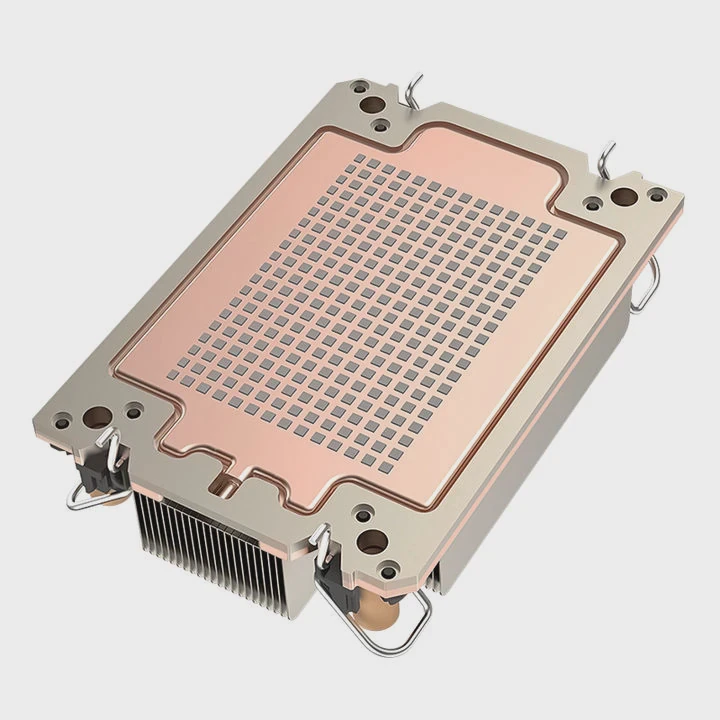
Liquid coolers now include microchannels that increase contact area and heat transfer rate. These fine channels improve the system’s response to sudden temperature spikes.
3. AI-assisted control
AI algorithms monitor and predict thermal patterns. They adjust pump speed, fan curve, and coolant flow in real-time to maintain balance between performance and energy efficiency.
4. Sustainable materials
New eco-friendly coolants, such as non-toxic glycol blends, reduce environmental impact. Aluminum alloys and graphene coatings also make systems lighter and more conductive.
| Innovation | Function | Benefit |
|---|---|---|
| Vapor Chamber | Phase-change heat spreader | Faster heat transfer |
| Microchannel Design | Liquid flow optimization | Improved efficiency |
| AI Thermal Control | Smart temperature management | Adaptive cooling |
| Eco Coolants | Green chemistry | Safe and sustainable |
Real-world examples
Hybrid cooling is already shaping modern industries:
- Data centers use hybrid modules that cool CPUs with liquid while using fans for memory and power units.
- Electric vehicles use phase-change materials and airflow ducts to cool batteries more evenly.
- Consumer electronics like laptops now use vapor chambers and small fans to balance heat and space.
The road ahead
By 2025 and beyond, hybrid cooling systems are expected to dominate performance computing and industrial sectors. They offer modularity, precision, and sustainability without full reliance on complex plumbing systems.
The future of cooling will not be about air or liquid—it will be about smart integration, using data-driven control to achieve maximum efficiency with minimal noise and energy waste.
Conclusion
Air and liquid cooling both have their roles. Air cooling gives simplicity, affordability, and long-term reliability. Liquid cooling offers higher performance and silence for demanding systems. The future lies in hybrid cooling—where smart design merges both worlds, creating efficient, adaptive systems for next-generation hardware.
TAGS
Latest Articles

Volume discount levels for heat sink orders?
Buyers often ask when heat sink prices start to drop with volume. Many worry they’re overpaying for small orders. This guide explains how B2B volume pricing works for thermal components. Heat sink
21 Dec,2025
Heat sink long-term supply contract options?
Many buyers want stable pricing and reliable delivery for heat sinks. But without a clear contract, risks grow over time. This article explores how to secure better long-term supply deals. Long-term
21 Dec,2025
Tooling cost for new heat sink profiles?
Many engineers struggle to understand why tooling for custom heat sinks costs so much. They worry about budgeting and production timelines. This article breaks down the cost drivers behind tooling.
21 Dec,2025
Heat sink custom sample process steps?
Sometimes, starting a custom heat sink project feels overwhelming—too many steps, too many unknowns, and too many risks. You want a sample, but not endless delays. The process for requesting and
20 Dec,2025
Standard B2B terms for heat sink payments?
When buyers and sellers in B2B heat sink markets talk about payment, many don’t fully understand what’s standard. This can lead to delayed orders, miscommunication, and even lost business
20 Dec,2025
Heat sink pricing factors for large orders?
Heat sinks are vital for many systems. When prices rise, projects stall and budgets break. This problem can hit teams hard without warning. Large order heat sink pricing depends on many factors. You
20 Dec,2025Related Articles
- Is 120mm Liquid Cooling Enough?
- How Does a Liquid-Cooled Computer Work?
- What happens to a liquid when it cools?
- How to know if liquid cooling is working?
- Is liquid cooling high maintenance?
- How to use liquid cooling?
- Is liquid cooling good?
- Are liquid-cooled computers quieter?
- Is a 120mm liquid cooler enough?
- Is AIO liquid cooling worth it?
- Why is liquid cooling better than air?
- Is liquid cooler necessary?
Author
Dr. Emily Chen
Chief AI Researcher
Leading expert in thermal dynamics and AI optimization with over 15 years of experience in data center efficiency research.
Categories
Latest Products






Recommend Categories
- Liquid cooling plate Manufacturer
- Industrial Heat Sink Manufacturer
- Standard Heat Sink Manufacturer
- Aluminum Heat Sink Manufacturer
- Copper Heat Sink Manufacturer
- Anodized Heatsink Manufacturer
- Stamping heat sink Manufacturer
- Die Casting Heatsink Manufacturer
- Soldering heat sink Manufacturer
- CNC Parts Manufacturer
Latest Products
- Wholesale Aluminum Radiator
- Water Cooling Plate Kit
- Water Cooling Heat Sink
- Water Cooling Heat Sink Kit
- Stainless Steel Water Distributor
- Server Water Cooling Plate Kit
- Server Liquid Cooling System
- Server Aluminum Cooling Kit
- S19 Full Cover Cooling Plate
- S19 Cooling Plate Kit
- S19 Aluminum Cooling Plate
Contact Expert
Have questions about this article? Reach out to our experts directly.