How to Set Up Liquid Cooler?
I remember the first time I installed a liquid cooler. I struggled with cables, pump direction, and radiator placement. I felt nervous and excited at the same time.
To set up a liquid cooler correctly, I prepare my tools, mount the radiator in the right place, follow pump orientation rules, apply thermal paste, and test the system to ensure stable temperature and quiet operation.
I want to walk you through the full process so you can set up your cooler with confidence, even if this is your first time.
I will now go through each key step that beginners and even experienced builders often overlook.
What Tools Are Needed for Proper Setup?
I used to start installations without checking my tools. This always slowed me down. I learned that the right tools make the whole process smoother and safer.
The tools needed for proper setup include screwdrivers, thermal paste, cleaning wipes, mounting screws, and sometimes brackets, depending on the CPU socket and cooler model.
I want to help you prepare fully before you even open the cooler box.
A Clear Workspace Helps
I always clean my desk first. A clear workspace makes a big difference. Small screws are easy to lose. A clean area saves time and removes stress.
Essential Tools and Parts
Here is a simple table that shows the common tools I always prepare:
| Item | Purpose |
|---|---|
| Phillips screwdriver | Secures radiator, pump, brackets |
| Thermal paste | Creates smooth heat contact |
| Cleaning wipes or alcohol pads | Cleans CPU surface |
| Paper towels | Helps with cleaning |
| Mounting brackets | Fits pump onto different sockets |
| Extra screws | Secures radiator and fans |
How I Use These Tools
I use the screwdriver to mount the radiator to the case frame.
I use cleaning wipes to clean old paste from the CPU.
I use mounting brackets to align the pump correctly.
These steps keep the cooler stable and safe.
H3: Preparing the CPU Surface
I always clean the CPU surface before installing the pump.
Even small dirt or old paste can hurt heat transfer.
A clean surface helps the cooler work at full performance.
H3: Checking All Parts in the Box
Sometimes the cooler comes with extra brackets.
I check the manual to see which bracket matches my CPU.
This prevents mounting mistakes.
Why Good Preparation Helps
Good tools create strong contact between surfaces.
Strong contact leads to better cooling.
This also keeps the system quiet under heavy load.
Why Must Users Follow Pump Orientation Rules?
I once installed a pump sideways without thinking. The system worked, but the temperature was unstable. I learned that pump orientation is not a small detail.
Users must follow pump orientation rules because the pump must sit lower than the highest point of the loop to prevent trapped air from entering the pump and causing noise, vibration, or reduced cooling performance.
I want to explain why orientation matters more than many people think.
Air Always Rises in the Loop
Every AIO cooler has a small amount of air inside.
Air rises to the highest point of the loop.
If the pump becomes the high point, the air collects there.
This creates noise and reduces cooling.
Pumps Do Not Like Air
The pump is designed to move liquid, not air.
If air enters the pump, the pump loses pressure.
This makes the system loud.
It also shortens pump life.
H3: Best Pump Position
The pump should sit lower than the radiator’s top edge.
This keeps air in the radiator, not in the pump.
H3: Common Mistakes I Saw
Many people mount the radiator at the bottom of the case.
This makes the pump the highest point.
This is a mistake that leads to bubbles and noise.
How Orientation Affects Cooling
Good pump orientation keeps liquid flow smooth.
Smooth flow removes heat faster.
This gives the CPU stable temperature even under load.
Deep Insight: Why Pump Direction Matters
- Air pockets cause sudden spikes in temperature.
- Pump noise becomes loud when it hits dry spots.
- Air inside the pump increases wear on internal parts.
- Correct orientation makes the AIO last longer.
Where Should Radiator Fans Be Positioned?
The first time I installed a radiator, I did not know whether to push air in or pull air out. I also did not know the best place in the case. I learned these rules slowly through trial and error.
Radiator fans should be positioned where they can move fresh air through the radiator, often at the top or front of the case, to ensure strong airflow and effective heat removal.
I want to show you the best placement options so you can get maximum cooling.
Front vs. Top Mount
Both mounts work well, but they behave differently.
- Front mount pulls cool air from outside
- Top mount pushes warm air outside
I choose based on my system layout.
Table: Radiator Placement Comparison
| Position | Strengths | Weak Points |
|---|---|---|
| Front | Coolest air for radiator | Warmer air inside the case |
| Top | Great for removing warm air | Slightly warmer coolant |
| Bottom | Not recommended | Air rises into pump |
H3: The Push and Pull Direction
A push setup means fans push air through the radiator.
A pull setup means fans pull air through the radiator.
Both work.
Push is more common.
H3: Why Fresh Air Improves Cooling
Cool air lowers coolant temperature faster.
Lower coolant means lower CPU temperature.
This is why front mounting often gives the best results.
Avoiding Obstructed Air Paths
I always make sure cables do not block the fans.
Even small blockages slow air.
This reduces cooling by a lot.
How Fan Position Affects System Temperature
Strong airflow removes heat quickly.
Weak airflow traps heat inside the case.
This hurts both CPU and GPU temperatures.
Can Setup Mistakes Reduce Cooling Efficiency?
I once installed a cooler too fast because I was in a hurry. I mounted the fans backward. The CPU ran hotter than before. I learned that small mistakes hurt performance.
Yes, setup mistakes can reduce cooling efficiency because poor mounting pressure, wrong fan direction, incorrect pump height, or uneven thermal paste can block heat transfer and slow airflow.
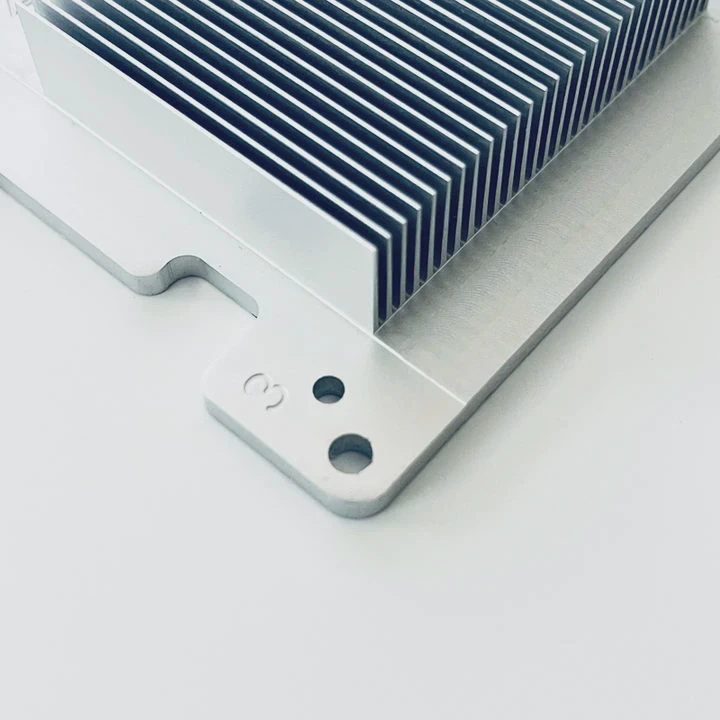
I want to show you the common mistakes and how to avoid them.
Thermal Paste Problems
If too much paste is applied, it becomes a thick layer.
Heat must cross this layer.
This slows heat transfer.
If too little paste is applied, gaps remain.
This traps air and hurts cooling.
Wrong Fan Direction
Fans should face the correct way.
Fans have arrows on the frame that show direction.
If fans face the wrong way, airflow becomes weak.
H3: Loose Mounting Pressure
Loose screws reduce contact between CPU and pump.
This leaves small gaps.
These gaps stop heat from moving.
H3: Radiator Orientation Mistakes
If the radiator sits lower than the pump, air collects inside the pump.
This reduces performance and creates noise.
Cable Blockage
If cables block airflow, the radiator cannot breathe.
Cooling becomes slow.
Temperature rises quickly under load.
Deep Insight: Why Small Errors Matter
- Each mistake increases temperature by a few degrees
- Many small mistakes add up to major heat problems
- A stable system needs strong airflow and strong contact
- Correct setup improves both noise and temperature
Examples of Common Mistakes I Saw
- Fans placed in pull instead of push without enough space
- Pump cable connected to the wrong header
- Radiator squeezed into a small case with no airflow
- CPU backplate installed upside-down
- Pump not powered at full speed due to wrong BIOS settings
Each problem reduces cooling even if the cooler is high-end.
Conclusion
A liquid cooler works well when the tools are prepared, the pump orientation is correct, the radiator sits in the right place, and the fans move fresh air through the system. Good setup prevents noise, heat, and early wear, giving the CPU stable and long-lasting cooling performance.
TAGS
Latest Articles

Volume discount levels for heat sink orders?
Buyers often ask when heat sink prices start to drop with volume. Many worry they’re overpaying for small orders. This guide explains how B2B volume pricing works for thermal components. Heat sink
21 Dec,2025
Heat sink long-term supply contract options?
Many buyers want stable pricing and reliable delivery for heat sinks. But without a clear contract, risks grow over time. This article explores how to secure better long-term supply deals. Long-term
21 Dec,2025
Tooling cost for new heat sink profiles?
Many engineers struggle to understand why tooling for custom heat sinks costs so much. They worry about budgeting and production timelines. This article breaks down the cost drivers behind tooling.
21 Dec,2025
Heat sink custom sample process steps?
Sometimes, starting a custom heat sink project feels overwhelming—too many steps, too many unknowns, and too many risks. You want a sample, but not endless delays. The process for requesting and
20 Dec,2025
Standard B2B terms for heat sink payments?
When buyers and sellers in B2B heat sink markets talk about payment, many don’t fully understand what’s standard. This can lead to delayed orders, miscommunication, and even lost business
20 Dec,2025
Heat sink pricing factors for large orders?
Heat sinks are vital for many systems. When prices rise, projects stall and budgets break. This problem can hit teams hard without warning. Large order heat sink pricing depends on many factors. You
20 Dec,2025Related Articles
- what is a liquid cooled engine?
- which is better air cooled or liquid cooled generators?
- How does CPU liquid cooler work?
- How to connect liquid CPU cooler?
- Is liquid cooled CPU worth it?
- Which electric cars have liquid cooled batteries?
- Which Is Better Air Cooled or Liquid?
- Does liquid cooler need water?
- Where to install liquid CPU cooler?
- How to install AIO liquid cooler?
- what is better air cooled or liquid cooled?
- How to mount liquid cooler?
Author
Dr. Emily Chen
Chief AI Researcher
Leading expert in thermal dynamics and AI optimization with over 15 years of experience in data center efficiency research.
Categories
Latest Products






Recommend Categories
- Liquid cooling plate Manufacturer
- Industrial Heat Sink Manufacturer
- Standard Heat Sink Manufacturer
- Aluminum Heat Sink Manufacturer
- Copper Heat Sink Manufacturer
- Anodized Heatsink Manufacturer
- Stamping heat sink Manufacturer
- Die Casting Heatsink Manufacturer
- Soldering heat sink Manufacturer
- CNC Parts Manufacturer
Latest Products
- Wholesale Aluminum Radiator
- Water Cooling Plate Kit
- Water Cooling Heat Sink
- Water Cooling Heat Sink Kit
- Stainless Steel Water Distributor
- Server Water Cooling Plate Kit
- Server Liquid Cooling System
- Server Aluminum Cooling Kit
- S19 Full Cover Cooling Plate
- S19 Cooling Plate Kit
- S19 Aluminum Cooling Plate
Contact Expert
Have questions about this article? Reach out to our experts directly.