Is thermal paste needed for liquid cooling?
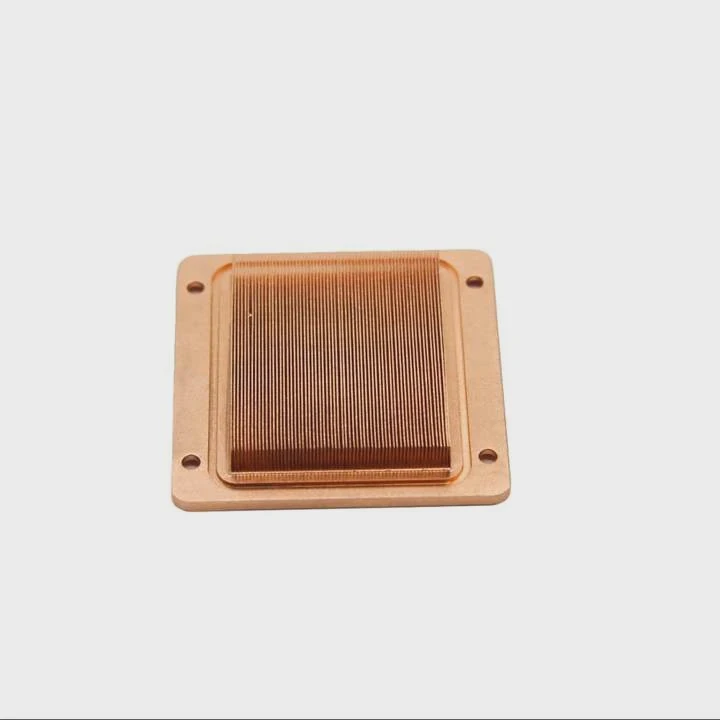
When setting up a liquid cooling system, many people wonder if they still need thermal paste. After all, there’s already coolant and metal contact — isn’t that enough?
Yes, thermal paste is essential for liquid cooling because it fills microscopic gaps between the CPU and the cold plate, ensuring efficient heat transfer.
Without it, even the best liquid cooling setup will lose efficiency due to poor thermal contact.
What is thermal paste?
Thermal paste, also called thermal compound or thermal interface material (TIM), is a soft, conductive paste applied between a processor and its cooling block.
Thermal paste is a heat-conductive compound that removes air gaps between metal surfaces to allow heat to flow efficiently from the CPU to the cooler.
Every CPU and cooler surface looks smooth to the naked eye, but under a microscope, both are full of tiny peaks and valleys. Air fills these gaps easily, and air is a poor conductor of heat. That’s why we need thermal paste.
How thermal paste works
The paste fills in all the micro-imperfections and creates a direct heat path. It doesn’t transfer heat as well as metal, but it works much better than air. Think of it as the “bridge” that connects the CPU and the cooler perfectly.
| Material | Thermal Conductivity (W/m·K) |
|---|---|
| Air | 0.024 |
| Typical Thermal Paste | 5–12 |
| Liquid Metal Paste | 25–70 |
| Copper | 400 |
As the table shows, air has almost no ability to conduct heat, while even standard paste performs hundreds of times better. Without this thin layer, heat flow becomes uneven, leading to high temperatures and thermal throttling.
Common types of thermal paste
There are three major categories:
- Silicone-based pastes – Affordable and easy to apply, commonly used in standard computers.
- Ceramic-based pastes – Non-conductive, stable, and safe for all surfaces.
- Metal-based or liquid metal pastes – Extremely conductive but require careful handling to avoid short circuits.
I always select the paste type based on the cooling system’s goal: standard use or high-performance computing.
Why is it essential in cooling setups?
Many users think thermal paste is optional, especially when using advanced liquid cooling. But that’s a mistake. Even the best pump and radiator can’t fix poor surface contact.
Thermal paste is essential because it ensures full surface contact between the CPU and cold plate, preventing heat buildup and uneven temperature distribution.

Let’s break down the reasons why thermal paste matters so much in any cooling system.
1. It eliminates air insulation
When the CPU and cold plate touch without paste, tiny air pockets trap heat. These air gaps act like insulation. Thermal paste fills them, creating an uninterrupted heat path. Even a thin layer improves temperature transfer by several degrees.
2. It prevents hot spots
Uneven contact leads to “hot spots” — localized areas that overheat faster. These can cause the CPU to throttle or, in extreme cases, trigger thermal shutdown. A good layer of paste spreads heat evenly across the surface, balancing temperature distribution.
3. It supports liquid cooling efficiency
Liquid cooling systems depend on smooth heat transfer into the coolant loop. If the paste layer is missing or poorly applied, the pump and radiator must work harder, reducing efficiency. The result: higher temperatures, faster wear, and more noise.
4. It extends hardware life
Lower and more stable temperatures reduce thermal stress on solder joints, capacitors, and transistors. With proper thermal paste, I’ve seen CPUs last several years longer under the same workload.
| Function | Without Thermal Paste | With Thermal Paste |
|---|---|---|
| Surface Contact | Partial | Complete |
| Heat Transfer | Inconsistent | Stable |
| Temperature | Higher | Lower |
| Longevity | Shorter | Longer |
That’s why every professional builder — even with liquid cooling — always uses thermal paste between the CPU and the cold plate.
How to apply thermal paste properly?
Applying thermal paste sounds simple, but it’s one of the most common mistakes in cooling installations. Too much paste or uneven spreading can actually make cooling worse.
To apply thermal paste properly, clean both surfaces, apply a small pea-sized amount in the center of the CPU, and let the cooler pressure spread it evenly.
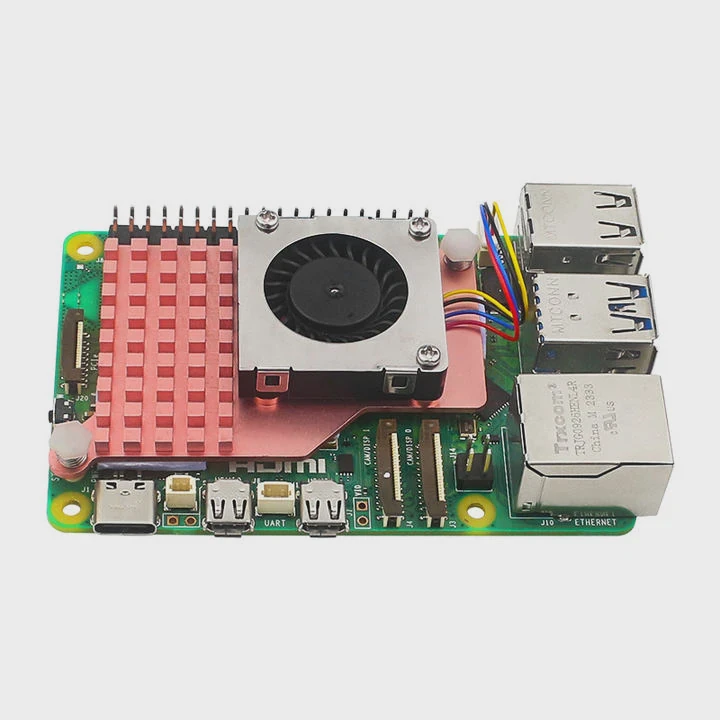
Here’s my exact method, step by step.
Step 1: Clean the surfaces
Use isopropyl alcohol (at least 90%) and a lint-free cloth to clean both the CPU surface and the cold plate. Remove all old paste completely. Any leftover material can create uneven spots and reduce contact.
Step 2: Apply the right amount
Apply a small dot — about the size of a pea or a grain of rice, depending on CPU size — right in the center. Too much paste can overflow and insulate rather than conduct. Too little leaves air pockets.
Step 3: Mount the cooler carefully
When you attach the cold plate, use even pressure on all screws. Don’t twist or move the block after contact; this can trap air bubbles. The mounting pressure will spread the paste naturally into a thin, uniform layer.
Step 4: Check temperatures after installation
Once the system runs, monitor CPU temperatures for a few hours. If they stay within normal range and remain stable under load, the application was successful. If temperatures spike quickly, it may mean air pockets or uneven spread — reapply if needed.
Common mistakes to avoid
- Applying too much or too little paste
- Spreading it manually with a card or finger (this often traps air)
- Reusing old paste during reinstallations
- Using conductive metal paste without caution on open circuits
Proper application takes just a few minutes, but it can improve cooling performance by 10°C or more in some cases.
What are the latest materials for heat transfer?
The science behind thermal paste has evolved quickly. Modern compounds now use advanced materials to improve heat conductivity and stability over time.
New-generation thermal interface materials use nanoparticles, carbon, and liquid metal alloys to achieve higher thermal conductivity and longer durability.
Let’s look at the most promising materials driving these improvements.
1. Nano-diamond pastes
Some high-end pastes now include microscopic diamond particles. Diamond has excellent thermal conductivity — up to 2000 W/m·K — though the paste itself doesn’t reach that level. Still, it achieves very low thermal resistance and consistent performance even after long use.
Nano-diamond pastes are non-conductive and stable up to 150°C, making them ideal for liquid-cooled CPUs and GPUs running under high loads.
2. Carbon-based compounds
Graphene and carbon nanotubes are becoming popular as additives. They form a flexible, thermally conductive network that doesn’t dry out easily. Carbon-based pastes can maintain 12–15 W/m·K conductivity with long-term stability.
They’re also environmentally friendly, which appeals to many modern manufacturers.
3. Phase-change materials (PCMs)
Some next-generation coolers use phase-change pads instead of paste. These materials are solid at room temperature but melt slightly under heat, filling gaps perfectly. They offer the convenience of no mess and no reapplication.
They’re especially useful in high-volume manufacturing or where systems need consistent contact pressure.
4. Liquid metal compounds
Liquid metal, often based on gallium alloys, delivers the highest conductivity — up to 70 W/m·K. This makes it several times better than standard pastes. However, it’s conductive, so it must be used carefully to avoid short circuits.
I use liquid metal only on delidded CPUs or where full insulation protection is possible.
5. Hybrid pastes
Hybrid pastes combine ceramic, metal, and carbon particles to balance conductivity, safety, and lifespan. They perform well under both air and liquid cooling setups, making them the most versatile option for everyday users.
| Material Type | Thermal Conductivity (W/m·K) | Electrical Conductivity | Longevity | Typical Use |
|---|---|---|---|---|
| Silicone | 4–6 | No | 2–3 years | Budget systems |
| Ceramic | 6–9 | No | 4–5 years | General PCs |
| Carbon/Graphene | 10–15 | No | 5+ years | High-performance CPUs |
| Liquid Metal | 25–70 | Yes | 3–5 years | Extreme overclocking |
| Phase-Change Pad | 8–10 | No | 5+ years | Industrial, mass production |
What’s next in thermal materials
The latest research focuses on adaptive thermal pastes — materials that change viscosity based on temperature. At low temperatures, they stay firm to hold position; under heat, they soften to improve contact.
This smart behavior could reduce dry-out issues and eliminate the need for frequent replacement.
Some experimental TIMs even use self-healing polymers, which can repair micro-cracks over time to maintain performance longer. These materials are likely to appear in future high-end electronics, electric vehicles, and aerospace systems.
Conclusion
Thermal paste is not optional for liquid cooling — it’s vital. It forms the bridge between the CPU and cooler, ensuring smooth heat transfer. With correct application and modern materials like carbon or liquid metal, you can achieve lower temperatures, longer component life, and maximum cooling efficiency.
TAGS
Latest Articles

Volume discount levels for heat sink orders?
Buyers often ask when heat sink prices start to drop with volume. Many worry they’re overpaying for small orders. This guide explains how B2B volume pricing works for thermal components. Heat sink
21 Dec,2025
Heat sink long-term supply contract options?
Many buyers want stable pricing and reliable delivery for heat sinks. But without a clear contract, risks grow over time. This article explores how to secure better long-term supply deals. Long-term
21 Dec,2025
Tooling cost for new heat sink profiles?
Many engineers struggle to understand why tooling for custom heat sinks costs so much. They worry about budgeting and production timelines. This article breaks down the cost drivers behind tooling.
21 Dec,2025
Heat sink custom sample process steps?
Sometimes, starting a custom heat sink project feels overwhelming—too many steps, too many unknowns, and too many risks. You want a sample, but not endless delays. The process for requesting and
20 Dec,2025
Standard B2B terms for heat sink payments?
When buyers and sellers in B2B heat sink markets talk about payment, many don’t fully understand what’s standard. This can lead to delayed orders, miscommunication, and even lost business
20 Dec,2025
Heat sink pricing factors for large orders?
Heat sinks are vital for many systems. When prices rise, projects stall and budgets break. This problem can hit teams hard without warning. Large order heat sink pricing depends on many factors. You
20 Dec,2025Related Articles
- Is air or liquid cooling better?
- Does liquid cooling make a difference?
- How to change CPU liquid cooler?
- What happens if liquid cooling leaks?
- Does liquid cooler need maintenance?
- What Liquid Is Used in CPU Cooler?
- Does liquid cooling make noise?
- When should you replace liquid cooling?
- Why liquid cooling?
- Is Liquid CPU Cooling Better?
- What is the best liquid cooler?
- Should liquid cooler fans be intake or exhaust?
Author
Dr. Emily Chen
Chief AI Researcher
Leading expert in thermal dynamics and AI optimization with over 15 years of experience in data center efficiency research.
Categories
Latest Products






Recommend Categories
- Liquid cooling plate Manufacturer
- Industrial Heat Sink Manufacturer
- Standard Heat Sink Manufacturer
- Aluminum Heat Sink Manufacturer
- Copper Heat Sink Manufacturer
- Anodized Heatsink Manufacturer
- Stamping heat sink Manufacturer
- Die Casting Heatsink Manufacturer
- Soldering heat sink Manufacturer
- CNC Parts Manufacturer
Latest Products
- Wholesale Aluminum Radiator
- Water Cooling Plate Kit
- Water Cooling Heat Sink
- Water Cooling Heat Sink Kit
- Stainless Steel Water Distributor
- Server Water Cooling Plate Kit
- Server Liquid Cooling System
- Server Aluminum Cooling Kit
- S19 Full Cover Cooling Plate
- S19 Cooling Plate Kit
- S19 Aluminum Cooling Plate
Contact Expert
Have questions about this article? Reach out to our experts directly.