Should liquid cooler fans be intake or exhaust?
When I built my first liquid cooling system, I didn’t realize that fan direction mattered so much. After all, air is air, right? But once I flipped my fans from intake to exhaust, the temperature dropped by several degrees.
Liquid cooler fans can be set as intake or exhaust depending on system layout. Intake fans pull cool air in, while exhaust fans push hot air out — the right balance keeps temperatures low.
Finding the correct configuration is part science, part art. Let’s explore how fans work, what intake and exhaust each offer, and how to position them for the best results.
What is the purpose of cooler fans?
When I think about fans, I see them as the lungs of the cooling system — constantly breathing air in and out to keep components alive.
The purpose of cooler fans is to move air through radiators or cases to transfer heat away from the coolant and maintain stable operating temperatures.
Fan Function Overview
| Component | Role | Effect on Cooling |
|---|---|---|
| Radiator Fan | Forces air through radiator fins | Dissipates heat from coolant |
| Case Fan | Moves air inside the chassis | Reduces internal air temperature |
| Intake Fan | Brings fresh air in | Improves airflow pressure |
| Exhaust Fan | Expels hot air out | Maintains ventilation balance |
Understanding Fan Dynamics
Every fan moves air from the front (label side) to the back (spoke side). When air flows through radiator fins, it carries heat from the coolant to the outside environment.
Without proper airflow, even the best liquid cooler becomes inefficient. Heat will remain trapped, raising internal case temperatures and reducing component lifespan.
That’s why fan orientation — intake or exhaust — can make such a big difference. It’s about controlling where air enters and exits, just like designing good ventilation in a house.
What are the benefits of intake vs exhaust setups?
When I experimented with fan direction, I learned that both intake and exhaust have unique strengths. Neither is universally better — it depends on the system’s airflow pattern.
Intake fans bring in cooler external air for better radiator performance, while exhaust fans help remove heat from the case for overall temperature stability.
Intake vs Exhaust Comparison
| Setup | Air Direction | Key Benefit | Common Use |
|---|---|---|---|
| Intake | Outside → Inside | Cooler air for radiator | Front or bottom mounts |
| Exhaust | Inside → Outside | Removes hot air fast | Top or rear mounts |
How Each Setup Works
Intake Setup
In an intake configuration, fans pull fresh air from outside directly through the radiator. Since external air is cooler than case air, this often results in lower coolant temperatures.
However, this setup introduces warm air into the case, which can slightly raise other component temperatures. A strong exhaust setup elsewhere is needed to balance this.
Exhaust Setup
With exhaust mode, fans push air from inside the case through the radiator to the outside. This removes heat from both the radiator and the case together.
It’s cleaner for internal airflow but may result in slightly higher coolant temperatures because the air passing through the radiator is already warm.
Which to Choose
If CPU cooling is the main priority — like in overclocked systems — intake usually gives better results.
If you want overall system temperature balance and cleaner airflow, exhaust is more practical.
I once measured both setups: my intake configuration cooled the CPU 3°C better, but my GPU ran 4°C hotter. The right choice depends on which component needs the most help.
How to position fans for best performance?
Placing fans correctly is the key to turning airflow theory into real cooling power. A poorly placed fan can trap heat instead of removing it.
To position fans for best performance, arrange them to create front-to-back and bottom-to-top airflow, keeping intake and exhaust balanced for steady air pressure.
Fan Positioning Guidelines
| Fan Location | Direction | Reason |
|---|---|---|
| Front | Intake | Pulls cool air in |
| Bottom | Intake | Feeds airflow from below |
| Top | Exhaust | Removes rising warm air |
| Rear | Exhaust | Pushes hot air out efficiently |
| Side | Optional Intake | Boosts cooling for GPU or CPU |
Steps for Ideal Setup
1. Define your airflow path
Decide on one direction for air to flow — typically from front to back or bottom to top. Avoid circular air movement where hot air recycles inside.
2. Match radiator and case fans
If your radiator is mounted at the top, make those fans exhaust. If it’s at the front, they work best as intake. This keeps coolant and case air in sync.
3. Maintain air pressure balance
Having more intake than exhaust creates positive pressure, which helps block dust. More exhaust than intake creates negative pressure, improving cooling but pulling in dust through gaps.
I usually aim for slightly positive pressure for long-term cleanliness.
4. Leave space for airflow
Fans need breathing room. Avoid placing radiators too close to solid panels. Even 2–3 cm of spacing can improve flow efficiency.
5. Check airflow with simple tests
You can test airflow by holding a small tissue or smoke source near vents. It should move smoothly in one direction without turbulence.
Practical Example Setup
In one of my workstation builds:
- Front: 3 × 120 mm intake fans (with dust filters)
- Top: 2 × 140 mm exhaust fans (radiator mount)
- Rear: 1 × 120 mm exhaust
This setup created steady front-to-top airflow and kept every component cool, even under full load.
What are the airflow trends in cooling systems?
Airflow design is evolving quickly as devices grow more powerful and compact. I’ve noticed exciting trends that combine classic engineering with smart technology.
The latest airflow trends include smart fan control, optimized pressure zones, hybrid air-liquid systems, and AI-based cooling management.
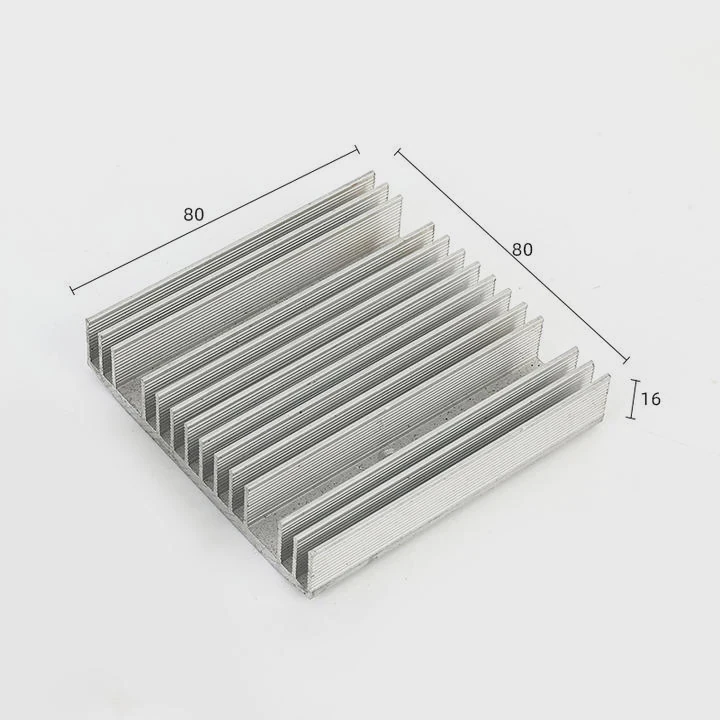
Emerging Airflow Innovations
1. Smart fan control systems
Modern coolers use PWM and AI algorithms to adjust fan speeds based on real-time temperature and workload. This keeps systems quiet during idle and powerful during stress.
2. Pressure-optimized airflow
Designers now model internal air movement with computational fluid dynamics (CFD). This ensures balanced intake and exhaust even in compact enclosures.
3. Hybrid cooling layouts
New systems blend air and liquid paths — liquid cools the high-heat areas, while fans maintain case temperature. This hybrid method improves efficiency while saving power.
4. Reversible fan technology
Some advanced fans can reverse their spin to switch between intake and exhaust modes automatically, helping remove dust or adapt to environmental changes.
5. AI-assisted airflow tuning
Artificial intelligence can now predict thermal buildup and adjust fan direction or speed before overheating occurs. This predictive cooling is becoming standard in industrial and gaming systems alike.
Airflow Trend Summary Table
| Trend | Description | Advantage |
|---|---|---|
| Smart Control | Adaptive fan speed | Noise reduction |
| CFD Design | Simulated airflow | Efficiency improvement |
| Hybrid Cooling | Air + liquid combo | Better temperature control |
| Reversible Fans | Switch direction | Dust removal |
| AI Tuning | Predictive optimization | Consistent cooling |
The Future of Air Management
As cooling technology advances, airflow design will rely more on sensors, automation, and intelligent materials. Some prototypes already use flexible ducts that reshape themselves to improve flow under different loads.
In the near future, fans may not just react to heat — they’ll anticipate it. Intelligent airflow systems will work like a living organism, constantly adapting to maintain balance.
Conclusion
Whether fans act as intake or exhaust depends on your layout, but balance and direction are everything. A well-planned airflow keeps every component cool, efficient, and silent — turning your liquid cooling setup into a perfectly breathing system.
TAGS
Latest Articles

Volume discount levels for heat sink orders?
Buyers often ask when heat sink prices start to drop with volume. Many worry they’re overpaying for small orders. This guide explains how B2B volume pricing works for thermal components. Heat sink
21 Dec,2025
Heat sink long-term supply contract options?
Many buyers want stable pricing and reliable delivery for heat sinks. But without a clear contract, risks grow over time. This article explores how to secure better long-term supply deals. Long-term
21 Dec,2025
Tooling cost for new heat sink profiles?
Many engineers struggle to understand why tooling for custom heat sinks costs so much. They worry about budgeting and production timelines. This article breaks down the cost drivers behind tooling.
21 Dec,2025
Heat sink custom sample process steps?
Sometimes, starting a custom heat sink project feels overwhelming—too many steps, too many unknowns, and too many risks. You want a sample, but not endless delays. The process for requesting and
20 Dec,2025
Standard B2B terms for heat sink payments?
When buyers and sellers in B2B heat sink markets talk about payment, many don’t fully understand what’s standard. This can lead to delayed orders, miscommunication, and even lost business
20 Dec,2025
Heat sink pricing factors for large orders?
Heat sinks are vital for many systems. When prices rise, projects stall and budgets break. This problem can hit teams hard without warning. Large order heat sink pricing depends on many factors. You
20 Dec,2025Related Articles
- What is the best liquid cooler?
- Is Liquid CPU Cooling Better?
- Why liquid cooling?
- When should you replace liquid cooling?
- Does liquid cooling make noise?
- Is thermal paste needed for liquid cooling?
- What is liquid CPU cooler?
- What liquid is used in a liquid cooling system?
- How to Maintain Liquid CPU Cooler?
- Is PC Liquid Cooling Worth It?
- Which is better, air cooling or liquid cooling?
- Is liquid or air cooling better?
Author
Dr. Emily Chen
Chief AI Researcher
Leading expert in thermal dynamics and AI optimization with over 15 years of experience in data center efficiency research.
Categories
Latest Products






Recommend Categories
- Liquid cooling plate Manufacturer
- Industrial Heat Sink Manufacturer
- Standard Heat Sink Manufacturer
- Aluminum Heat Sink Manufacturer
- Copper Heat Sink Manufacturer
- Anodized Heatsink Manufacturer
- Stamping heat sink Manufacturer
- Die Casting Heatsink Manufacturer
- Soldering heat sink Manufacturer
- CNC Parts Manufacturer
Latest Products
- Wholesale Aluminum Radiator
- Water Cooling Plate Kit
- Water Cooling Heat Sink
- Water Cooling Heat Sink Kit
- Stainless Steel Water Distributor
- Server Water Cooling Plate Kit
- Server Liquid Cooling System
- Server Aluminum Cooling Kit
- S19 Full Cover Cooling Plate
- S19 Cooling Plate Kit
- S19 Aluminum Cooling Plate
Contact Expert
Have questions about this article? Reach out to our experts directly.