When should you replace liquid cooling?
Liquid cooling systems don’t last forever. Over time, coolant degrades, pumps wear out, and performance declines. Many people only act when temperatures rise or leaks appear—but that’s often too late.
You should replace or service your liquid cooling system every 2–5 years, depending on the coolant type, system quality, and usage conditions.
Aging cooling systems lose efficiency and may even damage components. Knowing when to replace them helps keep your PC or workstation running at peak performance.
What determines the lifespan of cooling systems?
The durability of a liquid cooling system depends on how it’s built, what materials it uses, and how you maintain it. Some setups last for years without issues, while others fail early due to poor upkeep or low-quality parts.
A liquid cooling system’s lifespan is determined by component quality, coolant stability, system design, and maintenance frequency.
AIO (All-in-One) systems usually last between 3–5 years because they are sealed and maintenance-free. Custom loops can last longer, up to 7 years or more, but they need periodic cleaning and refilling.
Factors That Affect Lifespan
| Factor | Description | Typical Impact |
|---|---|---|
| Coolant Type | Quality of coolant and additives prevent corrosion and growth | Longer lifespan with premium coolant |
| Pump Quality | Determines circulation speed and durability | Affects overall reliability |
| Radiator Material | Aluminum vs. copper affects corrosion resistance | Copper lasts longer but costs more |
| Tubing Material | PVC, rubber, or hard acrylic | Flexible tubing may degrade faster |
| Operating Conditions | High ambient temperature or dust | Shortens lifespan |
| Maintenance Frequency | Cleaning and refilling schedule | Extends system life significantly |
My Experience with Lifespan Variation
I’ve seen well-maintained custom loops run for over six years with minimal wear, while neglected systems failed in less than two. The difference lies in how often the coolant is replaced and how clean the system remains inside.
Signs of Degradation Over Time
- Gradual temperature increase
- Reduced coolant flow or pump noise
- Cloudy or discolored coolant
- Air bubbles inside the tubing
- Visible corrosion or residue inside blocks
All these are warnings that your liquid cooling is aging and may need replacement soon.
What are the signs of wear and failure?
Detecting early signs of liquid cooling failure can prevent expensive damage. Ignoring these indicators may lead to leaks, pump failure, or even GPU and CPU damage.
The main signs of liquid cooling wear include higher temperatures, unusual noises, discoloration in coolant, and visible leaks or corrosion.
1. Rising Temperatures
If your CPU or GPU runs 10–15°C hotter than usual, it’s often the first warning. This happens because coolant loses efficiency or debris clogs microchannels in the water block.
2. Pump Noise or Vibration
A failing pump may make grinding, rattling, or buzzing noises. This means bearings are wearing out or there’s air trapped in the loop.
3. Discolored or Cloudy Coolant
Over time, coolant additives break down. This causes discoloration, sediment buildup, or algae growth. When this happens, cooling performance drops significantly.
4. Air Bubbles or Flow Interruptions
Air pockets in the tubes or reservoir reduce coolant circulation. You might notice temperature spikes or sudden drops, signaling inconsistent flow.
5. Leaks or Wet Spots
Any moisture near fittings, tubes, or radiators is a serious red flag. Even a small leak can damage electronic components if ignored.
6. Corrosion and Residue
If you notice green, brown, or white residue around fittings or blocks, corrosion is occurring. It often starts inside, so visible buildup means it’s time for a full inspection or replacement.
Visual Checklist for Cooling Wear
| Symptom | Cause | Action |
|---|---|---|
| Temperature increase | Clogged radiator or aged coolant | Flush or replace system |
| Pump noise | Bearing wear or trapped air | Refill or replace pump |
| Cloudy coolant | Additive breakdown | Drain and refill |
| Air bubbles | Leaks or poor bleeding | Re-seal and refill loop |
| Visible residue | Corrosion or coolant reaction | Clean and replace affected parts |
When to Act
The best time to act is before failure. If any two or more of these symptoms appear together, it’s time to service or replace the system immediately. Waiting too long can lead to full system failure and costly repairs.
How to replace liquid cooling safely?
Replacing a liquid cooling system can seem intimidating, but it’s manageable with proper preparation and patience.
To replace a liquid cooling system safely, drain all coolant, disconnect components in sequence, clean thoroughly, and install new hardware following the manufacturer’s guidelines.
Step 1: Power Down and Disconnect
Shut down your PC and unplug it from the wall. Wait at least 15 minutes to let components cool. Never open the system while it’s still warm or connected to power.
Step 2: Drain the Old Coolant
If you have a drain valve, use it to empty the loop into a container. For systems without one, carefully tilt the case and remove the lowest tubing connection. Avoid spills near electronic components.
Step 3: Remove the Old Cooling Hardware
Detach the radiator, pump, and water blocks. Keep track of screws and fittings. If you are replacing only the coolant, you can skip this step, but inspect all components for residue or corrosion.
Step 4: Clean the Components
Use distilled water or isopropyl alcohol to clean fittings, blocks, and tubing. Avoid using tap water—it contains minerals that can cause buildup later. Let everything dry completely before reassembly.
Step 5: Install New Cooling System
Follow manufacturer instructions carefully:
- Mount the radiator securely.
- Apply new thermal paste to CPU or GPU.
- Connect the pump and fans to appropriate headers.
- Route tubing without sharp bends.
Step 6: Fill and Test
Fill the loop with coolant slowly to avoid air pockets. Power on the pump only (without starting the PC) to circulate coolant and check for leaks. Run for 10–15 minutes before final assembly.
Step 7: Final Testing
Once the system is sealed, monitor temperatures and pump speed for several hours. A stable temperature and quiet pump indicate a successful installation.
Replacement Safety Tips
| Step | What to Do | Why It Matters |
|---|---|---|
| Drain slowly | Avoid splashing or spills | Prevent electrical damage |
| Use distilled coolant | No minerals or impurities | Prevent corrosion |
| Leak test before power-on | Run pump alone | Detect leaks safely |
| Replace O-rings and fittings | Maintain tight seals | Stop future leaks |
| Label tubing directions | Simplify refilling next time | Easier maintenance |
My Advice
If you are new to liquid cooling, start with an AIO system rather than a custom loop. It’s simpler, safer, and often requires full replacement only after several years. For advanced users, replacing individual parts like pumps or radiators can extend life significantly without a full rebuild.
What are the innovations in long-lasting cooling?
As technology evolves, cooling systems are becoming more durable, efficient, and maintenance-free. Manufacturers now focus on longevity, reliability, and smart monitoring.
Modern cooling innovations include corrosion-resistant materials, smart pumps with sensors, and self-cleaning coolant formulas that extend system life.
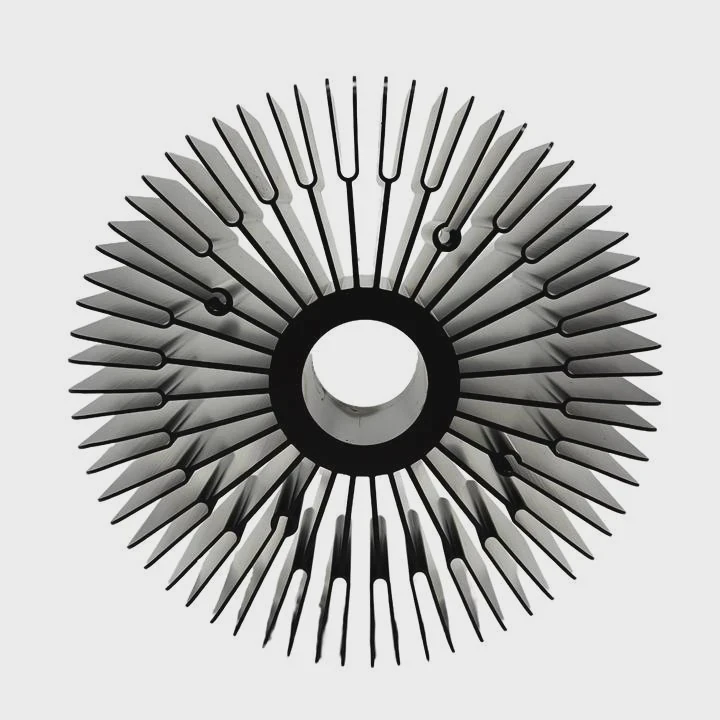
1. Smart Pump Technology
New pumps feature built-in sensors that monitor flow rate, pressure, and temperature. They adjust speed automatically to balance performance and noise. Some even alert users via software when maintenance is needed.
2. Advanced Coolant Formulas
Today’s coolants use anti-corrosion, anti-bacterial, and anti-evaporation additives. These prevent algae growth and metal degradation. Some brands claim a lifespan of 5+ years without replacement.
3. Durable Materials and Coatings
Copper and nickel plating are replacing cheaper aluminum in high-end systems. These metals resist corrosion and maintain heat conductivity longer. Tubes are now made from EPDM rubber or Teflon, which don’t harden or discolor over time.
4. Sealed and Leak-Proof Designs
Next-generation AIO systems are factory-sealed to eliminate air infiltration and evaporation. This design keeps performance consistent for years with no user maintenance required.
5. AI and IoT Integration
High-end workstations and servers now use AI-based cooling control that predicts thermal load and adjusts coolant flow accordingly. This prevents overheating and extends hardware lifespan.
Overview of Cooling Innovations
| Innovation | Description | Lifespan Impact |
|---|---|---|
| Smart Pumps | Auto-adjust flow and monitor wear | Extend pump life |
| Enhanced Coolant | Long-lasting additives | Reduce maintenance |
| Durable Materials | Nickel/copper components | Prevent corrosion |
| Leak-Proof Design | Sealed factory systems | Stable over years |
| AI Monitoring | Real-time temperature prediction | Boost reliability |
6. Self-Healing and Maintenance-Free Systems
Some research prototypes now feature self-healing seals that close automatically when micro-leaks form. This prevents fluid loss and extends system longevity. In industrial settings, magnetic-fluid pumps are being tested for continuous operation with minimal wear.
7. Modular Design for Easy Upgrades
Future systems are moving toward modular cooling blocks where you can swap parts without draining the loop. This design reduces downtime and allows longer product use.
My Perspective on the Future
In the next decade, I believe liquid cooling will become almost maintenance-free. Systems will automatically adjust, clean, and even diagnose themselves. With better materials and smart controls, it will be possible to run the same loop safely for 8–10 years.
Conclusion
Liquid cooling systems typically last 3–5 years for AIOs and up to 7 for custom loops. Watch for rising temperatures, noise, or discoloration—these signal it’s time for replacement. Modern innovations like smart pumps, advanced coolant, and corrosion-resistant materials now extend the lifespan of cooling systems far beyond what was possible before.
TAGS
Latest Articles

Volume discount levels for heat sink orders?
Buyers often ask when heat sink prices start to drop with volume. Many worry they’re overpaying for small orders. This guide explains how B2B volume pricing works for thermal components. Heat sink
21 Dec,2025
Heat sink long-term supply contract options?
Many buyers want stable pricing and reliable delivery for heat sinks. But without a clear contract, risks grow over time. This article explores how to secure better long-term supply deals. Long-term
21 Dec,2025
Tooling cost for new heat sink profiles?
Many engineers struggle to understand why tooling for custom heat sinks costs so much. They worry about budgeting and production timelines. This article breaks down the cost drivers behind tooling.
21 Dec,2025
Heat sink custom sample process steps?
Sometimes, starting a custom heat sink project feels overwhelming—too many steps, too many unknowns, and too many risks. You want a sample, but not endless delays. The process for requesting and
20 Dec,2025
Standard B2B terms for heat sink payments?
When buyers and sellers in B2B heat sink markets talk about payment, many don’t fully understand what’s standard. This can lead to delayed orders, miscommunication, and even lost business
20 Dec,2025
Heat sink pricing factors for large orders?
Heat sinks are vital for many systems. When prices rise, projects stall and budgets break. This problem can hit teams hard without warning. Large order heat sink pricing depends on many factors. You
20 Dec,2025Related Articles
- Does liquid cooling make noise?
- Is thermal paste needed for liquid cooling?
- Is air or liquid cooling better?
- Does liquid cooling make a difference?
- How to change CPU liquid cooler?
- What happens if liquid cooling leaks?
- Why liquid cooling?
- Is Liquid CPU Cooling Better?
- What is the best liquid cooler?
- Should liquid cooler fans be intake or exhaust?
- What is liquid CPU cooler?
- What liquid is used in a liquid cooling system?
Author
Dr. Emily Chen
Chief AI Researcher
Leading expert in thermal dynamics and AI optimization with over 15 years of experience in data center efficiency research.
Categories
Latest Products






Recommend Categories
- Liquid cooling plate Manufacturer
- Industrial Heat Sink Manufacturer
- Standard Heat Sink Manufacturer
- Aluminum Heat Sink Manufacturer
- Copper Heat Sink Manufacturer
- Anodized Heatsink Manufacturer
- Stamping heat sink Manufacturer
- Die Casting Heatsink Manufacturer
- Soldering heat sink Manufacturer
- CNC Parts Manufacturer
Latest Products
- Wholesale Aluminum Radiator
- Water Cooling Plate Kit
- Water Cooling Heat Sink
- Water Cooling Heat Sink Kit
- Stainless Steel Water Distributor
- Server Water Cooling Plate Kit
- Server Liquid Cooling System
- Server Aluminum Cooling Kit
- S19 Full Cover Cooling Plate
- S19 Cooling Plate Kit
- S19 Aluminum Cooling Plate
Contact Expert
Have questions about this article? Reach out to our experts directly.