What is liquid CPU cooler?
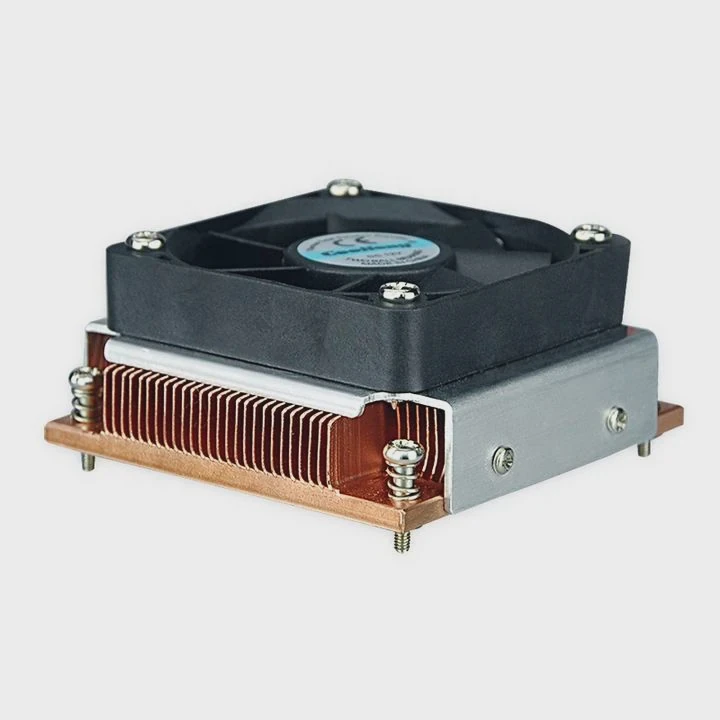
Computer processors are getting faster and hotter every year. Keeping them cool is essential for performance and longevity. While traditional air coolers have been reliable for decades, liquid CPU coolers now dominate modern PC builds because of their efficiency and aesthetics.
A liquid CPU cooler is a closed-loop system that circulates coolant through a block attached to the processor, transferring heat away from the CPU to a radiator where fans dissipate it.
This design allows quieter operation and improved thermal performance, making it ideal for gaming rigs, workstations, and compact systems.
How does a liquid CPU cooler work?
To understand liquid cooling, imagine a small car radiator working inside your computer. Instead of relying on airflow alone, it uses a liquid to absorb and carry heat away from the CPU more effectively.
A liquid CPU cooler works by using a pump to move coolant between a cold plate on the CPU and a radiator, where heat is released into the air through fans.
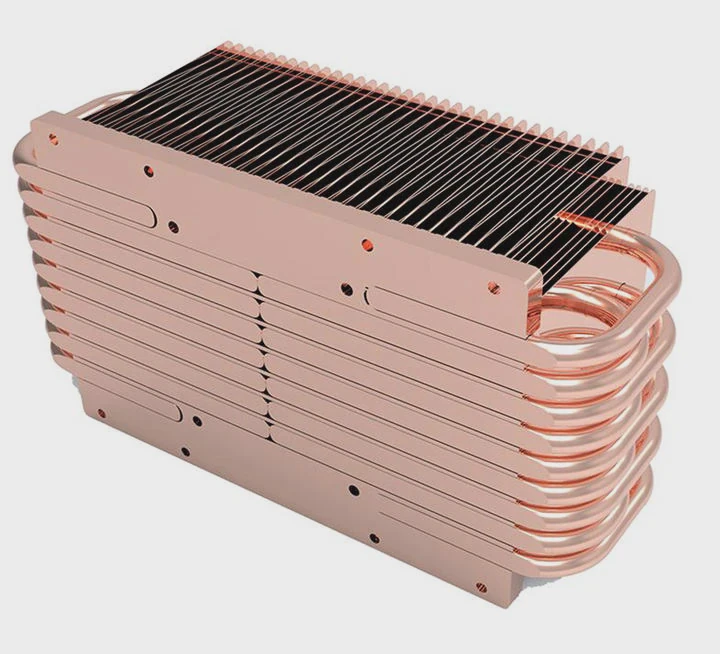
The Main Components
- Water Block (Cold Plate): A flat metal base (usually copper) that sits on top of the CPU. It absorbs heat and transfers it to the coolant.
- Pump: Moves the coolant through the system, ensuring continuous heat transfer.
- Tubing: Connects the block to the radiator, forming a sealed loop.
- Radiator: Similar to a car radiator, it disperses heat into the air with the help of attached fans.
- Fans: Mounted on the radiator to increase airflow and improve heat dissipation.
- Coolant: A liquid mixture (often water and glycol) that carries heat between the CPU and radiator.
| Component | Function | Material |
|---|---|---|
| Cold Plate | Absorb heat from CPU | Copper or nickel |
| Pump | Circulate coolant | Ceramic bearings |
| Tubing | Transfer fluid | Rubber or EPDM |
| Radiator | Release heat | Aluminum or copper |
| Fans | Push air through fins | Plastic blades |
Step-by-Step Process of Heat Transfer
- The CPU generates heat while operating.
- The heat passes into the metal cold plate.
- Coolant inside the block absorbs the heat.
- The pump pushes the heated coolant through tubes to the radiator.
- Airflow from fans cools the liquid inside the radiator.
- The cooled liquid returns to the CPU block to repeat the process.
This continuous cycle allows liquid coolers to maintain stable temperatures even under heavy workloads.
A Simple Analogy
Think of it like your body’s circulatory system: the CPU is your body’s core, the pump is the heart, and the coolant is the blood that carries heat away to be released through the skin (radiator).
Key Efficiency Factors
- Radiator size (120mm, 240mm, 360mm)
- Fan speed and static pressure
- Pump flow rate
- Thermal paste quality
Larger radiators and efficient pumps allow for better cooling performance, especially on high-power CPUs.
What are its advantages over air cooling?
While both air and liquid coolers have the same goal — removing heat from the CPU — their methods differ greatly. Air coolers rely solely on metal fins and fans, while liquid coolers combine fluid dynamics and radiative cooling.
Liquid CPU coolers offer superior thermal efficiency, quieter operation, better overclocking potential, and a cleaner visual design compared to traditional air coolers.
1. Better Heat Dissipation
Liquid coolers can move heat away from the CPU faster and over a larger area (the radiator). This makes them more effective at handling high thermal loads from modern processors.
2. Quieter Operation
Because liquid conducts heat efficiently, fans do not need to spin as fast, reducing overall noise. Pumps in modern AIO systems are also nearly silent.
3. Compact CPU Area
With a liquid cooler, the bulky heat sink moves to the radiator area, leaving the CPU socket space cleaner — helpful in compact cases or for showcasing RGB components.
4. Improved Overclocking Performance
Liquid cooling keeps temperatures more stable during CPU stress, allowing enthusiasts to safely increase clock speeds for higher performance.
5. Aesthetics and Customization
AIO and custom liquid coolers often include sleek designs with RGB lighting and programmable displays. For many PC builders, this visual appeal adds to the overall experience.
6. Longer Thermal Stability
Coolant systems maintain steady temperatures even during long sessions of rendering or gaming, avoiding thermal throttling that can reduce performance.
| Feature | Liquid Cooling | Air Cooling |
|---|---|---|
| Heat Transfer Medium | Liquid coolant | Air |
| Noise Level | Low | Moderate to high |
| Cooling Capacity | High | Medium |
| Space Around CPU | Clear | Bulky |
| Maintenance | Minimal (AIO) | Low |
| Aesthetic Appeal | Modern and clean | Simple |
Personal Experience
After switching from a large dual-tower air cooler to a 240mm AIO liquid cooler, I noticed both lower noise levels and better stability during gaming. The CPU stayed under 70°C under full load, compared to 85°C with air cooling, and the case airflow improved too.
How to install and maintain it?
Installing a liquid cooler requires a careful approach to ensure safety and efficiency. Most modern coolers come as AIO (All-In-One) kits, which are prefilled and sealed, making installation simple.
To install a liquid CPU cooler, mount the radiator and fans, attach the pump block to the CPU with thermal paste, and connect power cables for the pump and fans. Maintenance mainly involves keeping the radiator clean and monitoring performance.
Step-by-Step Installation Guide
Step 1: Preparation
- Power off the PC and disconnect the power cable.
- Place the case on a stable surface.
- Remove the side panel for easy access.
- Gather tools: screwdriver, thermal paste (if needed), and cleaning materials.
Step 2: Remove the Old Cooler
If upgrading, detach the old air or liquid cooler carefully. Clean any remaining thermal paste from the CPU using isopropyl alcohol and a lint-free cloth.
Step 3: Mount the Radiator
Decide where the radiator will go — top, front, or rear of the case. Attach fans to the radiator in either push or pull configuration, depending on airflow direction. Secure it with screws.
Step 4: Install the Pump Block
Apply a small drop of thermal paste on the CPU (unless pre-applied). Align the block with the mounting bracket and screw it evenly to ensure proper contact.
Step 5: Connect Power Cables
- Pump cable → CPU_FAN or PUMP header.
- Fan cables → motherboard or fan hub.
- RGB or lighting cables → controller or ARGB header.
Step 6: Final Check
Ensure all cables are tight and no tubes are twisted or pinched. Power on the system and check the BIOS or monitoring software for pump speed and CPU temperature.
Maintenance Tips
- Clean Dust Regularly: Use compressed air to clean radiator fins and fans every few months. Dust can block airflow and reduce cooling performance.
- Monitor Pump Noise: If you hear gurgling, it may indicate trapped air or pump wear. Tilt the case gently to release bubbles.
- Check for Leaks: Inspect tubing and fittings occasionally for any signs of moisture.
- Replace Thermal Paste: Every 2–3 years, replace the thermal paste for consistent contact.
- Avoid Over-Tightening: Tightening screws too hard can damage threads or deform the cooler base.
| Maintenance Task | Frequency | Purpose |
|---|---|---|
| Dust Cleaning | Every 3–6 months | Maintain airflow |
| Thermal Paste Refresh | Every 2–3 years | Ensure heat transfer |
| Visual Inspection | Monthly | Detect leaks early |
| Software Monitoring | Always | Track temperature stability |
Safety Advice
- Never power the pump without coolant (for custom loops).
- Avoid mixing different coolants.
- Handle tubes gently to prevent cracking.
- Disconnect power before performing maintenance.
Installing a liquid cooler is easier than it looks, and most AIO units can last 5–7 years with minimal upkeep.
What are the latest trends in CPU cooling design?
As processors continue to consume more power, cooling technology is rapidly evolving to handle rising thermal loads efficiently and silently.
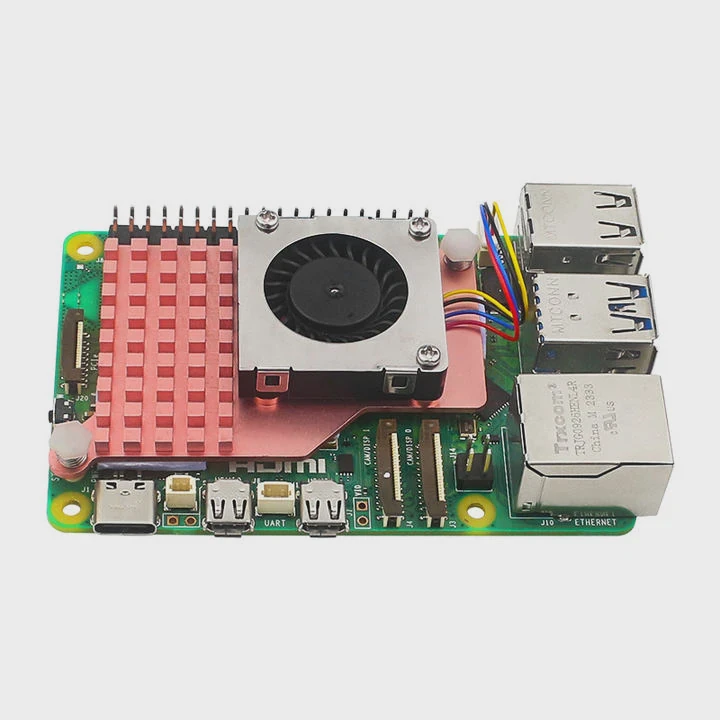
The latest CPU cooling trends focus on smarter designs, eco-friendly materials, AI-controlled thermal systems, and advanced heat-transfer technologies like vapor chambers and liquid metal interfaces.
1. Smart Cooling Control
Manufacturers now integrate temperature sensors and AI-based fan algorithms that dynamically adjust pump and fan speeds for optimal performance. This automation minimizes noise without sacrificing cooling.
2. Magnetic and Dual-Chamber Pumps
Next-generation AIO coolers feature magnetic levitation pumps that eliminate friction and extend lifespan. Dual-chamber designs separate hot and cold coolant zones for higher efficiency.
3. Liquid Metal Interfaces
Some high-end coolers use liquid metal instead of thermal paste. It offers up to 10 times better conductivity, but requires expert installation due to its electrical conductivity.
4. Compact Radiator Innovations
Radiators are getting thinner yet more efficient. Multi-layer fin structures and optimized fan curves improve heat dissipation even in small form factor (SFF) PCs.
5. Sustainable and Non-Toxic Coolants
Eco-friendly coolants are replacing older ethylene glycol mixtures. These new fluids are biodegradable and safer for both users and the environment.
6. Visual and Customization Enhancements
Coolers now come with built-in LCD displays showing real-time temperature, logos, or custom animations. ARGB lighting is standard, offering full color control.
7. Modular and Expandable Designs
High-end AIO coolers are becoming modular, allowing users to replace pumps, fans, or radiators individually. This extends product lifespan and supports future upgrades.
8. Integration with Motherboard BIOS
Many new coolers synchronize directly with motherboard software to provide unified control of fans, lighting, and pump curves — creating a seamless cooling ecosystem.
| Trend | Description | Main Advantage |
|---|---|---|
| AI Fan Curves | Auto-adjust cooling based on load | Quiet & efficient |
| Dual-Chamber Pumps | Separate coolant flows | Better performance |
| Liquid Metal TIM | Replaces thermal paste | Lower temps |
| Eco-Friendly Coolants | Non-toxic & recyclable | Sustainable |
| LCD Displays | Real-time data | User control |
9. Future Directions
The next generation of CPU coolers may include phase-change and nanofluid technologies. Phase-change systems can instantly shift liquid to vapor for ultra-fast cooling, while nanofluids improve thermal conductivity by mixing nanoparticles with coolant.
My Observation
I’ve noticed that cooling is no longer about raw performance alone — it’s about smart control and reliability. A cooler that adapts to load conditions automatically, stays silent, and lasts for years represents the true progress of modern PC design.
Conclusion
A liquid CPU cooler is more than just a performance upgrade — it’s a technological leap in heat management. By understanding how it works, how to install it, and where the industry is heading, you can build a quieter, cooler, and more efficient PC. As cooling technology continues to evolve, tomorrow’s systems will be smarter, cleaner, and even more capable of keeping up with the power of modern processors.
TAGS
Latest Articles

Volume discount levels for heat sink orders?
Buyers often ask when heat sink prices start to drop with volume. Many worry they’re overpaying for small orders. This guide explains how B2B volume pricing works for thermal components. Heat sink
21 Dec,2025
Heat sink long-term supply contract options?
Many buyers want stable pricing and reliable delivery for heat sinks. But without a clear contract, risks grow over time. This article explores how to secure better long-term supply deals. Long-term
21 Dec,2025
Tooling cost for new heat sink profiles?
Many engineers struggle to understand why tooling for custom heat sinks costs so much. They worry about budgeting and production timelines. This article breaks down the cost drivers behind tooling.
21 Dec,2025
Heat sink custom sample process steps?
Sometimes, starting a custom heat sink project feels overwhelming—too many steps, too many unknowns, and too many risks. You want a sample, but not endless delays. The process for requesting and
20 Dec,2025
Standard B2B terms for heat sink payments?
When buyers and sellers in B2B heat sink markets talk about payment, many don’t fully understand what’s standard. This can lead to delayed orders, miscommunication, and even lost business
20 Dec,2025
Heat sink pricing factors for large orders?
Heat sinks are vital for many systems. When prices rise, projects stall and budgets break. This problem can hit teams hard without warning. Large order heat sink pricing depends on many factors. You
20 Dec,2025Related Articles
- Should liquid cooler fans be intake or exhaust?
- What is the best liquid cooler?
- Is Liquid CPU Cooling Better?
- Why liquid cooling?
- When should you replace liquid cooling?
- Does liquid cooling make noise?
- What liquid is used in a liquid cooling system?
- How to Maintain Liquid CPU Cooler?
- Is PC Liquid Cooling Worth It?
- Which is better, air cooling or liquid cooling?
- Is liquid or air cooling better?
- Is liquid cooling better for CPU?
Author
Dr. Emily Chen
Chief AI Researcher
Leading expert in thermal dynamics and AI optimization with over 15 years of experience in data center efficiency research.
Categories
Latest Products






Recommend Categories
- Liquid cooling plate Manufacturer
- Industrial Heat Sink Manufacturer
- Standard Heat Sink Manufacturer
- Aluminum Heat Sink Manufacturer
- Copper Heat Sink Manufacturer
- Anodized Heatsink Manufacturer
- Stamping heat sink Manufacturer
- Die Casting Heatsink Manufacturer
- Soldering heat sink Manufacturer
- CNC Parts Manufacturer
Latest Products
- Wholesale Aluminum Radiator
- Water Cooling Plate Kit
- Water Cooling Heat Sink
- Water Cooling Heat Sink Kit
- Stainless Steel Water Distributor
- Server Water Cooling Plate Kit
- Server Liquid Cooling System
- Server Aluminum Cooling Kit
- S19 Full Cover Cooling Plate
- S19 Cooling Plate Kit
- S19 Aluminum Cooling Plate
Contact Expert
Have questions about this article? Reach out to our experts directly.