what does a cpu heatsink do?
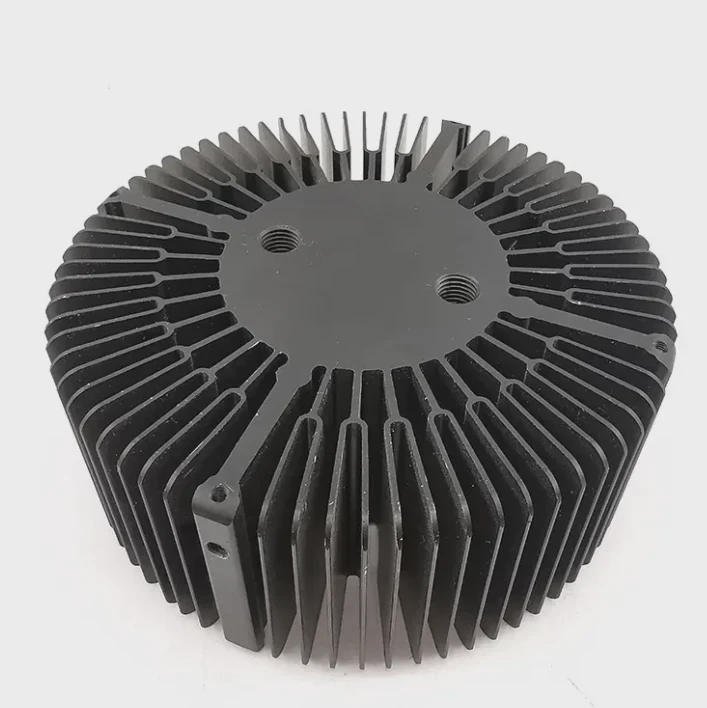
Many users see a large metal block sitting on their CPU but do not fully understand what it does or why it matters so much for system stability.
A CPU heatsink absorbs heat from the processor, spreads it across a wide surface, and releases it into airflow so the CPU can stay cool, stable, and efficient during heavy workloads.
I have seen many systems throttle, stutter, or shut down only because the heatsink was not working correctly. Knowing what it does helps prevent these problems.
Why CPUs produce high heat?
Modern CPUs run millions of operations per second. Every action generates heat inside very small circuits. This heat must move out of the chip immediately.
CPUs produce high heat because they switch transistors at extreme speeds, draw significant power during load, and concentrate this activity inside a small silicon die.
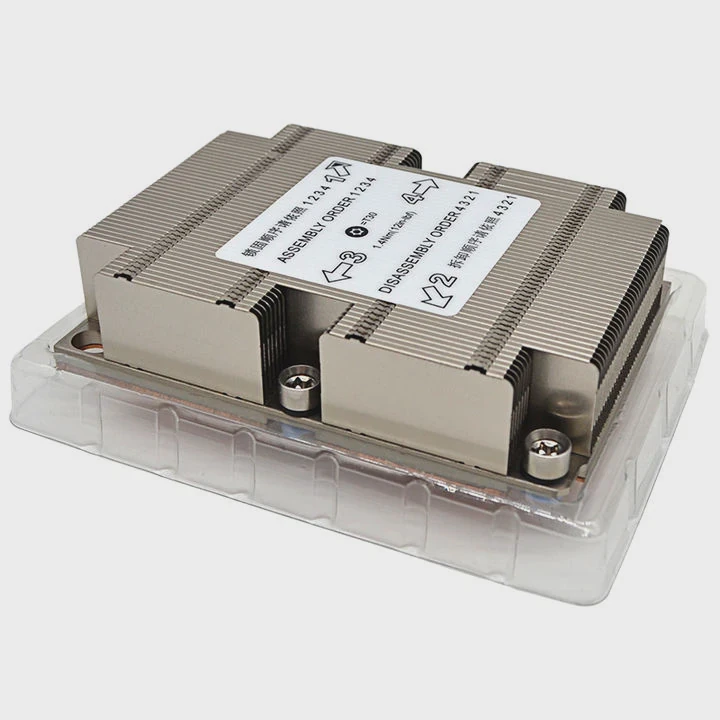
Why CPU heat increases quickly
A CPU packs billions of transistors into a tiny area. These transistors toggle rapidly. Each switch needs electrical power. This power becomes heat. Heavy tasks demand rapid switching, which increases heat output.
Key heat sources in a CPU
| Component | Heat Level |
|---|---|
| Cores | Very high |
| Cache and memory controller | Medium |
| Integrated graphics | Medium to high |
A deeper look at CPU heat generation
A CPU core performs calculations by changing the state of transistors. These switches release energy as heat. When thousands of operations run at once, heat builds rapidly. Boost modes increase clock speed and voltage. This boosts performance but raises heat even more.
Cache and internal memory controllers add to this heat. These components handle data flow inside the chip. They work constantly, even in simple tasks. Integrated graphics units also generate heat when rendering or decoding video.
The CPU die is small. Heat accumulates quickly in such a confined space. Without proper cooling, the die temperature rises until the CPU throttles to protect itself. If heat continues building, the system may crash.
This is why a CPU heatsink is essential. It captures this heat at the source and transfers it away. Even a few seconds without effective cooling can cause serious problems.
How do fins expand cooling area?
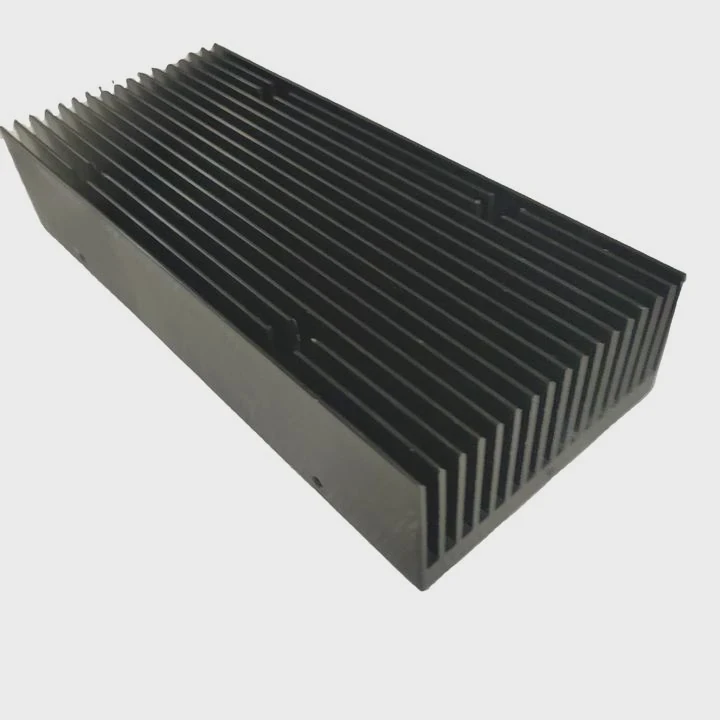
A heatsink is not just a block of metal. Fins shape how the cooler releases heat into air. More surface area equals faster cooling.
Fins expand cooling area by increasing the surface that meets airflow, allowing heat to leave the metal faster through convection. The larger the area, the more heat the heatsink can release.
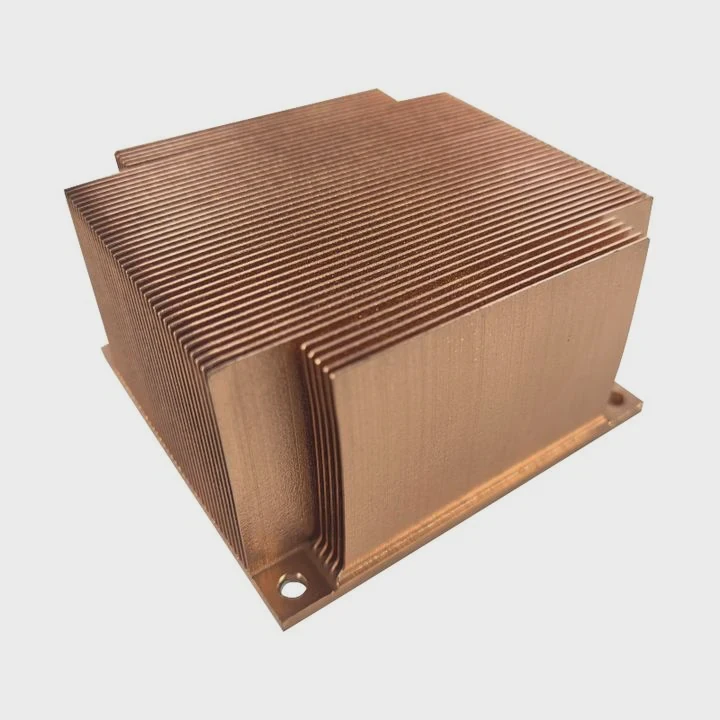
Why fins are effective
Fins create thin sheets of metal. Air moves between them. As air passes, it picks up heat. Without fins, the heatsink would have much less surface area and cool very slowly.
Fin performance basics
| Feature | Cooling Effect |
|---|---|
| Thin fins | Better airflow contact |
| Dense stacking | More area |
| Wide spacing | Lower resistance |
A deeper look at fin behavior
A heatsink’s fins expose heat to air. The fin stack increases surface area dramatically. Heat from the base moves up through the fins. The air passing between the fins absorbs this heat through convection.
Fin thickness affects performance. Thin fins allow more to fit in the same space, increasing surface area. But fins cannot be too thin or they bend easily. Good heatsinks balance fin density and durability.
Spacing also matters. If fins sit too close, airflow struggles to pass through. This creates back pressure and reduces cooling efficiency. If fins are too far apart, surface area drops. The best heatsinks use structured spacing for smooth airflow.
Fins direct airflow in a controlled path. The air moves in a straight line across the stack. This reduces turbulence and improves overall cooling. Tall tower heatsinks use vertical fins to align with case airflow. Top-down coolers use horizontal fins to push air across the motherboard.
Large fin surfaces also cool more evenly. Heat spreads along the fins to avoid hotspots. This helps maintain stable temperatures during heavy CPU loads.
Which materials dissipate best?
Not all heatsinks use the same metal. Some materials transfer heat better than others. Material choice shapes cooling performance.
Copper dissipates heat best due to high conductivity, while aluminum cools quickly with lower weight. Many heatsinks use a copper base with aluminum fins for balanced performance.
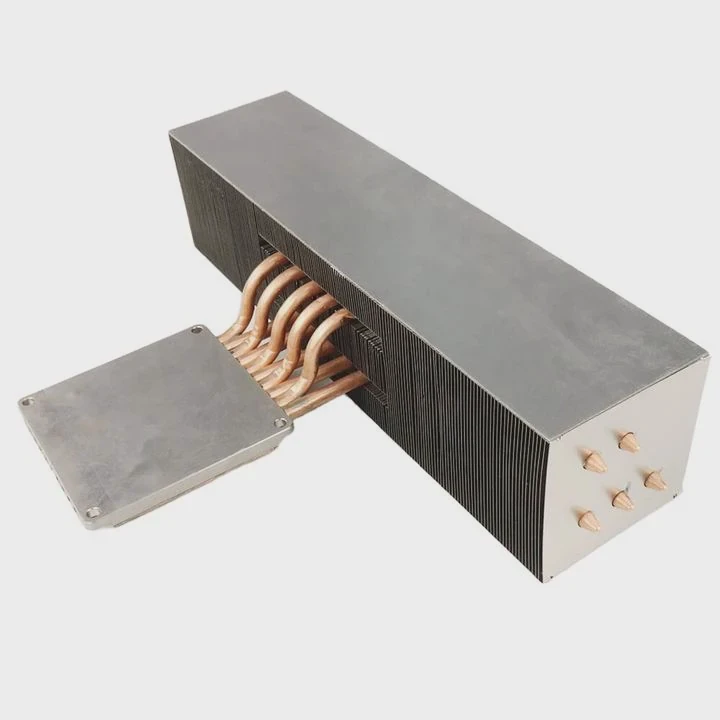
Why material choice matters
Heat must travel through the heatsink quickly. Better conduction moves heat from the CPU to the fins faster. Materials with high thermal conductivity handle this best.
Material comparison
| Material | Conductivity | Strength |
|---|---|---|
| Copper | Very high | Heavy |
| Aluminum | Medium | Light |
| Hybrid | Balanced | Strong overall |
A deeper look at material performance
Copper excels at moving heat. When the CPU produces heat, copper absorbs it and spreads it across the base quickly. This reduces hotspots. Many premium coolers use copper heatpipes and bases for this reason.
Aluminum cools effectively once heat reaches it. It is lighter and cheaper than copper. Aluminum fins release heat efficiently into air. Because fins need to be light and thin, aluminum is ideal for this part of the heatsink.
Hybrid designs combine both metals. A copper base absorbs heat immediately. Heatpipes move heat upward. Aluminum fins disperse it into airflow. This combination offers strong performance without excessive weight.
Some heatsinks use nickel plating. Nickel protects copper from oxidation. It makes the surface smoother and more durable. While nickel conducts slightly less heat than bare copper, the difference is small. The added protection is often worth it.
Material quality affects lifespan. Poor metal blends reduce performance and warp over time. High-quality metals hold structure and keep cooling steady for years.
Do fans enhance heatsink efficiency?
A heatsink can work without a fan, but its cooling power is much lower. Airflow is the key to strong performance.
Fans enhance heatsink efficiency by pushing cool air through the fins, increasing convection, and removing hot air quickly. Strong airflow prevents heat buildup and stabilizes CPU temperature.
Why fans boost cooling power
Without a fan, the heatsink relies solely on natural convection. This is slow. A fan forces air through the fins, lifting heat away immediately.
Fan performance factors
| Factor | Cooling Impact |
|---|---|
| Air pressure | Moves air through dense fins |
| Airflow volume | Removes heat faster |
| Fan size | Lower noise, strong cooling |
A deeper look at fan-assisted cooling
Fans increase cooling power because they control airflow speed and direction. Air carries heat away. When the fan pushes fresh air into the heatsink, heat leaves the fins faster. This allows the heatsink to absorb more heat from the CPU.
Static pressure is important. Dense fin stacks need strong pressure to push air through. High-pressure fans work well on towers with many fins. Low-pressure fans work best in open areas with less resistance.
Fan size matters too. Larger fans move more air at lower speeds. This reduces noise while maintaining cooling performance. Many tower coolers use 120 mm or 140 mm fans for this reason.
Push–pull setups use two fans. One pushes air into the fins, and the other pulls it out. This increases airflow and reduces turbulence. Push–pull helps heavy workloads and hot CPUs.
Fan curves control speed. A well-tuned fan curve keeps the CPU cool without constant loud noise. Fans ramp up under heavy load and slow down when the system is idle.
A fan extends a heatsink’s performance range. With strong airflow, even mid-size heatsinks can cool powerful CPUs safely.
Conclusion
A CPU heatsink absorbs heat from the processor, spreads it across fins, and releases it into airflow. CPUs generate high heat, fins expand cooling area, materials shape heat transfer, and fans boost efficiency. Together, these elements keep the CPU cool, stable, and ready for demanding workloads.
TAGS
Latest Articles

Volume discount levels for heat sink orders?
Buyers often ask when heat sink prices start to drop with volume. Many worry they’re overpaying for small orders. This guide explains how B2B volume pricing works for thermal components. Heat sink
21 Dec,2025
Heat sink long-term supply contract options?
Many buyers want stable pricing and reliable delivery for heat sinks. But without a clear contract, risks grow over time. This article explores how to secure better long-term supply deals. Long-term
21 Dec,2025
Tooling cost for new heat sink profiles?
Many engineers struggle to understand why tooling for custom heat sinks costs so much. They worry about budgeting and production timelines. This article breaks down the cost drivers behind tooling.
21 Dec,2025
Heat sink custom sample process steps?
Sometimes, starting a custom heat sink project feels overwhelming—too many steps, too many unknowns, and too many risks. You want a sample, but not endless delays. The process for requesting and
20 Dec,2025
Standard B2B terms for heat sink payments?
When buyers and sellers in B2B heat sink markets talk about payment, many don’t fully understand what’s standard. This can lead to delayed orders, miscommunication, and even lost business
20 Dec,2025
Heat sink pricing factors for large orders?
Heat sinks are vital for many systems. When prices rise, projects stall and budgets break. This problem can hit teams hard without warning. Large order heat sink pricing depends on many factors. You
20 Dec,2025Related Articles
- what does a motherboard heatsink do?
- should i change cpu heatsink when system is hot?
- is it okay to clean a heatsink with canned air?
- does r16 nvme slot comes with heatsink?
- do i need heatsink for nvme ssd?
- what heatsink should i get for i7 6700?
- how to put heatsink on raspberry pi?
- do you need heatsink on m 2?
- how to add holes for heatsinks pcb?
- is heatsink necessary?
- how to remove cpu heatsink for p5n-d?
- will an older cpu heatsink fit on a 6700k?
Author
Dr. Emily Chen
Chief AI Researcher
Leading expert in thermal dynamics and AI optimization with over 15 years of experience in data center efficiency research.
Categories
Latest Products

M.2 Heatpipe Heatsink With Dual Fans For Pc Case
19 Mar,2026

Heavy-Duty Aluminum Heat Sink Custom
19 Mar,2026

Oem Skived Fin Heatsink Aluminum Radiator For Plants
19 Mar,2026

Water Cooled Cnc Aluminum Heat Sink For Medical
19 Mar,2026

High Density 6000 Series Aluminum Heat Sink Profile
19 Mar,2026

High-Density Extruded Aluminum & Bonded-Fin Heat Sink Profile
19 Mar,2026
Recommend Categories
- Liquid cooling plate Manufacturer
- Industrial Heat Sink Manufacturer
- Standard Heat Sink Manufacturer
- Aluminum Heat Sink Manufacturer
- Copper Heat Sink Manufacturer
- Anodized Heatsink Manufacturer
- Stamping heat sink Manufacturer
- Die Casting Heatsink Manufacturer
- Soldering heat sink Manufacturer
- CNC Parts Manufacturer
Latest Products
- M.2 Heatpipe Heatsink With Dual Fans For Pc Case
- Heavy-Duty Aluminum Heat Sink Custom
- Oem Skived Fin Heatsink Aluminum Radiator For Plants
- Water Cooled Cnc Aluminum Heat Sink For Medical
- High Density 6000 Series Aluminum Heat Sink Profile
- High-Density Extruded Aluminum & Bonded-Fin Heat Sink Profile
- Dongguan Cnc Aluminum Heat Sink For Led & Brass Parts
- Wholesale Cnc Aluminum Heat Sink - Custom Extruded
- Led Cnc Round Heat Sink With Screw Holes
- Copper Pin-Fin Heat-Sink Large-Area For Photoled Cooling
- Telecom Heatsink Zipper Fin Wcopper Tubes Oem
Contact Expert
Have questions about this article? Reach out to our experts directly.