Where to put liquid cooling radiator?
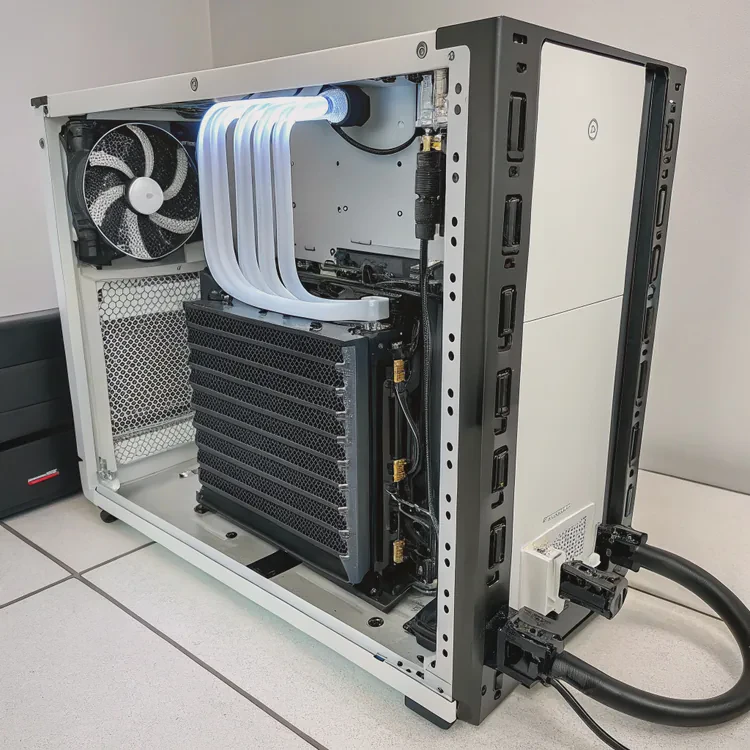
When I installed my first liquid cooling system, I made a simple mistake — I mounted the radiator at the wrong angle. The pump made noise, bubbles formed, and temperatures climbed. It turns out that where you place your radiator matters as much as the cooler itself.
The best place for a liquid cooling radiator is where it can get the most direct airflow and stay above the pump to avoid trapped air, ensuring optimal cooling efficiency and quiet operation.
In this guide, we’ll explore what a liquid cooling radiator is, why placement affects performance, how to choose the ideal position, and what new radiator designs are changing how systems are cooled today.
What is a liquid cooling radiator?
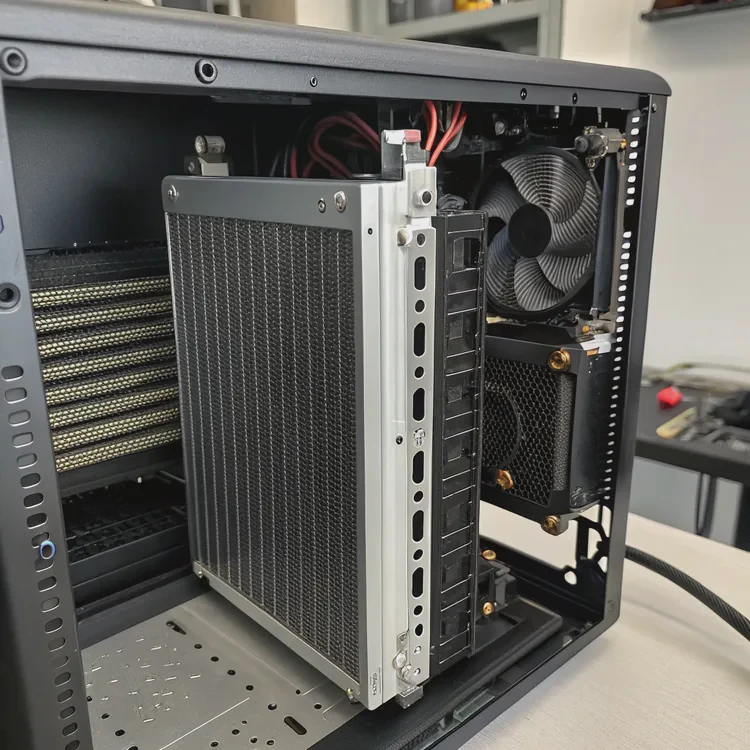
Every liquid cooling system, whether it’s an All-in-One (AIO) or a custom loop, relies on one key component — the radiator. This is where the heat collected from your CPU or GPU is released into the air.
A liquid cooling radiator is a heat exchanger that transfers heat from coolant to air through metal fins and fans.
How it works
- Coolant absorbs heat from the water block attached to your CPU or GPU.
- The heated liquid travels through tubes into the radiator.
- The radiator’s metal fins increase the surface area for heat dissipation.
- Fans blow air through the fins, cooling the liquid before it returns to the system.
Radiator components
- Fins: Thin metal sheets (usually aluminum or copper) that increase surface area.
- Tubes: Channels that guide coolant through the radiator.
- Tank/Manifold: Holds coolant before it enters or exits the tubes.
- Fans: Push or pull air across the fins to remove heat efficiently.
Common radiator sizes
| Radiator Size | Fan Count | Typical Use |
|---|---|---|
| 120mm | 1 fan | Compact builds or light cooling. |
| 240mm | 2 fans | Balanced CPU cooling. |
| 280mm | 2 larger fans | Better airflow, quieter operation. |
| 360mm | 3 fans | High-performance cooling for powerful CPUs or GPUs. |
Radiator size and placement both impact how well your cooling system performs. But even the best radiator can underperform if installed incorrectly.
What are the benefits of proper placement?
When I moved my radiator from the bottom of my case to the top, my CPU temperatures dropped by 5°C immediately — and the annoying bubbling noise disappeared. That’s how much placement matters.
Proper radiator placement improves cooling efficiency, reduces noise, prevents pump strain, and ensures consistent performance under heavy load.
1. Improved heat dissipation
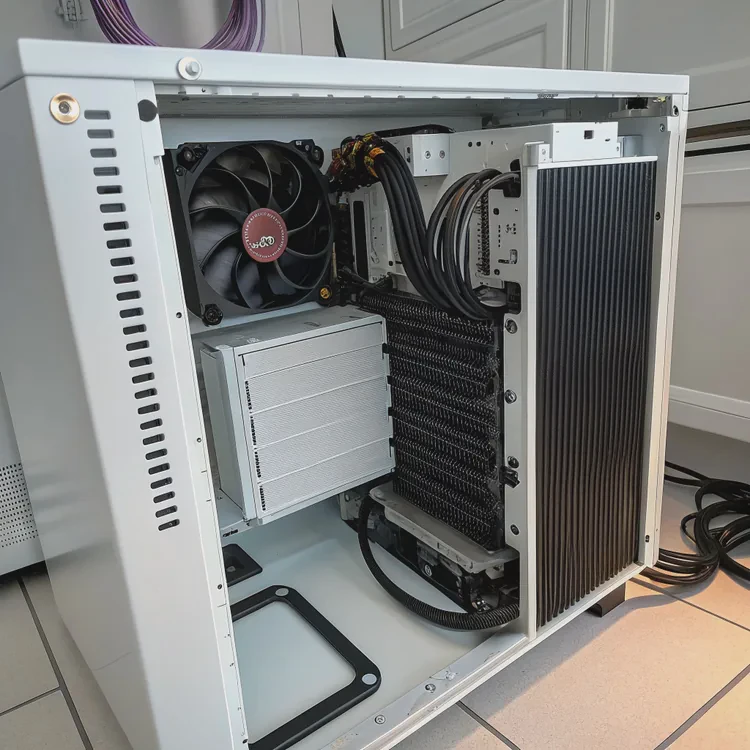
Radiators need steady airflow. When placed in a location with strong intake or exhaust paths, they can release heat more effectively. Poorly placed radiators recycle hot air inside the case, raising overall system temperature.
2. Reduced pump noise and air buildup
If the radiator sits below the pump, trapped air can flow into the pump chamber, creating bubbles and noise. Mounting the radiator above the pump ensures air stays in the radiator, where it won’t interfere with liquid circulation.
3. Balanced system temperature
A well-placed radiator not only cools the CPU but also prevents the case’s internal temperature from rising. This helps keep other components like the GPU and VRMs stable.
4. Quieter operation
Proper placement reduces the need for fans to spin at high speeds. Cool air enters more easily, meaning fans can maintain lower RPMs for quieter performance.
5. Longer component lifespan
Efficient heat management reduces thermal stress on the pump, fans, and coolant. This leads to longer lifespan and fewer maintenance issues.
Summary of placement benefits
| Benefit | Description |
|---|---|
| Better Airflow | Fresh air intake improves cooling efficiency. |
| Pump Safety | Air stays trapped in the radiator, not the pump. |
| Lower Noise | Fans can run slower with cooler air. |
| Even Temperature | Prevents heat buildup inside the case. |
| Improved Reliability | Reduces mechanical wear on the pump. |
How to position the radiator for best results?
Radiator placement depends on your case layout, airflow direction, and cooling goals. But the core rule is simple: radiator above pump, with clear airflow.
To get the best results, mount your radiator where it receives fresh air, keeps the pump lower than the radiator, and aligns with your case’s natural airflow pattern.
1. Top-mounted radiator (exhaust)
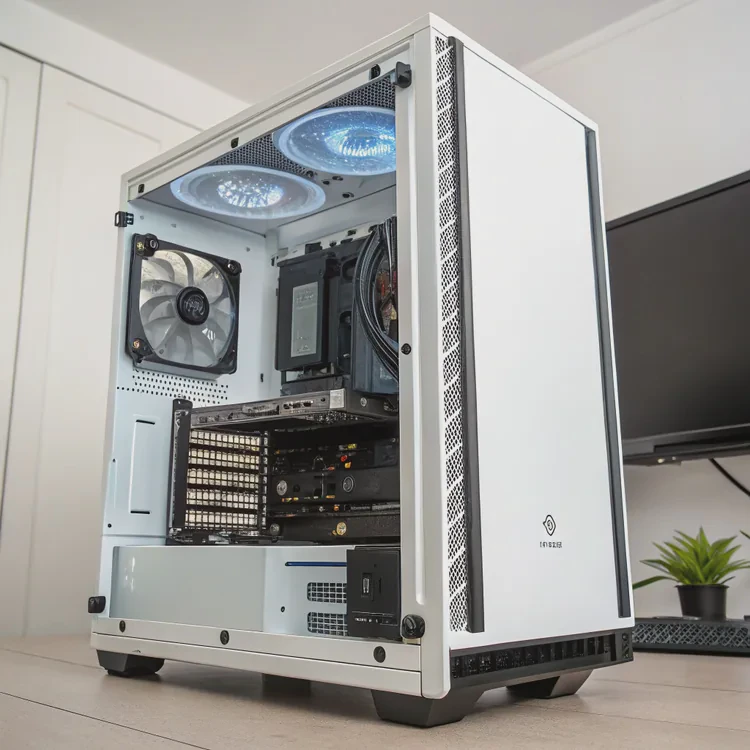
This is the most common setup and works for most PC cases.
- Airflow: Pushes hot air out of the case.
- Best for: CPU-focused cooling, quiet performance, and aesthetic balance.
- Tips: Ensure the tubes are at the bottom of the radiator so air stays trapped at the top.
Pros:
- Natural exhaust path for heat.
- Keeps case interior cool.
- Reduces pump noise.
Cons:
- May increase GPU temperature slightly if hot air rises near the graphics card.
2. Front-mounted radiator (intake)
Mounting the radiator at the front brings in cool air directly from outside.
- Airflow: Pulls cool air through the radiator into the case.
- Best for: Maximum CPU cooling in performance builds.
- Tips: Set the fans to pull air inward for best temperature results.
Pros:
- Strong cooling for CPU and radiator efficiency.
- Cooler intake air leads to lower temperatures.
Cons:
- Adds heat to internal case air, which can raise GPU temperatures slightly.
3. Bottom-mounted radiator (intake)
Used mainly in large or custom cases.
- Airflow: Pulls air upward through the radiator.
- Best for: Custom loops with multiple radiators.
- Tips: Avoid placing the pump above the radiator if possible to prevent air lock.
Pros:
- Good for multi-radiator setups.
- Can complement a top exhaust radiator for balanced cooling.
Cons:
- Limited space and potential dust buildup.
- Risk of air bubbles if pump sits higher than radiator.
4. Side-mounted radiator
Found in modern or vertical cases where space allows.
- Airflow: Varies based on fan configuration.
- Best for: Compact systems or visual showcase builds.
- Tips: Ensure the pump is lower than the highest coolant point.
Pros:
- Aesthetic flexibility.
- Works well with transparent cases.
Cons:
- Airflow may be restricted depending on case design.
My personal advice
If your case allows it, top-mounted exhaust is the most reliable and quiet setup. It balances cooling performance and airflow without adding extra heat to the case interior.
I’ve tested front and top positions in multiple builds — the temperature difference is usually within 3–5°C, but top placement consistently wins for long-term reliability.
Radiator placement comparison
| Position | Airflow Direction | Cooling Efficiency | Noise Level | Recommended For |
|---|---|---|---|---|
| Top | Exhaust | Excellent | Quiet | Balanced performance |
| Front | Intake | Highest | Moderate | CPU-heavy systems |
| Bottom | Intake | Good | Medium | Dual-radiator loops |
| Side | Intake/Exhaust | Variable | Depends on airflow | Compact builds |
What trends influence radiator design?
Radiator technology has evolved rapidly to match modern hardware’s increasing heat output. Today’s designs focus on better materials, smarter airflow management, and even integrated control systems.
Modern radiator trends focus on high-density fin design, improved materials, modular layouts, and AI-driven cooling control for smarter, quieter performance.
1. High-density fin structures
Manufacturers are using thinner, more closely packed fins to increase surface area without increasing radiator size. This improves heat transfer but also requires optimized fan pressure.
2. Hybrid material construction
Radiators now combine copper, aluminum, and nickel plating for better corrosion resistance and durability. Nickel-coated copper improves conductivity while maintaining long-term reliability.
3. Modular and compact radiators
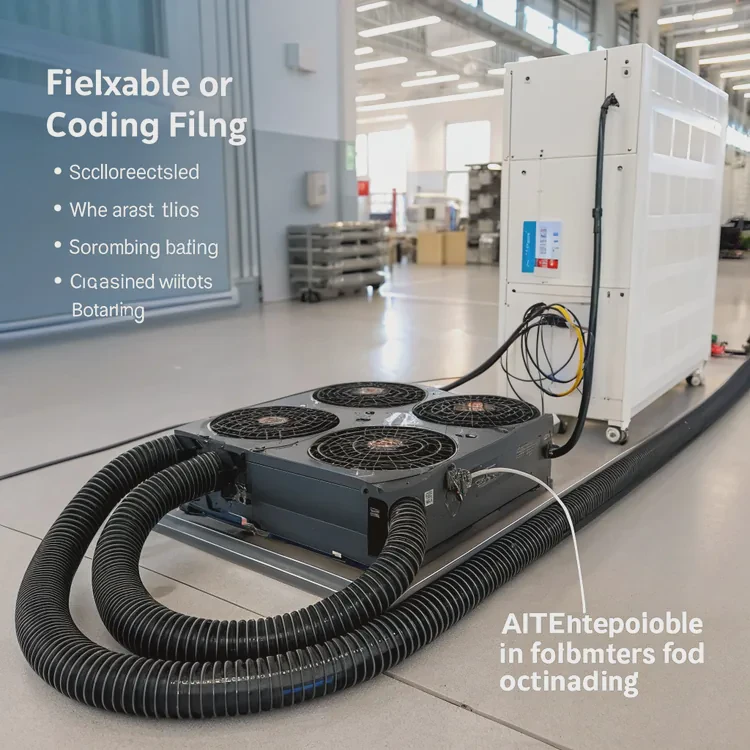
Smaller form-factor PCs are driving innovation in modular radiators that can fit into tight spaces or expand with additional units. Some designs include flexible or foldable tubing for easier installation.
4. AI and software-controlled fans
Smart cooling systems use sensors and AI algorithms to adjust pump and fan speeds dynamically. This ensures the radiator operates efficiently without excess noise or energy consumption.
5. Integrated reservoirs and pumps
In custom cooling, newer designs combine radiator, pump, and reservoir into a single compact unit. This reduces tubing length, simplifies assembly, and improves fluid circulation.
6. Eco-friendly coatings and fluids
Sustainability trends are leading to non-toxic coatings and recyclable materials for radiator fins. Some coolants also use biodegradable compounds that protect both hardware and the environment.
Radiator design trend summary
| Trend | Advantage | Description |
|---|---|---|
| High-Density Fins | Better heat transfer | Maximizes cooling in limited space. |
| Hybrid Metals | Corrosion resistance | Combines copper’s conductivity with nickel’s durability. |
| Modular Radiators | Flexible setup | Adapts to compact or custom cases. |
| AI Fan Control | Smart performance | Adjusts airflow automatically. |
| Integrated Units | Simpler design | Combines pump and reservoir. |
| Eco-Friendly Materials | Sustainability | Safe coatings and recyclable parts. |
Looking ahead
Future radiator systems may include phase-change materials or liquid metal channels for ultra-efficient heat transfer. With AI management and modular design, they’ll become quieter, smaller, and easier to install — transforming cooling into an intelligent, maintenance-free system.
Conclusion
Radiator placement is more than an aesthetic choice — it’s a functional decision that determines how efficiently your liquid cooling system performs. Mounting the radiator where it gets fresh airflow and stays above the pump ensures better cooling, less noise, and longer component life.
With new trends like high-density fins, hybrid metals, and smart AI control, radiator design is becoming more efficient and adaptable — helping every system run cooler, quieter, and more sustainably than ever before.
TAGS
Latest Articles

Volume discount levels for heat sink orders?
Buyers often ask when heat sink prices start to drop with volume. Many worry they’re overpaying for small orders. This guide explains how B2B volume pricing works for thermal components. Heat sink
21 Dec,2025
Heat sink long-term supply contract options?
Many buyers want stable pricing and reliable delivery for heat sinks. But without a clear contract, risks grow over time. This article explores how to secure better long-term supply deals. Long-term
21 Dec,2025
Tooling cost for new heat sink profiles?
Many engineers struggle to understand why tooling for custom heat sinks costs so much. They worry about budgeting and production timelines. This article breaks down the cost drivers behind tooling.
21 Dec,2025
Heat sink custom sample process steps?
Sometimes, starting a custom heat sink project feels overwhelming—too many steps, too many unknowns, and too many risks. You want a sample, but not endless delays. The process for requesting and
20 Dec,2025
Standard B2B terms for heat sink payments?
When buyers and sellers in B2B heat sink markets talk about payment, many don’t fully understand what’s standard. This can lead to delayed orders, miscommunication, and even lost business
20 Dec,2025
Heat sink pricing factors for large orders?
Heat sinks are vital for many systems. When prices rise, projects stall and budgets break. This problem can hit teams hard without warning. Large order heat sink pricing depends on many factors. You
20 Dec,2025Related Articles
- How to change water cooling liquid?
- Is liquid cooling more expensive?
- Does liquid cooling need thermal paste?
- Does stirring cool down liquid?
- Is liquid cooler better than air cooler?
- Does liquid cooler need thermal paste?
- Which EVs have liquid cooled batteries?
- Does the Ryzen 7 7800X3D need liquid cooling?
- How liquid CPU cooler works?
- Is CPU liquid cooling worth it?
- What is liquid cool technology?
- How Good Is Liquid Cooling?
Author
Dr. Emily Chen
Chief AI Researcher
Leading expert in thermal dynamics and AI optimization with over 15 years of experience in data center efficiency research.
Categories
Latest Products






Recommend Categories
- Liquid cooling plate Manufacturer
- Industrial Heat Sink Manufacturer
- Standard Heat Sink Manufacturer
- Aluminum Heat Sink Manufacturer
- Copper Heat Sink Manufacturer
- Anodized Heatsink Manufacturer
- Stamping heat sink Manufacturer
- Die Casting Heatsink Manufacturer
- Soldering heat sink Manufacturer
- CNC Parts Manufacturer
Latest Products
- Wholesale Aluminum Radiator
- Water Cooling Plate Kit
- Water Cooling Heat Sink
- Water Cooling Heat Sink Kit
- Stainless Steel Water Distributor
- Server Water Cooling Plate Kit
- Server Liquid Cooling System
- Server Aluminum Cooling Kit
- S19 Full Cover Cooling Plate
- S19 Cooling Plate Kit
- S19 Aluminum Cooling Plate
Contact Expert
Have questions about this article? Reach out to our experts directly.